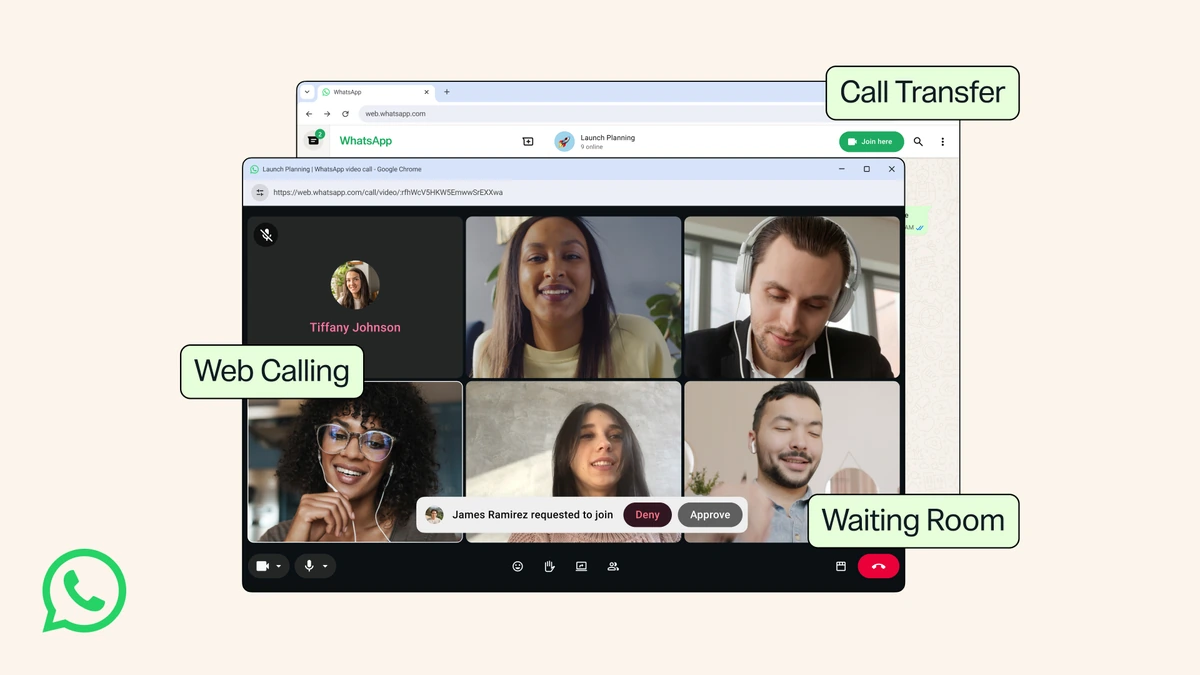
Meta is bringing native calling to WhatsApp Web, letting people place and answer one-on-one and group audio and video calls from a browser tab with no app download required. Meta is pairing WhatsApp Web Calling with three related features: Call Transfer, Waiting Room, and Noise Suppression.
The WhatsApp Web calls run on the same end-to-end encryption Meta uses across WhatsApp's Android, iPhone, Windows, and Mac apps, with no time limit and no added cost. Meta says users get the same screen sharing, reactions, and call history already built into WhatsApp's Calls list on phone and desktop. Call Transfer extends that parity further: a WhatsApp group call started on a phone can move to WhatsApp Web or the WhatsApp desktop app without hanging up and rejoining, useful for anyone who starts a conversation on a commute and wants to finish it on a Windows or Mac laptop at a desk.
The other two additions change how a WhatsApp call behaves rather than where it happens, and put WhatsApp Web Calling in the same category as Facebook Messenger and Google Meet, which have both offered browser-based calling for years. Waiting Room lets a call's host require approval before letting participants join a group call through a shared link, a control long available on Zoom and Google Meet but new to WhatsApp. QuickHD is meant to deliver full HD video within the first few seconds of a call instead of ramping up gradually, and Noise Suppression filters background sound out of a caller's audio in real time, adjustable from WhatsApp's in-call settings.
Meta did not specify a regional rollout order for WhatsApp Web Calling, whether the WhatsApp desktop app gains identical calling behavior to the browser version, or whether web-based WhatsApp group calls carry a different participant cap than the WhatsApp mobile app already enforces. Meta describes availability only as gradual, promising the features to everyone soon rather than all at once.