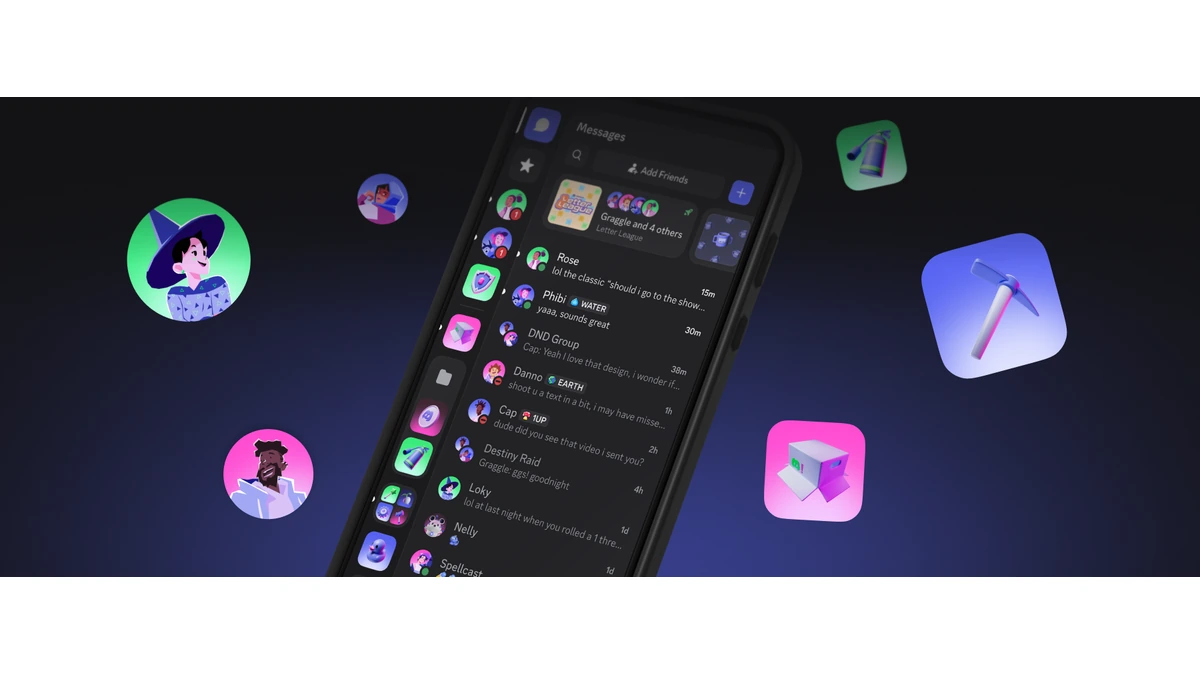
Discord updated its mobile app to mirror its desktop experience more closely, delivering unified themes, a new visual shape system, and a reorganized chat bar in its latest release.
The biggest practical shift is theme unification. All four base themes from the desktop client (Light, Ash, Dark, and Onyx) are now available on mobile, per Discord. Ash is the revived OG dark theme, updated with improved contrast to meet modern accessibility standards. Onyx now renders true black rather than very dark gray, which on OLED screens translates to genuine battery savings. A new per-device mode also lets users tie their Light and Dark theme selections to the phone's system setting, so the app switches automatically when the device changes modes; the option is in Appearance settings.
On the visual side, Discord settled on a shape rule that runs consistently across both platforms: people (users and bots in direct messages) are circles, while servers and apps are squircles. The rounded-square shape makes scanning a dense server list faster because the icon shape alone distinguishes a person from a community without reading labels. The squircle geometry extends to buttons, inputs, and container elements throughout the app, replacing a mixed-shape system that differed between mobile and desktop.
The chat bar received a structural rearrangement. After accumulating features over several years, Discord reorganized it: Emoji, Gift, Voice Message, and the most-used quick actions remain on the right, while Threads and app shortcuts move into a + menu. A long-press on the + icon jumps directly to any action without opening the full menu, which Discord designed to narrow the gap for users who relied on dedicated Threads buttons. The company acknowledged the trade-off: users who reach for those features constantly will now be one tap farther away.
Discord's 2025 desktop redesign introduced the themes and cleaner layout that mobile is now adopting. Closing that gap also means future updates can ship to both surfaces at the same time, rather than staggering changes across separate design systems. The open question from this release is whether the long-press shortcut genuinely serves power users who built habits around quick Threads access, or whether the friction compounds across a day of heavy Discord use.