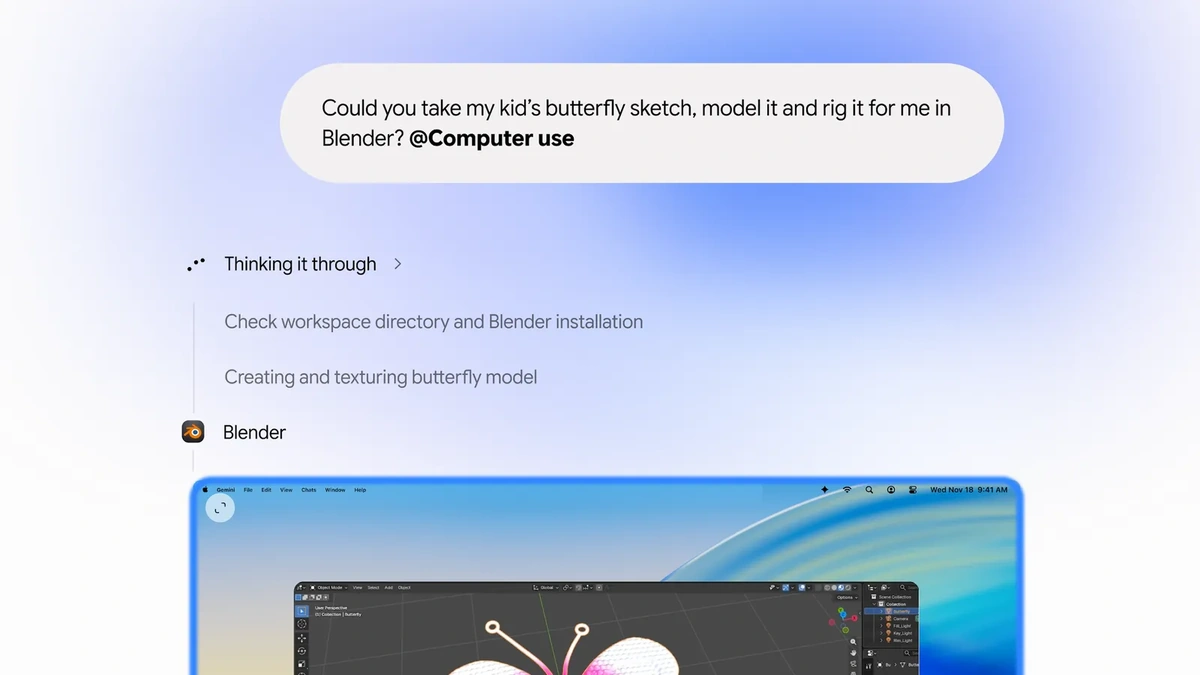
The Gemini app for Mac can now operate the computer itself. Google added a computer use feature that lets the assistant click through menus, type text and fill in forms across local files, desktop apps and websites, so a user can describe a multi-step job and let it work through the steps.
The work happens in an isolated background window with a live preview inside the chat. Google says the main screen and cursor stay free, so the user can keep typing or take a call while the agent works. Control stays with the user: Gemini only touches the apps a person allows, every step is visible, the run can be paused, and key actions wait for approval before they happen.
Google's examples show the intended reach. Gemini can batch color-grade photos in design software, pull weights, dimensions and addresses out of local PDFs to fill a multi-box shipping quote, collect metrics and screenshots from live dashboards across several regions into a Google Slides deck, or review clothing photos in a folder, research prices and stage listings on resale platforms.
The app also has a Tasks mode, which Google says runs multi-step chores in the background, such as tidying folders or summarizing local files into Google Docs and Google Sheets, with a one-tap approval for each action.
Access is limited at launch. Computer use is rolling out in English in the United States, per Google. It requires an Apple Silicon Mac running macOS Sequoia 15.0 or later and is open to personal Google accounts held by users 18 and older who subscribe to Google AI Plus, Pro or Ultra. Intel Macs are not supported. The app downloads from gemini.google/mac, and Google says it already offers a screen-sharing shortcut, voice dictation into any open app and a one-click launch of Google Antigravity for coding.