Version 0.1 of Microsoft Intelligent Terminal is now available via the Microsoft Store and WinGet, bringing AI agent capabilities directly into the command-line environment through an open-source, experimental fork of Windows Terminal. Microsoft's announcement describes the release as an experimental starting point and notes the team is deprecating Terminal Chat in the Windows Terminal Canary channel in parallel.
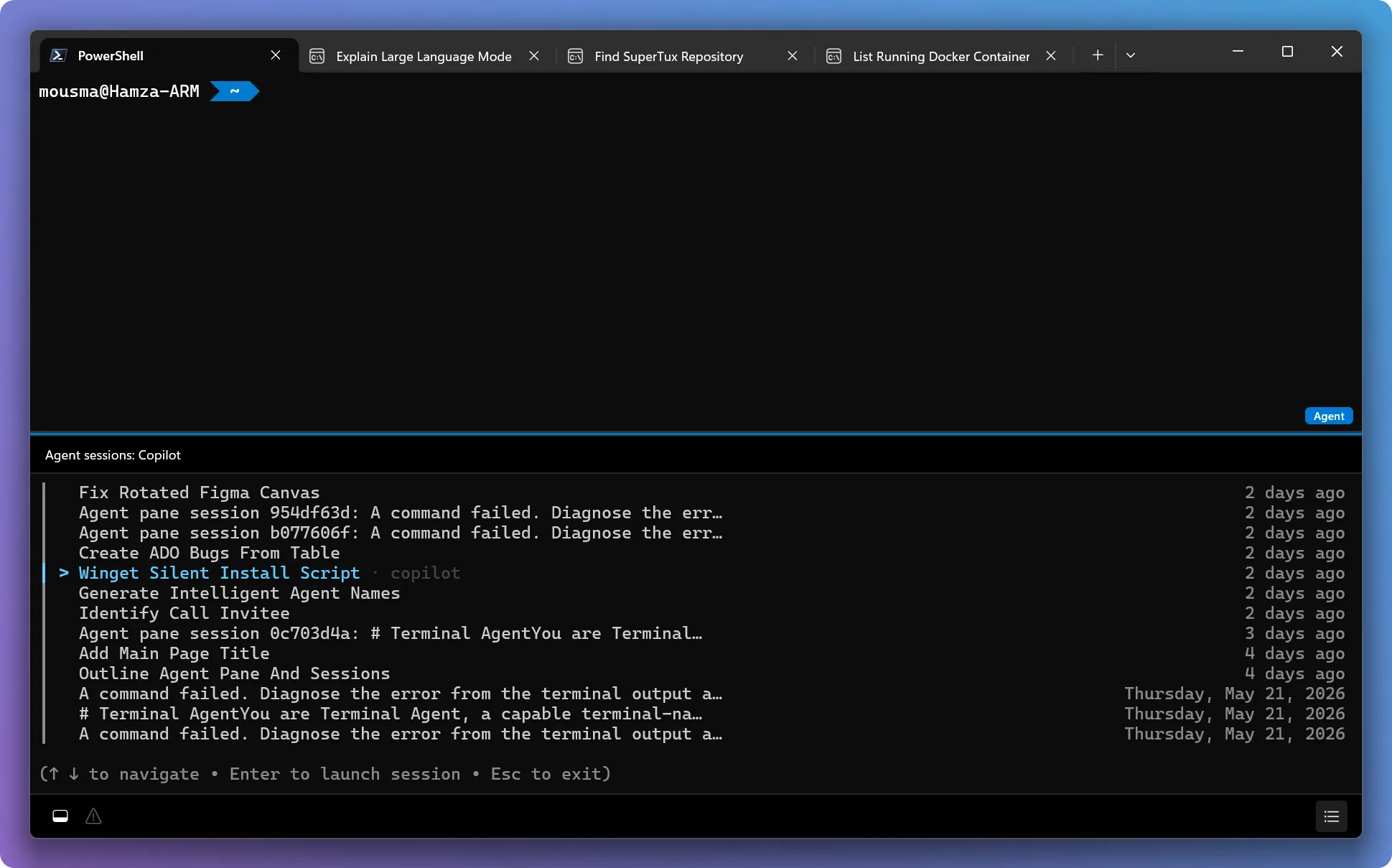
The core design separates agent functionality from the standard terminal session. A docked pane carries the AI assistant (GitHub Copilot by default, though any Agent Client Protocol-compatible CLI works, including Claude, Codex, and Gemini) while the main shell continues running uninterrupted. The agent pane has persistent context over shell output, so a user can ask it to explain a failed command without copying and pasting anything. Error detection can run automatically: when a command fails, an indicator appears in the status bar; one click or Ctrl+Alt+. opens the agent pane with the error context already loaded.
Session management is the other notable feature. Without Intelligent Terminal, switching between agent sessions or returning to a prior one requires navigating the standard terminal manually. Intelligent Terminal stores active and past sessions in a management panel (Ctrl+Shift+/) so a developer can pick up a workflow mid-way through without re-establishing context. Background tasks spun up by the agent run in separate tabs, keeping the active shell available. The tool requires Windows 11 22H2 (build 22621.6060 or later).
Microsoft is shipping Intelligent Terminal as a standalone application, deliberately separate from the main Windows Terminal install. That separation matters: it lets the team iterate on the agent experience without blocking users who do not want it, and it avoids the recurring complaint that Microsoft forces AI into products where it was not asked for. The version 0.1 label signals that behavior is subject to change based on community feedback from the GitHub repository, which had accumulated 735 stars in the days since release.
What is not yet clear is how the tool handles agent-generated commands that modify the filesystem or execute system operations. The documentation notes that Intelligent Terminal always asks before running commands on the user's behalf, but how that confirmation surface works under load is something the community will stress-test. For developers already running agentic coding workflows in a separate window, the proposition is consolidation rather than novelty; the question is whether the session-resume capability makes that consolidation worth a context switch.