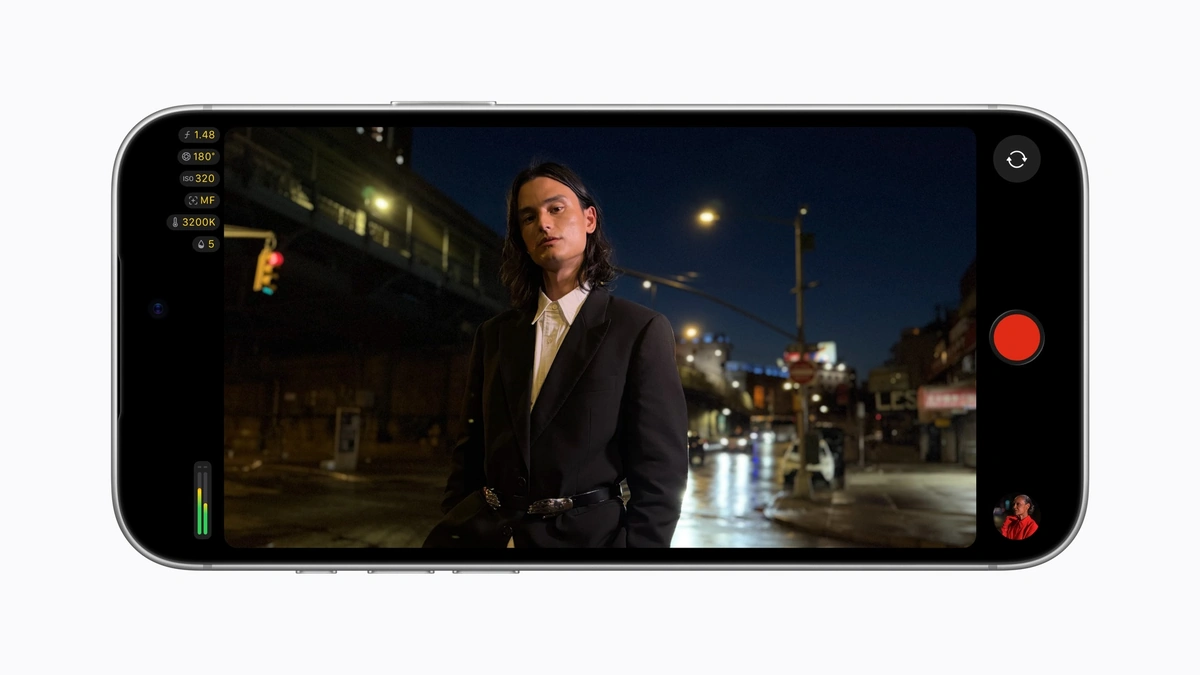
Version 2.4 of Final Cut Camera adds aperture control on the iPhone 18 Pro, which Apple says is a first for iPhone. Shooters can hold a chosen f-stop or run an aperture-priority mode on the Fusion Main camera, the variable-aperture lens on the iPhone 18 Pro. Unlike shutter and ISO, aperture also changes depth of field, so the control reaches past exposure into how a shot looks.
The Final Cut Camera update is free and arrived on September 29, with iOS 27 supplying several of the new features. Aperture becomes a third exposure control beside shutter angle and ISO. Users can set it directly or pick shutter-priority or aperture-priority mode, where one value stays fixed and the app adjusts the rest.
Final Cut Camera now applies Cinematic mode effects to regular video too, including footage captured in ProRes and Apple Log. According to Apple, editors can then adjust focus points and depth of field later in Final Cut Pro instead of committing to them on set.
The interface was rebuilt from the ground up. Apple says shutter angle, ISO and white balance are easier to reach. Overlays are customizable, with false color and clipping indicators for judging exposure, and focus peaking gains a sensitivity control. A tally light shows when Final Cut Camera is recording, and a two-finger tap clears the viewfinder.
Three additions depend on iOS 27. Professional video scopes, an RGB Parade and a histogram, show color balance and exposure on the phone, and the parade splits the signal into red, green and blue channels. Clean SDI out sends a video signal without on-screen controls through an HDMI-to-SDI converter, which Apple positions for broadcast-quality streaming. Genlock offset lets a phone synced to other cameras shift its timing, and Apple says that compensates for image artifacts when filming a display and for latency differences between the iPhone and other genlocked cameras.
Aperture gets the attention, yet the iOS 27 trio speaks to a more demanding crowd: people feeding a phone into a broadcast chain or a multi-camera rig. The split is simple. Aperture control is specific to iPhone 18 Pro hardware, while the scopes, clean SDI out and genlock offset belong to iOS 27.