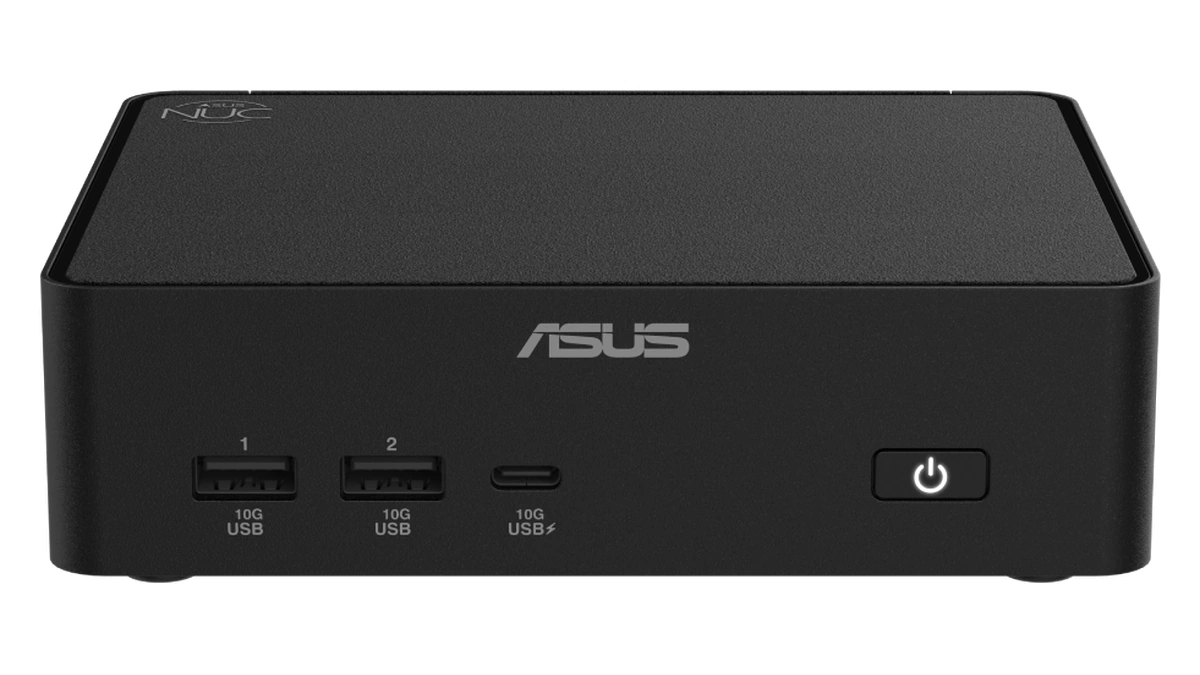
A mini PC is a compact desktop computer that fits a laptop-class processor, memory, storage and a full set of ports into a box small enough to bolt behind a monitor. The category has quietly split into three platforms. Intel and AMD machines run x86 Windows and Linux software natively, while Qualcomm's Snapdragon X2 Elite has moved from laptops into desktops: ASUS calls its Ascent QN10 the first AI mini PC with an 80 TOPS NPU, in a Windows on Arm box of under 0.7 liters.
The chip logo is only the first decision. Two mini PCs with similar processors can differ in whether the memory can ever be upgraded, how many drives fit inside, which ports carry docks and displays, and how much power the adapter allows the chip to draw. Those details decide whether a small desktop lasts five years or gets replaced in two.
What a Mini PC Is and Who It Suits
Choosing a mini PC comes down to four checks, in this order: whether your software and drivers run on the chip platform, how much memory you need for the machine's whole life, how many drive slots and fast ports it has, and how much power its adapter allows. Intel and AMD models run x86 software natively; Snapdragon models run Windows on Arm.
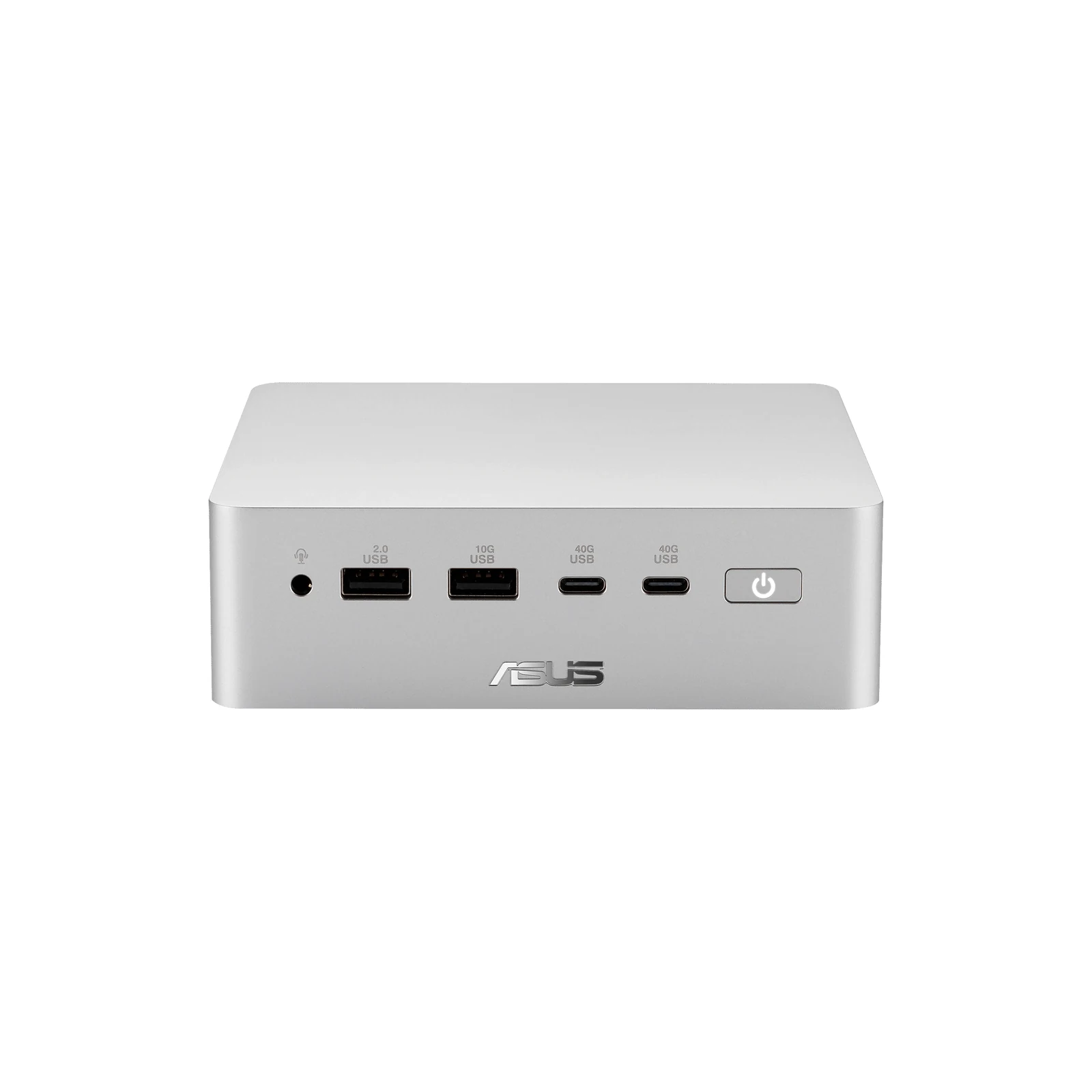
A mini PC trades expansion for size. There is no room for a full-length graphics card or a stack of drive bays, so most models rely on the processor's integrated graphics, one or two M.2 2280 SSD slots and whatever USB4 or Thunderbolt ports the maker fits. ASUS ships its NUC 16 Pro with a VESA bracket in the box, which says a lot about where these machines end up: on the back of a monitor, under a desk or behind a TV.
That makes the form factor a good fit for a specific set of jobs:
- Office desks and hot desks: a mini PC with a monitor, keyboard and mouse covers spreadsheets, browsers and video calls in a fraction of the desk space.
- Living-room and media boxes: HDMI output and quiet cooling matter more than raw speed.
- Home servers and homelabs: dual 2.5G Ethernet, Linux support and socketed memory make a small box a capable always-on host.
- Local AI development: a newer class of mini PC built around large pools of unified memory runs language models on the desk instead of in the cloud.
Gaming at high settings, 3D rendering and any workload that needs a full-size desktop graphics card still belong in a larger case, although a few gaming mini PCs fit a laptop GPU, as the tier table below shows. The laptops vs desktops vs workstations comparison covers where that line falls, and the fanless PC guide covers the silent end of the small-desktop market.
Intel, AMD and Snapdragon Mini PCs: Key Differences
The clearest way to see how mini PC platforms differ is to put one current machine from each side by side. All four below come from the vendors' own spec pages, and three of them carry the Copilot+ PC label for Microsoft's on-device AI features.
| Model | Chip | Memory | Storage | Fastest ports |
|---|---|---|---|---|
| ASUS NUC 16 Pro | Intel Core Ultra Series 3, up to Core Ultra X9 | Soldered LPDDR5x or two CSO-DIMM slots, by version | Two M.2 2280 slots, one PCIe 5.0, per the ASUS datasheet | Two Thunderbolt 4 |
| ASUS ExpertCenter PN55 | AMD Ryzen AI 400, up to Ryzen AI 9 HX 470 | Two DDR5-5600 SO-DIMM slots | Two M.2 2280 slots, PCIe 4.0 | One USB4 at 40Gbps |
| AMD Ryzen AI Halo | AMD Ryzen AI Max+ 395 | 128 GB LPDDR5x unified memory | 2 TB M.2 SSD | 10 Gbps Ethernet, three USB-C |
| ASUS Ascent QN10 | Qualcomm Snapdragon X2 Elite (18 cores) | 16 or 32 GB LPDDR5x | One M.2 2280 slot, PCIe 4.0 | Three USB4 at 40Gbps |
The NPU ratings matter less than they look. Intel quotes up to 50 TOPS for the top Core Ultra Series 3 chips, ASUS quotes up to 55 TOPS for the PN55, AMD lists up to 50 TOPS for the Ryzen AI Halo, and the QN10's Snapdragon X2 Elite rates 80 TOPS, per Qualcomm's product brief. Every one of those figures clears the 40+ TOPS bar that Microsoft sets for a Copilot+ PC, which also requires 16 GB of memory and a 256 GB drive. The memory and storage columns separate these machines far more than the NPU column does.
Budget, Mainstream and Gaming Mini PCs
The four machines above sit in the middle of the mini PC range. Below them are low-power budget boxes built for browsing, office work and media playback; above them are gaming models that add a discrete laptop GPU, at the cost of a bigger chassis and a much larger power adapter. The table puts one chip or model from each tier side by side.
| Tier | Example | Graphics | Memory ceiling | Power |
|---|---|---|---|---|
| Budget | Intel Processor N150, 4 cores and 4 threads | Intel Graphics, 24 execution units | 16 GB on one memory channel | 6 W processor base power |
| Mainstream | NUC 16 Pro, ExpertCenter PN55, Ascent QN10 | Integrated Intel Arc, Radeon 800M or Adreno X2-90 | 32 GB soldered (QN10) to 128 GB in CSO-DIMM slots (NUC 16 Pro) | 120W to 180W power adapter |
| Local AI | AMD Ryzen AI Halo | Integrated Radeon 8060S | 128 GB of unified memory | 120 W TDP |
| Gaming | ASUS ROG NUC (2025) | GeForce RTX 5060 to RTX 5080 Laptop GPU | Up to 96 GB | 330W power adapter |
The budget row shows what the entry tier gives up. Intel's N150 spec sheet lists a 3.6 GHz maximum turbo frequency, support for three displays and DDR4, DDR5 or LPDDR5 memory, but no NPU entry, and the chip is not among the processors Microsoft lists for Copilot+ PCs. It suits a media box or a light office desk, and 16 GB is as far as it goes.
The gaming row is the exception to the integrated-graphics rule. ASUS calls the ROG NUC (2025) the world's first sub-three-liter gaming mini PC with Intel Core Ultra 9 processors (Series 2), against under 0.7 liters for the QN10, and pairs the Core Ultra 9 275HX or Core Ultra 7 255HX with a GeForce RTX 5080, 5070 Ti, 5070 or 5060 Laptop GPU. Its NPU is rated at up to 13 TOPS, well short of the Copilot+ line, so a gaming mini PC is not automatically a Copilot+ PC.
Mini PC Performance, Power and Upgrade Limits
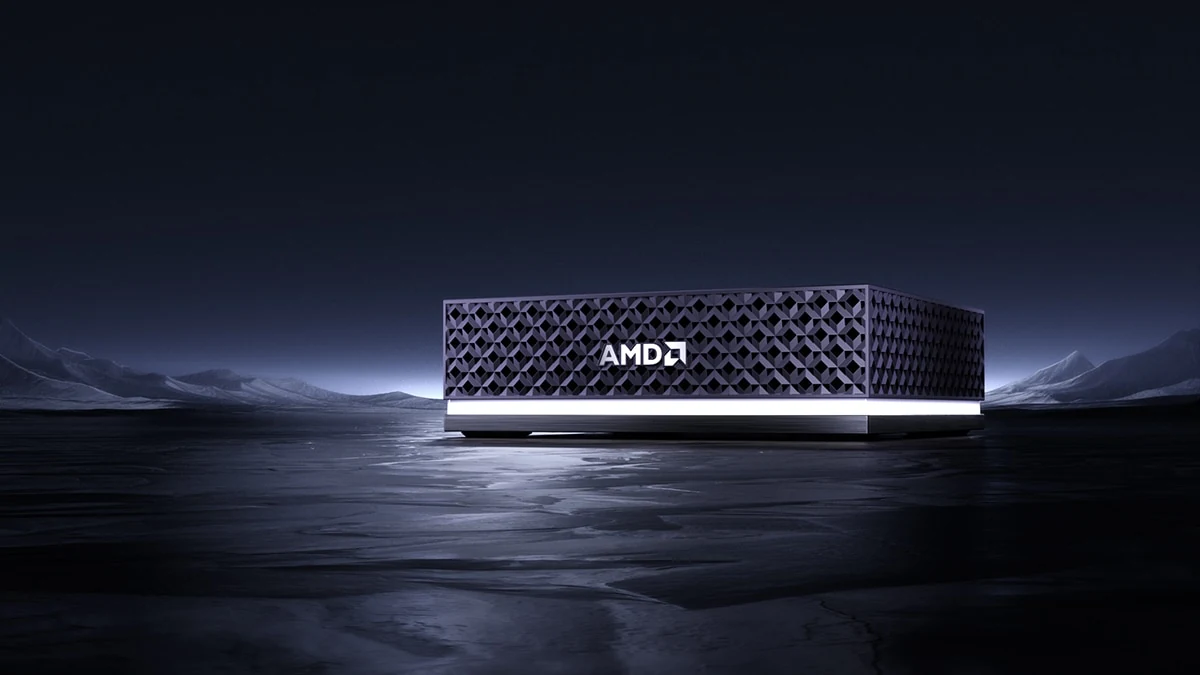
Mini PC performance is set as much by the power budget as by the chip. Sustained clock speeds do not appear on these spec sheets, but the configured power limit and the power adapter rating mostly do, and they show how hard the cooling is allowed to push. A higher limit buys more sustained speed and, inside a box this small, more fan noise.
| Model | Processor power | Power adapter | Integrated graphics |
|---|---|---|---|
| ASUS NUC 16 Pro | 65W cTDP on Core Ultra X9, X7 and Ultra 7; 45W on Ultra 5, per ASUS | 120W or 150W | Intel Arc on X-series chips |
| ASUS ExpertCenter PN55 | 45W cTDP on the top two chips, 40W on the rest, per ASUS | 120W | Radeon 800M |
| AMD Ryzen AI Halo | 120 W TDP, per AMD | USB-C power input | Radeon 8060S |
| ASUS Ascent QN10 | Not listed by ASUS | 180W, per ASUS | Adreno X2-90 |
None of these machines takes a discrete graphics card, so integrated graphics set the ceiling for games and creative apps. AMD rates the Halo's Radeon 8060S at 60 FP16 TFLOPS on its product page, a figure aimed at AI work rather than games.
Memory is the limit that cannot be fixed later. LPDDR5x is soldered to the board, so what you buy is what you keep; the QN10 tops out at 32 GB, and the LPDDR version of the NUC 16 Pro at 96 GB in the NUC 16 Pro datasheet. SO-DIMM and the newer CSO-DIMM modules plug into slots, and ASUS rates the CSO-DIMM version of the NUC 16 Pro for up to 128 GB across two modules. The trade-off runs the other way for AI: the Halo's 128 GB of soldered LPDDR5x runs at 8000 MT/s with 256 GB/s of bandwidth, according to AMD's spec table, all of it in one unified pool. The DDR5 vs DDR4 RAM explainer covers what memory speed changes in practice.
Price follows configuration more than platform. The NUC 16 Pro and the PN55 both come as a barebones kit, which ASUS ships without memory or storage, and the NUC 16 Pro kit without an operating system as well, per the NUC listing. A kit lets a buyer reuse drives or buy memory separately, at the cost of assembly time, plus a Windows license on the NUC 16 Pro kit. Windows 11 itself asks for little: Microsoft's minimum requirements are 4 GB of memory, 64 GB of storage, UEFI firmware capable of Secure Boot, and TPM 2.0. The practical floor for a mini PC running Windows 11 is set by your apps instead, and by the 16 GB and 256 GB that Copilot+ features need.
Software Support on Snapdragon and x86 Mini PCs
Software support is where a Snapdragon mini PC and an x86 mini PC differ most. The QN10 runs Windows on Arm, and Microsoft's Prism emulator translates x86 and x64 apps into Arm64 code and caches the result. Emulation covers user-mode code only, so drivers and other kernel-mode components must be native Arm64. On a desktop, that matters for printers, scanners, capture cards and any utility that installs its own driver.
Operating system choice splits the field further:
- ASUS NUC 16 Pro: ASUS lists Windows 11 Home, Pro and IoT Enterprise plus Ubuntu 24.04 LTS and Red Hat Enterprise Linux 10.0.
- AMD Ryzen AI Halo: sold with Windows 11 or Linux, with AMD's ROCm software stack for AI work, per AMD, which also pitches the x86 platform as a mature ecosystem with no emulation.
- ASUS ExpertCenter PN55: Windows 11 Home, Pro and IoT Enterprise in the ASUS spec list.
- ASUS Ascent QN10: Windows 11 Home and Pro as a Copilot+ PC; ASUS lists no Linux option on its spec page.
In practice, the x86 machines are the safer default for anyone with legacy software, specialist peripherals or a homelab plan. The Snapdragon box makes the most sense for a buyer who lives in a browser, Microsoft 365 and Arm-native apps, and who wants the strongest NPU in the group for Copilot+ features and on-device models.
Mini PC Use Cases: When to Choose Each
Matching a mini PC to the job usually narrows the choice to one platform quickly. The table pairs common uses with the hardware traits that matter for each, using the machines above and two non-Windows alternatives.
| Use case | What matters most | Platform that fits |
|---|---|---|
| Managed office fleet | Remote management, VESA mounting, Windows 11 Pro | Intel with vPro, such as the NUC 16 Pro's Core Ultra 7 366H option, or AMD PRO models of the PN55 |
| Home server or homelab | Socketed memory, two drive slots, dual 2.5G Ethernet, Linux | Intel or AMD with SO-DIMM or CSO-DIMM slots |
| Quiet Windows desktop | Efficiency, USB4 docks, Copilot+ features | Snapdragon X2 Elite, if every app and driver runs on Arm |
| Local AI development | Unified memory capacity and bandwidth | Ryzen AI Max+ class, or NVIDIA DGX Spark with its DGX OS |
| Gaming | A discrete GPU and the cooling to sustain it | A gaming model such as the ROG NUC, with a GeForce RTX Laptop GPU |
| macOS user | Apple software, Thunderbolt | Mac mini |
The two alternatives deserve a sentence each. Apple sells the Mac mini with an M6 chip, starting at 16 GB of unified memory and three Thunderbolt 4 ports, or with an M5 Pro that brings three Thunderbolt 5 ports rated up to 120Gb/s; memory is chosen at purchase. NVIDIA's DGX Spark pairs a GB10 superchip with 128 GB of unified memory, or 64 GB in a version NVIDIA lists as coming soon through partners, runs NVIDIA's own DGX OS and, by NVIDIA's numbers, handles inference on models of up to 200 billion parameters with the 128 GB configuration.
How to Choose the Right Mini PC
Choosing a mini PC goes fastest in the order the constraints bite, starting with the one you can never change:
- Confirm software first. List the apps, drivers and operating systems you need. Any driver without an Arm64 build rules out Snapdragon; any Linux plan favors Intel or AMD.
- Buy the memory you will need in year four. On LPDDR5x machines it is fixed. On SO-DIMM machines, two slots let you start small and add later.
- Count drive slots. Two M.2 2280 slots allow a separate data or backup drive; the NVMe Gen5 vs Gen4 comparison explains when the faster slot is worth using.
- Check the fast ports. USB4 and Thunderbolt 4 run at 40Gbps for docks and fast storage, and the USB4 specification allows up to 80 Gbps over certified cables. Count display outputs too: ASUS rates the PN55 for four 4K displays at once.
- Match the network to the job. The NUC 16 Pro and PN55 each have two 2.5G Ethernet ports and the QN10 has one; the Halo has a single 10 Gbps port, and the Mac mini offers 10Gb Ethernet as an option.
- Read the power line. Adapter wattage hints at sustained performance and is a ceiling, not typical draw. The Halo takes power over USB-C, while the ASUS machines use a DC-in jack and an external power adapter; Apple lists 155W as the Mac mini's maximum continuous power.
- Decide between a kit and a complete system. A barebones kit makes sense if you already own memory, storage and a license; otherwise the complete version avoids a parts hunt.
Get the first two steps right and the rest is preference. A mini PC with the right operating system and enough memory will outlive one with a faster chip and a soldered 16 GB, and the extra slots are what turn a small office desktop into a home server later.
Further reading
Frequently Asked Questions
Are mini PCs good for gaming?
Integrated graphics suit lighter games, but demanding games need a model with a discrete GPU. ASUS builds the ROG NUC (2025) around GeForce RTX 5060 to RTX 5080 Laptop GPUs in a chassis under three liters, while mainstream models such as the NUC 16 Pro and Ascent QN10 rely on integrated graphics. On Snapdragon models, games that need anti-cheat drivers not made for Arm might not run, per Microsoft's Arm-based PC FAQ.
Is a mini PC better than a laptop?
For a fixed desk it can be, but it is not portable. A mini PC needs its own monitor, keyboard and mouse and has no battery. In return, the NUC 16 Pro and ExpertCenter PN55 each offer two 2.5G Ethernet ports and two M.2 2280 drive slots (the NUC 16 Pro's slots are listed in its datasheet) and ship with a VESA bracket, so they can hide behind a monitor. A laptop stays the better choice for anyone who works away from one desk.
How much RAM does a mini PC need?
Plan on 16 GB for a Windows mini PC you intend to keep. That is Microsoft's minimum for a Copilot+ PC, against 4 GB for Windows 11 itself, per its Windows 11 specifications. Choose 32 GB or more for heavy multitasking or virtual machines, and a large unified pool such as the Ryzen AI Halo's 128 GB for big local AI models. On soldered LPDDR5x machines, buy the amount you will need later.
Can you upgrade the memory in a mini PC?
Only if it uses SO-DIMM or CSO-DIMM slots; LPDDR5x memory is soldered and fixed at purchase. ASUS fits the ExpertCenter PN55 with two DDR5-5600 SO-DIMM slots and rates the CSO-DIMM version of the NUC 16 Pro for up to 128 GB. The Ascent QN10 and AMD's Ryzen AI Halo use LPDDR5x, so pick their capacity at checkout.
Do mini PC kits come with memory, storage and Windows?
Not the ASUS kits covered here. ASUS ships the NUC 16 Pro kit with no memory, storage or operating system, and the ExpertCenter PN55 Kit without memory or storage. The complete versions are configured differently: ASUS lists an included 512 GB or 1 TB SSD for complete NUC 16 Pro models and 8, 16 or 32 GB memory options for the complete PN55. When pricing a kit, budget for memory modules and an M.2 SSD, plus a Windows license where the kit ships without an operating system.
Is a mini PC powerful enough to run local AI models?
Small models, yes; large models need a mini PC built around a big pool of unified memory. AMD says the Ryzen AI Halo and its 128 GB support models of up to 200 billion parameters, and NVIDIA quotes the same inference ceiling for DGX Spark. A mainstream 16 GB or 32 GB mini PC suits compact models running on its NPU or integrated graphics.