
An AI coding assistant is a tool that suggests, writes, and refactors code inside a developer's workflow, ranging from single-line autocomplete to autonomous multi-file agents that open pull requests without manual input. The category once meant a single inline suggestion in an editor; it has split into three distinct product shapes, with GitHub Copilot, Cursor, and Claude Code each occupying a different point on the spectrum. GitHub Copilot, the Microsoft and OpenAI collaboration shipped through GitHub, leans on tight integration with the platform and a feature matrix of supported IDEs spanning VS Code, JetBrains, and others. Cursor ships as a standalone editor fork of Visual Studio Code that wraps the workspace around the model. Claude Code from Anthropic runs as a terminal CLI that drives Git and Bash, opens pull requests, and chains hooks into shell commands. Choosing between them is less about which model is strongest in benchmarks, whether Claude Sonnet, GPT-4o, or Gemini, and more about how each one slots into an existing developer workflow across languages such as Python, JavaScript, TypeScript, Go, Rust, and Java.
What an AI Coding Assistant Actually Does
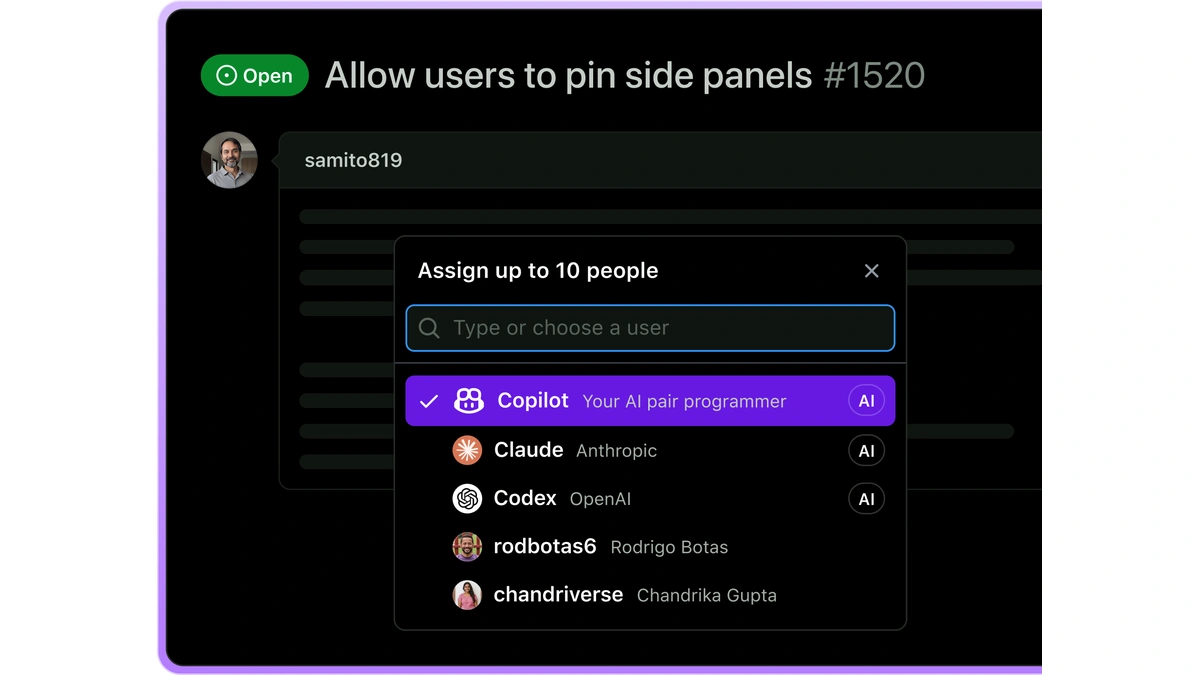
An AI coding assistant operates at one or more levels in a developer workflow: inline autocomplete that predicts the next token, a chat panel that answers questions about the codebase, and an agentic mode that plans and executes multi-step tasks across files. The simplest layer is code completion, where the model proposes the next few lines as a developer types, a behavior GitHub documents as autocomplete-style suggestions from Copilot in supported IDEs (GitHub Docs, Copilot features). The chat layer adds a panel for asking questions about a function, generating a unit test, or explaining unfamiliar code. The third layer is agentic: the assistant plans a change, edits multiple files, runs the build, reads the failure, and tries again. That third layer is where GitHub Copilot, Cursor, and Claude Code diverge most sharply, because each vendor has made a different bet about where the agent should live, what tools it controls, and how much trust the human grants it on a single prompt. The category also includes Tabnine, Codeium, Windsurf, Sourcegraph Cody, Amazon Q Developer, and Gemini Code Assist, each making different bets on context handling and editor integration. For a wider framing of the category, see how generative AI tools work across text, image, video, and audio.
- Code completion: inline, single-line or multi-line suggestions a developer accepts with one keystroke, the lowest-friction surface for an AI coding assistant.
- Chat: a side panel for questions about the open file, the project, or generic programming, often the first place a developer goes when the autocomplete is not enough.
- Agentic mode: a multi-step loop where the model edits several files, runs commands, reads results, and iterates until a task is complete or it asks for help.
- Code generation: producing new code from a natural language description, the connective tissue across all three layers above.
GitHub Copilot: Inline Suggestions to Cloud Agent
GitHub Copilot is the AI coding assistant most developers encounter first, available across the GitHub website, GitHub Mobile, Windows Terminal, and a feature matrix of supported IDEs that GitHub documents as in public preview. Copilot Chat is described as available on the GitHub website, in GitHub Mobile, in supported IDEs, and in Windows Terminal, with autocomplete-style suggestions from Copilot in supported IDEs (GitHub Docs, Copilot features). The product is layered. At the base is code completion as inline ghost text. Above that sits Copilot Chat inside the editor, and above that an agent mode that drives a multi-step task inside the workspace session. The most autonomous layer is the Copilot cloud agent, which GitHub documents as a separate capability that works autonomously in a GitHub Actions-powered environment to complete development tasks assigned through GitHub issues or Copilot Chat prompts, and which is explicitly distinct from the agent mode feature available in your editor (GitHub Docs, About the Copilot coding agent). The cloud agent can research a repository, create implementation plans, fix bugs, and implement incremental new features, per the same GitHub page. GitHub recommends using the latest stable editor and Copilot extension versions for the best experience, and notes the feature matrix is subject to change (GitHub Docs, Copilot feature matrix). For developers picking a stack, the related question of language coverage is covered in which programming languages have the strongest AI tooling support.
| GitHub Copilot surface | Where it runs | What it does |
|---|---|---|
| Inline code completion | Supported editors including VS Code, Visual Studio, JetBrains, Eclipse, Neovim | Autocomplete-style suggestions as ghost text |
| Copilot Chat | GitHub website, GitHub Mobile, supported IDEs, Windows Terminal | Natural language Q and A about code, tests, and explanations |
| Agent mode | Inside the editor session | Multi-step edits across files driven by a chat prompt |
| Copilot cloud agent | GitHub Actions environment, triggered from GitHub issues or Chat | Autonomous repository research, implementation plans, bug fixes, pull request creation |
Cursor: The Editor Built Around AI Context
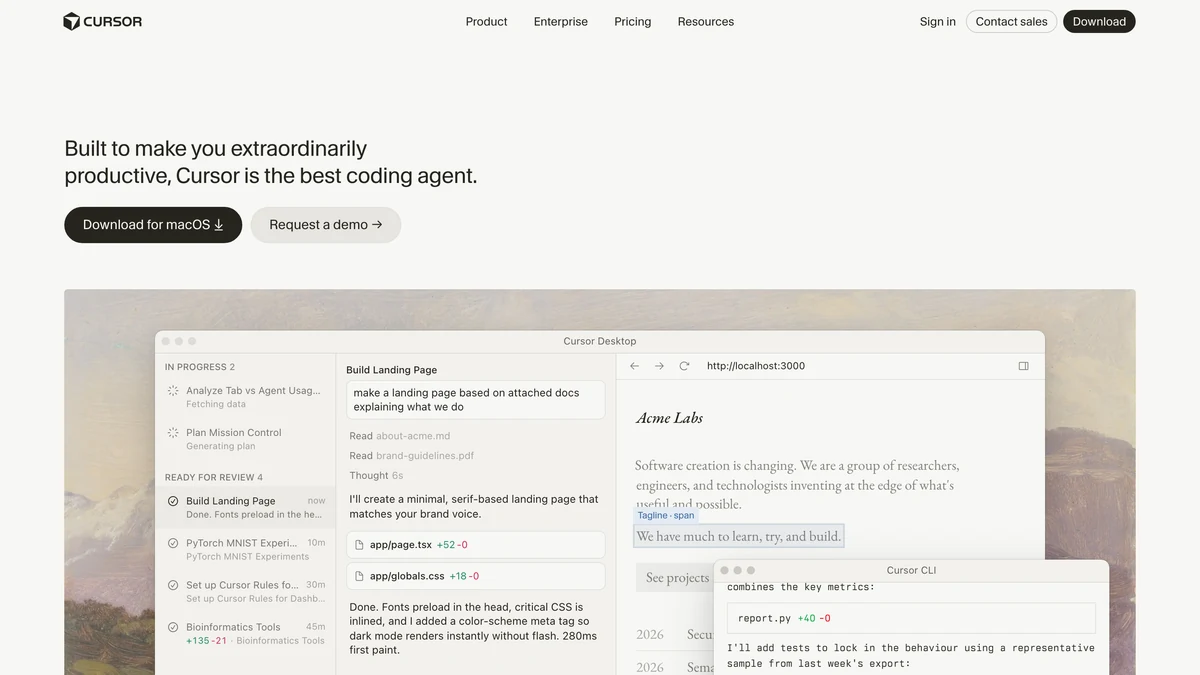
Cursor is an AI coding assistant that ships as a standalone editor fork of VS Code, designed from the start to give the model deep context over the entire project rather than treating AI features as a plugin layer on top of an existing environment. The architectural premise is the inverse of the GitHub Copilot model. Where Copilot adds AI to an existing editor through a Microsoft-distributed extension, Cursor treats the AI as the primary surface and the workspace as the host. That choice shapes how the tool reads a codebase, how it routes a prompt to a model, and how the chat panel cooperates with the inline code completion stream. Cursor is built on Visual Studio Code, which means familiar keybindings, the same extension ecosystem inherited from the VS Code marketplace, and a context window that the workspace populates with files the model needs for the current task. A developer working in Cursor edits code in a panel that is aware of which files, symbols, and references the agent is allowed to touch on a given task, with code generation flowing through the same editor surface as manual typing across Python, JavaScript, and TypeScript projects alike. Verified primary-source details about Cursor's specific feature set, pricing, and per-session limits sit outside the scope of this comparison because Anthropic and GitHub publish public documentation under their own domains and Cursor's equivalent docs did not return extractable content during the research pass; readers comparing options should check the Cursor documentation directly before committing.
- Editor shape: a standalone application that forks Visual Studio Code rather than a plugin that bolts on to it.
- Editing model: the AI coding assistant is the primary surface, with the workspace structured to feed the model context from the open project.
- Context window: the editor selects files and symbols for the prompt rather than asking the developer to paste them manually.
- Extension ecosystem: compatible with much of the VS Code marketplace because the base editor is forked from VS Code.
- Trade-off: a developer who wants a single environment for AI and non-AI work gains depth at the cost of running an additional editor alongside or instead of VS Code.
Claude Code: Terminal-First Agentic Workflows
Claude Code is the AI coding assistant Anthropic positions as a terminal-native CLI that understands an entire codebase, works across multiple files and tools, creates commits, and opens pull requests directly from the command line. Anthropic describes it as an AI-powered coding assistant that helps you build features, fix bugs, and automate development tasks, that understands your entire codebase and can work across multiple files and tools to get things done, with a Terminal CLI and a VS Code integration that both support third-party providers (Anthropic Docs, Claude Code overview). Git is a first-class surface: per the same overview page, the tool works directly with git, stages changes, writes commit messages, creates branches, and opens pull requests. The workflow library on Anthropic's documentation lists prompt recipes for exploring code, fixing bugs, refactoring, testing, PRs, and documentation, plus resuming previous conversations across sittings, running parallel sessions with worktrees, planning before editing, delegating research to subagents, and piping it into scripts for CI and batch processing (Anthropic Docs, Claude Code common workflows). Hooks are the deterministic control lever: Anthropic documents hooks as user-defined shell commands that execute at specific points in its lifecycle and that provide deterministic control over its behavior, ensuring certain actions always happen rather than relying on the model to choose to run them (Anthropic Docs, Claude Code hooks guide). The tool also supports the Model Context Protocol (MCP), an open standard for connecting agents to external data sources and tools. For the deeper picture of how agentic systems plan and act, see how autonomous AI agents plan and execute multi-step tasks.
- Invoke from the terminal: the CLI launches in the working directory of a repository and reads the project as its primary context, with no GUI dependency.
- Plan before editing: per Anthropic's documentation, the assistant can review changes before they touch disk, useful for high-risk refactors.
- Run multi-file edits: the agent works across multiple files and tools to fulfill a single prompt, per the Claude Code overview.
- Commit and open a pull request: the tool stages changes, writes commit messages, creates branches, and opens pull requests directly from the CLI, per Anthropic's overview page.
- Enforce with hooks: shell commands wired to lifecycle events guarantee that linting, tests, or security scans run on every agent action, per the hooks guide.
Feature-by-Feature Comparison
Putting each AI coding assistant side by side reveals where the tools overlap and where the architectures diverge across the dimensions that matter most in daily use. All three offer inline code completion, a chat panel, and an agentic surface for multi-step tasks, so the differentiator is the shape of each surface rather than its presence. GitHub Copilot's feature matrix lists agent mode, code completion, MCP, and workspace indexing as supported in VS Code, with broader feature support varying by editor, and the matrix marks public preview entries with a P and closing-down entries with a C (GitHub Docs, Copilot feature matrix). The matrix also confirms Copilot supports JetBrains IDEs, with specific feature availability varying by editor. Claude Code's primary surface is the terminal with a VS Code integration, both of which support third-party providers, per Anthropic's overview. For context window, Anthropic documents Claude Opus 4.8 as its most capable generally available model with a 1M token context window by default and 128k max output tokens (Anthropic Docs, API release notes); GitHub Copilot's per-session window depends on the underlying model the user picks, whether OpenAI's GPT-4o or another option from the model switcher. Cursor uses large context windows backed by the model the user selects, though the per-session ceiling is not detailed in the primary sources gathered for this comparison.
| Dimension | GitHub Copilot | Cursor | Claude Code |
|---|---|---|---|
| Primary surface | Plugin to host editor plus GitHub website and Mobile | Standalone editor fork of VS Code | Terminal CLI plus VS Code integration |
| Code completion | Inline autocomplete in supported IDEs | Inline autocomplete inside the editor | Available through the VS Code integration |
| Agentic mode | Editor agent mode plus separate Copilot cloud agent on GitHub Actions | Editor-resident agent driving multi-file edits | Terminal agent with plan-before-edit, worktrees, subagents |
| Git integration | Native to GitHub, cloud agent opens PRs from issues | Standard git in the editor | Stages changes, writes commits, opens PRs from the CLI |
| MCP support | Yes in VS Code per feature matrix | Not detailed in primary sources fetched | Yes per Anthropic overview |
| Determinism control | Plan modes per editor | Editor-side guardrails | User-defined shell hooks at lifecycle points |
Editor Integration and Developer Workflow Fit
An AI coding assistant's value depends heavily on how it fits into the editor and terminal workflow a developer already uses, because friction in the editing loop erodes the productivity gains the tool is supposed to deliver. The Language Server Protocol (LSP) is the substrate most editors rely on for code intelligence, and an AI tool sits on top of that or alongside it. GitHub Copilot is the path of least resistance for teams already in GitHub, with the feature matrix covering VS Code, Visual Studio, JetBrains IDEs, Eclipse, Neovim, and others; GitHub recommends the latest stable editor and Copilot extension versions for the best Copilot experience, and the feature matrix is marked as in public preview and subject to change, per GitHub documentation. Cursor asks a developer to swap editors, which is a higher activation cost but a tighter fit when the agent is the main interface. Claude Code asks for almost no environment change: it runs in the same terminal a developer already uses for git, builds, and tests, and it integrates with VS Code as a second surface, per Anthropic's overview. The choice between the three often reduces to where most of the editing happens. Developers who live in VS Code for both writing code and running their build commands may prefer to compare editor families directly; see how VS Code and Sublime Text differ as developer editors. Teams whose AI tasks span build, lint, and deploy will care more about pipeline integration, covered in how CI/CD pipelines integrate with different programming languages.
- Editor-first workflow: a developer who edits primarily in VS Code or JetBrains and rarely leaves the workspace will find GitHub Copilot the lowest-friction option through its native extension.
- AI-first workflow: a developer willing to swap editors to put the agent at the center of the loop gains tighter context handling with Cursor.
- Terminal-first workflow: a developer who lives in a shell for git, builds, and tests can drive Claude Code through the same prompt with no GUI required.
- Mixed workflow: teams that split work between an editor for edits and a terminal for orchestration can run Claude Code's VS Code integration alongside its CLI, per Anthropic.
Choosing the Right AI Coding Assistant for Your Workflow
The right AI coding assistant depends on whether a developer needs tight GitHub integration, a purpose-built AI-first editor, or a terminal-native agentic CLI that can run long tasks autonomously. GitHub Copilot is the natural starting point for teams already standardized on GitHub, because its cloud agent inherits the GitHub Actions environment and slots into the existing GitHub issues and pull request flow, per GitHub documentation. Cursor is the strongest fit for developers who want the editor itself reorganized around the model, especially when the project benefits from the workspace selecting context for each prompt. Claude Code is the choice when the developer workflow already centers on the terminal, when hooks for deterministic enforcement matter, or when long-running agentic tasks need to run unattended; Anthropic documents Auto mode for long-running tasks in the tool and Workflows as a research preview that lets users define and run multi-step agentic plans (Anthropic Docs, API release notes). Teams comparing their day-to-day git habits before picking a tool will want a stable branch strategy in place; see git workflow strategies for development teams.
- Pick GitHub Copilot when: the team's repositories and CI live on GitHub, the AI work should flow through GitHub issues and pull requests, and the supported-editor feature matrix matches the team's tools.
- Pick Cursor when: the developer is willing to adopt a new editor in exchange for a workspace that organizes itself around the AI coding assistant and the context window of the active project.
- Pick Claude Code when: the workflow centers on the terminal and git, hooks for deterministic enforcement matter, or long agentic tasks should run unattended through Auto mode and Workflows.
- Run two in parallel when: the team can absorb the cost of two subscriptions to keep GitHub Copilot for inline code completion in the workspace and Claude Code for terminal-driven multi-file edits and pull request creation.
References
- GitHub Docs, Copilot features
- GitHub Docs, About the Copilot coding agent
- GitHub Docs, Copilot feature matrix
- Anthropic Docs, Claude Code overview
- Anthropic Docs, Claude Code common workflows
- Anthropic Docs, Claude Code hooks guide
- Anthropic Docs, API release notes
Further reading
Frequently Asked Questions
What is the difference between GitHub Copilot agent mode and the Copilot cloud agent?
Copilot agent mode runs inside an IDE and responds interactively to prompts during an editing session. The Copilot cloud agent is a separate capability that operates autonomously in a GitHub Actions-powered environment, assigned tasks through GitHub issues or Copilot Chat, and can research a repository, create an implementation plan, fix bugs, and open a pull request without the developer staying in the loop, per GitHub documentation.
Does Claude Code work inside VS Code or only in a terminal?
Claude Code runs as a terminal CLI and also integrates with VS Code, with both surfaces supporting third-party providers. Per Anthropic documentation, Claude Code understands the entire codebase, works across multiple files and tools, and can create commits, branches, and pull requests directly from the command line without requiring the developer to switch to a GUI editor.
Which AI coding assistant has the largest context window?
Claude Code is backed by Claude Opus 4.8, which Anthropic documents as supporting a 1M token context window by default. That capacity lets it hold very large codebases in a single session. GitHub Copilot and Cursor also use large context windows, but their exact per-session limits depend on the model and plan selected.
Can I use GitHub Copilot in JetBrains IDEs?
Yes, GitHub Copilot supports JetBrains IDEs in the feature matrix, though specific feature availability varies by IDE. GitHub recommends using the latest stable IDE and Copilot extension versions for the best experience, and the feature matrix is marked as in public preview and subject to change, per GitHub documentation.
What are Claude Code hooks and why do they matter?
Claude Code hooks are user-defined shell commands that execute at specific points in the tool's lifecycle, giving developers deterministic control over its behavior. Per Anthropic documentation, hooks ensure certain actions always happen rather than relying on the model to choose to run them, useful for enforcing linting, test runs, or security scans on every agent action.