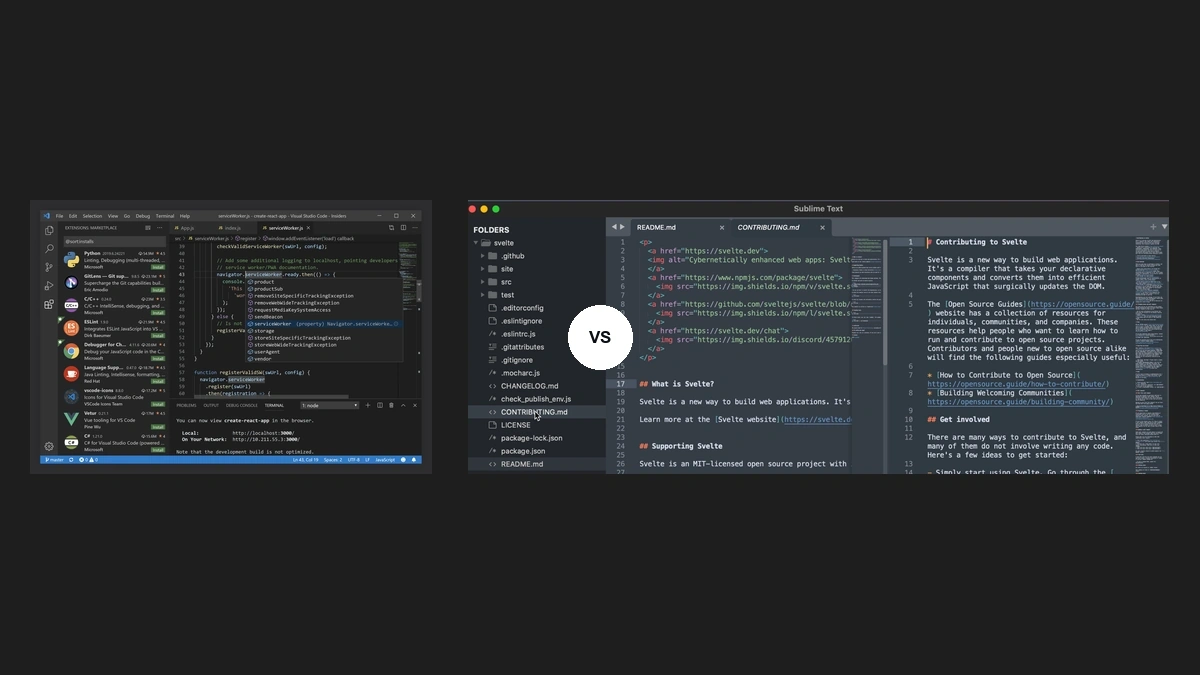
A code editor is a text editing environment that provides language-aware tooling for writing, navigating, and debugging source code. Two products dominate the category among polyglot developers who want more than a plain text editor but less than a full IDE: Visual Studio Code (VS Code) from Microsoft and Sublime Text from Sublime HQ. Each takes a different stance on what an editor should optimize for. VS Code optimizes for depth, with a marketplace of more than 50,000 extensions and first-class debugging support. Sublime Text optimizes for speed, with a native C++ binary that starts in milliseconds and keeps a small memory footprint even on large projects, and supports plugins through Python 3.14 starting in build 4205. The right choice depends on how you weigh integrated tooling against responsiveness on cold start.
What a Code Editor Does That a Plain Text Editor Cannot
A code editor extends a plain text surface with structural awareness of source files. Where Notepad or TextEdit treat a Python script as a sequence of characters, a programming editor parses it as a tree of tokens, scopes, and symbols, and renders that structure visibly through syntax highlighting, code completion, and navigation aids. The bridge between editor and language is typically the Language Server Protocol (LSP), a JSON-RPC interface that Microsoft published in 2016 and that most modern editors now implement.
- Syntax highlighting: color-codes keywords, strings, and identifiers using a parsed grammar rather than regex guesses.
- Code completion: suggests symbols, methods, and signatures by querying an in-process language server or static index.
- Go-to-definition and find-references: navigates a project graph instead of running a text search.
- Inline diagnostics: surfaces compiler errors and linter warnings without leaving the buffer.
- Integrated terminal: runs build, test, and version-control commands without an OS context switch.
These features are table stakes for any editor that ships . Where products diverge is how they are delivered, how fast they run, and how much they cost to extend. Editors also sit upstream of broader workflow choices like how services communicate across a distributed system, since the same window often hosts API client work, schema editing, and protocol debugging.
Visual Studio Code: Architecture and Extension Ecosystem
Visual Studio Code is a code editor built on the Electron framework, which packages a Chromium renderer and a Node.js runtime into a desktop binary. Microsoft released the underlying project "Code - OSS" under the open-source MIT License in November 2015 and has shipped monthly updates ever since, with release notes published on the GitHub Blog. The Electron base is what makes VS Code feel heavier than native editors at startup, and it is also what gives the extension ecosystem its reach: any author who can write TypeScript can ship a plugin.
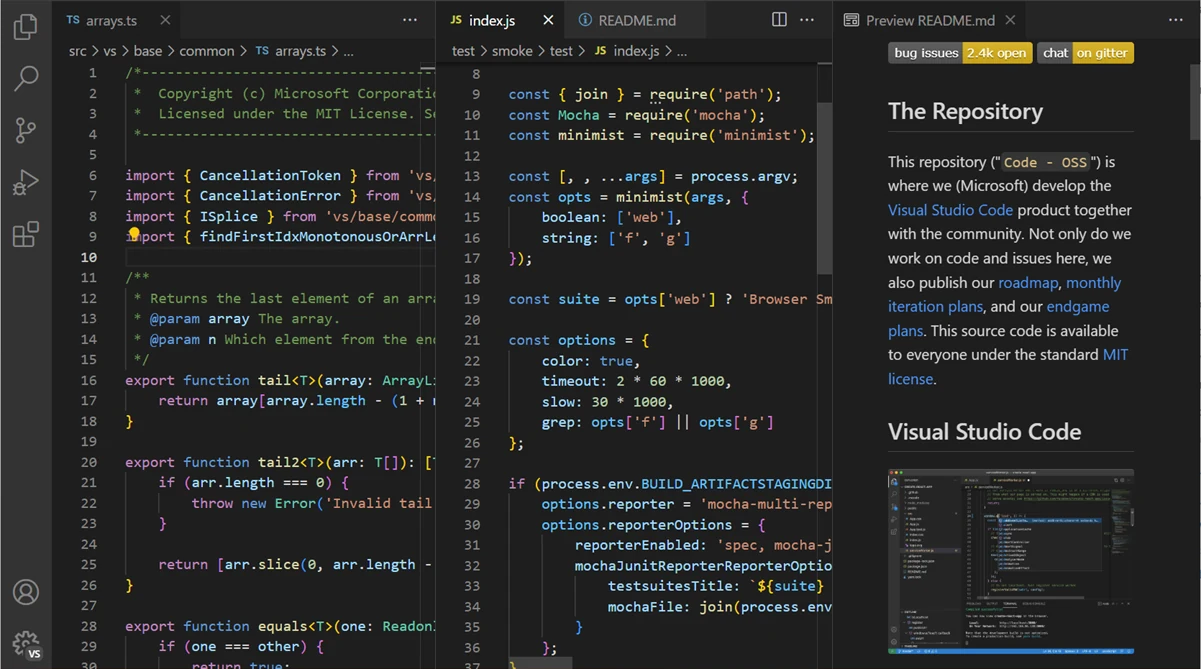
The extension ecosystem is the practical center of gravity. The Visual Studio Marketplace lists tens of thousands of public extensions covering language tooling, linters, debuggers, theme packs, AI assistants, and remote-development hosts. Microsoft's first-party language packs ship IntelliSense for TypeScript, JavaScript, JSON, HTML, and CSS out of the box, with Python, C++, Go, Rust, and Java available as official add-ons. IntelliSense is powered by the Language Server Protocol, which lets the same completion engine serve any editor that speaks the protocol.
- Integrated terminal with split panes and shell profiles, configurable per workspace.
- Native Git integration: source-control gutter, diff view, branch picker, and merge-conflict resolver baked into the sidebar.
- Debugging support through the Debug Adapter Protocol, with first-party adapters for Node.js, Python, .NET, and browser JavaScript.
- Remote development over SSH, containers, and WSL, so the editor UI runs locally while the language server runs on the target host.
- Settings sync across machines through a GitHub or Microsoft account.
- Command palette bound to Ctrl-Shift-P, exposing every action and extension command in one fuzzy-search surface.
Microsoft documents the recommended extension layouts for common stacks, including a curated JavaScript workspace setup in the Azure developer docs. The same documentation explains how telemetry and extension permissions are scoped, which matters for teams operating in regulated environments.
Sublime Text: Architecture and Plugin Ecosystem
Sublime Text is a code editor written in C++ with a custom UI toolkit and a Python 3.8 plugin host. The native binary loads in well under a second on commodity hardware, and the editor stays responsive on files in the hundreds of megabytes where Electron-based peers stall. Sublime HQ ships Sublime Text 4 as the current major release, with license keys valid for all updates within 3 years of purchase and a free evaluation that never expires functionally, only nags.

The plugin ecosystem is smaller than VS Code's but well-curated. Package Control, documented at packagecontrol.io, is the de facto package manager and exposes several thousand community plugins. LSP-Sublime brings Language Server Protocol clients for Python, TypeScript, Rust, Go, and most languages that publish a server, which closes a large part of the historical feature gap with VS Code on code completion and diagnostics.
- Multiple cursors: Ctrl-D to add the next occurrence, Ctrl-Shift-L to split selection lines, column selection with middle-click drag. Sublime's multi-cursor model influenced the rest of the category.
- Command palette bound to Ctrl-Shift-P, with the same fuzzy-match interaction model VS Code later adopted.
- Goto Anything (Ctrl-P): file, symbol, and line jumping from one prompt.
- Project-wide find and replace with regex and incremental preview, fast even on large monorepos.
- Minimal startup time: cold launch under one second on a current-generation laptop, with low idle CPU.
- Distraction-free mode and split-pane layouts with no chrome overhead.
The tradeoff is that integrations a VS Code user takes for granted, including a built-in debugger UI and graphical Git tools, require third-party plugins in Sublime Text. The plugin ecosystem supplies them, but the wiring is a deliberate setup step rather than a default.
Head-to-Head: Features That Matter in Daily Use
Comparing code editor features at the marketing level is unhelpful because both products have a command palette, both support multiple cursors, both have a keyboard shortcut for almost everything. The differences appear in defaults and depth. VS Code ships with a debugger UI, a Git diff viewer, a terminal, and IntelliSense ready on first launch. Sublime Text ships with a faster editing surface and expects you to install the equivalents through Package Control.
| Feature | VS Code | Sublime Text |
|---|---|---|
| Command palette | Built-in, Ctrl-Shift-P | Built-in, Ctrl-Shift-P |
| Multiple cursors | Ctrl-Alt-click, Ctrl-D | Ctrl-click, Ctrl-D (origin of the pattern) |
| Code completion | IntelliSense, native LSP client | LSP-Sublime plugin required |
| Debugging support | Native UI, Debug Adapter Protocol | Debugger plugin, lighter UI |
| Git integration | Native source-control panel, diff view, merge resolver | Sublime Merge companion app or GitSavvy plugin |
| Keyboard shortcut customization | JSON keybindings file, GUI editor | JSON keybindings file |
| Remote development | SSH, containers, WSL via official extensions | Rmate or third-party SSH plugins |
| License | Free, MIT core plus proprietary marketplace | Paid license, perpetual evaluation |
A web developer evaluating React, Vue, or Angular tooling will lean toward VS Code because the extensions for each framework are first-party and the debugging support for browser sessions is mature. A backend developer working primarily in vim-style modal editing with occasional Python scripts will often prefer Sublime Text with its Vintage mode and minimal idle resource use. Neither answer is wrong; the daily workload sets the preference.
Performance: Startup Time and Memory Footprint
Performance is where a code editor's architecture becomes visible. Sublime Text is a native C++ application; VS Code runs on the Electron framework, which means a Chromium process tree and a Node.js host before any project loads. The gap shows up most clearly in startup time and memory footprint on a cold launch with no extensions installed.
| Metric | VS Code (current release) | Sublime Text 4 |
|---|---|---|
| Cold startup time | Roughly 1.5 to 3 seconds on midrange hardware | Under 1 second on the same hardware |
| Idle memory footprint, empty project | Roughly 300 to 500 MB across processes | Roughly 50 to 90 MB |
| Memory under heavy extension load | 1 GB and up with 20 plus extensions and language servers | 200 to 400 MB with LSP plus a dozen plugins |
| Large file handling (500 MB log) | Sluggish without editor.maxTokenizationLineLength tuning | Opens and scrolls smoothly |
| Syntax highlighting on large files | TextMate grammar via tree-sitter, can lag | Native scope engine, stays smooth |
The Electron framework gives VS Code its cross-platform reach and its plugin agility, and it costs the editor in resident memory. On a developer workstation with 32 GB of RAM, that cost is rarely felt. On an older laptop or a remote dev container with constrained memory, the difference is operational. Independent measurements vary by hardware, OS, and extension set; a 2020 IEEE Software study of developer tool ecosystems published at IEEE Xplore documents the broader pattern of feature-rich IDEs trading startup time for capability, and the same pattern holds inside the editor tier.
Language and Framework Support
Both code editors cover the mainstream language list, but the depth and default state differ. VS Code's IntelliSense, language packs, and Microsoft-maintained servers give it the broader out-of-the-box surface; Sublime Text's plugin ecosystem reaches parity for most languages once Package Control and LSP-Sublime are installed.
- JavaScript and TypeScript: VS Code ships first-party support and is the reference editor for the TypeScript team. Sublime Text reaches similar capability through LSP-typescript.
- Python: VS Code's Python extension bundles Pylance, debugging support, and Jupyter integration. Sublime Text uses LSP-pyright or LSP-pylsp.
- Rust and Go: both editors consume rust-analyzer and gopls through their respective LSP clients, with comparable code completion quality. The C++ versus Rust performance and safety comparison covers where these languages fit.
- Java and Kotlin: VS Code's Java extension pack covers most workflows short of full Android development. Most JVM developers still prefer IntelliJ for serious work. Mobile teams comparing Swift and Kotlin runtimes typically reach for Xcode or Android Studio rather than either editor.
- C and C++: VS Code's C/C++ extension delivers IntelliSense, debugging, and CMake integration. Sublime Text uses LSP-clangd.
- HTML, CSS, and Markdown: both editors handle these natively, with VS Code edging ahead on linked preview and emmet integration.
Choosing the Right Code Editor for Your Workflow
Choosing a code editor is a workflow decision, not a tribal one. The discriminating questions are about defaults, weight, and where you spend most of your editing minutes. Polyglot developers who jump between language stacks, container shells, and debugging sessions usually want the integrated surface that VS Code provides. Developers who spend most of their time editing prose, log files, or focused single-language work usually want the responsiveness Sublime Text preserves on every keystroke.
- Pick VS Code if: you rely on built-in debugging support, want native Git integration in the sidebar, work in a polyglot stack with language servers active for several languages at once, or need remote development over SSH and containers.
- Pick Sublime Text if: startup time and memory footprint matter to you, you routinely edit very large files, you favor a minimal editing surface with explicit plugin choices, or you want a perpetual offline license without a vendor account.
- Pick both if: you can keep Sublime Text for fast scratch editing and large-file inspection, and VS Code for project work where Code completion engine, the integrated terminal, and the debugger pay for the extra resident memory.
The category's two leaders have converged on the same fundamental keyboard shortcut model, the same command palette interaction, and the same Language Server Protocol plumbing under the hood. What still separates them is the default posture: integrated and heavy, or minimal and fast. Pick the one that matches the work you already do, not the one that promises to change how you work.
Further reading
Frequently Asked Questions
What are the main differences between VS Code and Sublime Text?
VS Code ships with a built-in Language Server Protocol client, an integrated terminal, native Git integration, and a marketplace of more than 50,000 extensions. Sublime Text starts faster, uses less memory at idle, and has a tighter default feature set centered on multi-cursor editing and its command palette. The practical divide is depth versus speed: VS Code suits teams building and debugging complex projects; Sublime Text suits writers and developers who need a fast, distraction-low editing surface.
Is VS Code better for web development?
VS Code is the dominant choice for web development because Autocomplete engine, the integrated terminal, and extensions like ESLint and Prettier reduce the context switching that slows front-end workflows. Sublime Text can handle web development competently through Package Control but requires more manual wiring to reach the same integrated state. Developers building large JavaScript or TypeScript projects will find VS Code's built-in debugger support and Git diff views materially reduce their toolchain overhead.
Can Sublime Text handle large files more efficiently than VS Code?
Yes. Sublime Text opens and scrolls multi-hundred-megabyte files with negligible lag because it is built in C++ and does not run in an Electron shell. VS Code, running on the Electron framework, allocates more memory per session and can become sluggish on files above several hundred megabytes without adjusting editor.maxTokenizationLineLength settings. For log analysis or data inspection tasks involving very large files, Sublime Text has a measurable performance edge.