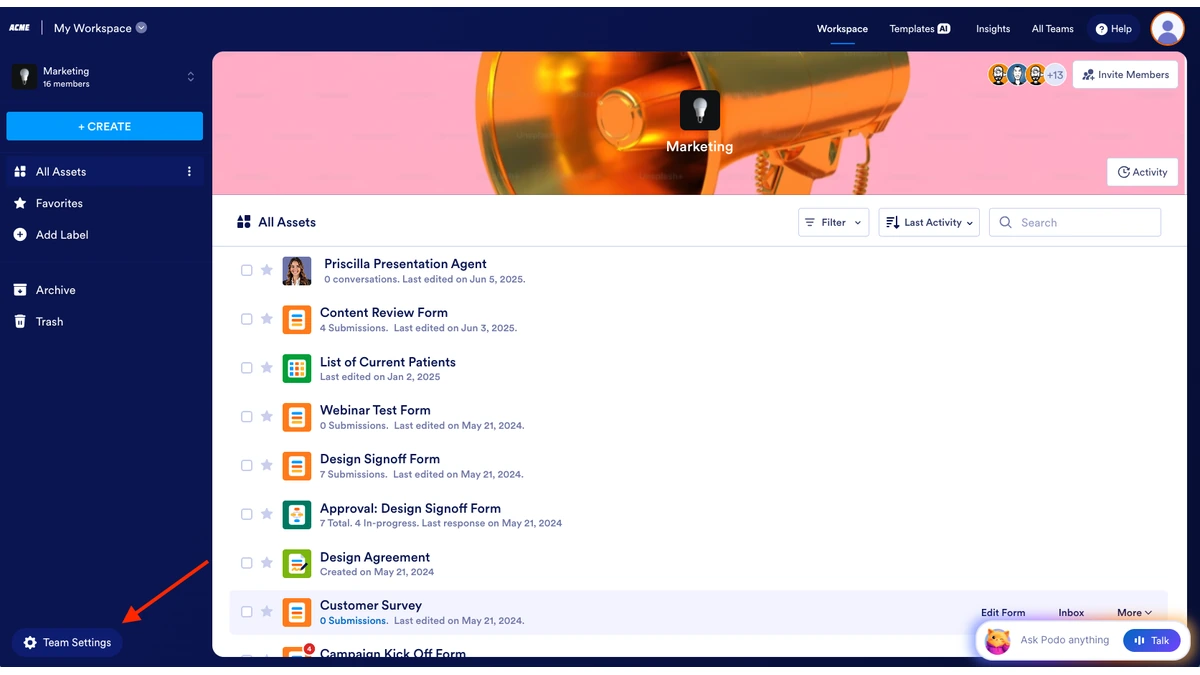

Notion is a connected workspace platform that combines structured documents, relational databases, and project wikis into a single interface for teams that need to manage knowledge and track work without switching between applications. Its closest competitor in cross-functional product work is a visual collaboration board built around an infinite canvas, sticky notes, and diagram templates. The two tools occupy adjacent categories yet solve different problems: one organizes durable knowledge as searchable, structured text; the other captures fluid thinking as spatial artifacts that a group can manipulate together in real time.
Product managers, designers, and engineers routinely run both, then struggle to articulate which workflows belong on each surface. This article maps that boundary using vendor-verified capabilities, plan inclusions sourced directly from notion.com/pricing and miro.com/pricing, and integration patterns drawn from developers.notion.com.
How Notion and Miro Approach Team Collaboration Differently
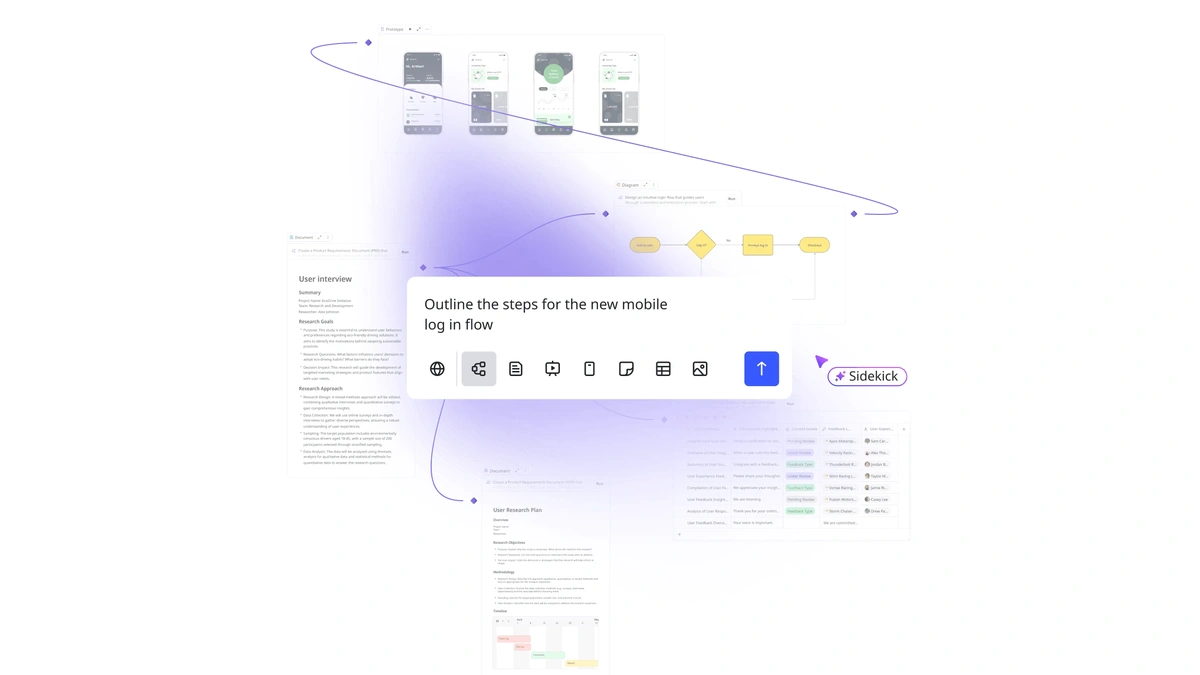
Notion treats collaboration as document state: a shared page, a database row, a wiki entry that any teammate can edit, link, or query. The visual collaboration tool treats collaboration as spatial state: a shared canvas where cursors, stickies, and connector arrows accumulate as a group works through a problem live. Both support real-time collaboration and asynchronous collaboration, but the artifact that survives the session differs sharply.
- Structured workspace
- A document-first environment where every artifact is a typed block (paragraph, heading, database row, embed) that supports filtering, linking, and queryable retrieval. Optimized for a durable team knowledge base.
- Visual collaboration platform
- A canvas-first environment where every artifact is a positionable object (sticky, shape, line, frame) on an infinite canvas. Optimized for ideation, journey mapping, and workshop-style sessions where spatial arrangement carries meaning.
Teams that need both paradigms often pair the two: a related buyer's guide on all-in-one workspace alternatives covers structured-document substitutes, while the Slack vs Microsoft Teams comparison addresses the messaging layer that connects both surfaces.
Notion: Connected Workspace for Structured Knowledge
Notion combines a block-based editing surface, relational database views, and a nested project wiki into one navigable hierarchy. Page content is represented as a list of block objects that can be nested, referenced, or transformed into database entries, which is what allows the same artifact to behave as both a document and a structured record (developers.notion.com).
- Block-based editing. Every element is a typed block that can be dragged, nested, or converted to another type, including database entries (notion.com/pricing).
- Relational database with multiple views. A single dataset renders as table, board, Gantt, calendar, or gallery, with filters and sorts saved per view (notion.com/pricing).
- Project wiki and team knowledge base. Pages nest into a queryable hierarchy with backlinks, supporting a durable team knowledge base across documents and databases (notion.com/pricing).
- Plan tiers. The Free, Plus, Business, and Enterprise plans gate features by row, with Business and Enterprise unlocking SAML single sign-on (SSO) and Enterprise adding user provisioning (SCIM), audit log, and zero data retention with LLM providers (notion.com/pricing).
- API surface. A REST API exposes pages, databases, users, comments, and file uploads, with three authentication models (internal connections, OAuth 2.0 public connections, and personal access tokens) and webhook subscriptions for page updates, property changes, and new comments (developers.notion.com).
Vendor marketing materials state that 35% of the Fortune 500 use Notion and that 98% of customers report time savings (info.notion.so/switch/notion-vs-confluence); treat these as first-party claims rather than independent measurements.
Miro: Visual Ideation on an Infinite Canvas
Miro centers the workflow on an infinite canvas where teams arrange sticky notes, shapes, and connectors to externalize thinking. The visual canvas ships with whiteboard templates for retrospectives, journey maps, user story mapping, and design research synthesis, and supports live cursor tracking, inline comments, @mentions, and comment threads for real-time collaboration (miro.com/capabilities/docs).
- Infinite canvas with whiteboard templates. A pre-built library covers retros, journey maps, story maps, and design research synthesis frames (miro.com/pricing).
- Cursor tracking and inline comments. Live presence indicators show where teammates are working, with @mentions and comment threads for asynchronous collaboration on the same board (miro.com/capabilities/docs).
- Board-to-document transformation. The board tool can convert a canvas into a structured text document and use AI to generate summaries, briefs, research highlights, or meeting notes from the board contents (miro.com/capabilities/docs).
- Plan tiers. Free, Starter, Business, and Enterprise plans are offered; Enterprise Guard, which adds centralized security controls, is available on the Enterprise tier (miro.com/pricing).
- Free-tier scope. The Free plan caps editable boards; teams that need unlimited boards, single sign-on, or advanced security must upgrade to Starter or Business (miro.com/pricing).
The vendor itself uses the whiteboard tool internally for design research because it lets a team synthesize information without switching applications, according to its engineering blog (miro.com/blog/collaboration-on-design-research).
Feature Comparison: Structured Documents vs Visual Boards
Notion structured workspace capabilities and the visual canvas overlap on the surface, but the practical depth differs by capability. The matrix below records what each platform supports natively, with one-clause qualifiers for partial coverage. Analyst category framing is documented in the Gartner Magic Quadrant for Collaborative Work Management.
| Capability | Connected workspace | Visual canvas |
|---|---|---|
| Document editing (block-based editing) | Yes, native block-based editor | Limited; via board-to-doc conversion |
| Relational database with views | Yes, table/board/Gantt/calendar/gallery | No native database primitive |
| Project wiki and team knowledge base | Yes, nested page hierarchy with backlinks | No; boards are not searchable as wiki pages |
| Visual whiteboard on infinite canvas | Limited; embed-only via third party | Yes, native infinite canvas |
| Real-time collaboration | Yes, on pages and databases | Yes, with cursor tracking and inline comments |
| Asynchronous collaboration | Yes, via comments and page updates | Yes, via sticky annotations and comment threads |
| Public REST API for automation | Yes, with webhooks for real-time events | Limited; developer platform without equivalent scope |
| SAML single sign-on (SSO) | Yes, Business and Enterprise tiers | Yes, available on paid enterprise tiers |
| User provisioning (SCIM) | Yes, Enterprise only | Yes, on Enterprise tier |
| Free-tier scope for small teams | Unlimited members, gated admin features | Three editable boards |
Use Cases: When to Choose Each Platform
Selection rarely hinges on a single feature; it hinges on what the team's primary output looks like. The five decision signals below map cleanly to documented capabilities and align with analyst category guidance from Gartner Peer Insights for collaborative work management and the Forrester Wave for Collaborative Work Management Tools.
- Outputs are documents and structured records. If the team ships specs, PRDs, design briefs, and tracked tasks as the durable artifact, a structured workspace with block-based editing and relational database views is the better center of gravity for the product development workflow.
- Outputs are diagrams, journey maps, and workshop artifacts. If the team ships service blueprints, affinity maps, or storyboards as the artifact, the visual canvas with whiteboard templates is the better surface, because spatial arrangement carries meaning that linear documents flatten.
- The team maintains a searchable knowledge base. A nested project wiki with backlinks and queryable databases serves a team knowledge base requirement that a canvas-first product cannot match without external indexing.
- The team runs frequent design sprints or design research synthesis sessions. Live ideation with cursor tracking and inline comments outperforms document-based real-time collaboration when the work is genuinely co-creative, not editorial.
- The team needs both. Most product organizations adopt both and integrate them through the REST API and shared identity layer, treating one as the system of record for decisions and the other as the system of record for ideation.
Integration Patterns for Product and Design Teams
For cross-functional teams running both surfaces, the integration patterns below cover the most common product development workflow handoffs. Webhook-based event subscriptions on Notion side, documented at developers.notion.com, make most of these flows reactive rather than scheduled.
- Board to spec doc. Convert a whiteboard template (journey map, story map) into a structured spec page using the board-to-document feature, then push the result into a project wiki section as the canonical decision record (miro.com/capabilities/docs).
- Backlog visualization from database. Pull a roadmap or backlog from a relational database into a board as cards, then run the prioritization session on the visual canvas with the team annotating directly on the cards.
- Webhook-driven status sync. Subscribe to page-update and property-change events through the REST API to mirror status changes into a shared messaging channel without scheduled polling (developers.notion.com).
- Unified identity with user provisioning (SCIM). Provision and deprovision accounts on both platforms from the same identity provider so seat counts and offboarding stay aligned; SCIM provisioning is gated to the top enterprise tier on each side (notion.com/pricing, miro.com/pricing).
- Enterprise security baseline. Pair SAML SSO across both tools with Enterprise Guard on the visual side for centralized security controls and audit logging consistency (miro.com/pricing).
Plan Pricing and Total Cost of Ownership
Per-seat list prices on the structured workspace and the visual canvas are similar at the entry paid tier, but total cost of ownership (TCO) diverges at scale because each platform charges separately and gates different controls behind its top tier. Verify live numbers against notion.com/pricing and miro.com/pricing before committing.
| Plan tier | Connected workspace | Visual canvas |
|---|---|---|
| Free | Unlimited members; admin and permission controls gated (notion.com/pricing) | Three editable boards per workspace (miro.com/pricing) |
| Entry paid | Plus tier; per-seat billed (notion.com/pricing) | Starter tier; per-seat billed (miro.com/pricing) |
| Business | Adds SAML SSO and advanced admin controls (notion.com/pricing) | Adds SSO and richer admin surface (miro.com/pricing) |
| Enterprise | Adds SCIM provisioning, audit log, zero data retention with LLM providers (notion.com/pricing) | Adds Enterprise Guard with centralized security controls (miro.com/pricing) |
For a 10-seat team, the TCO of running both rarely exceeds the entry paid tier on each side, and free tiers may cover early experimentation. At 50 seats, Business-tier features (SSO, audit visibility) typically become procurement requirements rather than optional. At 100 seats, Enterprise-tier inclusions (SCIM provisioning, advanced audit logging, data retention controls) often determine the total contract value more than the per-seat list price, because they consolidate identity and compliance work that would otherwise be staffed manually. Comparable category positioning is documented in the Gartner Magic Quadrant for Collaborative Work Management.
Further reading
Frequently Asked Questions
Can Notion and Miro be integrated with other software?
Yes, both platforms offer REST APIs and native integrations with common business tools including Slack, Google Drive, and Jira. Notion's API supports reading, creating, and updating pages, databases, and comments programmatically, with webhook support for real-time events such as page updates and property changes (developers.notion.com). Miro provides a developer platform with app embedding and board data access. Both also connect to automation platforms such as Zapier and Make for no-code workflow bridging.
Is Miro suitable for remote teams?
Yes, Miro is designed for distributed collaboration, with cursor tracking, inline comments, @mentions, and comment threads that let remote participants work on the same board simultaneously. Notion also supports asynchronous use: team members can annotate sticky notes or update diagrams without a live session. Free, Starter, Business, and Enterprise plans are available; Enterprise Guard, which adds centralized security controls, is available on the Enterprise tier (miro.com/pricing).
Does either platform offer a free plan that supports multiple team members?
Both platforms offer free tiers, but they carry different scope restrictions that matter at team scale. Notion's Free plan supports unlimited members with a shared workspace, though workspaces with more than one member are limited to 1,000 blocks, and certain admin and permission features are unlocked at the Plus tier and above (notion.com/pricing). Miro's Free plan supports up to three editable boards; teams that need unlimited boards or advanced security controls must upgrade to Starter or Business (miro.com/pricing). Verify current limits on each vendor's pricing page before committing, as free-tier scope changes periodically.