
CRM software is a customer management platform that helps businesses track contacts, manage sales pipelines, and automate follow-up workflows. For small teams, the gap between a spreadsheet and a purpose-built customer relationship management (CRM) software platform is measurable in deals lost, follow-ups missed, and hours spent on manual data entry. The three platforms small businesses compare most often are HubSpot CRM, Zoho CRM, and Salesforce Starter Suite, each targeting a different price-to-capability tradeoff.
What CRM Software Does
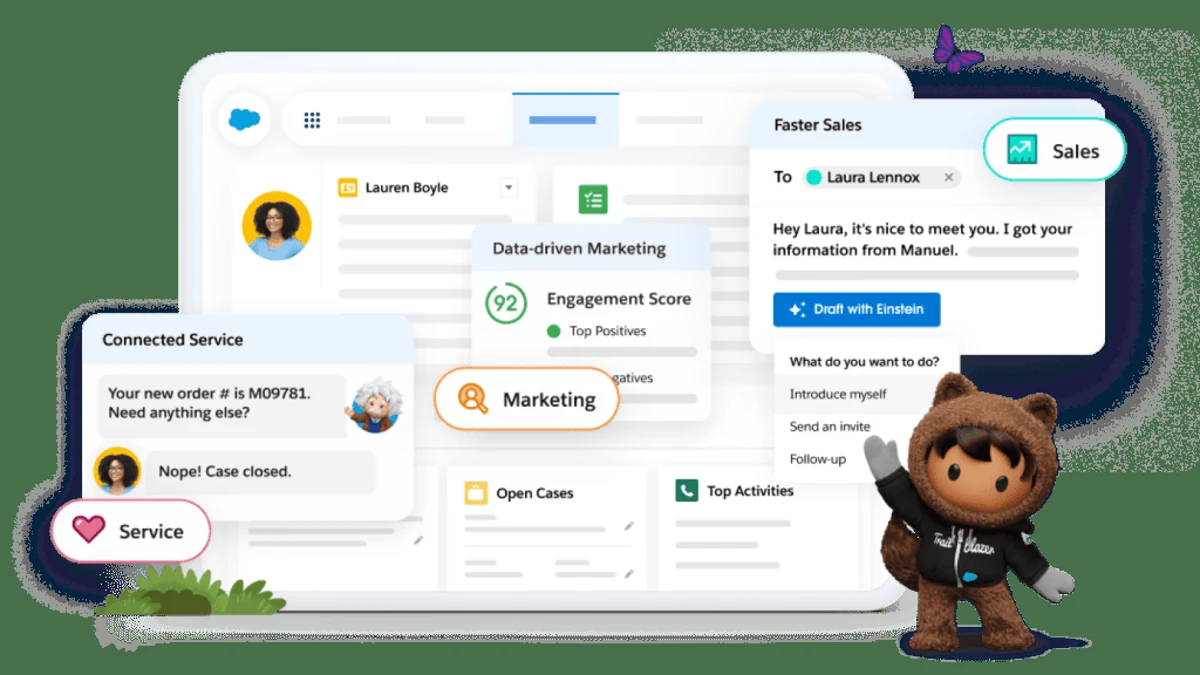
CRM software consolidates the contact management, deal tracking, and communication records that sales and marketing teams otherwise scatter across email threads and spreadsheets. The CRM benefits across sales, marketing, and customer service extend well beyond a contact directory: a mature platform becomes the system of record for every customer interaction. Understanding the core functions helps small teams evaluate which capabilities they actually need before committing to a paid tier.
- Contact management
- A centralized record for each customer or prospect, storing email history, call notes, company details, and deal associations. The sales pipeline reflects where each contact sits in the buying process, from first touch to closed deal.
- Sales pipeline tracking
- A visual board or list view of all active deals, organized by stage. Pipeline management lets sales reps see which deals need action and forecast revenue by stage probability.
- Task and follow-up automation
- Rule-based triggers that create tasks, send emails, or notify a rep when a contact meets a condition, such as opening a proposal email or going silent for 14 days.
- Reporting
- Dashboards covering conversion rates by stage, rep activity, and lead source attribution. Entry-tier plans typically limit report customization to predefined templates.
Core Features to Look For
CRM software for small teams needs to handle the daily workflow without requiring a dedicated administrator to configure it. The features below represent the practical minimum for a small sales or marketing team. Contact management and lead tracking are table stakes; the differentiators emerge in email integration depth, sales automation triggers, and the quality of the mobile experience.
- Contact management with deduplication. Automatic merging of duplicate records prevents the fragmented customer histories that corrupt pipeline reports.
- Sales pipeline builder. Drag-and-drop deal stages with probability weighting; supports both Kanban and list views for different rep preferences.
- Email integration with two-way sync. Native Gmail and Outlook connectors that log sent and received messages against the contact record without manual entry.
- Lead tracking and scoring. Assigns a numeric or tier score to leads based on engagement, firmographics, or form completions, so reps prioritize the right contacts.
- Sales automation for routine tasks. Sequence enrollment, follow-up reminders, and stage-change notifications that run without rep intervention.
- Marketing automation connectors. Bidirectional sync with email marketing platforms so campaign engagement feeds back into the CRM contact record.
- Mobile app. Full pipeline visibility and contact lookup from a phone, critical for field sales teams.
- Role-based permissions. Access controls that protect sensitive deal data as the team grows beyond the founding few.
Top Affordable CRM Platforms
CRM software options for small business budgets have expanded significantly, with free plans and low-cost starter tiers now covering most core workflow needs. HubSpot CRM, Zoho CRM, Salesforce Starter Suite, and Pipedrive represent the four platforms that dominate small-team deployments. For a deeper feature breakdown across these vendors, the full CRM platform comparison covering Salesforce, HubSpot, and Zoho covers enterprise-grade capability differences in detail.
| Platform | Free Plan | Entry Paid Tier | Pipeline Management | Best For |
|---|---|---|---|---|
| HubSpot CRM | Yes, unlimited users | Starter (see hubspot.com/products/crm) | Visual pipeline, drag-and-drop stages | Teams wanting free CRM with room to grow |
| Zoho CRM | Up to 3 users | Standard tier (see zoho.com/crm pricing) | Kanban pipeline with custom stages | Small businesses needing broad app ecosystem |
| Salesforce Starter Suite | No | Entry tier (see salesforce.com/crm/pricing) | Opportunity tracking, forecast categories | Teams planning to scale to full Salesforce |
| Pipedrive | No (14-day trial) | Essential tier (see pipedrive.com/pricing) | Activity-based pipeline focus | Sales-first teams with minimal marketing needs |
Understanding Pricing and Total Cost
CRM software pricing for small businesses follows a per-user, per-month model across nearly every vendor, but the advertised seat cost rarely reflects the total cost of ownership (TCO). Add-on modules for marketing automation, advanced reporting, or API access push the effective TCO well above the base rate. Pricing details change frequently; always verify current rates at the vendor's pricing page before budgeting.
- Confirm what is included in the free plan. HubSpot CRM offers a free plan with unlimited users covering basic contact management, deal tracking, and email integration, as detailed on the HubSpot CRM product page. Zoho CRM's free plan caps at three users. Free plans rarely include sales automation sequences or advanced pipeline management.
- Compare entry paid tiers by seat cost. Both HubSpot and Zoho publish entry-tier pricing under $30 per user per month, as shown on the Salesforce small business pricing page and the Salesforce CRM pricing page. Salesforce Starter Suite sits at the higher end of this small-business bracket. Verify exact figures at each vendor's current pricing page before committing.
- Account for add-on costs. Marketing automation, phone integration, and custom reporting modules typically require a higher tier or a paid add-on. A team that needs all three will see the TCO rise substantially above the base seat rate.
- Factor in onboarding and migration. Platforms like Salesforce offer paid onboarding packages. HubSpot and Zoho have self-serve import tools that lower this line item for teams moving from spreadsheets or a previous CRM.
- Run a free trial before signing an annual contract. Annual billing typically offers a 15 to 20 percent discount over monthly pricing, but locks the team in for 12 months. Confirm that the tier covers required integrations before switching from monthly to annual.
Choosing the Right CRM for Your Team
CRM software selection for a small business comes down to three variables: the features required at the current team size, the integration surface needed with existing tools, and the headroom for growth without a full platform migration. Pipeline management complexity and marketing automation requirements often determine whether a free plan suffices or a paid starter tier is necessary from day one. The step-by-step guide to choosing CRM software for your business provides a vendor-neutral decision framework, and the integrating CRM with email marketing platforms guide covers connector setup for the most common marketing stacks.
- Define your must-have features first. List the non-negotiables: contact management depth, sales pipeline stages, email integration, lead tracking, or sales automation sequences. Avoid paying for a tier that bundles features the team will not use within the first six months.
- Map your existing tool stack. Identify which email, accounting, and marketing automation platforms the CRM must connect to natively. Native connectors are more reliable than third-party middleware and do not add another monthly cost.
- Set a user count and growth horizon. A team of four with no hiring plan has different needs than a team of four expecting to reach 20 within 18 months. Platforms with flat-rate pricing up to a user cap (some Zoho tiers) may be more economical for a growing team than strict per-user pricing.
- Evaluate pipeline management fit. Activity-based pipelines (Pipedrive's model) suit high-volume outbound teams. Stage-probability pipelines (HubSpot, Salesforce) suit teams that need revenue forecasting. Match the pipeline model to how your sales process actually works.
- Test marketing automation before signing. If marketing automation is on the requirements list, confirm during the trial that the specific sequences and audience segmentation tools your team needs are included in the tier under evaluation, not a higher tier.
HubSpot vs Zoho vs Salesforce: Which Fits Small Teams?
CRM software decisions for small business teams often narrow to HubSpot CRM, Zoho CRM, and Salesforce, each occupying a different position on the cost-to-capability spectrum. HubSpot's free plan is the most accessible entry point, Zoho CRM offers the broadest feature set per dollar at paid tiers, and Salesforce Starter Suite trades lower cost-efficiency for forward compatibility with the full Salesforce platform. The comparison below focuses on the axes that matter most for small teams.
| Criterion | HubSpot CRM | Zoho CRM | Salesforce Starter Suite |
|---|---|---|---|
| Free plan | Yes, unlimited users | Yes, up to 3 users | No |
| Entry paid tier cost | Under $30/user/month (verify at hubspot.com/products/crm) | Under $20/user/month (verify at zoho.com/crm pricing) | Entry-level bracket (verify at salesforce.com/crm/pricing) |
| Contact management | Strong; deduplication included | Strong; custom fields at all paid tiers | Standard; advanced at higher tiers |
| Sales pipeline | Visual, drag-and-drop | Kanban and list views | Opportunity tracking with forecast categories |
| Email integration | Native Gmail and Outlook sync | Native Gmail and Outlook sync | Native with Einstein Activity Capture |
| Sales automation | Limited on free plan; sequences on Starter | Workflow automation from Standard tier | Process Builder included in Starter Suite |
| Marketing automation | Basic on free; full suite on Marketing Hub | Campaigns module at Standard tier | Requires separate Marketing Cloud add-on |
| Lead tracking | Lead scoring on Starter and above | Lead scoring from Standard tier | Lead assignment rules in Starter Suite |
| Scalability path | Scales to Enterprise Hub suite | Scales to Zoho One bundle | Direct path to full Salesforce CRM |
References
- Salesforce CRM Pricing. Coverscurrent Starter Suite pricing and feature breakdown by tier.
- HubSpot CRM Product Page. Coversfree plan features, Starter tier details, and upgrade paths.
- Salesforce Small Business Overview. Coverssmall business positioning and Starter Suite context.
Further reading
Frequently Asked Questions
What is CRM software used for?
CRM software centralizes contact records, sales pipeline stages, and customer communication history in one platform. Sales teams use it to track deals and follow-ups; marketing teams use it to segment leads and run campaigns; support teams use it to log service tickets and measure resolution times.
Are there affordable CRM options for small businesses and startups?
Yes, HubSpot CRM and Zoho CRM both offer free or low-cost entry tiers designed for small teams. Paid starter plans from these vendors carry modest per-user monthly pricing, though advanced automation and custom reporting are reserved for higher tiers; check each vendor's pricing page for current rates.
Can CRM software integrate with email and marketing tools?
Most CRM platforms support native integrations with email providers like Gmail and Outlook, as well as marketing automation tools and accounting software. Integration depth varies by plan, so verify that the connectors your workflow depends on are included in the tier you are considering.
How do I choose the right CRM for my small business?
Start by listing your must-have features: contact management, pipeline tracking, email sync, or automation. Then compare entry-tier pricing across Salesforce Starter, HubSpot CRM, and Zoho CRM against your user count and required integrations, and run a free trial before committing.