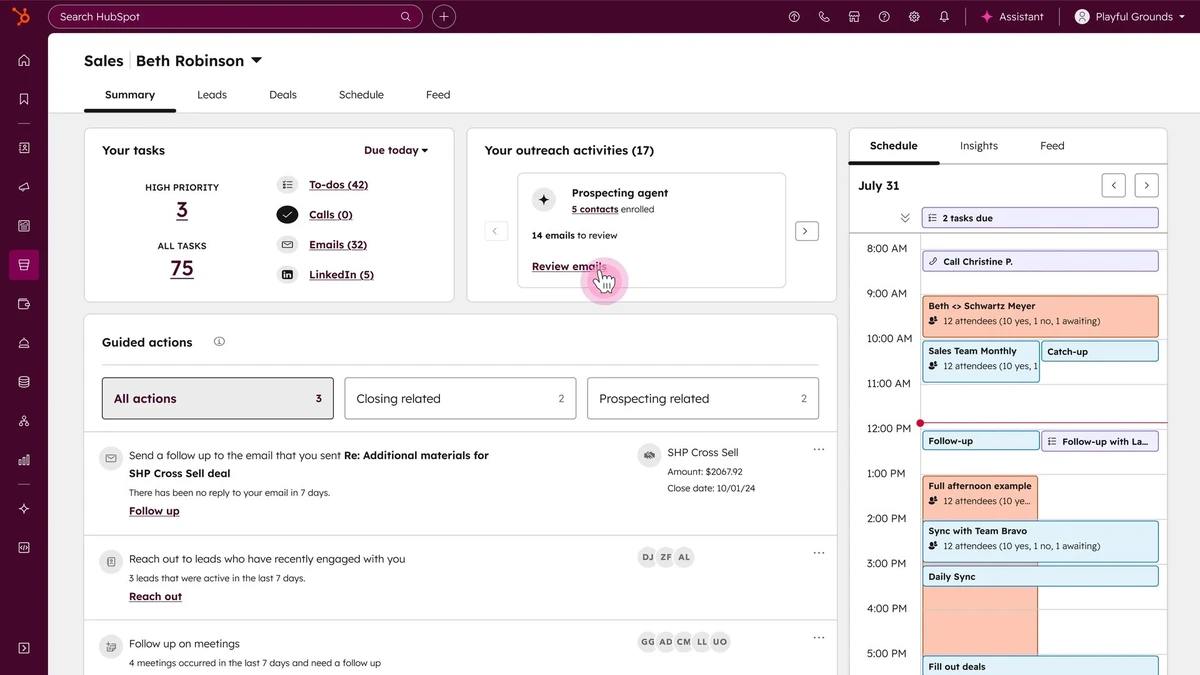
A CRM tool is a business software platform that centralizes customer data, tracks sales interactions, and automates pipeline workflows across an organization. That definition covers a wide range of products, from spreadsheet-thin contact lists to deep enterprise systems with hundreds of configuration options. For a mid-market team evaluating customer relationship management software for the first time, the core decision reduces to three vendors: Salesforce, HubSpot, and Zoho CRM. Each addresses the same problem differently, and the gaps matter.
What CRM Tools Actually Do
Zoho CRM competes on price and feature density. Standard tier starts at approximately $14 per user per month (billed annually; verify at Zoho CRM official pricing), Professional at $23, and Enterprise at $40. At Enterprise tier, Zoho delivers workflow automation through Blueprint (a visual process builder that enforces stage transitions with mandatory fields and conditions), deal tracking with prediction scoring from Zia (Zoho's AI assistant), and lead scoring rules that combine demographic and behavioral signals.

Zia delivers AI-powered features including anomaly detection in sales trends, sentiment analysis on customer emails, and suggested next actions. Canvas, Zoho's drag-and-drop layout editor, lets teams redesign record views without developer involvement, a practical advantage for vertical-specific workflows like real estate or manufacturing pipelines. Custom fields at the module level, including picklists with dependency rules, are available from the Standard tier.
The tradeoff is a steeper learning curve. Zoho's interface carries more surface area than HubSpot's and lacks HubSpot's polish on onboarding flows. Teams migrating from spreadsheets report a longer ramp-up time before reps adopt the tool consistently. Buyers already using Zoho Desk, Zoho Books, or Zoho Campaigns can access the full Zoho One bundle (approximately $37 per user per month for all apps), which significantly changes the unit economics. Forrester's Wave on Sales Force Automation Solutions positions Zoho as a strong performer in the SMB and mid-market tier with noted gaps in enterprise support quality.
Feature-by-Feature Comparison
CRM tools differ on the dimensions that matter most in a buying decision. The table below maps feature availability across the three platforms at their mid-market tier (Salesforce Enterprise, HubSpot Sales Hub Professional, Zoho CRM Enterprise).
| Feature | Salesforce (Enterprise) | HubSpot (Sales Hub Pro) | Zoho CRM (Enterprise) |
|---|---|---|---|
| Contact management | Full (unlimited records, custom objects) | Full (1M contacts, standard objects) | Full (unlimited records, custom modules) |
| Sales pipeline management | Multiple pipelines, stage-weighted forecasting | Multiple pipelines, basic forecast | Multiple pipelines, Blueprint stage enforcement |
| Lead score | Einstein AI scoring (included) | Manual rules; predictive as add-on | Zia scoring (rule-based + AI) |
| Workflow automation | Salesforce Flow (complex multi-step) | Multi-branch workflows | Blueprint + standard workflow rules |
| Reporting and analytics | Custom reports, dashboards, Einstein Analytics add-on | Custom report builder, sales dashboards | Custom reports, Zoho Analytics integration |
| Mobile CRM | Salesforce Mobile (iOS/Android, offline mode) | HubSpot Mobile (iOS/Android, limited offline) | Zoho CRM Mobile (iOS/Android, offline mode) |
| Free tier | No (30-day trial only) | Yes (unlimited users, limited features) | Yes (up to 3 users) |
| Third-party integrations | 7,000+ via AppExchange | 1,500+ via App Marketplace | 800+ via Zoho Marketplace |
| AI-powered features | Einstein AI (included at Enterprise) | ChatSpot, AI assistant (limited at Pro) | Zia AI (included at Enterprise) |
| Starting price (annual) | ~$25/user/mo (Starter Suite) | Free tier available; Starter ~$15/user/mo | ~$14/user/mo (Standard) |
| Email tracking | Einstein Activity Capture (auto-logging) | Native email tracking (all paid tiers) | Native email tracking (Professional+) |
| Deal tracking | Opportunity management with stage history | Deals board with activity timeline | Deal module with Zia predictions |
| Custom fields | Extensive (formula, roll-up, geolocation types) | Standard field types, limited formula | Rich field types including image and file |
| Sales automation | Full (email sequences, task automation, routing) | Sequences, rotation (Pro+) | Automation rules, Zia suggestions |
Which CRM Fits Your Situation
CRM tools should be matched to operational reality, not brand recognition. The three buyer profiles below map to specific platform choices based on team size, budget, and workflow complexity.

- Under 50 users, low budget: Start on HubSpot's free tier for contact management and deal tracking. If scoring rules and workflow logic become blockers within six months, migrate to Zoho CRM Standard ($14/user/mo) before committing to HubSpot Sales Hub Professional. Zoho Standard delivers more automation headroom at lower cost for teams that do not need HubSpot's marketing attribution features.
- 50 to 500 users, growing sales team: HubSpot Sales Hub Professional fits teams that prioritize onboarding speed and a polished sales pipeline management experience. Zoho CRM Enterprise fits teams that need process enforcement via Blueprint, more flexible reporting and analytics, or tighter ERP integration through Zoho One. Compare total cost of ownership at 100 users before signing a multi-year term.
- 500+ users, complex customization requirements: Salesforce Enterprise is the practical choice when deals require multi-object workflow rules, territory management across hierarchical sales structures, or deep third-party integrations with systems like SAP or MuleSoft. Budget for a certified Salesforce administrator or SI partner. For a direct enterprise-tier comparison of HubSpot and Salesforce, see HubSpot vs Salesforce For Enterprises.
Migration and Integration Considerations
Switching customer relationship management platforms carries data risk. All three vendors support CSV import for contact records, but deal history, custom field mappings, and activity logs require native migration tools or third-party middleware (Zapier, Make, or vendor-certified partners). Salesforce and HubSpot offer guided migration tooling at Enterprise tier; Zoho relies more heavily on partner ecosystem support.
Key integration categories to validate before signing a contract: email client sync (Google Workspace, Microsoft 365), marketing automation platform (especially if using a separate MAP), and ERP for quote-to-cash workflows. Third-party integrations that work cleanly in a sandbox often surface field-mapping gaps at scale. For a practical guide to connecting your CRM with outbound tools, see How To Integrate CRM With Email Marketing Platforms.
Further reading
- Benefits Of CRM In Sales, Marketing, And Customer Service , the business case for CRM adoption across functions
- HubSpot vs Salesforce For Enterprises , enterprise-tier deep-dive on the two largest vendors
- Compare HubSpot vs Marketo vs Pardot Features , when marketing automation is the primary evaluation axis
- How To Integrate CRM With Email Marketing Platforms , post-purchase integration playbook
- Forrester Wave: Sales Force Automation Solutions
- Pipedrive Alternatives for Small Sales Teams: HubSpot, Zoho, and More
Mobile CRM apps from all three vendors offer offline data access, push notifications, and voice-to-text logging.