USB Power Delivery is a USB-IF charging specification that lets a charger and a device agree on voltage, current and power direction over a USB-C cable. The USB-C plug is only the connector. Power Delivery is the conversation that happens through it, and that conversation decides whether a laptop charges at full speed, a phone takes its fastest mode, or both fall back to slow basic charging.
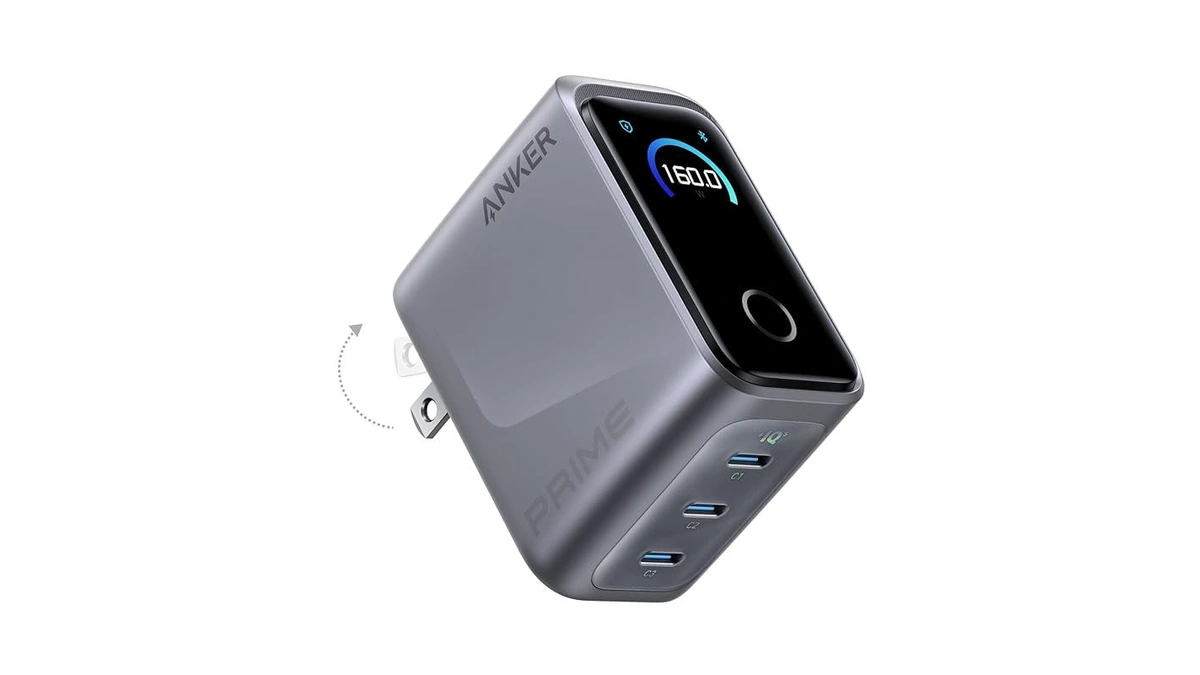
GaN chargers sit on the other side of the same cable. Gallium nitride is a transistor material inside the power brick, and it changes how small and cool the brick can be. It changes nothing about the negotiation, which is why a GaN label on its own says little about whether a charger suits a given phone or laptop.
What a USB-C Power Delivery Charger Is
A USB-C Power Delivery charger is a power adapter that speaks the USB PD protocol. The phone or laptop being powered requests the voltage and current it needs, and USB-IF describes the result as each device taking only the power it requires. The specification allows up to 240W over a full featured USB Type-C cable.
USB PD is the common language of the big phone platforms. Apple's iPhone fast charging page lists its own USB-C adapters next to "a comparable third-party USB-C power adapter that supports USB Power Delivery (USB-PD)." Google's Pixel charging help accepts any Programmable Power Supply (PPS) adapter rated for 30W or more, or other USB PD adapters rated for 15W or more. Samsung ties Super Fast Charging on its Galaxy phones to PPS, a part of USB PD covered below.
How USB Power Delivery Negotiates a Charge
USB Power Delivery works as a negotiation: the device asks the charger for the power it needs, and the charger supplies only that. The USB-IF overview of USB PD describes the steps up the ladder. Before Revision 3.1, USB PD topped out at 100W, using 20V over USB Type-C cables rated for 5A. Revision 3.1 added fixed 28V, 36V and 48V levels for up to 140W, 180W and 240W:
| Fixed voltage | Maximum power | What it takes |
|---|---|---|
| 20V | 60W | A cable rated for 3A, marked 60W |
| 20V | 100W | A cable rated for 5A |
| 28V | 140W | A charger with the 28V fixed level (USB PD Revision 3.1) |
| 36V | 180W | A charger with the 36V fixed level (USB PD Revision 3.1) |
| 48V | 240W | A charger with the 48V fixed level and a cable that meets the 240W requirements of USB Type-C Release 2.1 |
USB-IF lists several other traits that matter in daily use. Power can flow either way, so a laptop can charge a phone or a monitor can charge a laptop while it displays. Each device takes only the power it needs, which is why one charger can serve a pair of earbuds and a notebook. An adjustable voltage supply mode lets the device request intermediate voltages between 15V and the charger's highest fixed level. USB PD also coexists with the older USB Battery Charging scheme. USB-IF has updated the USB Type-C specification to Release 2.1 to define 240W cables, and its document library lists USB PD Revision 3.2 as the base specification.
PPS and AVS: The Adjustable Power Delivery Modes Phones Use
Fixed Power Delivery voltages are only half the story for some phones, whose fastest modes rely on adjustable output. Two names come up on spec sheets:
- PPS (Programmable Power Supply). Samsung's 45W charger page describes PPS as a mode added in the USB PD 3.0 standard that adjusts voltage and current in real time based on the phone's charging state. Its fast charging guide warns that Super Fast Charging may not work on a charger without PPS, however high its maximum output.
- Samsung's own tiers. Samsung lists its 25W charger with PPS ranges of 3.3V to 11V at 2.25A for Super Fast Charging, its 45W EP-T4511 with 5V to 20V at 2.25A for Super Fast Charging 2.0, and its 60W EP-T6010 with 5V to 20V at 3A for Super Fast Charging 3.0.
- Google Pixel. Google's Pixel hardware specs quote fast charging for the Pixel 11 Pro XL up to 75% in about 30 minutes with a 45W USB-C PPS charger or higher, and up to 55% for the Pixel 11 Pro with a 30W PPS charger.
- AVS (Adjustable Voltage Supply). Apple's iPhone fast charging page says the iPhone 18 Pro and iPhone 18 Pro Max reach 50 percent in around 15 minutes with a 60W-capable adapter that uses AVS and supports USB PD 3.2, such as Apple's 40W Dynamic Power Adapter with 60W Max.
- iPhone 17 models. Apple says the iPhone 17 and iPhone 17 Pro fast charge with a 40W adapter or higher, and it accepts comparable third-party USB PD adapters for fast charging its other recent models.
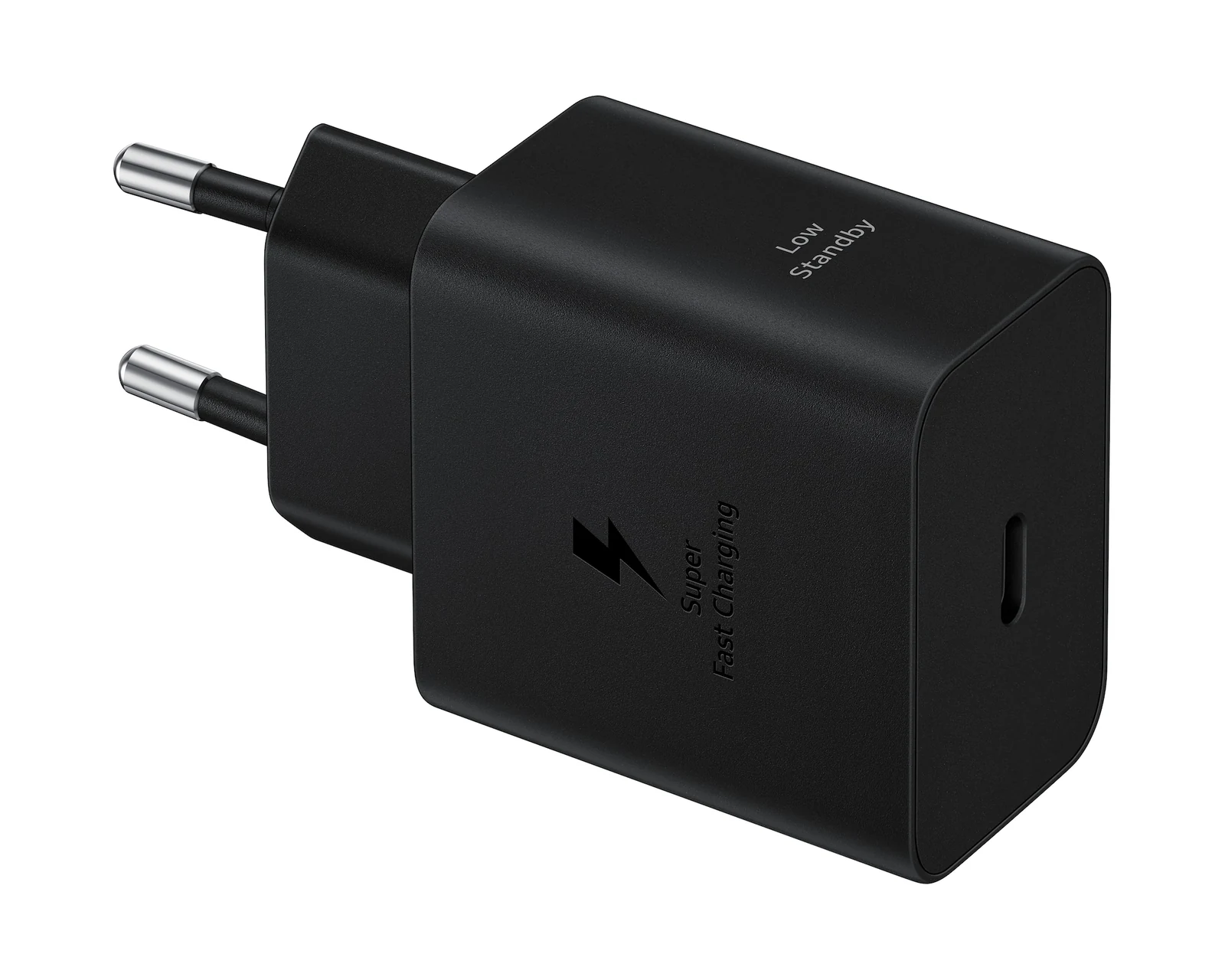
The practical rule follows from those pages. Wattage on the box is a ceiling, not a promise. A 65W charger without PPS can leave a recent Galaxy phone out of Super Fast Charging, a mode Samsung's own 25W PPS charger supports.
USB Power Delivery vs Qualcomm Quick Charge
Quick Charge is another fast charging name found on chargers, and it comes from a different owner. USB PD is a USB-IF specification that any maker can implement. Qualcomm describes Quick Charge 5+ as its own fast charging technology, says it is backwards compatible with all previous Quick Charge solutions, and claims it can take devices from 0 to 50% in five minutes. Qualcomm's own Quick Charge device list notes that a Quick Charge 5+ certified power adapter is required for Quick Charge 5+ speeds and that phone makers decide whether to enable it.
For a buyer, the split is simple. The Apple, Google and Samsung pages above name USB PD, PPS or AVS, not Quick Charge, so a Power Delivery charger is the one that covers those phones. A charger that lists both USB PD and Quick Charge also covers phones that enable Qualcomm's mode.
Why the Cable Sets the Power Delivery Ceiling
A Power Delivery charger can only deliver what the cable is rated to carry, and USB-IF makes that rating visible. Its cable certification rules require every certified USB-C to USB-C cable to carry a 60W or 240W power marking, and higher-speed cables add a data rate; a 20Gbps cable that supports 20V at 3A must carry the combined 20Gbps/60W logo. USB-IF also notes that cables built with an E-marker go through extra Power Delivery compliance tests.
- Above 60W, check for a 240W or 5A rating. Apple's MacBook fast charging page lists the 140W USB-C Power Adapter with a MagSafe 3 cable for fast charging the 16-inch MacBook Pro, or with a 240W USB-C Charge Cable on the November 2023 model and later.
- Phones can need more than a basic cable too. Samsung says its 45W charger needs a 5A cable for 45W charging, except on the Galaxy S25 Ultra and S25+, which reach it with a standard 3A cable.
- Out-of-spec cables can interrupt charging. Samsung warns that some third-party cables that miss the charging specification have higher electrical resistance, which can make charging stop intermittently.
- Data speed is separate. Apple says the USB-C cable that comes with the iPhone supports charging and USB 2 speeds, so a USB 3 device needs a separate compliant USB 3 cable.
What GaN Changes Inside a Power Delivery Charger
Gallium nitride changes the hardware that turns wall current into the Power Delivery levels above. Infineon, which makes GaN power transistors, explains the mechanism on its GaN charger explainer:
- Faster switching. Infineon says silicon power MOSFETs generally switch below 100 kHz, while GaN transistors switch at hundreds of kilohertz or even megahertz.
- Smaller magnetics. In an active clamp flyback design, Infineon says switching losses fall to nearly zero and the charger can run well above 200 kHz, which shrinks the transformer's magnetic core.
- Higher power density. Infineon puts silicon chargers at 3 to 5 watts per cubic inch and GaN chargers at 9 to 18 or more.
- A worked example. Texas Instruments publishes a 140W GaN reference design for a USB PD 3.1 USB-C adapter, with 5V to 28V output, more than 94% efficiency at 115V AC input and 27.33 watts per cubic inch.
Those are chipmakers' figures, and both companies sell the parts. They still explain why a GaN brick is smaller than a silicon one of the same wattage. What GaN does not do is add charging protocols. A GaN charger without PPS is still a charger without PPS, and the label on the box rather than the transistor inside tells a buyer whether it suits a Galaxy phone or a 140W laptop.
Multi-Port Power Delivery Chargers and Shared Power
Multi-port Power Delivery chargers do not always give every port its full rating at once, and the USB-IF logo usage guidelines split certified chargers by how they divide power:
- Assured capacity. Each USB-C port supplies its labeled power regardless of what the other ports are doing.
- Shared capacity. Before anything is plugged in, every USB-C port offers the same maximum, but when one port supplies the top rating the others drop to different ratings. USB-IF requires these chargers to say so on the packaging and to show the total combined power on the product.
- Labels. Each certified USB-C port must be labeled with its highest power level and supply at least 7.5W, and the logo wattage must match the strongest port.
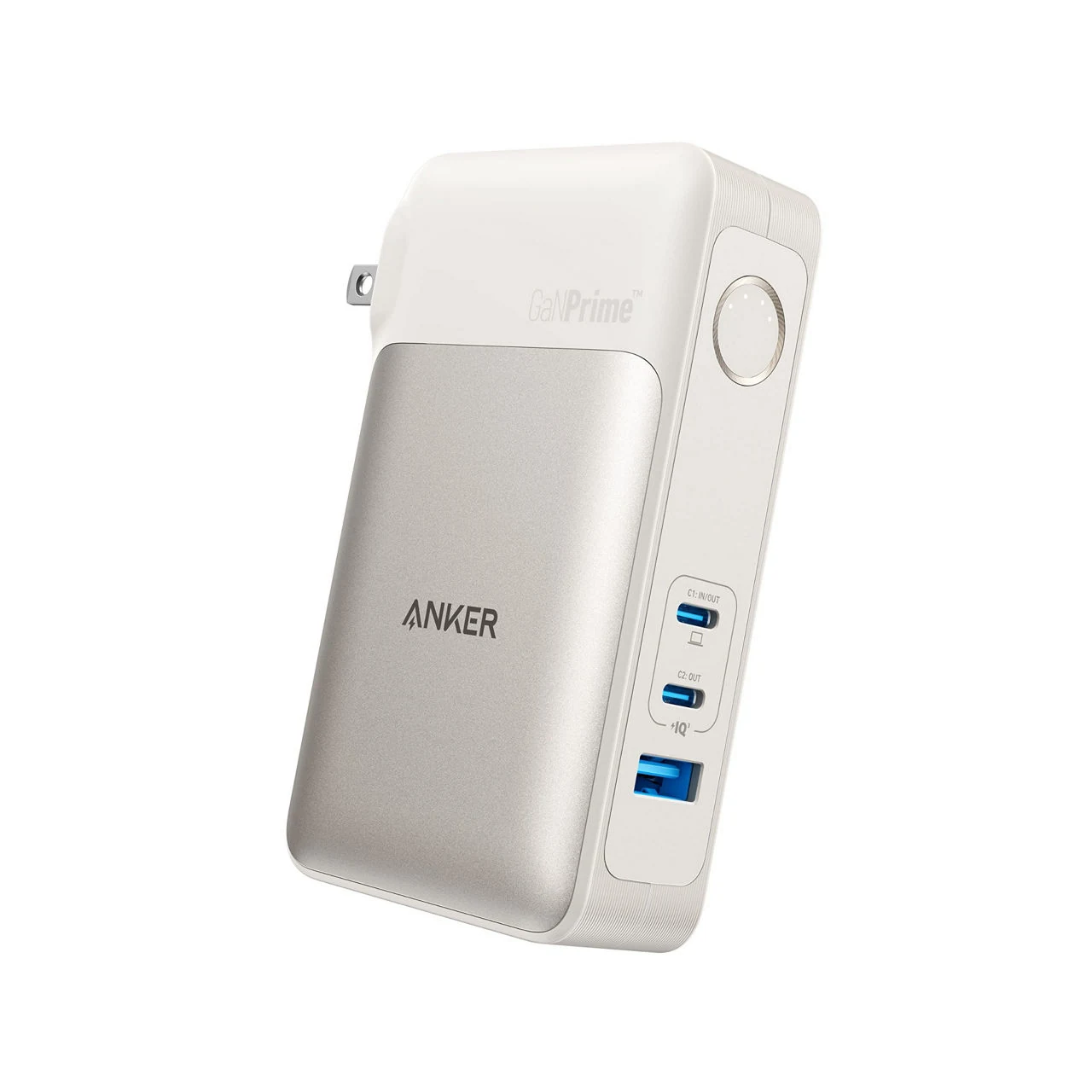
Apple makes the same point for its own 35W Dual USB-C Port Power Adapter: with more than one device attached, the maximum power output might be reduced. A 100W two-port charger that splits 65W and 35W is a reasonable laptop-plus-phone kit; it is not two 100W chargers. Europe is heading the same way: the European Commission says its ecodesign rules for external power supplies, applying from 14 December 2028, say common chargers should be marked at each port with the power supported.
How to Choose a USB-C Power Delivery Charger
Choosing a Power Delivery charger means matching it to the devices, not to the biggest number on the shelf. Six checks cover most homes:
- Find each device's fast charging wattage. The device maker's page is the reference: Apple pairs the 16-inch MacBook Pro with a 140W adapter, the iPhone 17 fast charges from 40W, and Google quotes 45W PPS for the Pixel 11 Pro XL.
- Match the fast mode. Look for PPS on the spec sheet for Galaxy and Pixel phones, and for AVS with USB PD 3.2 for the iPhone 18 Pro, as their makers' pages above specify.
- Buy the cable with the charger. The USB-IF marking rules label every certified USB-C to USB-C cable with a power capability of either 60W or 240W. A 60W cable is rated for 60W, so for a charger above 60W pick the 240W cable.
- Read the port split. On a multi-port charger, check the total combined power and the per-port figures that USB-IF requires certified shared-capacity chargers to print.
- Look for the certification logo. The USB-IF guidelines tie the certified charger logo to a labeled wattage on each USB-C port, which makes those figures easier to trust.
- Treat GaN as a size choice. A GaN charger is smaller for its wattage, and the protocol list still decides the speed.
In our view, one well-labeled multi-port GaN charger that lists the modes your devices need, such as PPS or AVS, plus one 240W cable, is a reasonable starting point for most households.
USB-C Power Delivery vs Older and Wireless Charging
EU regulation backs USB-C as the common charging port, but older and wireless options remain in use, and each has a place:
| Option | What it delivers | Best fit |
|---|---|---|
| USB-A charger | Apple caps iPhone 15 and later at 7.5W on USB-A | Overnight top-ups, earbuds |
| USB PD, standard range | Up to 100W at 20V with a 5A cable | Phones, tablets, laptops |
| USB PD, 28V to 48V levels | 140W to 240W at 28V to 48V | Large laptops, docks, monitors |
| USB PD with PPS or AVS | Adjustable voltage for phone fast modes | Recent Galaxy and Pixel phones, iPhone 18 Pro |
| MagSafe wireless | iPhone 18 Pro to 50 percent in around 30 minutes with a 35W or higher adapter | Convenience over speed |
Apple adds two limits on its iPhone charge speed page: a USB-A charger tops out at 7.5W on the iPhone 15 and later, and wireless charging drops to 7.5W while a USB-C or Lightning accessory is connected. With iOS 18 and later, the same page says, an iPhone shows a Slow Charger message when a higher-wattage charger could improve charging, which does not mean anything is wrong. The MagSafe figure comes from Apple's fast charging page.
In the EU, regulation made USB-C the common port. The European Commission's common charger page says the rules have applied to phones, tablets, cameras, headphones, handheld game consoles and other small devices since 28 December 2024, and to laptops since 28 April 2026. The same rules standardize fast charging so that any compatible charger gives the same speed, let buyers purchase a device without a charger, and require producers to give information on the power each device needs. Handheld game consoles sold in the EU are on that list, which adds a charging angle to the Steam Deck vs Nintendo Switch guide.
For phone buyers comparing platforms, the iPhone vs Samsung Galaxy comparison for business covers the devices themselves; on charging, the split is PPS for Galaxy and AVS for the newest iPhone Pro models. Laptop buyers can read the MacBook Air vs MacBook Pro comparison with one extra question in mind: whether the charger and cable in the bag reach the fast charging tier the machine supports.
Further reading
Frequently Asked Questions
Can a higher-wattage USB-C charger damage my phone?
A USB PD charger only supplies the voltage and current the phone requests during negotiation. USB-IF describes Power Delivery as letting each device take only the power it requires. A 100W laptop charger will therefore supply a phone only what the phone requests, not 100W.
Do Apple chargers have Power Delivery?
Apple's iPhone fast charging page lists its own USB-C adapters next to a comparable third-party adapter that supports USB Power Delivery (USB-PD). For the iPhone 18 Pro, Apple names a 60W-capable adapter that uses AVS and supports USB-PD, such as its 40W Dynamic Power Adapter with 60W Max.
Which USB-C cable charges fastest?
A cable marked 240W. USB-IF requires certified USB-C to USB-C cables to carry a 60W or 240W marking, and it updated the USB Type-C specification to define 240W cables for the levels above 100W. Apple, for example, pairs its 140W adapter with a 240W USB-C Charge Cable for fast charging the 16-inch MacBook Pro.
Can I charge a power bank with USB-C?
Yes, if the power bank has a USB-C input. USB-IF says the direction of power under USB PD is no longer fixed, so the product that has the power can supply it. The same USB-C port can then refill the power bank from a wall charger and later charge a phone from the bank.
What is PPS, and does my charger need it?
PPS, or Programmable Power Supply, is a USB PD mode in which the charger adjusts voltage and current in real time as the phone charges. Samsung says Super Fast Charging may not be available on a charger without PPS, even one with a high maximum output. Google quotes PPS chargers for Pixel fast charging, while the newest iPhone Pro models use AVS instead.
Is a GaN charger better than a silicon one?
A GaN charger is usually smaller for the same wattage, but on its own it does not charge faster than a silicon charger offering the same USB PD profile. Charging speed comes from the negotiated voltage and current. GaN changes the size, weight and efficiency of the box around the electronics.