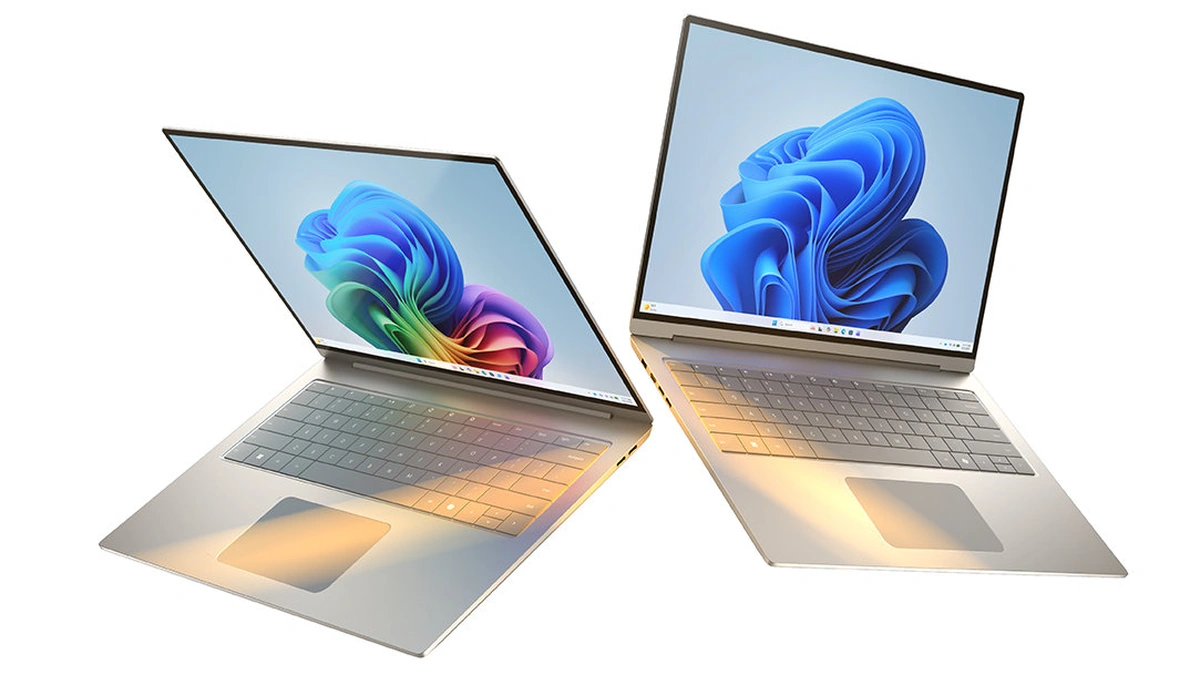
A Copilot+ PC is a Windows 11 laptop or desktop that pairs a neural processing unit rated above 40 trillion operations per second with at least 16 GB of memory and 256 GB of storage. Microsoft's Windows 11 specifications set that bar, and they are blunt about the edge cases: a machine with a 40+ TOPS NPU but less memory or storage still runs Windows 11 and local AI apps, yet it is not a Copilot+ PC and does not get features such as Click to Do or the improved Windows search.
Every Copilot+ PC is an AI PC, but plenty of AI PCs miss the label. The NPU is the part doing the new work: a low-power accelerator for the matrix math inside neural networks, there to keep live translation or background blur running without draining the battery or tying up the CPU and GPU. Whether it is worth paying for depends less on the TOPS figure printed on the box than on which features you will use, which chip family you pick and how much memory comes with it.
What Makes an AI PC a Copilot+ PC
A Copilot+ PC is an AI PC that clears Microsoft's hardware bar: a 40+ TOPS NPU, 16 GB of memory and a 256 GB drive. Intel's AI PC definition asks only for a CPU, GPU and integrated NPU, with no speed threshold. Microsoft says any Windows 11 PC is compatible with Copilot, while Recall and Click to Do come with a Copilot+ PC.
The gap between the two labels decides which Windows features a machine gets. Intel defines an AI PC as a computer with a CPU, a GPU and an integrated NPU, with each engine taking the AI work it handles best. That definition requires an integrated NPU but sets no speed threshold, which is why the term turns up on so many spec sheets.
Microsoft's Copilot+ PC spec is stricter. On top of the normal Windows 11 requirements, a machine needs all three of these, according to the Copilot+ PC minimum requirements:
- Processor: a CPU or system on a chip whose NPU performs 40+ TOPS. Microsoft's list names AMD Ryzen AI 300 and 400 series, Intel Core Ultra 200V and 300V series, and Qualcomm Snapdragon X series chips.
- Memory: 16 GB of DDR5 or LPDDR5.
- Storage: a 256 GB SSD or UFS drive, per the same Microsoft requirements page.
Microsoft adds that individual features, apps and accessories can carry extra requirements, and that these can change over time. The practical consequence sits in the configuration menu. Because the label depends on memory and storage as well as the chip, check the spec sheet for the exact configuration you are buying rather than the product name.
Copilot+ PC vs a Regular Windows 11 PC
Microsoft's Windows 11 specifications say any PC running Windows 11 is already compatible with Copilot, and that Windows 11 supports cloud-based AI experiences through apps such as Microsoft Copilot and Copilot Mode in Microsoft Edge. The same page says unlocking Copilot+ PC experiences, such as improved Windows search and Agent in Settings, takes a Copilot+ PC. Microsoft's Copilot+ PC explainer puts the relationship this way: all Copilot+ PCs are Windows 11 PCs, but not all Windows 11 PCs are Copilot+ PCs.
| Requirement | Regular Windows 11 PC | Copilot+ PC |
|---|---|---|
| Processor | 1 GHz or faster, 2 or more cores, compatible 64-bit chip, per Microsoft | NPU rated at 40+ TOPS: Ryzen AI 300 or 400, Core Ultra 200V or 300V, or Snapdragon X series |
| Memory | 4 GB | 16 GB of DDR5 or LPDDR5 |
| Storage | 64 GB or larger | 256 GB SSD or UFS, per the same specifications page |
| Security | TPM 2.0 | TPM 2.0 plus the Microsoft Pluton security processor, per Microsoft's explainer |
| Compatible with Copilot | Yes | Yes |
| Recall, Click to Do, improved Windows search | No | Yes |
Microsoft's Copilot+ PC explainer adds two details the requirements table leaves out: a Copilot+ PC runs Windows 11 version 24H2 or newer, and its security features include Windows Hello and Enhanced Sign-in Security alongside TPM 2.0. The page's footnote on the Copilot key says to use it with supported Windows 11 devices.
What the NPU in a Copilot+ PC Actually Does
The NPU in a Copilot+ PC is built for one kind of work: the repeated multiply-and-add operations that make up a neural network. Microsoft's Copilot+ PCs developer guide says NPUs are designed to execute deep learning math, and that many of them only support lower-precision integer formats such as INT8 rather than the FP32 that models are often trained in. Models therefore get converted to a smaller format before they run there.
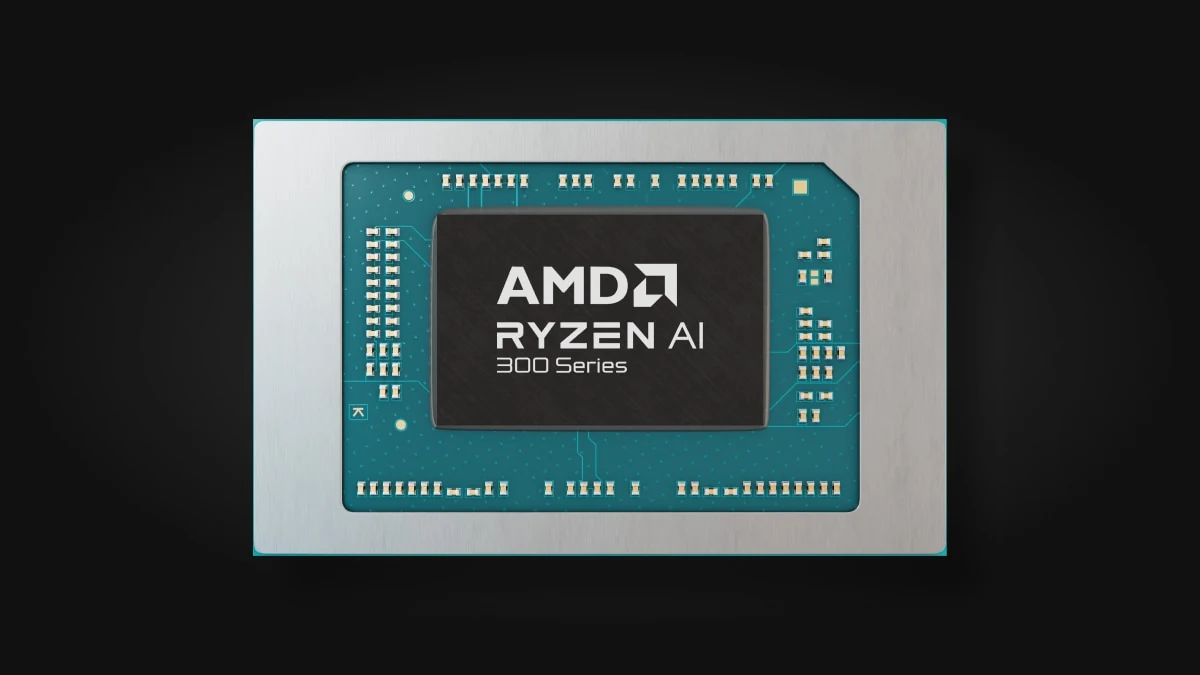
The same guide makes a point buyers tend to miss. Like any other hardware, the NPU needs software written to use it, so an app that never targets it gains nothing. Task Manager shows NPU load on machines that have one, which is the quickest way to see whether a given app touches it at all.
Developers reach the chip through Windows ML, which Microsoft describes as the Windows-maintained copy of ONNX Runtime. Per the developer guide, Windows ML detects the accelerators in a machine, loads the matching execution provider, such as Qualcomm's QNN provider or Intel's OpenVINO provider, and falls back to the GPU or CPU when the preferred one is unavailable. Hardware-optimized execution provider support for NPUs requires Windows 11 version 24H2 or later.
| Engine | What Intel says it is best at | Typical work on a Copilot+ PC |
|---|---|---|
| CPU | Fast response on general and sudden workloads | App logic and short AI tasks |
| GPU | High throughput on large parallel jobs | Games, rendering and larger local models |
| NPU | Sustained AI tasks at low power | Camera effects, captions and other always-on features |
That split comes from Intel's AI PC explainer, and it explains why TOPS, or trillion operations per second, is a poor shopping metric on its own. AMD's footnotes describe the figure as the maximum number of operations a chip can execute in an optimal scenario, varying with system configuration, AI model and software version. Microsoft's feature list sets a single 40+ TOPS requirement with no higher tiers, so past that line a bigger number mainly matters for third-party apps and local models that can use the headroom.
Copilot+ PC Features and Their Fine Print
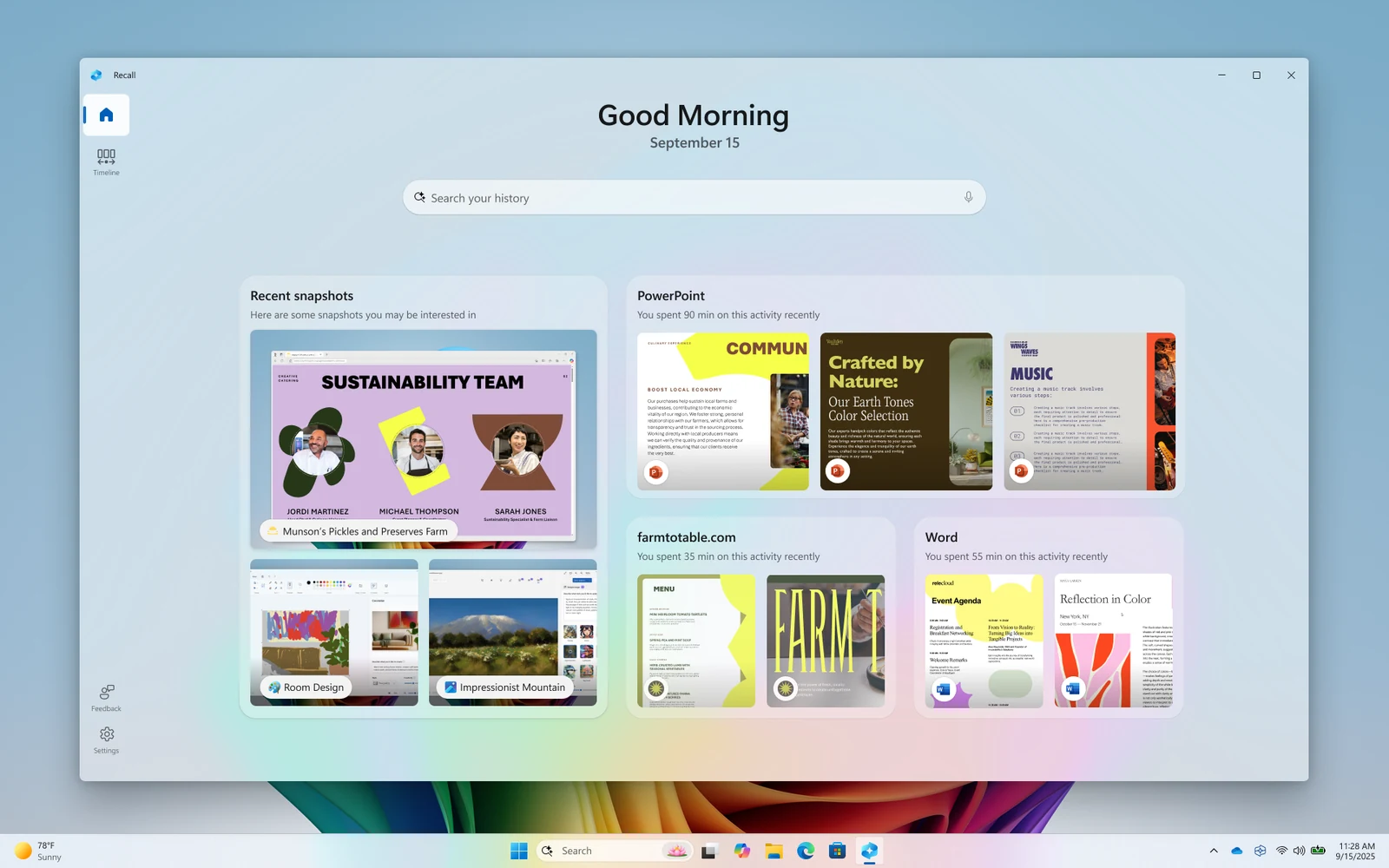
Microsoft keeps a running list of Copilot+ PC features, and the conditions attached to each matter as much as the names. The table condenses the notes on its Copilot+ PC feature list.
| Feature | Microsoft's conditions |
|---|---|
| Recall (preview) | Needs Windows Hello Enhanced Sign-in Security; optimized for six languages |
| Click to Do | Actions vary by device, region and language; some need a subscription |
| Improved Windows search | Specific file formats only; optimized for six languages |
| Live Captions | Translates into English from 40+ languages, and into Chinese (Simplified) from 27 |
| Windows Studio Effects | Needs a compatible camera; effects vary by device |
| Paint Cocreator, Photos Restyle image and Image creator | Need a Microsoft account or Entra ID and an internet connection |
| Automatic super resolution, Photos Relight, Paint Generative fill | Listed for Snapdragon X series machines |
| Agent in Settings | Ten supported languages, including English, Hindi and Japanese |
Two patterns stand out. The creative tools are not fully local: Microsoft says they need an internet connection to reach cloud services that help ensure responsible use of AI. And the experience differs by chip vendor, with several photo and gaming features listed for Snapdragon X machines. On the other side of the ledger, Microsoft states that many unique Copilot+ features, once downloaded, run without internet access, so the features without an account-and-connection note are the ones to count on when offline.
Recall draws the most scrutiny because it saves snapshots of the screen. Microsoft's Recall management documentation says the feature is opt-in, that snapshots and the vector database behind them are always encrypted, and that the keys are protected by the Trusted Platform Module (TPM) and used by operations inside a Virtualization-based Security (VBS) Enclave. Neither IT admins nor Microsoft can view the snapshots, and on managed business devices Recall is disabled and removed by default.
Copilot+ PC Chips and the Alternatives
Copilot+ PC silicon comes from three vendors, and the choice between them is as much about software compatibility as about NPU ratings. The figures below are each vendor's own peak numbers.
| Chip family | CPU architecture | NPU rating |
|---|---|---|
| Qualcomm Snapdragon X Plus (Surface Laptop 13-inch) | Arm | 45 TOPS Hexagon NPU, per Microsoft's Surface specs |
| Qualcomm Snapdragon X2 Elite | Arm | 80 or 85 TOPS depending on SKU, per Qualcomm |
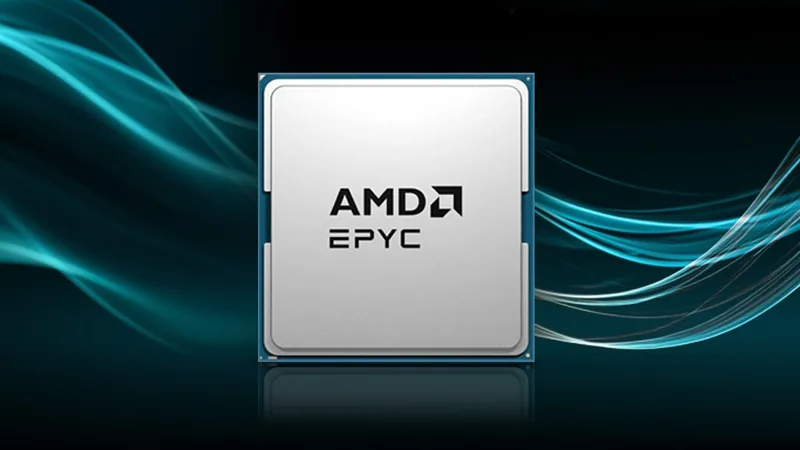
| AMD Ryzen AI 400 Series | x86 | Up to 60 TOPS in laptops, per AMD; up to 50 TOPS in AM5 desktops, per AMD |
| Intel Core Ultra Series 3 | x86 | Up to 50 TOPS on the top SKUs, per Intel |
The architecture column matters more than the TOPS column for most people. Snapdragon machines run Windows on Arm, where Microsoft's Prism emulator translates x86 and x64 code into Arm64 and caches the result. Emulation covers user-mode code only, so drivers and other kernel-mode components must be native Arm64. AMD and Intel Copilot+ PCs avoid that question entirely. AMD's Ryzen AI 400 desktop parts also brought Copilot+ support to AM5 desktop systems, with HP and Lenovo among the OEMs AMD named.
Games are the sharpest test of that driver rule. Microsoft's FAQ for Arm-based PCs warns that games and apps might not work if they rely on anti-cheat drivers that are not made for Windows 11 Arm-based PCs, and tells players to check with the game publisher. Anyone who plays online multiplayer titles should confirm support before choosing a Snapdragon X machine over a Ryzen AI or Core Ultra one.
Outside the Copilot+ program, two alternatives take a different route. Apple runs Apple Intelligence on any Mac with M1 or later, according to its device requirements, and the M5 adds a Neural Accelerator to each GPU core alongside a 16-core Neural Engine, per Apple. The Apple Silicon vs Intel vs AMD performance comparison covers how those chips trade blows outside AI work.
NVIDIA goes GPU-first. Its RTX Spark superchip for Windows pairs a Blackwell RTX GPU with a Grace CPU, quotes up to 1 petaflop of FP4 AI performance and up to 128 GB of unified memory, and targets local models of up to 120 billion parameters. It does not appear on Microsoft's Copilot+ processor list. Microsoft's own on-device language model, Phi Silica, points the same way: it runs on Copilot+ NPUs, and an experimental Insider build also runs it on GeForce RTX 30 series and Radeon RX 9060 series cards and newer with 6 GB or more of video memory.
Benefits and Trade-offs of a Copilot+ PC
The strongest case for a Copilot+ PC is efficiency, not raw AI power. Microsoft promises all-day battery life in its developer guide, and Intel's framing of the NPU as the engine for sustained, low-power AI tasks explains where that saving comes from.
- Battery life on always-on features: Microsoft says the Copilot+ features were designed to take advantage of the NPU, the low-power role Intel also assigns it.
- Offline use: Microsoft says many of the unique features keep working without a connection once downloaded.
- Local data: Recall snapshots stay on the device and encrypted, and Windows ML lets apps run models without sending data to a server.
- A developer platform: the Windows AI APIs expose Phi Silica to apps, and Microsoft's roadmap replaces it with a new model, Aion Instruct, on retail devices in January 2027.
The limitations are just as concrete:
- Uneven features: availability varies by chip vendor, region and language, and some Click to Do actions need a subscription.
- Cloud strings: the image generators still need an account and a connection.
- Idle silicon: the NPU only helps software written for it; everything else runs on the CPU and GPU exactly as before.
- Memory ceilings: 16 GB is the floor, and local language models compete with everything else for it. NVIDIA's RTX Spark and AMD's Ryzen AI Halo developer box both advertise up to 128 GB of unified memory.
Put plainly, the label buys a bundle of Microsoft features and a guaranteed minimum spec, not a promise of AI performance. For a buyer, the guaranteed minimum may be the more valuable half: 16 GB and a 256 GB drive are sensible floors for any Windows laptop, AI or not.
When a Copilot+ PC Is the Right Buy
A Copilot+ PC makes the most sense for someone already due a new Windows machine. Windows 10 support ended on October 14, 2025, and Microsoft's consumer Extended Security Updates program covers enrolled PCs through October 12, 2027, so anyone still on Windows 10 should plan the move before that date.
- Good fit: frequent travelers and video callers who will use Windows Studio Effects and Live Captions daily and want long battery life.
- Good fit: developers shipping Windows apps that call Windows ML or the on-device language model.
- Good fit with care: anyone tied to x86-only tools, who should pick a Ryzen AI or Core Ultra model over Snapdragon X.
- Look elsewhere: gamers and 3D artists, for whom a discrete GPU matters far more, as the GPU buying guide explains.
- Look elsewhere: people who want to run large local language models, where unified memory capacity and GPU throughput decide what fits.
For everyone else, configure for memory first and treat the NPU as a bonus. The guide to running AI locally explains which workloads move on-device well, and the small language models explainer covers the compact models an NPU is actually sized for.
Further reading
Frequently Asked Questions
What is the difference between a Copilot+ PC and a regular PC?
The hardware floor and the features it unlocks. A regular Windows 11 PC needs 4 GB of memory and 64 GB of storage, while a Copilot+ PC needs a 40+ TOPS NPU, 16 GB of DDR5 or LPDDR5 and a 256 GB SSD or UFS drive, per Microsoft's Windows 11 specifications. Only machines that meet all three get Copilot+ features such as Recall, Click to Do and the improved Windows search.
Is Copilot on all Windows 11 computers?
Per Microsoft, yes for Copilot, no for Copilot+ features. Microsoft says any PC running Windows 11 is already compatible with Copilot, and that Windows 11 supports cloud-based AI experiences through apps such as Microsoft Copilot and Copilot Mode in Microsoft Edge. Copilot+ PC experiences such as the improved Windows search and Agent in Settings need a Copilot+ PC.
Can a Windows 11 update turn an older PC into a Copilot+ PC?
No, the label depends on hardware that a software update cannot add. Microsoft requires an NPU rated at 40+ TOPS, 16 GB of DDR5 or LPDDR5 memory and a 256 GB SSD or UFS drive, per its Copilot+ PC requirements. A PC that has the NPU but less memory or storage still runs Windows 11 and local AI apps, but it misses features such as Click to Do and the improved Windows search.
Do I really need a Copilot+ PC?
Only if you will use the on-device features, since Microsoft says any Windows 11 PC is already compatible with Copilot. The Copilot+ extras include Live Captions that translate audio from 40+ languages into English and Windows Studio Effects for the camera, both on Microsoft's Copilot+ PC feature list. Gamers and anyone running large local models gain more from a strong GPU and plenty of memory than from the NPU.
Is Recall turned on by default, and who can see the snapshots?
No, Recall is opt-in, and only the signed-in user can open the snapshots. Microsoft's Recall documentation says snapshots and their index are always encrypted, with keys protected by the TPM and tied to Windows Hello Enhanced Sign-in Security. IT admins and Microsoft cannot view them, and on managed devices Recall is disabled and removed by default until an admin allows it.
Will my apps and games run on a Snapdragon Copilot+ PC?
Emulation lets x86 and x64 apps run next to native Arm64 ones, but drivers are the weak point. Microsoft's Prism emulator translates x86 and x64 code into Arm64 and caches the result, yet it handles user-mode code only, so any driver or kernel-mode component must be built for Arm64. Games that rely on anti-cheat drivers not made for Arm might not work, according to Microsoft's Arm-based PC FAQ, so check those games, printers and VPN clients before buying.