A tablet is a touchscreen computer that runs phone-style apps on a larger screen and can stand in for a laptop once you add a keyboard and a pen. Buying a tablet comes down to five checks, in this order: the platform, the years of updates, the price of the pen and keyboard, the screen size, and the storage. The platform comes first. Apple's iPad runs iPadOS, which Apple builds and updates for every model it supports. An Android tablet runs Google's system with the manufacturer's software on top, and that manufacturer decides which pen comes in the box and how many years of updates you get. Those two facts shape a purchase more than any benchmark does.
What to Check Before Buying a Tablet
The right tablet is the cheapest one that runs the apps you need, gets security updates for as long as you plan to keep it, and has the pen, keyboard and screen size your work calls for. Pick the platform first, because it fixes your app store, accessories and update terms for years.
The table matches common buyers to a starting point among the tablets covered below. It is a shortlist built from each maker's published specs and prices, not a ranking from hands-on tests:
| If you mainly want | Start with | Why it fits |
|---|---|---|
| Video, reading and browsing on a budget | Amazon Alexa Tablet 8 or 11, Galaxy Tab A11+ | From $229.99 to $329.99, with the Google Play Store |
| One tablet to pair with an iPhone | iPad (A16) | The cheapest current iPad at $449, with Handoff from iPhone |
| Handwritten notes for school | iPad Air (M4) with Apple Pencil Pro, or a Galaxy Tab S11 | Apple Pencil Pro senses pressure; Samsung puts the S Pen in the box |
| One-handed reading and travel | iPad mini (A17 Pro) | 8.3-inch screen at 293 grams |
| A laptop replacement | iPad Pro (M5), Galaxy Tab S11 with Samsung DeX, or a Windows 2-in-1 such as Surface Pro | Keyboards, external display support and desktop-style windows |
| Films and games | Galaxy Tab S12 or iPad Pro | OLED panels at a 120Hz refresh rate |
| A first tablet for a child | Amazon Kids Tablet or Galaxy Tab A11+ Kids Edition | Case and parental controls included |
How Tablet Platforms Differ
Every tablet purchase is also a vote for a software ecosystem. Apple designs both the iPad hardware and iPadOS, and its iPadOS 27 page shows that some features, such as Apple Intelligence, reach only certain models. Android tablets come from many manufacturers. Google supplies Android and Google Play, then Samsung, OnePlus and others layer on their own interfaces, accessories and update promises. If your phone already runs one of the two systems, the iOS and Android platform comparison covers how the phone side of each ecosystem differs.
Android's big-screen tools have grown up. Google's Android tablet page describes a taskbar for switching apps, split-screen mode for two apps at once, and drag and drop between apps. Google's Android 16 announcement points to Samsung DeX, then says Google built desktop windowing with Samsung, so compatible tablets can open, move and resize several app windows on one screen. Developers also lose some control over layout. For apps that target Android 16, orientation, resizability and aspect ratio restrictions no longer apply on displays at least 600dp wide, according to Google's Android 16 behavior changes, and the Android 17 behavior changes remove the developer opt-out for apps that target Android 17.
The split between the two camps shows up in four places a buyer will feel:
- Who ships updates: Apple updates every iPad it supports; on Android, the tablet maker sets the schedule and the length of support.
- Which store: iPads install apps from the App Store, Android tablets from Google Play, and Samsung models add the Galaxy Store.
- What is in the box: Samsung packs an S Pen with its Galaxy Tab S models, while Apple and OnePlus sell their pens separately.
- Room to grow: no iPad takes a memory card, while Samsung's Galaxy Tab range accepts microSD cards.
The Current iPad Lineup
Apple sells four iPad lines, and the name on the box says little about what each tablet can do. The table uses Apple's US store prices for the Wi-Fi model with the smallest storage tier, as listed in October 2026.
| Model | Chip | Display | Pencil support | Starting price |
|---|---|---|---|---|
| iPad (A16) | A16 | 11-inch Liquid Retina (LCD) | Apple Pencil (USB-C) | $449, 128GB |
| iPad mini (A17 Pro) | A17 Pro | 8.3-inch Liquid Retina (LCD) | Apple Pencil Pro, Apple Pencil (USB-C) | $599, 128GB |
| iPad Air (M4) | M4, 12GB memory | 11-inch or 13-inch Liquid Retina (LCD) | Apple Pencil Pro, Apple Pencil (USB-C) | $749 (11-inch), $949 (13-inch) |
| iPad Pro (M5) | M5, 12GB or 16GB memory | 11-inch or 13-inch Ultra Retina XDR (Tandem OLED) | Apple Pencil Pro, Apple Pencil (USB-C) | $1,199 (11-inch), $1,499 (13-inch), 256GB |
Three lines on the spec sheets separate the tiers better than the chip names. The first is Apple Intelligence: Apple's iPadOS 27 page lists it for the iPad mini (A17 Pro) and for iPads with M1 or later, which leaves the entry iPad (A16) out. The second is the screen. Only the iPad Pro spec sheet lists ProMotion, Apple's adaptive refresh rate that runs from 10Hz to 120Hz, and only the Pro uses an OLED panel.
The third is memory. The iPad Air pairs its M4 with 12GB of unified memory. The iPad Pro carries 12GB of unified memory in its two smaller storage tiers, and the 1TB and 2TB models get 16GB, per Apple's iPad Pro specifications. More memory helps keep apps and browser tabs open at once, which matters once you work in several windows. Apple also uses M-series chips in its Mac computers, and the Apple Silicon, Intel and AMD performance comparison places them against laptop chips.
Android Tablets From Samsung and OnePlus
Android tablet prices run from Samsung's Galaxy Tab A11+ at $299.99 to large-screen models priced like an iPad Pro. Samsung's Galaxy Tab compare page lists nine current models, and OnePlus's flagship is the OnePlus Pad 3. These five cover the range:
| Model | Display | Chip | Pen | US price |
|---|---|---|---|---|
| Galaxy Tab S12 Ultra | 14.6-inch Dynamic AMOLED 2X, 120Hz | MediaTek Dimensity 9500 | S Pen included | From $1,399.99 |
| Galaxy Tab S12+ | 12.6-inch Dynamic AMOLED 2X, 120Hz | MediaTek Dimensity 9500 | S Pen included | From $1,199.99 |
| Galaxy Tab S11 series | 11-inch or 14.6-inch Dynamic AMOLED 2X, 120Hz | MediaTek Dimensity 9400+ | S Pen included | From $999.99 |
| Galaxy Tab A11+ | 11-inch LCD, 90Hz | MediaTek MT8775 | Not S Pen compatible | From $299.99 |
| OnePlus Pad 3 | 13.2-inch, 3392 x 2400, up to 144Hz | Snapdragon 8 Elite | OnePlus Stylo 2, sold separately | $699.99 at launch |
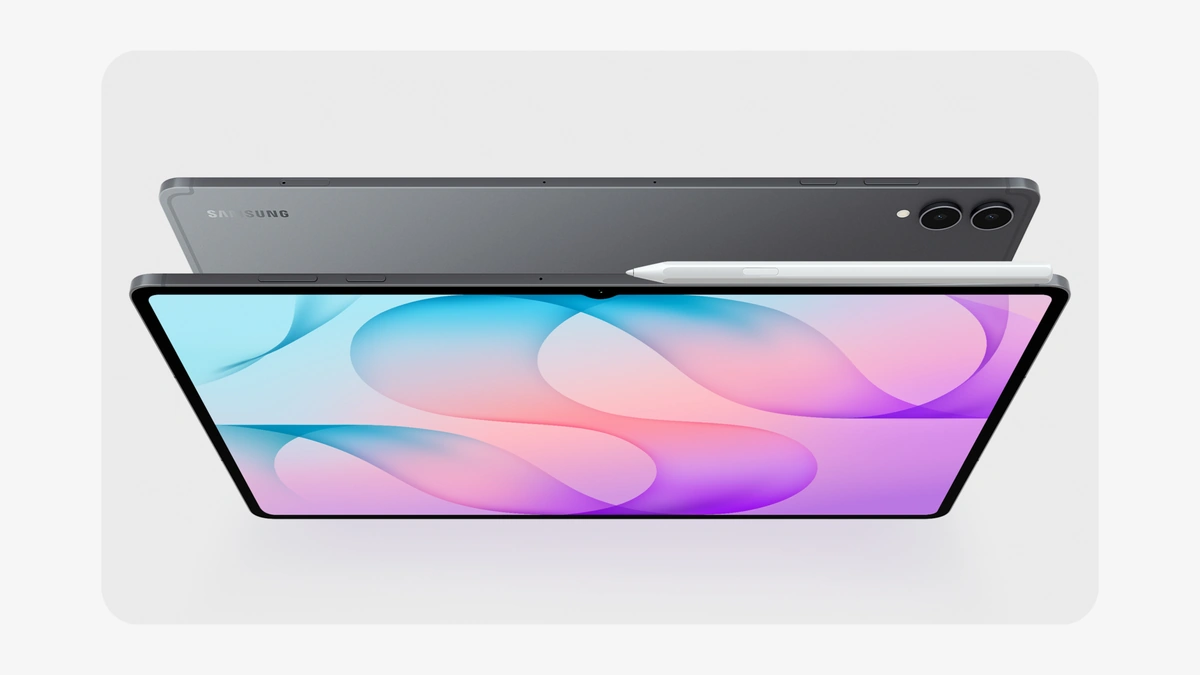
Samsung bundles what Apple sells separately. Both Galaxy Tab S12 models ship with an S Pen, run Android 17 with One UI 9, and can split the screen into up to three sections in Multi Window, according to Samsung's Galaxy Tab S12 announcement. The same compare page lists IP68 water and dust resistance on the Tab S12 and Tab S11 models and microSD support up to 2TB on most of the range. No iPad offers either.
OnePlus takes a leaner route. The OnePlus Pad 3 launch announcement priced the tablet at $699.99 with 12GB of memory and 256GB of storage. The Stylo 2 pen cost $99.99 and the Smart Keyboard $199.99 on top. The result is a large, fast Android tablet for about the price of an 11-inch iPad Air, with accessories that push it past $990 once you add both.
Budget Tablets From Amazon and Samsung
A tablet for video, reading and browsing does not need a flagship chip. Amazon's newest tablets carry the Alexa name, run Android and come with the full Google Play Store alongside Prime Video, Kindle, Audible and Amazon Music, according to Amazon's Alexa Tablets announcement of October 8, 2026. Amazon set US shipping for October 14. With Samsung's entry model, the low end of the market looks like this:
| Model | Display | Rated video playback | US price |
|---|---|---|---|
| Amazon Alexa Tablet 8 | 8.7-inch | Up to 14 hours | From $229.99, 4GB RAM, 64GB |
| Galaxy Tab A11+ | 11-inch LCD, 90Hz | Up to 15 hours | From $299.99 |
| Amazon Alexa Tablet 11 | 11-inch, 2560 x 1600, up to 90Hz | Up to 15 hours | From $329.99, 8GB RAM, 64GB |
| Amazon Alexa Tablet 12 Pro | 12-inch, 120Hz, 3:2 | Up to 16 hours | From $499.99, 8GB RAM, 128GB |
Check the support term on a cheap tablet as closely as on an expensive one. The Alexa Tablet 11 product page lists up to seven years of Android OS and security updates. The same listing shows a USB-C port limited to USB 2.0 data speeds and no charger in the box. Amazon's 12 Pro offers up to 16GB of RAM and adds a $149.99 Pro Keyboard and an $89.99 Pro Pen, which Amazon describes as a USI 2.0 active pen with 4,096 levels of pressure sensitivity, per the same announcement. Its $549.99 Nanomatte version adds an anti-glare screen etched with Corning.
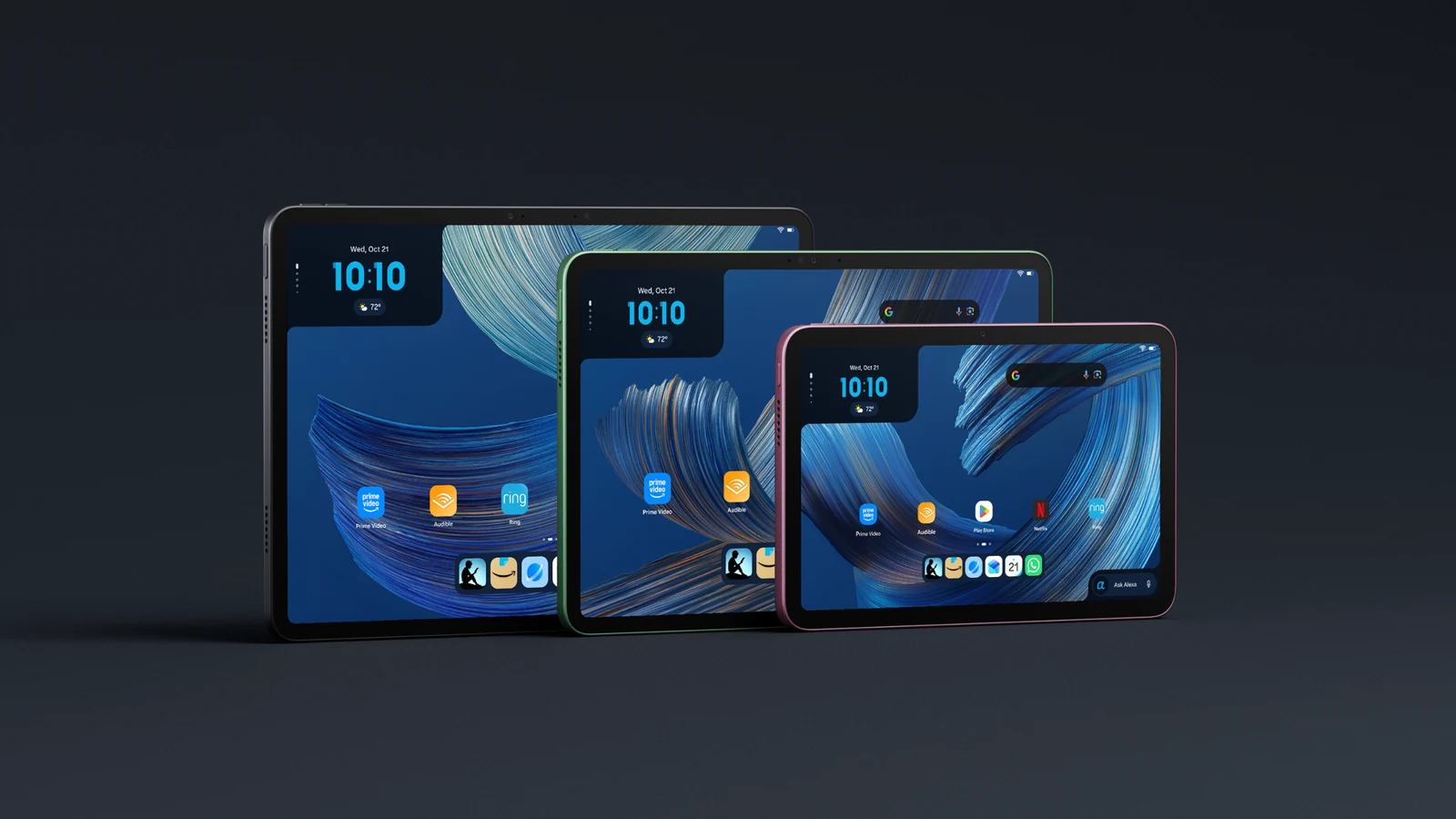
Buying a tablet on a budget makes sense when the jobs are streaming, reading, video calls and light browsing. Spend more when you need a pen for handwritten notes, a keyboard for daily typing, or an external display, and check each budget model's spec sheet for those first.
Screen Size and Weight
Screen size decides where a tablet gets used more than any spec on the box. The weights below are each maker's figures for the Wi-Fi model, from the Apple iPad specifications, Samsung's Tab S12 announcement, Amazon's product pages and Microsoft's Surface Pro page:
| Model | Screen | Weight |
|---|---|---|
| iPad mini (A17 Pro) | 8.3-inch | 293 grams |
| Amazon Alexa Tablet 8 | 8.7-inch | 329 grams |
| iPad Pro 11-inch (M5) | 11-inch | 444 grams |
| iPad Air 11-inch (M4) | 11-inch | 464 grams |
| Amazon Alexa Tablet 11 | 11-inch | 466 grams |
| iPad (A16) | 11-inch | 477 grams |
| Galaxy Tab S12+ | 12.6-inch | 553 grams |
| iPad Pro 13-inch (M5) | 13-inch | 579 grams |
| iPad Air 13-inch (M4) | 13-inch | 616 grams |
| Galaxy Tab S12 Ultra | 14.6-inch | 692 grams |
Read the table in three bands. An 8-inch class tablet such as the iPad mini or Alexa Tablet 8 stays under 330 grams and suits one-handed reading. The 11-inch models are the all-round size for the couch, the commute and a backpack. At 13 inches and above, the extra room helps split-screen work and drawing at a desk, but at more than 550 grams these tablets are tiring to hold in one hand for long.
Software Support and App Fit
Tablet update policies differ by brand. The published terms for the models above:
- Samsung Galaxy Tab S12 and Tab S11: up to seven generations of OS upgrades and seven years of security updates from global launch, per the Tab S12 announcement and the Tab S11 product page.
- OnePlus Pad 3: three Android OS updates and six years of bi-monthly security updates, according to the OnePlus launch release.
- Apple iPad: no fixed term is published, but the iPadOS 27 compatibility list reaches back to the iPad (9th generation), the iPad Air (4th generation) and the iPad Pro (4th generation).
- Cheaper Android models: Samsung states its seven-year pledge for the Tab S11 and Tab S12 lines, so a buyer of a Galaxy Tab A or Tab S10 FE model should confirm the update term for that exact model before paying.
A tablet that will later pass to a child needs years of security updates and OS upgrades more than it needs a faster processor. That favors a Galaxy Tab S or a recent iPad over a cheaper model with an unstated support window, even when the cheaper model looks fine on paper.
App availability is the other half of software fit, and it can swing on business deals. Samsung says Adobe Photoshop for Tablet comes preloaded on the Galaxy Tab S12 series and launches exclusively in the Galaxy Store for at least six months, per the footnotes of its Tab S12 announcement. Store rules shift too, and the overview of App Store antitrust and sideloading mandates tracks how regulators are changing them. Before buying, open the store listing for the three apps you use most on either platform and check that the screenshots show a tablet layout.
Tablets for Work: Keyboards, Windows and Displays
A work tablet lives or dies by three accessories: a keyboard, a way to run several apps side by side, and an external display. Apple's iPadOS 27 page offers Windowed Apps in a Shortcuts example, where connecting a keyboard turns on Windowed Apps and tiles Safari and Notes side by side. Samsung offers Samsung DeX on the Galaxy Tab S11 series, a desktop mode that works with the Book Cover Keyboard and external monitors, and Android 16 desktop windowing extends the idea across compatible Android tablets.
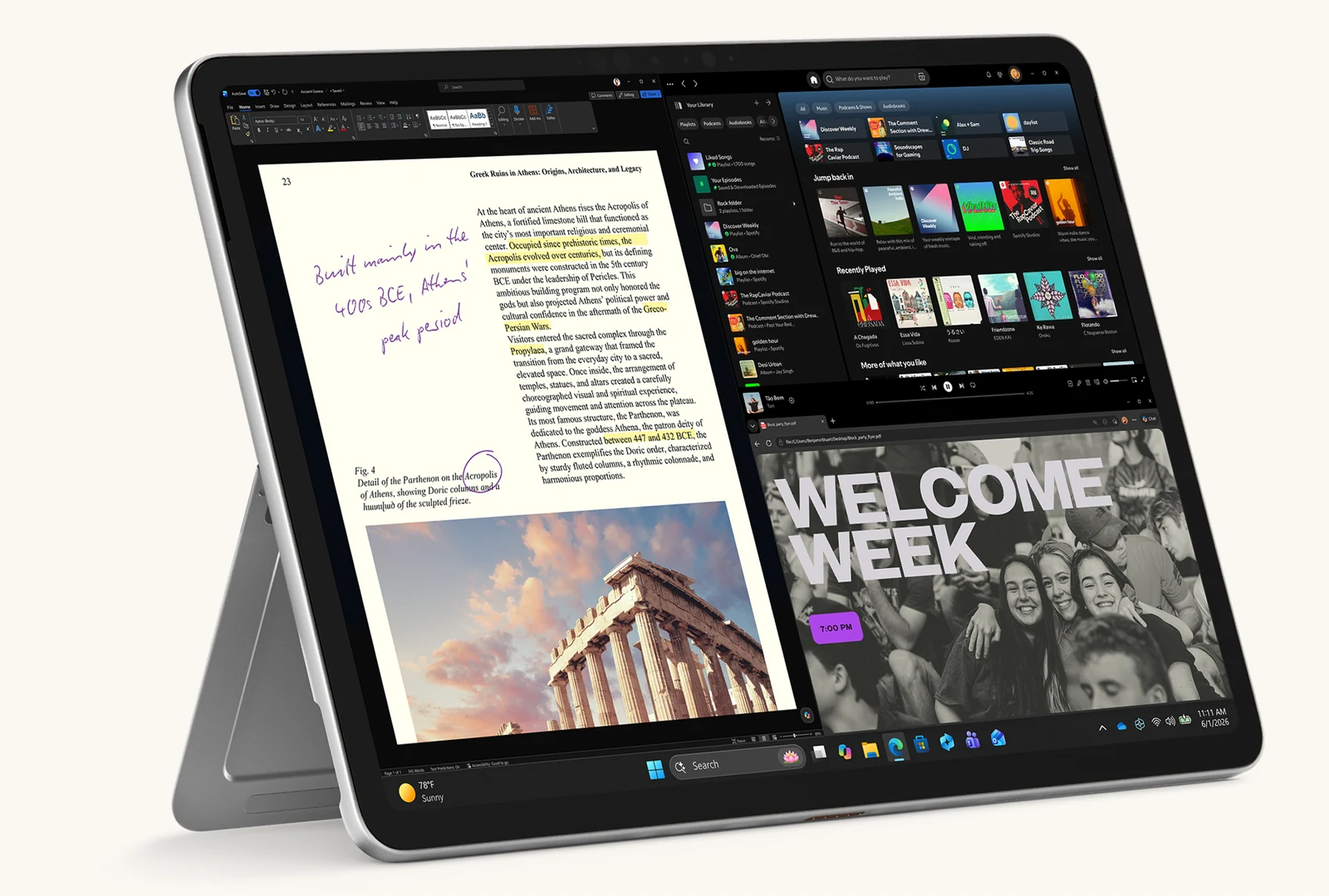
Ports decide how well a tablet copes with a desk setup. Apple's spec sheets list these differences for each iPad:
- iPad (A16): USB-C with USB 2.0 speeds up to 480Mb/s, one external display up to 4K at 60Hz, and Wi-Fi 6, per the iPad (A16) specs.
- iPad mini (A17 Pro): USB 3 up to 10Gb/s, one external display up to 4K at 60Hz, and Wi-Fi 6E, per the iPad mini specs.
- iPad Air (M4): USB 3 up to 10Gb/s, one external display up to 6K at 60Hz, and Wi-Fi 7 through Apple's N1 chip, per the iPad Air specs.
- iPad Pro (M5): Thunderbolt / USB 4, and an external display up to 6K at 60Hz or 5K at 120Hz, per the iPad Pro specs.
The slow port on the entry iPad is easy to miss and annoying to live with. Copying a folder of video to an external drive at USB 2.0 speed takes far longer than on the Air, so anyone who moves large files should treat the iPad Air as the realistic floor for an external display setup.
If the job depends on desktop software that has no tablet version, a Windows 2-in-1 is the other route. Microsoft sells the Surface Pro as a 2-in-1 PC that switches between tablet and laptop modes, from $1,149.99 for the 12-inch model and $1,199.99 for the 13-inch model on its Surface Pro page, which also says the Surface Slim Pen and the keyboard are sold separately. The 12-inch model weighs 686 grams, heavier than any iPad, so it trades some of a tablet's portability for full desktop apps.
Tablets for Study: Pens and Notes
A study tablet is mostly a pen and a notes app. Apple sells two current pens. The Apple Pencil Pro costs $129 and adds squeeze, barrel roll, haptic feedback and pressure sensitivity, according to Apple's Apple Pencil page. The Apple Pencil (USB-C) costs $79 and is the one of the two that the iPad (A16) supports. Apple's own comparison lists it as not compatible with pressure sensitivity, which matters for drawing and for handwriting with varied line weight.
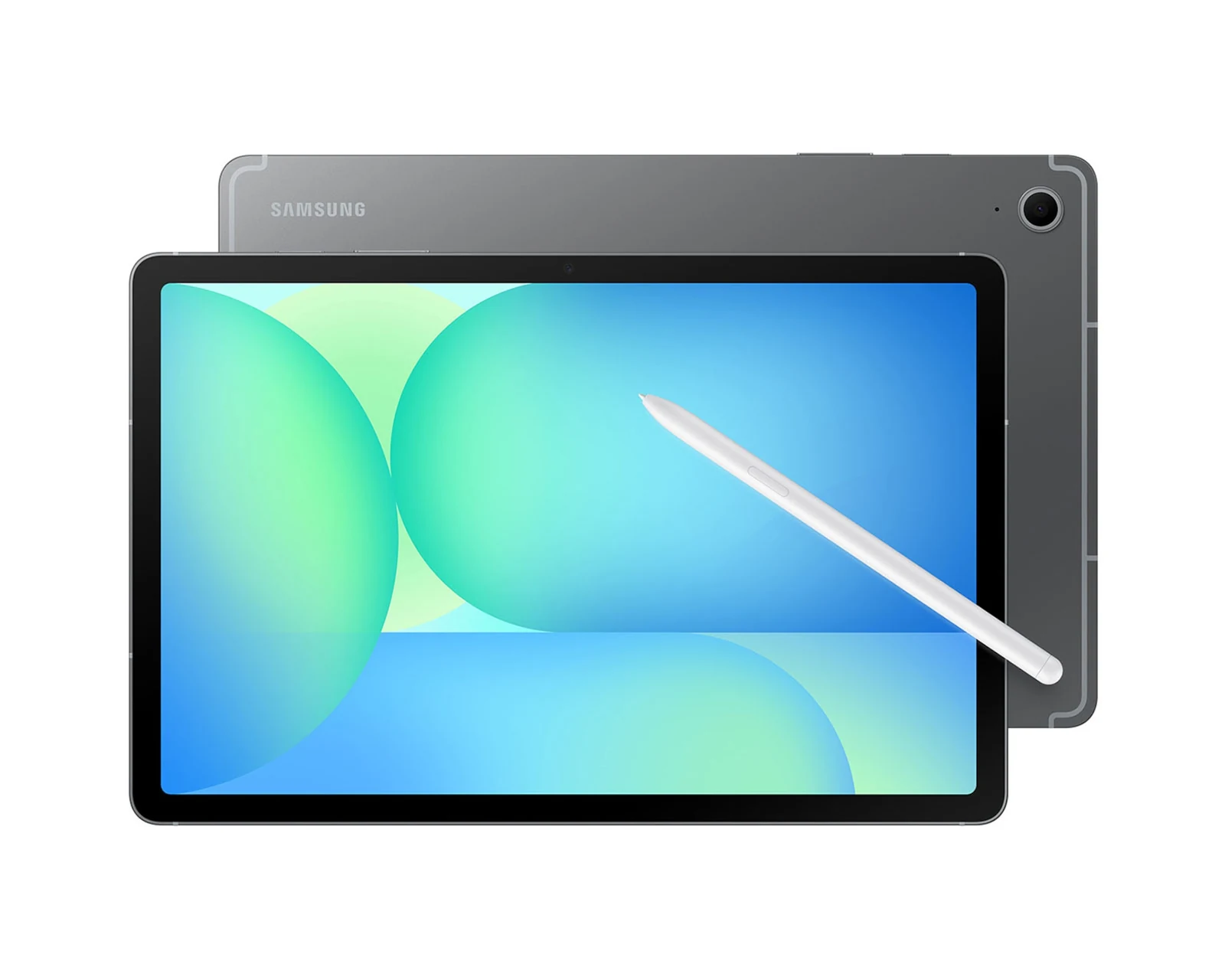
Samsung's S Pen comes in the box with Galaxy Tab S models and works with Samsung Notes, where Note Assist can summarize notes, per the Galaxy Tab S12 announcement. OnePlus says its Stylo 2 recognizes 16,000 levels of pressure. Because the S Pen is included, the price on a Galaxy Tab S box sits closer to the real cost of a note-taking setup than an iPad's does. Apple counters with education pricing for college students and educators on its iPad store page.
Tablets for Kids: Parental Controls
Younger students need controls more than pens. Apple lists these child safety features in iPadOS 27:
- Setup Assistant app choice: parents choose exactly which system apps a child can use, then approve more through Ask to Buy.
- Ask to Browse: children must request permission before opening new websites.
- Communication Safety: helps protect children from viewing or sharing nudity, and now also intervenes before they see gore or violence in shared images and videos.
- Time Allowances and Schedules: limits by category, such as Entertainment, Games and Social Media.
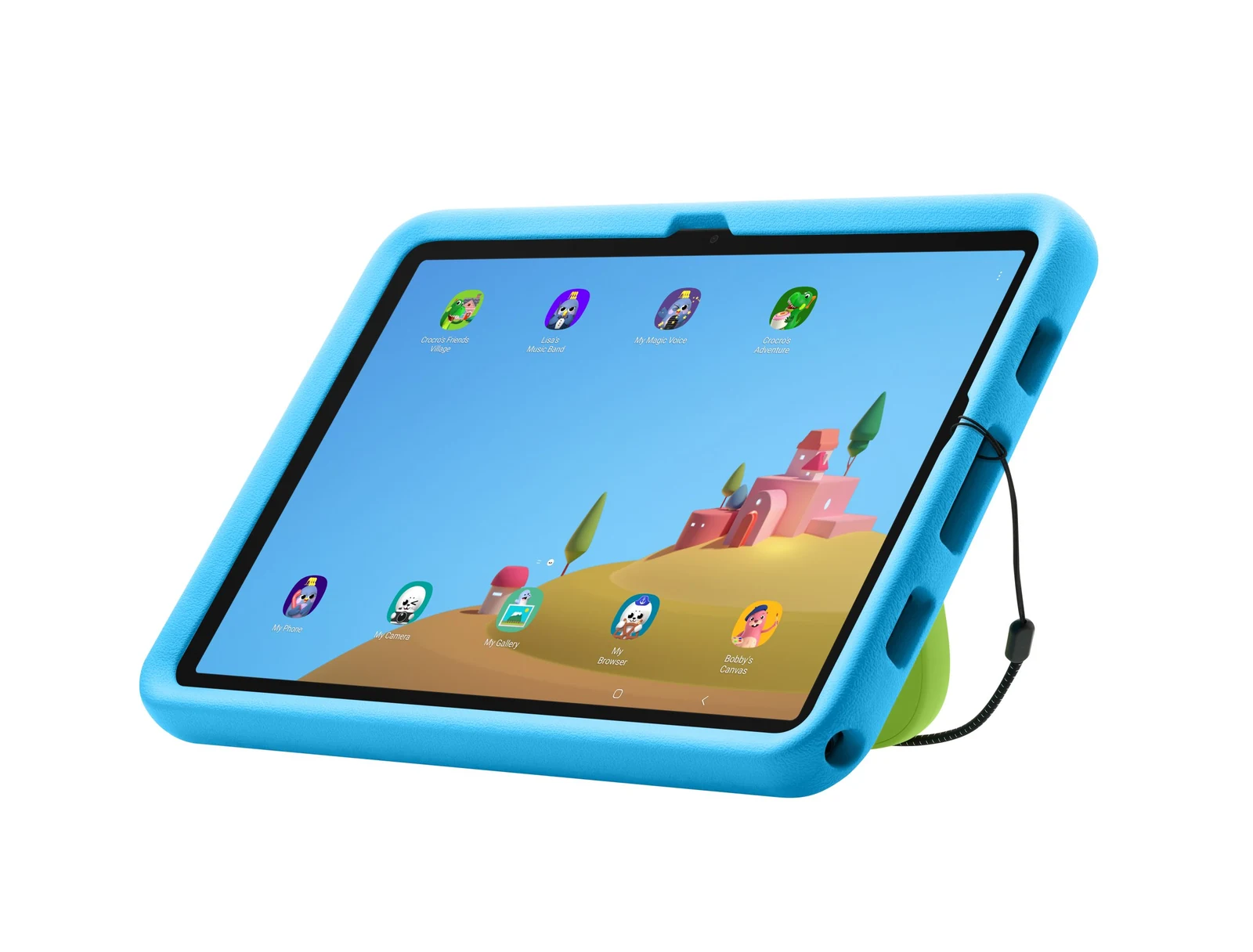
On Android, Samsung sells a Galaxy Tab A11+ Kids Edition at $349.99 with a protective Kids Cover and a Crayo-Pen stylus, and promises it up to seven generations of OS upgrades and security updates, per Samsung's Kids Edition announcement. Amazon's new Kids Tablets come in 8.7-inch and 11-inch sizes from $229.99 and $329.99, each with a kid-proof case, a year of Kids+ and a Parent Dashboard that sets screen-time limits and approves every Google Play download, according to its Kids Tablets announcement. Whichever platform a family picks, matching the parent's phone keeps account controls in one place.
Tablets for Play: Screens, Speakers and Storage
For video and games, a tablet's screen and storage count for more than its chip. Samsung's Galaxy Tab S12 and Tab S11 models use Dynamic AMOLED 2X panels at a 120Hz refresh rate, and Samsung says the Tab S12 series reaches up to 1,600 nits of peak brightness and doubles the speaker channels to four, per its Tab S12 announcement. Apple reserves OLED and a 120Hz refresh rate for the iPad Pro. The OLED, Mini-LED and IPS panel comparison explains why OLED contrast stands out in dark scenes.
Storage is where an iPad can feel tight for offline video. Every current iPad except the Pro starts at 128GB, per the iPad Air specs and its siblings, and none can add a card later. Samsung's Galaxy Tab range accepts microSD cards up to 2TB on most models, so a downloaded film library can live on a cheap card instead of a pricier storage tier.
Battery claims need care. Samsung rates the Galaxy Tab S12 Ultra at up to 23 hours of video playback and the Galaxy Tab A11+ at up to 15 hours on its compare page. Apple rates every current iPad at up to 10 hours of web browsing on Wi-Fi or video playback, per the iPad Air specs. The two companies test differently, so the gap between those figures is not a like-for-like result. Streaming games instead of installing them saves storage on any tablet, and the cloud gaming platforms comparison sets out which services run on iPad and Android.
What a Complete Setup Costs
A tablet's sticker price rarely includes what makes it useful for work or school. Using US list prices for each tablet's base Wi-Fi model, plus the matching pen and keyboard, the totals look like this:
| Setup | Tablet | Pen | Keyboard | Total |
|---|---|---|---|---|
| iPad (A16) | $449 | $79 | $249 Magic Keyboard Folio | $777 |
| iPad Air 11-inch (M4) | $749 | $129 | $269 Magic Keyboard | $1,147 |
| iPad Pro 11-inch (M5) | $1,199 | $129 | $299 Magic Keyboard | $1,627 |
| OnePlus Pad 3 | $699.99 | $99.99 | $199.99 Smart Keyboard | $999.97 |
| Galaxy Tab S12+ | $1,199.99 | S Pen included | Sold separately | $1,199.99 before keyboard |
The keyboard is the line item that moves the total most. Apple's keyboard cases add $249 to $299 to an iPad setup, so the Magic Keyboard alone costs more than half the price of the entry iPad. Buyers who already own a Bluetooth keyboard, or who mainly read and draw, can skip it and keep the iPad Air setup under $900.
A Decision Checklist
Work through the tablet decision in this order, and stop at the first step that rules a model out:
- Match your phone. Apple says an iPad picks up where an iPhone left off through Handoff, per its iPad page, and Samsung's tablet page says Quick Share requires both sender and receiver to use Galaxy phones or tablets.
- Check the update term. Prefer a model with a published security window long enough to cover the years you plan to keep it, such as Samsung's seven years on the Tab S11 and Tab S12.
- Price the pen and keyboard. Add Apple Pencil and Magic Keyboard costs to any iPad quote, and remember that Galaxy Tab S models include the S Pen.
- Pick memory and storage once. Neither can be upgraded later on an iPad, so buy the tier you need now; on Samsung, a microSD card can stretch a smaller tier.
- Test the screen size. An 8.3-inch iPad mini suits reading in one hand, while a 13-inch iPad Air or 14.6-inch Galaxy Tab S12 Ultra suits split-screen work at a desk.
- Decide on cellular last. Every current iPad uses eSIM only, with no physical SIM tray, according to the iPad Air specs and its siblings, and the cellular version costs more at every storage tier in Apple's US prices for the iPad (A16) and the rest of the lineup.
For most buyers, the cheapest tablet that clears steps one to three is the right one. A household split between iPhone and Android should start with the platform of whoever will use the tablet most.
Further reading
Frequently Asked Questions
What should I look for when buying a tablet?
Start with the platform that matches your phone and the apps you rely on, then check how many years of security updates the maker publishes. Add the cost of the pen and keyboard you need, pick a screen size for where you will use it, and buy enough storage up front, because an iPad cannot add a memory card later.
Is an iPad or an Android tablet better?
Neither wins for everyone. An iPad suits iPhone owners and picks up where the phone left off through Handoff, while Samsung's Galaxy Tab S models include the S Pen in the box and accept microSD cards. Android also spans a wider price range, from Amazon's and Samsung's budget models to large flagships, so match the tablet to the phone and apps you already use.
Can a tablet replace a laptop?
It can for writing, email, browsing and video calls once you add a keyboard. The limits are desktop-only software, heavy file work and external monitor support, which Apple lists model by model and which Samsung handles through Samsung DeX on its Galaxy Tab S11 series. Check that the apps your job depends on have full tablet versions before you retire the laptop.
How many years of updates does a tablet get?
It depends on the brand, and not every brand publishes a number. Samsung promises up to seven generations of OS upgrades and seven years of security updates for the Galaxy Tab S11 and Tab S12, counted from global launch, and Amazon lists up to seven years of Android OS and security updates for its 11-inch Alexa tablet. OnePlus launched its flagship tablet with three Android OS updates and six years of security updates. Apple publishes no fixed term, but its newest iPadOS release still supports the ninth-generation iPad.
How much storage does a tablet need?
Buy more than the base tier if you download films or keep large creative projects on the device, because an iPad cannot add storage later. No current iPad has a card slot. Samsung's Galaxy Tab models accept microSD cards, which makes a smaller built-in tier easier to live with, and cloud storage helps on either platform.
Is a cellular tablet worth the extra cost?
Only if you regularly work away from Wi-Fi and will pay for a second data plan. Apple charges more for the Wi-Fi + Cellular version of every iPad at every storage tier, and current iPads use eSIM only, with no SIM tray. A phone hotspot covers occasional trips.