A 3D printer is a machine that builds objects layer by layer from a digital model, either by pushing melted plastic filament through a nozzle or by curing liquid resin with light. Those two routes, fused deposition modeling (FDM) and resin printing, produce different parts, need different rooms and use different consumables. A sound buying order is to pick the process first, size the build volume to the largest part, match the plastics to an open or enclosed frame, and only then weigh convenience features, running costs and laser add-ons.
The spec sheet is the wrong place to start. A cosplay helmet, a set of tabletop miniatures and a replacement hinge each point to a different machine.
How FDM and Resin 3D Printers Work
Every 3D printer slices a model into thin layers, but how each layer is made splits the market in two. An FDM printer melts plastic filament through a hot nozzle and suits functional parts, props and prototypes. A resin printer hardens liquid photopolymer with light and suits small, detailed pieces, at the cost of gloves, solvent washing and ventilation.
Bambu Lab lists the printing technology of its H2D as fused deposition modeling, and Formlabs, in its resin printer explainer, describes three ways to cure resin with light:
- FDM (filament): a heated nozzle melts plastic filament (1.75 mm on the Bambu Lab and Prusa machines here) and draws each layer on a build plate, one line at a time.
- Laser SLA: a laser traces each cross-section through the transparent bottom of a resin tank. Formlabs says it introduced this inverted approach in 2011, which let resin printers shrink to desktop size.
- DLP: a projector with an array of micromirrors flashes a whole layer at once, which Formlabs says generally makes it faster.
- MSLA or LCD: an LED light source shines through an LCD screen that masks everything except the layer's shape. Formlabs notes that smaller pixels sharpen detail but pass less light, which slows printing.
Formlabs adds that resolution is hard to standardize across machines, because the light source, the resin's scattering and the layer height all shape the final detail. A pixel size on a box is a starting point, not a guarantee.
FDM and Resin Side by Side
The FDM or resin 3D printer decision comes down to the part you want and the mess you will tolerate. The table pairs each process with a current example from the vendors' own spec pages.
| Factor | FDM (filament) | Resin (MSLA) |
|---|---|---|
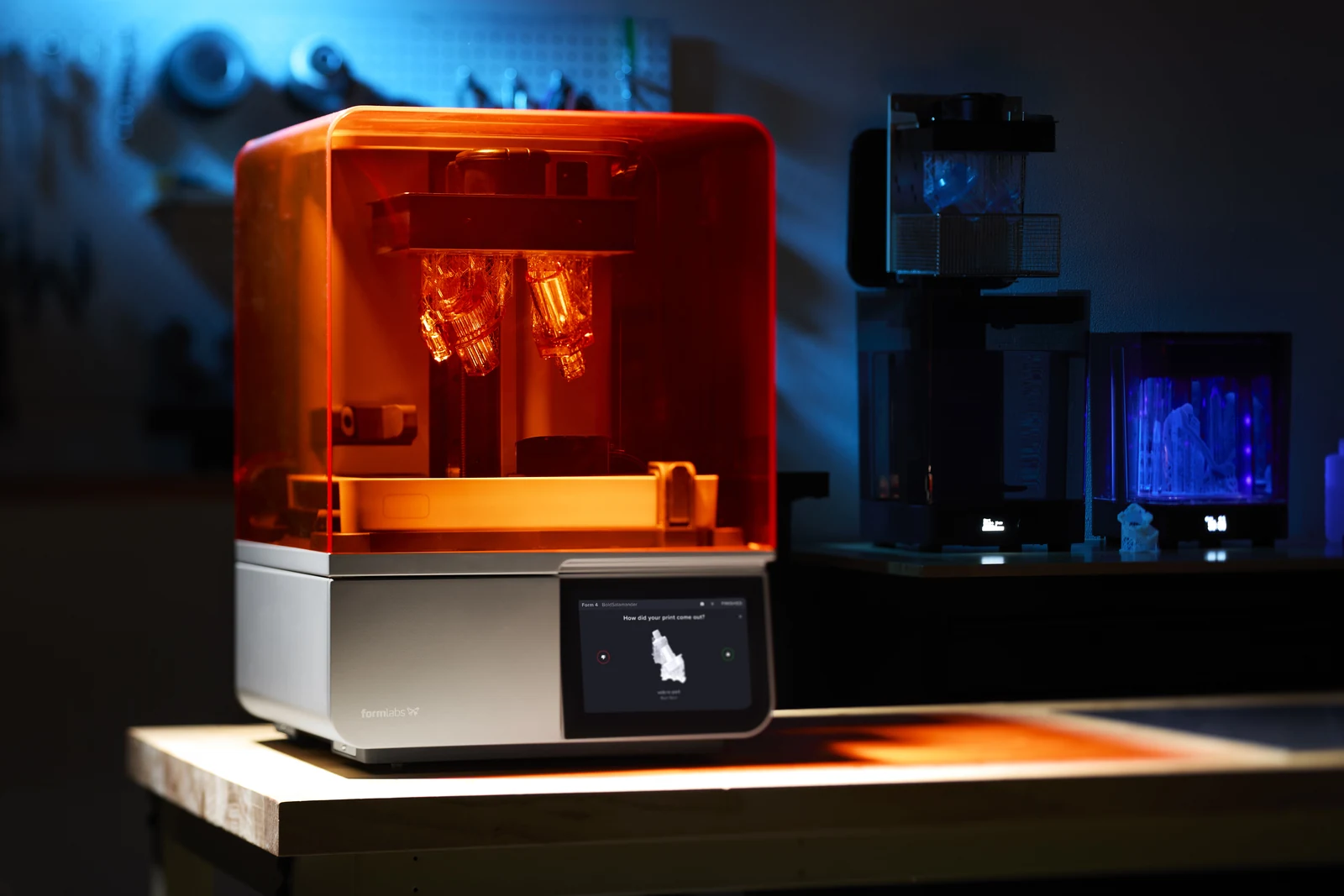
| Example machine | Bambu Lab H2D | Formlabs Form 4 |
| Detail controls | Nozzle size; the H2D takes 0.2 mm to 0.8 mm nozzles | Layers of 25 to 200 microns and a 50 micron pixel size |
| Typical materials | Filaments from PLA to high-performance plastics, helped by a 65 °C heated chamber | Photopolymer resins in cartridges |
| Finishing | Remove the part from the print sheet, then strip supports | Remove, wash in isopropyl alcohol or another solvent, then post-cure |
| Handling | Hot nozzle and bed; particles and VOCs while printing | Gloves for liquid resin; solvent and waste rules |
In this lineup the larger FDM machines offer the biggest build volumes, while the resin machines advertise finer detail. Formlabs lists ±0.15% XY dimensional tolerance on 1 to 30 mm features for the Form 4, and the product FAQ for Anycubic's Photon Mono M7 Pro gives that model a 10.1-inch 14K screen and X and Y accuracy of 16.8 and 24.8 microns. As a rule of thumb, detail of that kind favors miniatures, jewelry masters and dental models, while brackets, enclosures and cosplay armor are filament work.
Build Volume and What It Changes
Build volume sets the largest single part a 3D printer can make, and the machine around it grows to match. Vendors quote it as width by depth by height:
| Printer | Process | Build volume (W x D x H) | Enclosure or notes |
|---|---|---|---|
| Bambu Lab A1 mini | FDM | 180 x 180 x 180 mm | Open |
| Bambu Lab A1 | FDM | 256 x 256 x 256 mm | Open |
| Bambu Lab P2S | FDM | 256 x 256 x 256 mm | Enclosed |
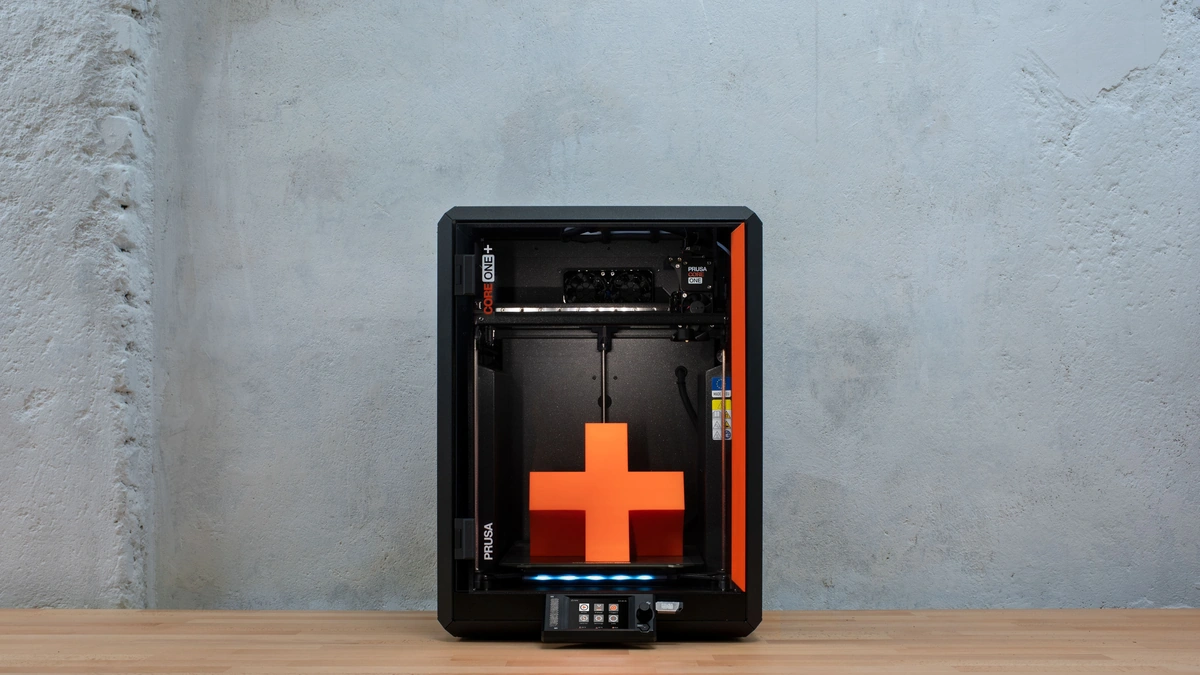
| Prusa CORE One+ | FDM | 250 x 220 x 270 mm | Enclosed, heated to 55 °C |
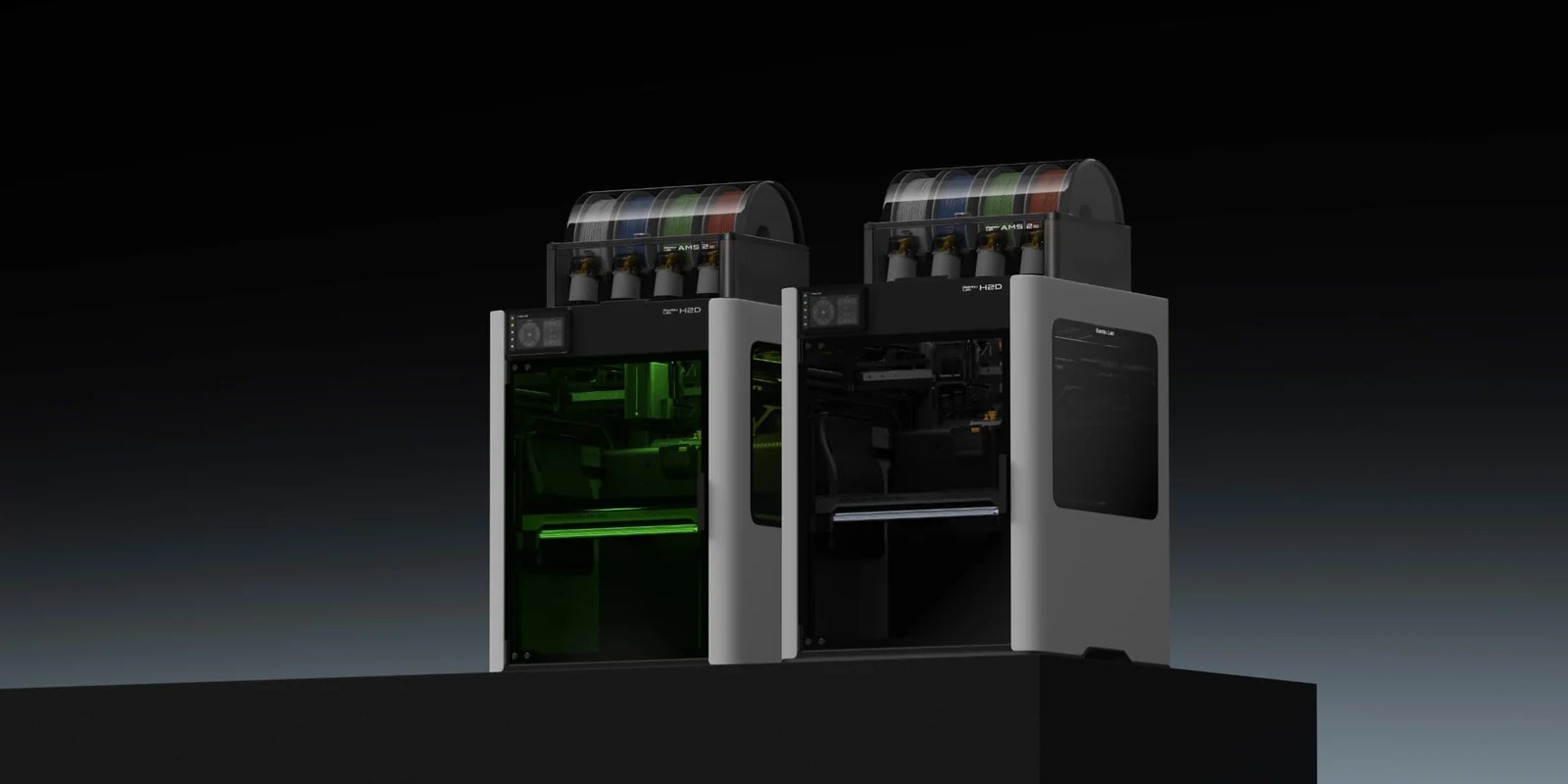
| Bambu Lab H2D | FDM, dual nozzle | 325 x 320 x 325 mm (single nozzle) | Enclosed, heated to 65 °C |
| Anycubic Photon Mono M7 Pro | Resin (MSLA) | 223 x 126 x 230 mm | Air purification function |
| Formlabs Form 4 | Resin (MSLA) | 200 x 125 x 210 mm | Resin cartridges, automatic resin handling |
Bigger is not automatically better. Bambu Lab's A1 FAQ warns that because of the open frame and lower chamber temperature, large or densely filled ABS, ASA, PC and nylon parts risk weak layer bonding and warping, even though small parts in those plastics can work. A large open-frame printer can therefore be the wrong tool for a large engineering part. Footprint grows too: Bambu Lab lists the H2D at 492 x 514 x 626 mm and 31 kg.
The resin machines in the table quote smaller volumes than the larger FDM machines. Formlabs says its larger Form 4L can print a part filling its whole build volume in under six hours, a vendor figure worth checking against real job sizes.
Materials, Enclosures and Air Quality
The plastics a 3D printer can handle depend on heat and enclosure more than on brand. Bambu Lab's filament guide says ABS, ASA, PC and nylon (PA) need higher bed and chamber temperatures to suppress warping and layer separation and assigns them to enclosed printers, while PLA, PETG and TPU run on an open frame or an enclosed one, with an enclosed printer recommended for PETG so cold room air does not weaken layer bonding. The enclosed machines answer that with chamber heat:
- Prusa CORE One+: a fully enclosed CoreXY frame with a chamber that heats to 55 °C, optional HEPA filtration and automatic venting for low-temperature filaments, per Prusa.
- Bambu Lab P2S: a flap-controlled airflow system that seals heat in the chamber for warp-prone engineering filaments and filters internal air through an activated carbon filter, according to Bambu Lab's P2S documentation.
- Bambu Lab H2D: a 350 °C hotend and 65 °C active chamber heating aimed at high-performance materials, with a hardened steel nozzle as standard, per its tech specs.
- Fiber-filled filaments: Bambu Lab tells A1 owners to swap the stainless steel nozzle for hardened steel before printing carbon or glass-fiber blends, which wear soft nozzles.
Air quality belongs on the list too. A NIST study of three desktop 3D printers running in a library office found particle emissions and volatile organic compounds above background for the whole print, with particles generally stabilizing at 30,000 to 60,000 per cubic centimeter above background. Room ventilation at 9.45 air changes per hour halved the particle level in 12 to 13 minutes. The authors judged an occupational exposure limit unlikely to be exceeded but flagged ventilation for printers placed near people who are not used to them, noting that desktop printers also run in classrooms and homes. Bambu Lab goes further for two common plastics: its A1 FAQ says ABS and ASA release harmful and irritating gases and advises against printing them on the open-frame A1 unless the room is well ventilated and the printer sits at a safe distance from people. That points toward an enclosure with filtration, or a room with real airflow.
Features That Make Printing Easier
Once the process, size and plastics are settled, the features that decide how much fiddling a 3D printer needs are the ones that check its own work. The vendors here describe these:
- Automatic calibration: Prusa says the CORE One+ runs a one-time automatic calibration that handles bed leveling and sensor checks, and its Nextruder print head uses a load cell that measures force at the nozzle tip, so the nozzle itself is the probe.
- Motion system: Prusa describes CoreXY as two fixed corner motors pulling a belt loop that moves a light print head, with Input Shaper firmware compensating for vibration at high speed.
- Filament sensors: the A1 detects a filament runout and resumes after the spool is replaced, and the H2D lists runout and tangle sensors, filament odometry when paired with an AMS, and power loss recovery.
- Multiple colors and materials: the A1 takes one AMS lite feeder for up to four colors, according to Bambu Lab's A1 FAQ, while the H2D's dual-nozzle toolhead prints two materials with a 300 x 320 x 320 mm build volume for dual-nozzle printing.
- Monitoring: the H2D has built-in live view, nozzle and toolhead cameras, while Prusa offers an optional 1080p camera for the CORE One+ that needs an active Wi-Fi connection.
- Repairs: Prusa says nothing on the CORE One+ is glued, everything comes apart with a screwdriver, and it keeps spare parts in stock for years after release.
None of these features replaces the first three choices. An open-frame printer with every convenience on the list still risks warping on large ABS parts, as Bambu Lab's A1 FAQ notes. Treat these features as tiebreakers between machines that already fit the part, the plastic and the room.
Running Costs and Ownership
The purchase price is only the first line in a 3D printer budget. Prusa publishes its own running-cost estimate for the CORE One+, and resin adds consumables of its own:
- Filament: Prusa puts PLA at about $25 per kilogram and says most of its users spend $25 to $50 a month on filament.
- FDM wear parts: about $20 for a replacement nozzle and about $37 for a double-sided print sheet, each lasting hundreds of print hours by Prusa's estimate.
- Resin solvent: Formlabs says isopropyl alcohol loses cleaning power as dissolved resin builds up, and suggests replacing it once resin concentration reaches 10 to 12%.
- Resin waste: liquid or partially cured resin may count as hazardous waste and must not go down the drain, per Formlabs disposal guidance.
- Software and connectivity: Prusa says its slicer and firmware updates are free and that the printer can run fully offline over USB or a local network; the printer firmware source is public on GitHub.
Connectivity is an ownership cost of its own. A printer on Wi-Fi with cloud monitoring is another networked device to patch and isolate, which is the same work covered in the IoT device security checklist. Long prints also run for hours, and a smart plug with energy monitoring, one of the categories in the IoT home energy devices overview, shows what a job actually draws.
Model Files and Licenses
A 3D printer needs a model to print, and where that model comes from decides what you may do with the result. When a free model file carries a Creative Commons license, the letters matter:
- Attribution (BY): the Creative Commons Attribution deed lets you copy and adapt the material for any purpose, even commercially, as long as you give appropriate credit.
- NonCommercial (NC): the Attribution-NonCommercial deed says you may not use the material for commercial purposes, which it defines as use primarily intended for commercial advantage or monetary compensation.
- Your own designs: a part you model yourself in CAD carries none of those license conditions, so learning basic CAD widens what you can print and sell.
Vendors also tie printers to their own file ecosystems. Prusa says its app offers full Printables integration, so print files go straight from the model site to the CORE One+. Read the license on each model page before printing anything to sell.
Laser Engravers and Combo Machines
Some 3D printer makers now sell laser modules, and a laser changes the safety picture. The FDA sorts laser products into Classes I to IV and lists engraving and marking among their uses. It treats Class I as non-hazardous and warns that Class IV lasers are an immediate skin and eye hazard from the direct or reflected beam and may present a fire hazard. The federal performance standard, 21 CFR 1040.10, requires every Class IIIb or IV laser system to carry a removable key-actuated master control and a remote interlock connector. What matters for a buyer is whether the whole machine contains the beam:
- Combo printer: the Bambu Lab H2D accepts 10W or 40W 455 nm laser modules and a cutting module, and the Laser Edition adds laser safety windows and an air assist pump. Bambu Lab's H2D introduction says laser work requires an emergency stop button plugged into the printer's safety key jack, pauses the job if a door opens, and needs someone supervising throughout.
- Containment claim: Bambu Lab rates the laser module itself Class 4 and says on its H2S spec page that the printer and laser module work as a Class 1 laser product when the printer's protection is complete and working properly. The H2D spec page gives the same Class 1 rating, and the H2S takes an optional 10W laser module.
- Dedicated engraver: the enclosed xTool S1 diode laser comes in 20W and 40W versions with a working area of about 498 x 319 mm on the 40W model. xTool sells it with a choice of two riser bases rated for different laser classes and says its cover uses UL94-V0 flame-retardant material.
- Materials: xTool lists paper, wood, leather, MDF, felt and opaque acrylic as cuttable with its diode lasers, and Bambu Lab lists wood, rubber, metal sheet, leather, dark acrylic and stone.
A combo machine saves desk space. A dedicated engraver offers a bigger working area, about 498 x 319 mm on the 40W S1 against the 310 x 250 mm engraving area Bambu Lab lists for the H2D's 40W laser, and it does not take the printer out of service for every engraving job. Either way, laser work produces smoke that needs an exhaust route or a purifier, and the FDA's fire warning for Class IV lasers is a reason never to leave an open-frame engraver running unattended.
How to Choose a 3D Printer
Choosing a 3D printer gets simpler when the questions come in the right order:
- What will you print most? Functional parts, props and prototypes point to FDM. Miniatures, jewelry and smooth display pieces point to resin.
- How big is the largest single part? Measure it, then add margin. As a rough rule, a 180 mm cube suits small parts, while helmets and storage bins need a build volume around 250 mm or more on each axis.
- Which plastics? PLA, PETG and TPU run on either frame type, though Bambu Lab recommends an enclosed printer for PETG. ABS, ASA, PC and nylon call for an enclosed, heated chamber, as Bambu Lab's filament guide spells out.
- Where will it live? Resin needs gloves, a plan for solvent and waste, and moving air; Formlabs says its printers should not run in closets or other unventilated rooms. Any printer near people benefits from airflow or filtration.
- How much tinkering will you accept? Automatic calibration, filament sensors and a camera cut the hands-on work, so weigh them against your patience for manual tuning.
- Do you need a laser? Buy one only for a real engraving or cutting workload, and favor a design the vendor places in the lowest laser hazard class as a complete system.
- Online or offline? Decide whether cloud features are worth another networked device, and check that the printer can run without them.
The slicer and CAD tools run on a regular computer, so a printer purchase can also expose an underpowered PC; the laptop, desktop and workstation comparison covers that side. For a first printer, an FDM machine that matches the largest part and the plastics on the list usually beats a bigger or faster one bought on specs.
Further reading
Frequently Asked Questions
Is 3D printing hard to learn?
It is easier on machines that check their own setup. Prusa says the CORE One+ runs a one-time automatic calibration that handles bed leveling, and Bambu Lab says its A1 detects a filament runout and resumes once the spool is replaced. What remains to learn is mostly the slicer and the plastics, so starting with PLA on an FDM printer keeps the first prints simple.
How expensive is 3D printing as a hobby?
After the printer itself, filament is the main recurring cost. Prusa puts PLA at about $25 per kilogram and says most of its users spend $25 to $50 a month on filament, with a replacement nozzle at about $20 and a print sheet at about $37. Its slicer and firmware updates are free. Resin printing adds isopropyl alcohol for washing and hazardous-waste handling for leftover resin.
Can I 3D print at home?
Yes, and NIST notes that desktop printers may be operated in classrooms and homes. Ventilation is the main condition: NIST measured particles and VOCs above background during printing, Bambu Lab advises against ABS and ASA on its open-frame A1 without good ventilation, and Formlabs says its resin printers should not run in closets or other unventilated rooms.
Can I legally sell 3D prints?
It depends on who owns the design and on its license. Your own original designs raise no file-license question. For a downloaded model, a Creative Commons BY license allows commercial use with credit, while any license with the NC term bars use primarily intended for commercial advantage or monetary compensation. Check the license on the model page before you list a print for sale.
Do I need an enclosed 3D printer?
You need one for larger parts in ABS, ASA, PC or nylon, and filtered enclosures can help with air quality. Bambu Lab assigns those plastics to enclosed printers and warns of warping and weak layers with larger parts on its open-frame A1, while PLA, PETG and TPU run on either type, though an enclosed printer is recommended for PETG. Enclosed models such as the Bambu Lab P2S and Prusa CORE One+ hold heat in the chamber and offer filtration (a carbon filter on the P2S, optional HEPA on the CORE One+).
How much build volume do I need?
Enough for the largest single part you plan to print, plus some margin. As a rough rule, a 180 mm cube, as on the Bambu Lab A1 mini, handles small parts and figures, while helmets and storage bins need roughly 250 mm or more per axis. Large parts can also be split into sections and joined after printing, which avoids buying a larger printer for a one-off job.