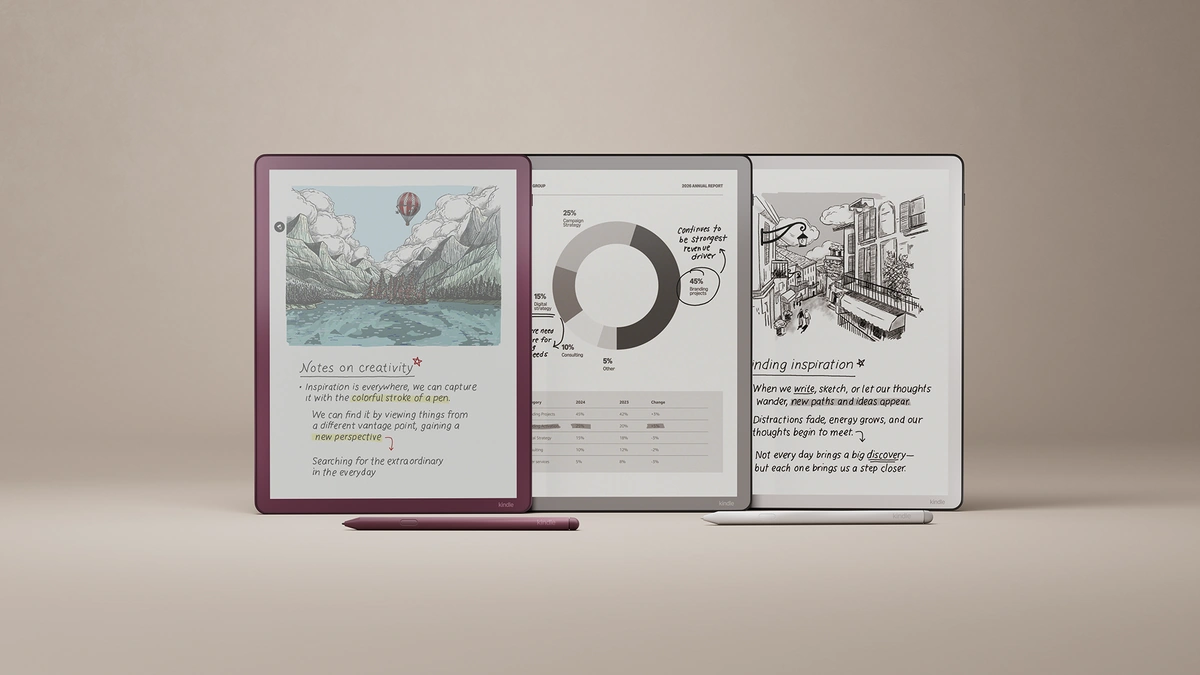
An e-reader is a reading device that uses a reflective electronic paper screen instead of a backlit LCD or OLED panel, so text looks like ink on a page and a charge lasts for weeks. That screen is the whole reason to buy one. It does fewer things than a tablet, on purpose. Amazon's Kindle and Rakuten's Kobo are the two e-reader lineups set side by side below, with Boox as the Android option, and the bookstore, library links and file formats behind each brand deserve as much attention as the screen. Start with the store you already buy from.
Which E-Reader Fits Which Reader
An e-reader suits anyone who reads books for long stretches: its electronic paper screen reflects light like a printed page, it does far less than a tablet, and it runs for weeks on a charge. Pick Kindle if you buy from Amazon, Kobo if you borrow library books or own EPUB files, and Boox for Android apps.
The table matches common reading habits to a starting model among the e-readers covered below. It is a shortlist built from the makers' published specs and list prices, not a ranking from hands-on tests:
| If you mainly | Start with | Why it fits |
|---|---|---|
| Buy from Amazon or use Kindle Unlimited | Kindle Paperwhite, $199.99 | 7-inch screen, warm light, waterproof |
| Borrow library ebooks or keep EPUB files | Kobo Clara BW, $159.99 | Libby built in; opens EPUB directly |
| Want the lowest list price | Kindle, $149.99, or Boox Go 6, from $149.99 | 6-inch black-and-white screens |
| Read comics, cookbooks or color highlights | Kindle Colorsoft or Kobo Clara Colour | Color screens at half the black-and-white resolution |
| Want buttons and a stylus on a reader | Kobo Libra Colour, $259.99 | Page-turn buttons and Kobo Stylus 2 support |
| Want Android apps on a paper-like screen | Boox Go 7 or Boox Palma 3 | Google Play Store built in |
| Write notes and mark up PDFs | Kindle Scribe or Kobo Elipsa 2E | Large screen with a pen included |
| Buy for a child | Kids Kindle, from $179.99 | Kids cover and 12 months of Kids+ |
How E Ink Screens Work
E-reader screens use electronic paper, and E Ink, the company whose films Kobo names on its spec sheets, explains the principle. In E Ink's description of how its displays work, millions of microcapsules about the width of a human hair hold charged black and white particles in a clear fluid, and an electric field pulls one color or the other to the surface. Amazon puts the result in buyer terms on its Kindle product page: the display only uses power when you turn the page or use the front light.
Four display terms recur on Kindle and Kobo spec sheets, and each one changes what you see:
- E Ink Carta: the black-and-white film family Kobo names on its monochrome models, such as the Carta 1300 in the Kobo Clara BW.
- E Ink Kaleido: a color layer; E Ink says Kaleido 3, which Kobo uses in its color models, shows 4,096 colors at 300ppi for black-and-white content and 150ppi for color, per its Kaleido product page.
- Front light: built-in lighting for dark rooms; in daylight the screen still reads by reflected light, and Amazon even sells a Kindle Scribe without one.
- Warm light: a front light whose tint can shift from white to amber for night reading, which Amazon offers on the Kindle Paperwhite and Kobo calls ComfortLight PRO.
Amazon builds its own color screen. Its new Kindle lineup announcement says the Kindle Colorsoft display uses a light guide with nitride LEDs to boost color and brightness and an oxide backplane with custom waveforms for speed and contrast. The Kindle Paperwhite gets an oxide thin film transistor backplane as well, and Amazon calls it the Paperwhite display with the highest contrast ratio yet.
E-Readers Against Tablets and Phones
An e-reader trades speed and color for comfort and focus. E Ink says faster update modes can show animation, but constant updates reduce power efficiency and its production modules do not support video rate updates, per the same E Ink technology page. That is why an e-reader does not play video the way a phone does. A backlit LCD or OLED panel works the other way, and the OLED, Mini-LED and IPS panel comparison covers how those emissive screens produce light and contrast.
| Factor | E-reader | Tablet or phone |
|---|---|---|
| How the screen makes an image | Reflects room light; optional front light | Emits its own light through an LCD or OLED panel |
| Power draw | Mainly at page turns and from the front light, as Amazon describes the Kindle | Constant while the screen is on |
| Refresh speed | Slow; no video playback | Fast enough for video and games |
| Distractions | No notifications, email or social media on Kindle, per Amazon | Notifications, email and every app |
| Best content | Novels, long articles, documents | Video, web, color magazines, apps |
The distraction row matters more than it looks. Amazon pitches the new Kindle as an escape from the scroll, with no notifications, emails or social media, on its Kindle listing. For a reader who keeps picking up the phone mid-chapter, that missing feature is the product.
Tablets are borrowing the idea. Amazon says its new Alexa Tablets silence notifications, reduce blue light and stretch battery life to up to 20 hours when you open a book in the Kindle app, and the 12 Pro offers an anti-glare Nanomatte display, per its Alexa Tablets announcement. Up to 20 hours is still a battery measured in hours, against e-readers rated in weeks, so a tablet reading mode suits someone who also wants video and apps, not someone who mainly reads.
The Kindle Lineup
Amazon redesigned the core Kindle e-reader family, with flush-front screens and color-matched housings, according to its lineup announcement. US prices and Amazon's battery ratings:
| Model | Screen | Storage | Battery (Amazon rating) | US price |
|---|---|---|---|---|
| Kindle | 6-inch, black and white | 16GB | Up to 6 weeks | $149.99 |
| Kindle, aluminum | 6-inch, black and white | 32GB, no ads | Up to 6 weeks | $189.99 |
| Kindle Paperwhite | 7-inch, black and white, warm light, waterproof | 16GB | Up to 12 weeks | $199.99 |
| Kindle Paperwhite Signature Edition | 7-inch, auto-adjusting light | 32GB | Up to 12 weeks | $249.99 |
| Kindle Colorsoft | 7-inch, color, warm light, waterproof | 16GB | Up to 8 weeks | $289.99 |
| Kindle Colorsoft Signature Edition | 7-inch, color, auto-adjusting light | 32GB | Up to 8 weeks | $319.99 |
The Signature Edition models add an aluminum back, 32GB, an auto-adjusting front light, double tap to turn pages and pogo pin dock charging, per the same announcement. Amazon also sells Kids versions of the Kindle, Kindle Paperwhite and Kindle Colorsoft, covered below. Its $34.99 Kindle Click is a Bluetooth page-turn remote for the new models and any Kindle from 2024 or later.
The Kindle Paperwhite is the value point of this lineup. For $50 more than the base Kindle it adds a larger 7-inch screen, waterproofing, warm light and twice the rated battery life, all features a nightly reader uses. The base Kindle makes sense mainly when pocket size beats everything else.
The Kobo Lineup
Kobo e-readers lean on file freedom and, on two models, physical buttons, at US prices from $159.99 to $399.99. Rakuten Kobo lists five current e-readers on its US eReader store:
| Model | Screen | Extras | Battery (Kobo rating) | US price |
|---|---|---|---|---|
| Kobo Clara BW | 6-inch E Ink Carta 1300 | Waterproof, 16GB | Up to 53 days | $159.99 |
| Kobo Clara Colour | 6-inch E Ink Kaleido 3 | Waterproof, 16GB | Up to 42 days | $179.99 |
| Kobo Libra Colour | 7-inch E Ink Kaleido 3 | Page-turn buttons, stylus support, waterproof, 32GB | Up to 40 days | $259.99 |
| Kobo Sage | 8-inch E Ink Carta 1200 | Stylus support, waterproof, 32GB | Weeks, per Kobo | $269.99 |
| Kobo Elipsa 2E | 10.3-inch E Ink Carta 1200, 227ppi | Kobo Stylus 2 included, not waterproof, 32GB | Weeks, per Kobo | $399.99 |
Kobo's battery life figures use a stated test. The Kobo Clara BW rating of up to 53 days assumes 30 minutes of reading a day with the front light at 10% and Wi-Fi and Bluetooth off. The color models are rated at 30% brightness. A reader who turns the light up or leaves Wi-Fi on should expect less, and should treat Amazon's weeks-based ratings as best cases too.
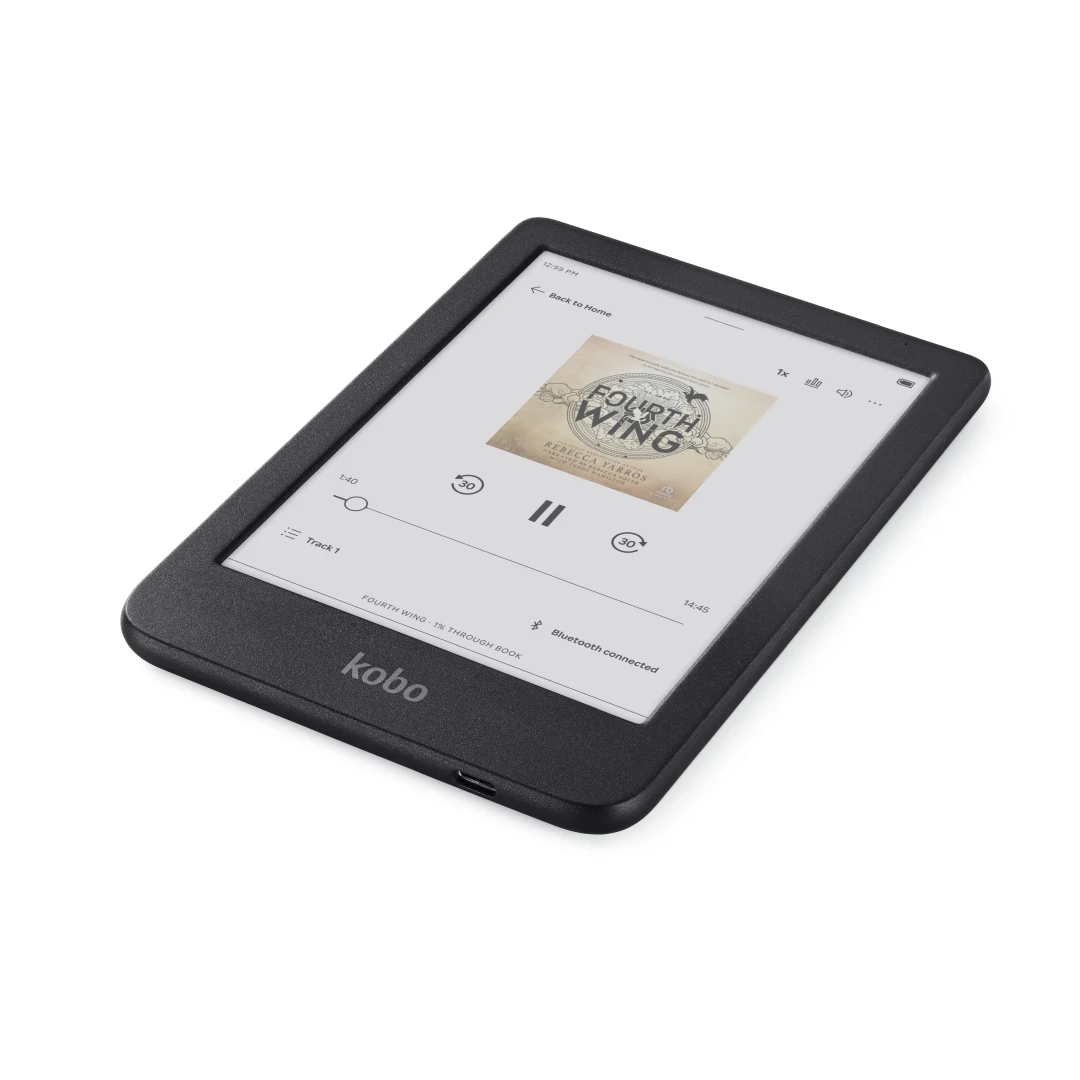
The Kobo Libra Colour is the model with no direct Kindle twin. It pairs a color screen with physical page-turn buttons, landscape mode and support for the Kobo Stylus 2, sold separately at $69.99. Amazon moves page-turn buttons into a $79.99 Page-Turn Cover that it lists for its Signature Edition models, per its accessory list.
Store, Library and File Formats
An e-reader is a window into one bookstore, so the store matters more than the screen. Amazon's Kindle family page describes millions of titles in the Kindle Store, a Kindle Unlimited subscription with ebooks and audiobooks, and a Kindle app that syncs reading on phones and tablets. Kobo pairs its own eBook and audiobook store with Kobo Plus, a subscription it offers in select countries, per the Kobo Clara BW page. Both stores also have phone apps, so the iOS and Android platform comparison matters less here than which store holds your existing library.
Library borrowing and personal files split the two more sharply:
- Library loans on Kobo: the Kobo Libra Colour page describes OverDrive and Libby borrowing built into the device, and Kobo's eReader features help page lists 12 countries where it works, including the US, Canada, the UK and Australia.
- Library loans on Kindle: Libby's help pages say most Libby books can be read on a Kindle e-reader, in the US only, by sending the loan to an Amazon account.
- Personal files on Kobo: Kobo lists 15 natively supported formats, including EPUB, EPUB3, PDF, MOBI, CBZ and CBR, on its product pages.
- Personal files on Kindle: Amazon's Send to Kindle service accepts PDF, DOC, DOCX, TXT, RTF, HTML, EPUB and common image formats, up to 200MB per file.
EPUB is the common ground. The W3C defines it in the EPUB 3.3 Recommendation as a distribution and interchange format that packages HTML, CSS, SVG and other web content into a single file. Kobo opens EPUB directly, and Amazon takes it in through Send to Kindle, so a personal EPUB file can reach either platform. A heavy library borrower in Canada, the UK or Australia has a simpler choice: Kobo.
Color Screens and Writing Models
Color and pen input are the two upgrades that raise e-reader prices. Color adds $20 at Kobo, from the Kobo Clara BW to the Kobo Clara Colour, and $90 at Amazon, from the Kindle Paperwhite to the Kindle Colorsoft. Color helps covers, comics, cookbooks and highlights, and Amazon's Kindle Colorsoft listing offers five highlight colors. The cost is sharpness: E Ink rates Kaleido 3 color at 150ppi against 300ppi for black-and-white content. For text-only reading, a monochrome screen stays the sharper and cheaper choice.
Writing models are a separate category. The Kindle Scribe line uses an 11-inch display, a pen that never needs charging, and tools to import documents from Google Drive and Microsoft OneDrive and export annotated PDFs, per Amazon's Kindle Scribe announcement. The Kindle Scribe Colorsoft adds color with 10 pen colors and 5 highlighter colors. Kobo's answer is the Kobo Elipsa 2E, a 10.3-inch reader bundled with the rechargeable Kobo Stylus 2, which Kobo says has an eraser and a highlighter button.
Android E-Readers From Boox
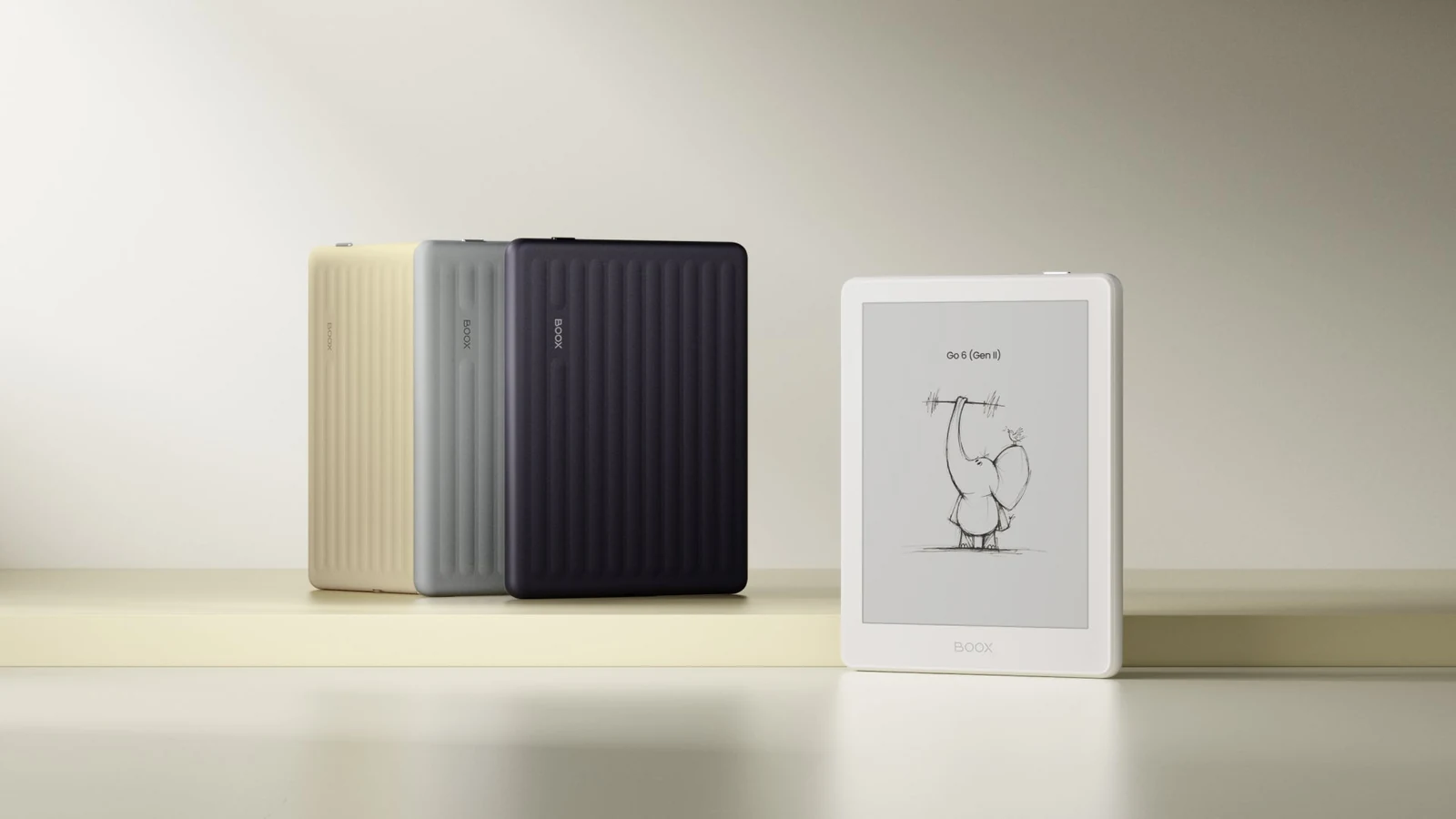
An e-reader from Boox runs Android with the Google Play Store built in, so it can install reading apps from Google Play, according to the Boox Go 6 product page. Boox lists PDF, EPUB, AZW3, MOBI, CBZ and CBR among the document formats its readers open. Three Boox models show the range, with prices and weights from Boox's product pages. The store prices each model by shipping warehouse; the dollar figures below are the lowest listed, and the US warehouse costs $10 to $20 more:
| Model | Screen | Extras | Weight | Price |
|---|---|---|---|---|
| Boox Go 6 | 6-inch E Ink Carta 1300, 300ppi | microSD slot | About 146 grams | $149.99 |
| Boox Go 7 | 7-inch Carta 1300, or Kaleido 3 color on the Go Color 7 (Gen II) | Optional InkSense stylus | About 195 grams | $249.99 for the Go 7, $269.99 for the Go Color 7 (Gen II) |
| Boox Palma 3 | 6.13-inch, phone-shaped | microSD slot | About 195 grams | $319.99, listed as available soon |
The Kaleido 3 film in the color Go 7 is the same E Ink color layer Kobo uses, so it carries the same 150ppi color resolution that E Ink lists. The trade-off with Boox is the app store itself: email, browsers and social apps are a tap away, which is the distraction a Kindle or Kobo leaves out. Pick Boox when you need apps from several bookstores or a reading app neither Amazon nor Kobo offers.
E-Readers for Kids
A Kids e-reader from Amazon is the regular hardware in a child-friendly package. The new Kindle, Kindle Paperwhite and Kindle Colorsoft all come in Amazon Kids versions with kid-friendly covers and 12 months of Kids+, starting at $179.99, according to Amazon's Kindle lineup announcement. After the included year, Kids+ starts at $7.99 a month for Prime members and $8.99 a month for others, and it works across Kindle devices, Fire and Amazon Kids tablets and Echo devices, per Amazon's Kids Tablets announcement.
For a young reader, the plain e-reader keeps the advantage it has for adults, and Amazon describes kids reading on a Kindle with no notifications, no apps and no messaging. Parent Dashboard configures settings across compatible Amazon devices, per the same Kids Tablets announcement, so a family already using Amazon Kids on a tablet keeps one set of controls. A family that borrows from the library outside the US may find a Kobo Clara BW in a sturdy case the simpler choice.
Comfort, Accessibility and Durability
E-reader comfort settings now go well past font size. Amazon's Kindle accessibility page lists control over font, size, spacing and margins, bold text, the OpenDyslexic font, warm light, dark mode and VoiceView, which reads the screen aloud, with some features limited to certain models. Kobo's ComfortLight PRO adjusts brightness and color temperature, and Kobo lists Dark Mode on the Kobo Libra Colour page.
Accessibility also depends on the book file. The W3C's EPUB Accessibility 1.2 draft sets conformance requirements for accessible EPUB publications and the metadata that lets readers find them. In the European Union, the European Commission lists e-books among the products and services covered by the European Accessibility Act.
Durability details separate models that look alike:
- Water: Kobo rates its waterproof models to IPX8, up to 60 minutes in 2 meters of water, per the Kobo Libra Colour specs; the Kobo Elipsa 2E is not waterproof.
- Water on Kindle: Amazon calls the Kindle Paperwhite and Kindle Colorsoft waterproof on its Kindle family page, and does not list the base Kindle as waterproof.
- Repairs: Kobo says the Kobo Clara BW is repairable and that at least 85.5% of its exterior is recycled content.
- Materials: Amazon says the new aluminum Kindle housing uses 80% recycled aluminum, per its lineup announcement.
How to Pick an E-Reader
Most e-reader decisions come down to six questions, asked in this order:
- Where is your library? A large Kindle Store collection or a Kindle Unlimited habit points to Kindle; a card at an OverDrive library in Canada, the UK or Australia, or a shelf of EPUB files, points to Kobo.
- Do you read in bed or in the bath? Warm light and waterproofing start at the Kindle Paperwhite and the Kobo Clara BW.
- Do you read comics or cookbooks? Only then pay for a color model such as the Kindle Colorsoft or the Kobo Clara Colour.
- Do you want buttons? The Kobo Libra Colour and Kobo Sage have them built in; on Kindle they come with the Page-Turn Cover on Signature Edition models.
- Do you write? Choose a Kindle Scribe or Kobo Elipsa 2E for notebooks and PDF markup, or a stylus-ready Kobo Libra Colour or Kobo Sage for margin notes.
- Do you need other apps? Only then look at a Boox reader with the Google Play Store; for books alone, a Kindle or Kobo keeps the distractions out.
Screen size is the last call. A 6-inch model fits a coat pocket, while a 7-inch Kindle Paperwhite or Kobo Libra Colour holds more text per page and turns pages less often. For a reader with no store loyalty, those two 7-inch models are where to start.
Further reading
Frequently Asked Questions
What is the difference between a Kindle and an e-reader?
A Kindle is Amazon's line of e-readers, so every Kindle is an e-reader but not every e-reader is a Kindle. Rakuten Kobo and Boox also make e-readers with the same kind of E Ink screen. The practical difference is the store behind each one: a Kindle reads books from Amazon's Kindle Store, a Kobo from Kobo's store, and a Boox from the apps you install through Google Play.
Is Kobo better than Kindle?
It is for some readers. Kobo opens EPUB files directly and builds Libby library borrowing into its e-readers in a dozen countries, which suits library users outside the US and owners of EPUB collections. Kindle suits readers who already buy from Amazon or use Kindle Unlimited. Both lineups run from 6-inch black-and-white models up to color and pen-equipped models, so the store you use usually decides it.
What is a good inexpensive e-reader?
Among the Kindle, Kobo and Boox models covered here, the lowest list prices start at $149.99. Amazon's base Kindle costs $149.99, Boox's 6-inch Go model lists from $149.99 with the Google Play Store, and the Kobo Clara BW costs $159.99 and adds waterproofing. Spending $50 more on a Kindle Paperwhite buys a larger screen, warm light and waterproofing.
Are Kindles still worth buying?
Yes, for anyone who reads mostly ebooks from Amazon. Amazon redesigned the Kindle lineup with flush-front screens, kept battery ratings measured in weeks, and still pitches the base Kindle as free of notifications, email and social media. A reader who borrows library books outside the US, or keeps a large EPUB collection, may get more from a Kobo.
Can I borrow library books on an e-reader?
Yes, if your library lends ebooks through OverDrive and Libby. Kobo builds Libby borrowing into its e-readers in a dozen countries, including the US, Canada, the UK and Australia. Libby can also send most library books to a Kindle, but only in the US.
Can a Kindle read EPUB files?
Yes, through Amazon's Send to Kindle service, which accepts EPUB files along with PDF, DOCX and common image formats. You upload or email the file and it appears in your Kindle library. Kobo e-readers open EPUB files directly, so a large EPUB collection is slightly easier to manage on Kobo.