Apple Watch is a smartwatch platform that tracks swim workouts, logs SWOLF scores, and detects stroke style automatically in pool or open-water sessions.
Samsung Galaxy Watch brings comparable swim tracking to Android users, including automatic stroke detection, Water lock activation, and SWOLF scoring across pool and open-water sessions. Swimmers choosing between the two face a decision that turns on ecosystem fit, saltwater coverage, and how each platform surfaces post-swim data rather than raw sensor capability. For a broader look at the wearable category, the smartwatches, rings, and trackers compared guide covers the full landscape of devices across use cases.
Apple Watch Swimming Capabilities
Apple Watch provides a dedicated pool swim and open-water swimming workout type through the built-in Workout app. The current generation supports automatic stroke detection across the four primary strokes: freestyle, backstroke, breaststroke, and butterfly. When a swimmer selects a pool swim session, the watch logs each lap, counts stroke cycles per lap, and calculates a SWOLF score by adding stroke count to lap time in seconds. A lower SWOLF score indicates more efficient swimming, giving competitive swimmers a single efficiency metric to track across sessions.

Open-water swimming on Apple Watch uses GPS to map routes and log distance when the watch is away from a marked pool lane. Stroke detection remains active, and the device generates a post-session summary that includes pace, distance, active calories, and heart rate zones. Kickboard detection identifies when the swimmer is kicking without arm strokes and tags that interval separately so it does not corrupt stroke-count data. Per Apple's technical specification pages, current models are rated for pool and open-water swimming (Apple Support: Apple Watch Series 9 features; Apple Support: Apple Watch SE 2nd generation features).
Key swim features at a glance:
- Automatic four-stroke detection (freestyle, backstroke, breaststroke, butterfly) with per-lap logging
- SWOLF score calculated and stored per lap and session average
- Kickboard detection, tagged as a separate interval type
- Open-water swimming GPS route mapping with distance and pace
- Water lock activated automatically on swim workout start, cleared by crown rotation post-session
- Fitness app integration: swim history, trends, and heart rate zones synced to iPhone
Samsung Galaxy Watch Swimming Capabilities
Samsung Galaxy Watch supports pool swim and open-water swimming workout types through the Samsung Health app. Galaxy Watch stroke detection covers freestyle, backstroke, breaststroke, and butterfly, matching the four-stroke coverage found on the Apple device. When a swimmer starts a pool swim session, Water lock engages automatically, disabling touchscreen input and preventing accidental taps during laps. The watch logs lap count, stroke count, and calculates a SWOLF score per lap, then compiles a session summary on completion.
Open-water swimming adds GPS route tracking and distance measurement when the session takes place outside a pool. The Samsung Developer Health documentation confirms that Galaxy Watch records stroke rate, lap distance, and efficiency metrics including SWOLF across both session types (Samsung Developer Health: Tracking exercises with Galaxy Watch). Most Galaxy Watch models carry a fresh-water swimming rating; the Galaxy Watch Ultra adds saltwater coverage, making it the option for ocean swimmers. Post-session data syncs to Samsung Health and, on Android, populates the Health Connect data pool for third-party fitness apps.
Key Galaxy Watch swim features at a glance:
- Automatic four-stroke detection with per-lap stroke count and rate
- SWOLF score per lap and session average logged in Samsung Health
- Water lock auto-engages on swim workout start; released post-session
- Open-water GPS route tracking with distance and pace
- Galaxy Watch Ultra rated for saltwater; other models rated for fresh water
- Health Connect integration for third-party Android fitness app access
Water Resistance Ratings Compared
Water resistance is the hardware foundation beneath every swim tracking claim. Apple's models are rated for pool and open-water swimming per Apple's published specifications; the current generation carries a water resistance rating suitable for recreational swimming and shallow-water activities. Galaxy Watch models vary by tier: the standard lineup is rated for fresh water use, while the Galaxy Watch Ultra extends coverage to saltwater and higher-impact water contact. Neither brand rates its watches for scuba diving or high-velocity water sports.
The table below compares the core water protection attributes across both platforms. For a wider look at how wearables stack up on durability and fitness features, the smartwatches, rings, and trackers compared guide covers the full wearable market.
| Feature | Apple Watch | Samsung Galaxy Watch |
|---|---|---|
| Water resistance standard | Rated for pool and open-water swimming (current generation) | Fresh-water rated (standard models); saltwater rated (Galaxy Watch Ultra) |
| Pool use | Supported across current lineup | Supported across current lineup |
| Open-water use | Supported; GPS active | Supported; GPS active |
| Saltwater support | Not officially rated for saltwater | Galaxy Watch Ultra only |
| Touchscreen protection during swimming | Water lock activates automatically; crown rotation ejects water post-swim | Water lock activates automatically on swim workout start |
Swim Tracking Metrics Side by Side
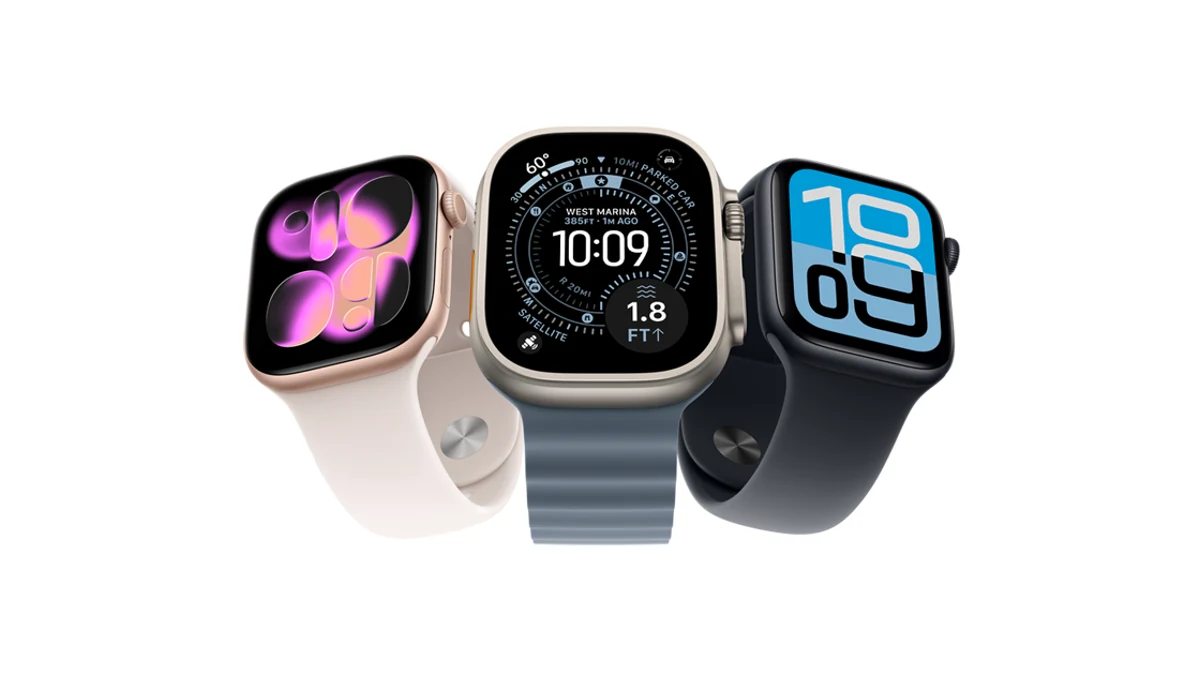
Swim tracking depth determines how useful post-session data is for a swimmer trying to improve. Both platforms support SWOLF score, automatic stroke detection, lap tracking, and open-water GPS. The Apple WWDC developer session confirmed that the swim tracking pipeline captures stroke type per lap and generates interval breakdowns for mixed-stroke workouts, giving coaches and athletes granular data across a single session (Apple Developer: WWDC 2024 workout session on swim tracking).
Galaxy Watch produces equivalent stroke-level metrics through Samsung Health, with per-lap stroke rate and a running SWOLF score visible mid-session on the watch face. The practical difference between the two platforms sits in how data is consumed after the swim: the Fitness app on iPhone presents swim history with trend charts, while Samsung Health delivers similar visualizations on Android with Health Connect forwarding data to compatible third-party apps. For swimmers evaluating battery considerations alongside tracking depth, the long-lasting fitness trackers for daily use guide benchmarks real-world endurance across the wearable category.
| Metric | Apple Watch | Samsung Galaxy Watch |
|---|---|---|
| Automatic stroke detection | Yes (four strokes + kickboard) | Yes (four strokes) |
| SWOLF score | Per lap and session average | Per lap and session average |
| Lap tracking | Automatic; pool length configurable | Automatic; pool length configurable |
| Open-water GPS | Yes; route map and distance | Yes; route map and distance |
| Pool vs open-water sessions | Separate workout types in Workout app | Separate workout types in Samsung Health |
| Post-swim summary | Fitness app: laps, strokes, SWOLF, HR zones | Samsung Health: laps, strokes, SWOLF, HR zones |
Ecosystem and Battery Considerations for Swimmers
Apple Watch pairs exclusively with iPhone, and its swim tracking data flows directly into the Fitness app without any third-party relay. Samsung Galaxy Watch pairs natively with Android, where Samsung Health and Health Connect give full access to swim session data and trend history. When Galaxy Watch is paired with an iPhone, core health metrics and Water lock still function, but the Samsung Health app and some post-swim integration features operate in a reduced capacity. Swimmers who primarily use an iPhone and want complete post-swim data analysis will find it the more complete option. For background on how the two mobile platforms diverge on health and fitness integration, the iOS vs Android differences guide covers the key capability gaps.
Battery life during GPS-on swim sessions matters for open-water swimmers doing long distances. Both platforms consume more power when GPS is active, and session duration affects how much charge remains for the rest of the day. Specific hour figures vary by model and GPS mode; check Apple's Apple Watch comparison page or Samsung's Galaxy Watch comparison page for current battery estimates before committing to a long-course swim schedule. Key ecosystem and battery factors for swimmers:
- iPhone users: Apple Watch delivers the most complete swim data pipeline with direct Fitness app integration and no third-party relay required.
- Android users: Samsung Galaxy Watch with Samsung Health and Health Connect gives full metric access and third-party app forwarding on Android.
- Cross-platform use: Galaxy Watch on iPhone retains core swim metrics but loses some Samsung Health feature depth; Apple Watch does not pair with Android at all.
- GPS battery drain: Open-water sessions with active GPS consume more power than pool swims using only accelerometer-based lap counting. Verify battery ratings on Apple's or Samsung's spec page for your target model before long-course sessions.
Which Watch Should Swimmers Choose
Apple Watch is the right pick for iPhone users who want the tightest integration between swim workouts and health trends. Stroke detection, SWOLF scoring, kickboard detection, and Fitness app trend history work without configuration, and Water lock clears automatically by rotating the crown after a session. Open-water swimming adds GPS route logging to the same workflow, keeping all data in one place. This wearable fitness tracker argument is straightforward for anyone already in the Apple ecosystem.
Samsung Galaxy Watch suits Android users who need comparable swim tracking without switching platforms. Stroke detection, SWOLF score, automatic Water lock, and open-water GPS match what the Apple device delivers for pool swim and open-water swimming. Galaxy Watch Ultra is the specific choice for ocean swimmers who need saltwater coverage, since standard Galaxy Watch models carry a fresh-water rating. For swimmers who want a broader smartwatch comparison before committing, the comparing smartwatches and fitness trackers guide covers additional dimensions including sleep tracking, health sensors, and design.
A summary decision framework for swimmers:
- iPhone + pool or open-water swimmer: Apple Watch. Fitness app integration, kickboard detection, and Water lock make it the most complete option for iPhone users at any swim level.
- Android + pool or open-water swimmer: Samsung Galaxy Watch. Full stroke detection, SWOLF scoring, Water lock, and Samsung Health coverage without needing an iPhone.
- Ocean or saltwater swimmer: Galaxy Watch Ultra. The only model in the Galaxy Watch lineup with official saltwater coverage.
- Budget-constrained iPhone swimmer: Apple Watch SE (current generation) retains core swim tracking and water resistance ratings at a lower price point than the full lineup. Verify current specifications and pricing at Apple Support: Apple Watch SE 2nd generation.
- Mixed-stroke competitive training: Both watches log per-lap stroke type, but Apple Watch adds kickboard detection as a separate interval, giving coaches and swimmers one more data point for drill-based training.
Further reading
Primary sources cited in this comparison:
- Apple Support: Apple Watch Series 9 features
- Apple Support: Apple Watch SE 2nd generation features
- Apple Developer: WWDC 2024 workout session on swim tracking
- Samsung Developer Health: Tracking exercises with Galaxy Watch
- Best Smart Home Security Systems: SimpliSafe vs Ring vs ADT Compared
- Budget Smartphones Under $500 Compared: Performance, Camera, Battery
- Fitness Tracker Comparison: Fitbit vs Garmin vs Oura Ring
Frequently Asked Questions
Is the Apple Watch better for swimming than the Samsung Galaxy Watch?
Both watches support pool and open-water swimming with automatic stroke detection and SWOLF scoring, so neither is categorically superior. It integrates tightly with the Fitness app on iPhone; Galaxy Watch models offer comparable stroke analysis and automatic Water lock activation when you start a swim workout. Choose based on your phone ecosystem and whether you need saltwater support, which only the Galaxy Watch Ultra officially provides.
Can I use a Samsung Galaxy Watch with an iPhone?
Yes, but with reduced functionality. Core health metrics, notifications, and Water lock mode work on iPhone, but Samsung Health app features and some workout-summary integrations are optimized for Android. Swimmers who primarily use an iPhone will get a more complete post-swim data experience with the Apple wearable, as Apple Watch requires an iPhone to set up and use all features, making it incompatible with Samsung phones.
Does Water lock mode protect a Galaxy Watch the same way Apple Watch water resistance does?
No. Water lock is a touchscreen-lockout feature that prevents accidental taps during swimming; it is not a water-resistance rating. Both brands rate their watches by depth-submersion standards independently of Water lock. Enabling Water lock is recommended when starting any swim workout on a Galaxy Watch, but the physical water protection comes from the hardware rating.