Home theater audio is the speaker system that carries a film, show or game soundtrack beyond the built-in TV speakers, built from a soundbar, an AV receiver with passive speakers, or a set of wireless speakers. Setting it up comes down to choosing the build that fits the room, placing the speakers around the main seat, connecting everything through the TV's HDMI eARC port, and calibrating. All three builds can play Dolby Atmos, so the format logo on the box settles very little. What separates them is how many physical speaker positions you get, which device decodes the soundtrack, and how far the system can grow after the first purchase.
Home Theater Audio Setup in Five Steps
Home theater audio setup follows the same order whatever the hardware: match a soundbar, an AV receiver with passive speakers, or wireless speakers to the room, fix the main seat, place the speakers around it, connect the system to the TV over HDMI eARC, then calibrate and test with a Dolby Atmos title.
The Dolby home theater setup guide and the Bose setup guide cover the same steps, each in its own order:
- Match the build to the room. Dolby says virtualized Dolby Atmos from the TV's own speakers can work in a small spare room, a soundbar suits a living room or family room, and a dedicated room suits an AV receiver with individual speakers, including in-ceiling or upward-firing ones for Dolby Atmos.
- Fix the main seat. Bose starts by measuring from the primary listening position to the screen wall, and speaker spacing, surround angles and subwoofer placement all scale to that distance.
- Place the speakers. Dolby's "golden rule" is that pairs of speakers form a triangle with the listener, with each pair an equal distance apart.
- Connect through the TV. HDMI eARC carries the soundtrack from the TV to the soundbar or receiver, as the connection section below sets out.
- Calibrate and test. Dolby suggests testing with Dolby Atmos content and recalibrating whenever speakers or furniture move.
Three Ways to Build Home Theater Audio
Home theater audio comes in three practical builds, and each one trades convenience against control:
- Soundbar: one long cabinet under the screen, usually sold with a wireless subwoofer and sometimes with rear speakers. A single HDMI cable connects it to the TV, and setup often runs through the maker's app.
- AV receiver with passive speakers: the receiver, often shortened to AVR, switches HDMI sources, decodes the surround format and amplifies separate front, center, surround and height speakers that you choose and place yourself.
- Wireless speakers: smart speakers paired to a streaming box or to a soundbar, such as two HomePod speakers working with Apple TV 4K, or wireless surrounds added to a receiver.
The soundbar wins on space and setup time. The AV receiver wins on placement, upgrade path and the number of HDMI inputs. Wireless speakers sit between the two, and our advice is to keep every box in one ecosystem, whether that is Apple, Sonos or Yamaha MusicCast, for the reasons the wireless section below lays out.
What the Channel Numbers Mean
Home theater audio specs are written as two or three numbers, and Dolby defines them precisely. The first number counts the ear-level speakers (left, right, center and surrounds), the second counts subwoofers, and the third, when there is one, counts height speakers for Dolby Atmos. The common speaker layouts on Dolby's list break down like this:
| Layout | Ear-level speakers | Subwoofers | Height speakers |
|---|---|---|---|
| 5.1 | Left, center, right, two surrounds | 1 | 0 |
| 7.1 | Left, center, right, two front surrounds, two rear surrounds | 1 | 0 |
| 5.1.2 | Left, center, right, two surrounds | 1 | 2 |
| 5.1.4 | Left, center, right, two surrounds | 1 | 4 |
| 7.1.4 | Seven main speakers | 1 | 4 |
Each speaker has a job. Dolby says the center speaker is primarily used for dialog and should sit just below or above the TV, while surround speakers go beside or behind the seats. Height speakers are either installed in the ceiling or are upward-firing models that bounce sound off it. Because bass is not directional, Dolby says the subwoofer can go almost anywhere in the room, and most setups use one, with a second for a large space.
One caution when reading spec sheets, and it is our reading rather than a vendor's: a soundbar's channel count describes drivers and processing in the bar and its add-on boxes, while a receiver's describes separate speakers you place around the room. In our view, two systems labeled 7.1.4 can still produce a very different sense of space for that reason.
5.1, 7.1 or 5.1.2 Surround Sound
Home theater audio with seven amplified channels can go two ways, and the choice between 5.1, 7.1 and 5.1.2 surround sound is really about where the extra two speakers go. On Dolby's layout list, 7.1 splits the surrounds into two front surrounds and two rear surrounds, while 5.1.2 keeps the five main speakers and adds two height speakers. Yamaha's RX-A4A user guide recommends a combined 7.1/5.1.2 system for Dolby Atmos and DTS:X: both speaker pairs are installed, and the receiver switches between the rear surrounds and the front height speakers, which never play at the same time.
Placement is what sets the layouts apart. In its setup guide, Bose puts 5.1 rear surrounds at roughly 110 to 120 degrees from the center of the screen, a little above ear level and angled toward the seats. In a 7.1-style layout, Bose moves the side surrounds to about 90 degrees and the rear surrounds farther back, at about 135 to 150 degrees:
| Layout | Speakers beyond the front three | Where they go | Room it suits (our advice) |
|---|---|---|---|
| 5.1 | Two surrounds | About 110 to 120 degrees, slightly behind the seat | Most living rooms |
| 7.1 | Two side surrounds, two rear surrounds | About 90 degrees, then 135 to 150 degrees | Space behind the seating |
| 5.1.2 | Two surrounds, two height speakers | Surrounds as in 5.1, heights in or toward the ceiling | Seating against the back wall |
Our advice follows from those angles. If the sofa sits against the back wall, there is nowhere to put rear surrounds at 135 degrees, so the two extra channels do more as height speakers in a 5.1.2 speaker layout. A room with open floor behind the seats can use either surround sound layout, and a larger receiver can add both, as the 11.2-channel RX-A8A does for 7.1.4.
HDMI eARC Carries the Soundtrack
Home theater audio usually starts at the TV, because streaming apps, cable boxes and consoles often feed the TV first. HDMI Licensing Administrator says HDMI eARC (Enhanced Audio Return Channel) sends that audio from the TV to an AVR or soundbar through a single HDMI cable. It supports uncompressed 5.1 and 7.1, 32-channel uncompressed audio at up to 192 kHz and 24-bit, and the DTS-HD Master Audio, DTS:X, Dolby TrueHD and Dolby Atmos formats. HDMI LA describes it as an advancement over the original ARC.
The cable matters less for audio than for video. In an HDMI LA explainer, the licensing body puts eARC's maximum audio bandwidth at 37 Mbit/s and says both Premium High Speed cables (rated to 18 Gbps) and Ultra High Speed cables (up to 48 Gbps) give the best audio performance. Choose between them for the video your system runs, and look for the official certification label on the packaging.
A clean eARC hookup follows the same order on most systems:
- Connect the soundbar or receiver to the TV's HDMI port labeled eARC or ARC, not to an ordinary input.
- Turn on HDMI-CEC in the TV settings so one remote controls volume. Brands give it their own menu names.
- Set the TV's digital audio output to pass the original format through instead of converting it to PCM or stereo.
- Play a title marked Dolby Atmos or DTS:X and confirm the format on the soundbar or receiver display.
An AV receiver offers a second route that skips the TV entirely. Yamaha lists seven HDMI inputs and three outputs on the RX-A4A, with 4K120 and 8K60 pass-through, so a console and a disc player can plug into the receiver directly. Samsung's HW-Q990F spec sheet lists two HDMI inputs, one output and 4K 120Hz video pass-through, which covers a smaller setup.
Soundbars Trade Placement for Simplicity
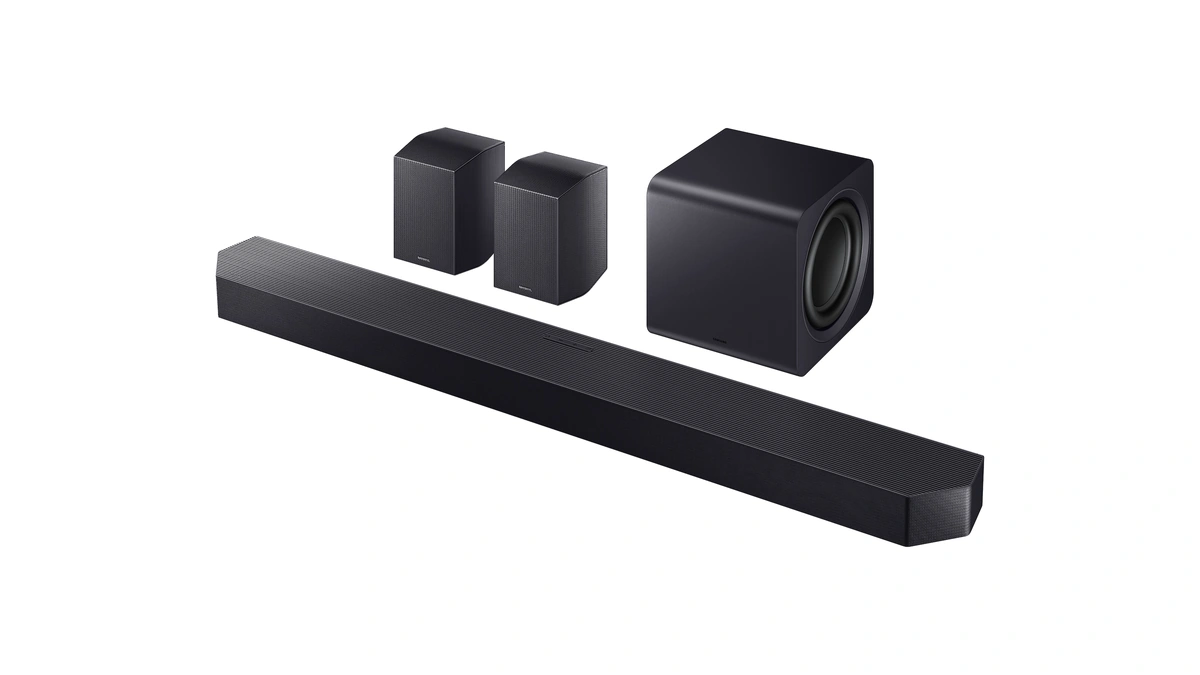
Home theater audio from a soundbar puts most of the drivers in one cabinet below the screen and fills in the rest with processing. The flagship models show how far that idea now stretches. Samsung's HW-Q990F is listed at 11.1.4 channels: three front, two side-firing, two wide-firing and four rear channels, one subwoofer and four up-firing channels, with the subwoofer and rear speaker kit in the box. Samsung lists Dolby Atmos, Dolby TrueHD, DTS:X and HDMI eARC support.

Sonos takes a modular route. According to Sonos, Arc Ultra uses 14 Sonos-engineered drivers and its Sound Motion technology to produce a 9.1.4 Dolby Atmos experience, connects over HDMI eARC, and tunes itself to the room with Trueplay. Sonos's Arc Ultra setup guide covers adding a Sonos Sub and rear surround speakers for full surround.
Those two products sum up what a soundbar does well and where it stops:
- One cable, one app: both connect with a single HDMI cable, Sonos sets up through its app, and both answer voice commands, with Alexa built into the HW-Q990F.
- Room tuning built in: Dolby notes that many soundbars include calibration modes that measure the room, and Trueplay is the Sonos version.
- Brand-bound upgrades: Samsung includes its own subwoofer and rear speaker kit, and Sonos pitches its own Sub and rear speakers, so the first purchase shapes the next ones.
- TV-dependent features: Samsung's footnotes say Q-Symphony needs a compatible 2020 to 2025 Samsung TV, and wireless Dolby Atmos works with 2022 to 2025 Samsung TVs.
AV Receivers Drive Separate Speakers
Home theater audio built around an AV receiver gives every channel its own speaker and its own position in the room. The Yamaha RX-A4A specifications show what a mid-range unit includes: 7.2 channels, a rated 110 W per channel into 8 ohms with two channels driven, HDMI eARC, MusicCast Surround and 7.2-channel preamp outputs. The same Yamaha spec table lists the larger RX-A8A at 11.2 channels, enough for a 7.1.4 speaker layout.
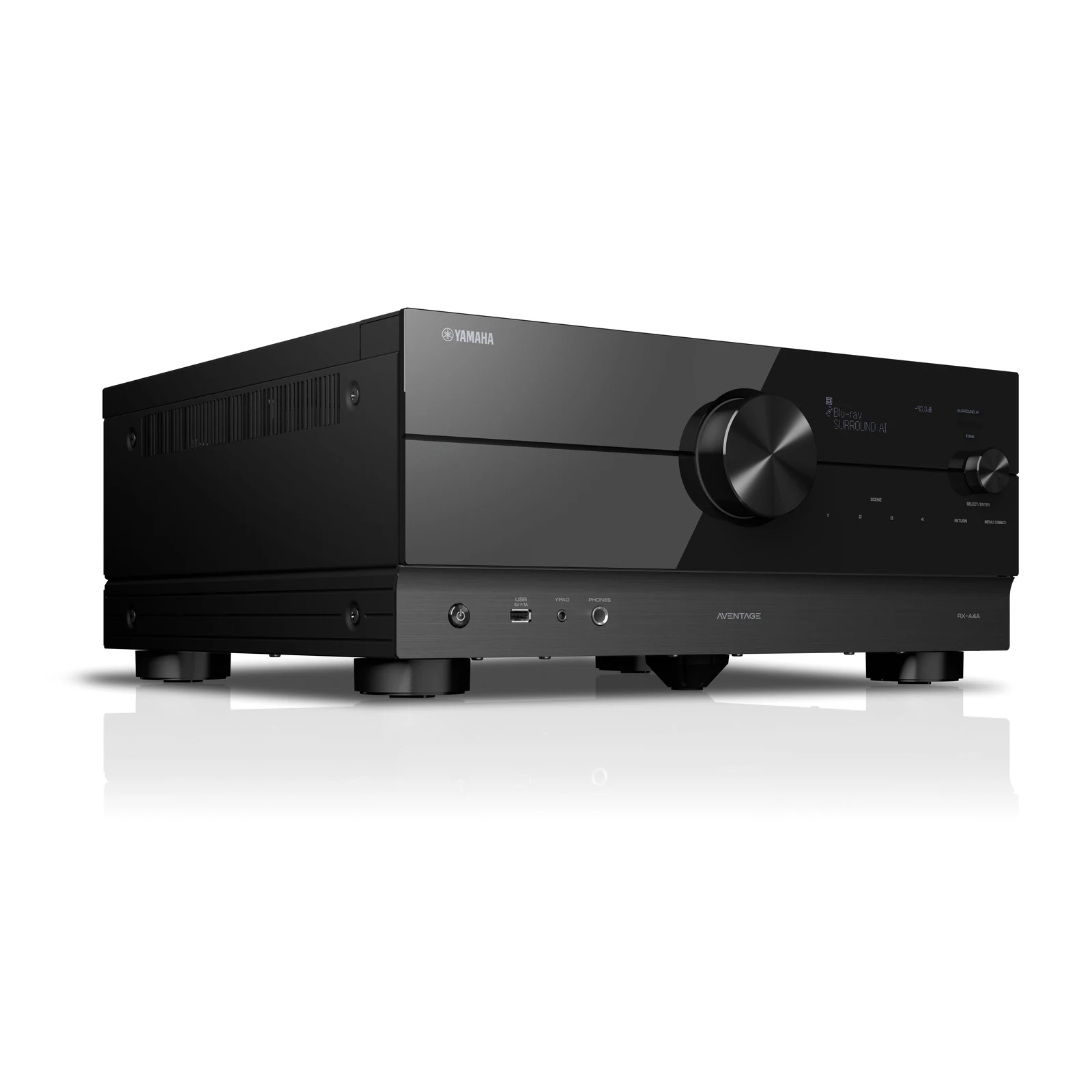
Channel count sets the ceiling for height speakers. In its RX-A4A user guide, Yamaha recommends a combined 7.1/5.1.2 system for Dolby Atmos and DTS:X, in which the rear surrounds and the front height speakers take turns. The arithmetic explains why: seven amplified channels can run five ear-level speakers plus two heights, but not seven plus two at once. Yamaha also lists Dolby Atmos Height Virtualization, which simulates the overhead layer when no height speakers are installed.
Placement does most of the work, and Dolby's speaker setup guidance reduces it to a short sequence:
- Put the left and right speakers either side of the TV and toe them in toward the main seat.
- Place the center speaker just below or above the screen so dialog comes straight at you.
- Raise the main speakers to seated ear height, which Dolby puts at about 3.9 feet from the floor, using stands where needed.
- Set surround speakers beside or behind the seats, and mount height speakers in the ceiling or aim upward-firing modules at it.
- Try the subwoofer in a few spots and keep the one that sounds even at the seat.
Bose puts numbers on the front pair: space the two speakers about as far apart as each one sits from your seat, angle them inward by about 15 to 30 degrees, and leave about 12 to 18 inches between each speaker and the back wall.
Room correction then fixes what placement cannot. Yamaha says YPAO-R.S.C. uses the included microphone to analyze the room, corrects early reflections, and with YPAO 3D optimizes the Dolby Atmos and DTS:X sound field. The price of this flexibility is more boxes, speaker wire runs and a bigger learning curve than any soundbar asks for.
Power, Bass and Room Acoustics
Home theater audio also depends on three things no spec sheet settles on its own: amplifier power for the size of the room, where the subwoofer sits, and how much the room itself reflects. For power, the Dolby setup guide gives a rough guide by floor area:
| Room size | Watts per channel (Dolby) |
|---|---|
| Under 200 sq ft | 50 to 100 |
| 200 to 500 sq ft | 80 to 150 |
| Over 500 sq ft | At least 100 to 150 |
Check how a receiver's figure is measured before comparing it with that table: Yamaha rates the RX-A4A at 110 W per channel into 8 ohms with two channels driven, per its spec sheet. Dolby also advises a receiver with HDMI 2.1 or higher connectors, so it can pass 4K UHD video and Dolby Atmos through.
Bass follows different rules. In the Bose guide, bass becomes less directional below roughly 80 Hz, so the goal is an even spot in the room, not aiming the subwoofer at the seat. Bose suggests the subwoofer crawl:
- Put the subwoofer at the main listening position and play a bass-heavy scene.
- Move around the edge of the room and listen for where the bass sounds tightest.
- Place the subwoofer there, starting about 6 to 18 inches from the wall.
- Pull it away from the boundary if the low end turns muddy; in smaller rooms, corners can make bass bigger but less controlled.
The room is the last variable. Bose says hard parallel surfaces such as bare walls, large windows and hardwood floors bounce sound between them as flutter echo, and that rugs, upholstered furniture and bookshelves break those reflections up. Dolby suggests soft treatments such as wall hangings or acoustic panels for the same reason. Run the calibration only after everything is in place: Bose's CustomTune, for example, uses a phone's microphones to set frequency response, channel delay and level balance.
Wireless Speakers as TV Sound
Home theater audio from wireless speakers depends as much on the TV source as on the speakers, and Apple is the clearest case. In its Apple TV 4K user guide, Apple says two HomePod speakers can work as a stereo pair for home theater surround sound, and that the pair supports Dolby Atmos, Dolby Digital 7.1 and Dolby Digital 5.1. HomePod mini does not support Dolby surround formats and renders them in mono or stereo instead.
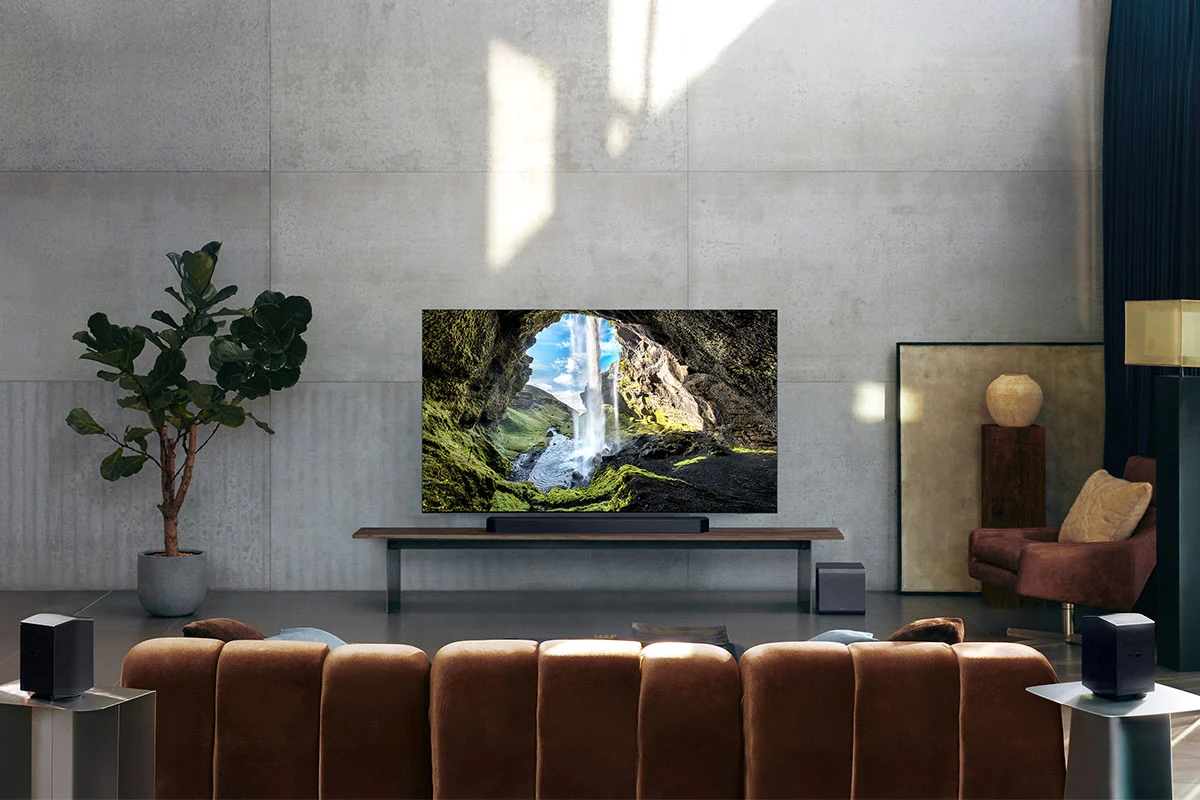
Apple's placement advice is specific: a single HomePod within 10 inches of a wall and centered on the TV, or a stereo pair on either side of the TV about 4 feet apart. Apple TV 4K (2nd generation or later) also has eARC, so a game console or disc player plugged into the TV can play through the HomePod speakers. With other AirPlay-enabled speakers, Apple says system alerts and game sounds still come out of the TV speakers.
Wireless also works as an add-on rather than a whole system:
- Sonos: Sonos speakers act as wireless rear speakers for Arc Ultra, and a Sonos Sub adds bass, per Sonos.
- Yamaha MusicCast: MusicCast Surround lets MusicCast 20 speakers and a MusicCast SUB 100 serve as wireless surrounds and subwoofer in a 5.1.2 or 5.1 layout, according to the RX-A4A user guide.
- Multiroom audio: Yamaha lists MusicCast multi-room audio, AirPlay 2 and Spotify Connect on the RX-A4A, and says the receiver works with a Sonos system through a separately sold Sonos Port.
Wireless speakers still need power at every position, so the cable you save is a speaker wire, not a power cord. A stereo pair also has no physical center or rear speakers, which is worth weighing against Apple's surround description before you skip a soundbar.
The Three Approaches Side by Side
Home theater audio decisions get easier when the trade-offs sit in one table. The examples are the vendor-documented models above, not test results:
| Factor | Soundbar | AV receiver and passive speakers | Wireless speakers |
|---|---|---|---|
| Example | Samsung HW-Q990F, Sonos Arc Ultra | Yamaha RX-A4A or RX-A8A | HomePod stereo pair with Apple TV 4K |
| Setup | One HDMI cable, often an app | Speaker wire to every position, calibration microphone | Power at each speaker, app pairing |
| Height effects | Up-firing drivers in the bar or rears | Ceiling or upward-firing speakers, or virtualization | Depends on the speaker model |
| HDMI sources | Few inputs, or routed through the TV | Many inputs with 4K120 pass-through | Routed through the TV or streaming box |
| Upgrade path | Same-brand subwoofer and rears | Any passive speakers, more channels | Same ecosystem only |
Our reading of the table: the fewer boxes a system needs, the more of its future the manufacturer decides.
How to Choose Home Theater Audio for Your Room
Home theater audio choices come down to the room, the TV and how much hardware you are willing to live with. Work through these questions in order:
- Check the TV port. An eARC port opens lossless formats to a soundbar or receiver. With ARC only, route sources through a receiver instead.
- Count usable speaker positions. No room for rear speakers or wire runs points to a soundbar. A dedicated room with a reachable ceiling points to a receiver.
- Decide how much height you want. A 5.1.2 speaker layout needs seven amplified channels; 7.1.4 needs eleven.
- Match your ecosystem. Apple TV owners get the most from HomePod, Samsung TV owners from Q-Symphony soundbars, and Sonos or MusicCast households from adding to what they own.
- List every HDMI source. Two consoles, a disc player and a streaming box outgrow a two-input soundbar quickly.
- Plan the second purchase. Price the subwoofer and rear speakers now, since they decide whether the first box was the right one.
Game consoles add to the HDMI count, and the PS5 vs Xbox Series X vs Nintendo Switch feature comparison puts the three side by side. Voice control is the other ecosystem tie-in: the Google Home vs Alexa vs Apple assistant comparison is worth reading before buying a soundbar with one assistant built in. For speakers that also play music in other rooms, the smart home technology overview gives the wider context on connected devices at home.
Further reading
Frequently Asked Questions
Which is better, 5.1 or 7.1 surround sound?
Neither wins in every room, because 7.1 only pays off with space behind the seats. Dolby's layout list shows 7.1 adding two rear surrounds to the 5.1 set, and Bose places those rears at about 135 to 150 degrees from the screen. With seven amplified channels, Yamaha's recommended Atmos system switches the same two channels between rear surrounds and height speakers, so a room without that space can put those two channels overhead instead.
Is a soundbar as good as a surround sound system?
In a living room it can be the better fit. The Dolby home theater setup guide calls a soundbar a balance of convenience and room-filling sound for a living room or family room, and points dedicated rooms toward an AV receiver with individual speakers for each channel, which lets you tailor the sound to the room. A receiver system puts a separate speaker at every position, which a single bar under the TV cannot.
How many watts per channel do I need?
Dolby's rough guide is 50 to 100 watts per channel for a room under 200 square feet. It rises to 80 to 150 for 200 to 500 square feet and at least 100 to 150 above that. Check how a receiver is rated before comparing: Yamaha's 110 W figure for the RX-A4A is measured into 8 ohms with two channels driven.
Do I need HDMI eARC, or is ARC enough?
Use eARC to get lossless soundtracks such as Dolby TrueHD to your speakers intact. HDMI Licensing Administrator describes eARC as an advancement over ARC, adding uncompressed 5.1, 7.1 and 32-channel audio at up to 192 kHz and 24-bit. If your TV has ARC only, plug playback devices straight into a receiver's HDMI inputs so the TV stays out of the audio path.
How many channels does a receiver need for Dolby Atmos?
Seven amplified channels cover a 5.1.2 layout, which is five ear-level speakers plus two height speakers, with the subwoofer on its own amplifier. For Atmos on the 7.2-channel RX-A4A, the RX-A4A user guide recommends a combined 7.1/5.1.2 system, while a 7.1.4 layout needs eleven channels, which Yamaha's spec table lists for the RX-A8A.
Can I add surround speakers to a soundbar later?
Yes, but plan on buying them from the soundbar's maker. Sonos offers its Sub and its own rear speakers as the surround upgrade for Arc Ultra, and Samsung ships the HW-Q990F with its rear speaker kit and subwoofer in the box. With an AV receiver, Dolby notes you can shop for individual speakers instead of a matched system-in-box, and in our view that freedom matters more the longer you keep the system.