A graphics card is a dedicated processor that renders the pixel output a display receives, and at 4K resolution the VRAM capacity, memory bandwidth, and shader throughput of that processor determine whether a game runs smoothly or not at all. Selecting one for 4K output is less a question of brand loyalty than a question of matching three measurable budgets, memory, bandwidth, and shader workload, to the frame rate target a buyer is willing to accept. The current desktop market converges on two vendor families that each frame the tradeoff differently, NVIDIA RTX with neural upscaling and dedicated ray tracing silicon, and AMD Radeon with larger memory pools and an open upscaling stack.
Why 4K Demands More From a Graphics Card
A graphics card driving a 4K panel must push 3840x2160 pixels, or 8.3 million pixels per frame, which is four times the pixel count of 1080p (2.1 million) and roughly 2.3 times the load of 1440p (3.7 million). The workload does not scale linearly. Texture sampling, post-processing passes, and geometry transforms all multiply with resolution, and the pixel fill rate required to clear those passes at 60 fps climbs accordingly. A high pixel fill rate is what keeps the back buffer flushing fast enough to avoid frame-time spikes at 4K.
Two thresholds usually break 4K gaming performance. The first is VRAM capacity. Cards with 10 GB or less run out of headroom when modern titles stream high-resolution textures, and the symptom is texture pop-in, hitching, and 1 percent low frame-time collapse. The second is memory bandwidth. When scene data cannot move from VRAM to the shader cores fast enough, frame-time spikes appear even when an averaged number looks healthy on a GPU benchmark chart. Shader throughput sets the ceiling for how many pixels the card can color per second, and that ceiling determines whether VRAM capacity even matters.
These ceilings explain why a card with a faster GPU die but a narrow memory bus often loses to a slightly slower card with wider bandwidth at 4K, even when the same two cards trade places at 1440p. Display-side requirements add another layer the buyer should map before purchase, covered in the Gaming Monitor Buying Guide: 1440P vs. 4K vs. Ultrawide.
NVIDIA RTX Graphics Cards for 4K Gaming
NVIDIA RTX covers the 4K tier with three viable Ada Lovelace cards, the RTX 4070 Ti Super, the RTX 4080 Super, and the RTX 4090. The RTX 4070 Ti Super ships with 16 GB of GDDR6X on a 256-bit bus delivering 672 GB/s of bandwidth at a 285W thermal design power (TDP). The RTX 4080 Super carries the same 16 GB capacity on a 256-bit bus rated at 736 GB/s and a 320W TDP. The RTX 4090 sits on top with 24 GB GDDR6X on a 384-bit bus delivering 1008 GB/s at a 450W thermal design power. Each tier targets a different 4K gaming performance envelope, and the gap between them is wide enough that mistaking one for another wastes either money or frames.
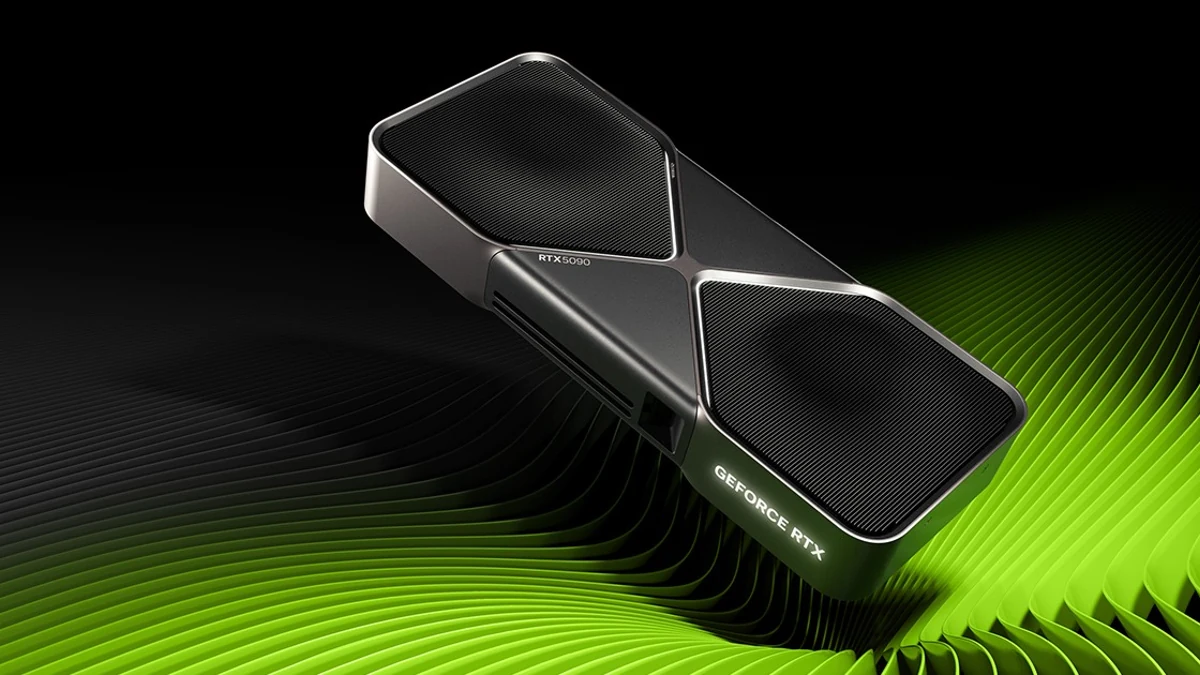
DLSS 3 (NVIDIA Deep Learning Super Sampling, third generation with Frame Generation) is the lever that makes the lower two tiers viable at 4K. Frame Generation uses an optical flow accelerator on the Ada silicon to synthesize an interpolated frame between two rendered frames, roughly doubling output frame rate at about a 40 percent GPU overhead, according to the NVIDIA DLSS Documentation. The trade-off is latency. Frame Generation adds approximately one frame of input lag, partly offset by NVIDIA Reflex, which is not eliminated. Buyers who play competitive titles at 4K should weigh that latency cost against the fps gain.
- Dedicated ray tracing acceleration through third-generation RT Cores
- Frame Generation with neural upscaling reconstruction on Ada silicon
- AV1 hardware encode on the NVENC block for streaming and capture
- Native HDMI 2.1 output supporting 4K at 120Hz without DSC fallback
RTX 4090: The Unrestricted 4K Option
The RTX 4090 is the one card that sustains 60 fps or higher at native 4K with maximum graphics presets across most current titles, with no upscaling required outside of path-traced workloads. Its 24 GB of GDDR6X and 1008 GB/s of bandwidth eliminate the texture-streaming and bus-saturation failure modes described above. Street pricing has run approximately $1,500 to $1,800 at time of writing, which limits the card to a narrow buyer profile, enthusiasts running 4K at 120Hz or higher, hybrid gaming and AI workstations, or buyers planning a five-year hold.
RTX 4080 Super and RTX 4070 Ti Super: Mid-High 4K
Both cards carry 16 GB of VRAM and clear the recommended VRAM floor for 4K. The RTX 4080 Super pulls ahead through bandwidth, with 736 GB/s versus the 4070 Ti Super's 672 GB/s, and through a higher shader count. With DLSS 3 Quality mode active, both cards sustain 60 to 80 fps in most current titles at 4K. Neither is a consistent native-4K card at maximum settings, and any GPU benchmark that measures them without upscaling will understate what a buyer actually experiences in normal play. The RTX 4070 Ti Super delivers the better price-per-frame of the pair, and price-per-frame is the metric that usually decides between the two at the same retailer.
AMD Radeon Graphics Cards for 4K Gaming
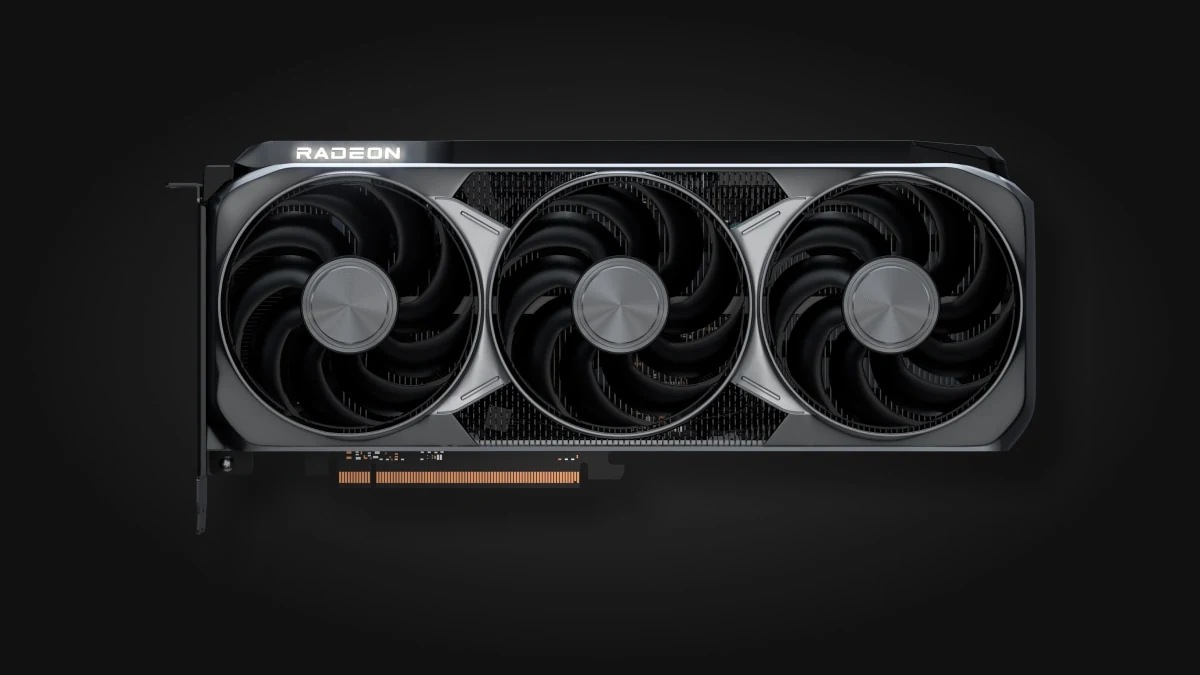
AMD Radeon covers the same tier with three RDNA 3 cards, the RX 7900 GRE (16 GB), the RX 7900 XT (20 GB), and the RX 7900 XTX (24 GB). The memory subsystem is the AMD differentiator. The RX 7900 XTX ships 24 GB of GDDR6 on a 384-bit bus delivering 960 GB/s of memory bandwidth, the widest in this tier outside the RTX 4090, at a meaningfully lower MSRP. AMD's rasterization performance tracks NVIDIA in the same price bracket, while its ray accelerator throughput falls behind because RDNA 3 ray units do less work per cycle than NVIDIA's third-generation RT Cores.

FSR 3 (AMD FidelityFX Super Resolution, third generation) is an open-source, driver-level upscaling solution that runs on AMD, NVIDIA, and Intel GPUs. According to the AMD FSR 3 Overview, the upscaler uses a spatial reconstruction algorithm rather than a per-game trained neural network, and its Frame Generation pipeline is not tied to AMD-specific silicon. That cross-GPU portability is genuine, and it matters for buyers who plan to switch vendors in a future upgrade. The quality trade-off shows up at high-contrast edges and on small moving objects, where the neural network output from the NVIDIA upscaler is typically cleaner than spatial reconstruction.
- 24 GB VRAM at a lower price than any NVIDIA card with comparable capacity
- FSR 3 cross-GPU compatibility on any DirectX 12 or Vulkan card
- Strong rasterization performance in same-tier matchups
- DisplayPort 2.1 at 54 Gbps for 4K at 240Hz uncompressed
RX 7900 XTX: AMD's 4K Flagship
The RX 7900 XTX pairs 24 GB of GDDR6 with 960 GB/s of bandwidth at a 355W TDP. Across most independent GPU benchmark suites, the card lands between the RTX 4080 Super and the RTX 4090 in rasterization workloads, and below the RTX 4080 Super in ray-traced workloads. For native 4K rendering without upscaling, it offers the highest AMD bandwidth at this price tier and the largest AMD memory pool available to consumers.
NVIDIA RTX vs AMD Radeon: Side-by-Side Comparison
| Spec | RTX 4090 | RTX 4080 Super | RX 7900 XTX | RX 7900 XT |
|---|---|---|---|---|
| VRAM | 24 GB GDDR6X | 16 GB GDDR6X | 24 GB GDDR6 | 20 GB GDDR6 |
| Bus Bandwidth | 1008 GB/s | 736 GB/s | 960 GB/s | 800 GB/s |
| Ray Tracing Hardware | 3rd-gen RT Cores | 3rd-gen RT Cores | 2nd-gen RA Units | 2nd-gen RA Units |
| Native Upscaler | DLSS | DLSS | FSR | FSR |
| Cross-GPU Upscaler | Yes (FSR) | Yes (FSR) | Yes (FSR) | Yes (FSR) |
| TDP | 450W | 320W | 355W | 315W |
| DisplayPort | 1.4a | 1.4a | 2.1 (54 Gbps) | 2.1 (54 Gbps) |
| HDMI | 2.1 | 2.1 | 2.1 | 2.1 |
| Approx. Street Price | $1,500 to $1,800 | $1,000 to $1,200 | $900 to $1,000 | $700 to $800 |
The bandwidth and capacity reading runs in AMD's favor at the top of the table. The RX 7900 XTX matches the RTX 4090 on VRAM and lands within 5 percent on memory bandwidth at roughly half the street price. Buyers shopping on memory headroom alone should weight that comparison heavily, because the 16 GB NVIDIA cards cannot match either 24 GB tier on raw capacity at any price.
The upscaling quality gap inverts the reading. The neural network pipeline behind NVIDIA's upscaler uses a trained convolutional model and a dedicated optical flow accelerator. The spatial algorithm behind AMD's upscaler runs with no per-game training. At 4K Quality preset, the NVIDIA pipeline produces noticeably cleaner edges and fewer reconstruction artifacts during fast camera motion. That gap matters because the lower-tier cards in the table rely on upscaling to deliver playable 4K frame numbers.
Ray tracing is the third axis where the cards separate. NVIDIA's third-generation RT Cores deliver roughly 1.5 to 2 times the throughput of AMD's second-generation Ray Accelerator units in published reviews. At 4K with the full effect stack enabled, that gap is what forces every card except the RTX 4090 to use Frame Generation to clear 60 fps in heavy titles. For background on the rendering technique, see Realtime Ray Tracing vs Traditional Rendering.
How to Choose the Right Graphics Card for 4K Gaming
A buying decision for a 4K-capable graphics card resolves to budget, preferred upscaling stack, and whether ray-traced fidelity is a hard requirement. The framework below walks the common buyer profiles in order of price ceiling, and it complements the engine-side perspective in Unity vs Unreal Engine for VR Games when the same hardware is used for development work.
- Budget under $600. The RTX 4070 Ti Super with NVIDIA upscaling at Quality mode is the practical floor for 4K gaming performance. Native 4K at maximum settings is not realistic at this price, and the buyer should accept upscaling as the default.
- Budget $700 to $900. The RX 7900 XT and RX 7900 XTX are the VRAM value leaders. The RTX 4080 Super edges ahead in ray tracing workloads at the top of this range, and its GPU benchmark numbers favor it in heavy effect stacks.
- Budget above $1,400. The RTX 4090 is the only card that holds native 4K at maximum settings across nearly every current title without upscaling.
- If RT cores is a priority, NVIDIA RTX wins at every tier, with RT Cores delivering 1.5 to 2 times the throughput of AMD's Ray Accelerators in published benchmarks.
- If maximum VRAM capacity is the priority (texture mods, large open worlds, simulation titles), the RX 7900 XTX matches the RTX 4090 on capacity and undercuts it on price-per-frame.
- If the GPU also serves AI workloads such as Stable Diffusion or local LLM inference, NVIDIA's CUDA ecosystem is effectively required by most current model toolchains.
The VRAM floor sits at 16 GB for 4K gaming with current titles at high texture presets. Cards with 12 GB are marginal and will show streaming stutter in open-world titles that ship with high-resolution texture packs. For broader build context, see Building A Budget Gaming PC: Best Components and the form-factor tradeoffs covered in Gaming Laptops vs Desktops For Performance.
Upscaling Technology: Neural vs Spatial at 4K
Upscaling technology has become the decisive variable for any graphics card that cannot drive native 4K at maximum settings, which describes every consumer card except the RTX 4090. The NVIDIA pipeline reconstructs full-resolution frames from a lower-resolution render buffer using a trained convolutional neural network, then optionally synthesizes interpolated frames through Frame Generation. The AMD pipeline reconstructs frames using a spatial algorithm with no per-game training, and its Frame Generation runs on any DirectX 12 or Vulkan-capable GPU. The underlying memory model and bandwidth assumptions for both pipelines are documented in the Khronos Vulkan Specification.
At 4K Quality mode (rendering internally at 1440p), the trained model behind the NVIDIA upscaler generally produces sharper edges and fewer reconstruction artifacts during motion, particularly on thin geometry and particle effects. The portability of FSR 3 is its counterweight. Any GPU can run it, which makes it relevant when the buyer is open to a non-NVIDIA card or expects to upgrade across vendors. Upscaling technology choices should therefore be evaluated against the buyer's upgrade horizon, not against a single title's review numbers.
- Quality
- Internal render resolution 2560x1440, scaled to 3840x2160 output (67 percent scale).
- Balanced
- Internal render resolution 2227x1253, scaled to 3840x2160 output (58 percent scale).
- Performance
- Internal render resolution 1920x1080, scaled to 3840x2160 output (50 percent scale).
- Ultra Performance
- Internal render resolution 1280x720, scaled to 3840x2160 output (33 percent scale).
Power, Cooling, and System Compatibility
A graphics card at this tier carries system-side requirements that should be checked before purchase, because a mismatched power supply, case, or display connection will block the card from delivering its rated frame rate. The checklist below covers the four common failure points in upgrade builds. Buyers shopping for the corresponding display should cross-reference the Gaming Monitor Buying Guide: 1440P vs. 4K vs. Ultrawide, and buyers considering a mobile alternative should review Gaming Laptops For High Performance Gaming for the laptop-class compromises.
- PSU wattage and connector. The RTX 4090 needs an 850W or higher power supply. The RTX 4080 Super and RX 7900 XTX need 750W or higher. NVIDIA Ada Lovelace cards use the 16-pin 12VHPWR connector, with adapters included in-box; native ATX 3.0 power supplies remove the adapter requirement.
- PCIe slot. All flagship cards require a PCIe x16 slot. PCIe 5.0 does not deliver a measurable GPU benchmark gain over PCIe 4.0 at current bandwidth ceilings, so an older PCIe 4.0 board is not a bottleneck.
- Physical clearance. Flagship cards measure 330 to 340 mm in length and occupy three or more slot widths. Verify clearance against case specifications before ordering.
- Display connectivity. Confirm the monitor supports HDMI 2.1, DisplayPort 1.4 with DSC, or DisplayPort 2.1 on the RX 7900 series for 4K output at 120Hz or higher without Display Stream Compression fallback.
Further reading
- Gaming Monitor Buying Guide: 1440P vs. 4K vs. Ultrawide
- Realtime RT path vs Traditional Rendering
- Building A Budget Gaming PC: Best Components
- Gaming Laptops For High Performance Gaming
- Gaming Laptops vs Desktops For Performance
Frequently Asked Questions
How much VRAM does a graphics card need for 4K gaming?
A graphics card needs at least 16 GB of VRAM for reliable 4K gaming with current titles at high texture settings. Cards with 12 GB of memory show texture streaming stutter in open-world titles and in games that ship with high-resolution texture packs. The 16 GB minimum holds across both NVIDIA RTX and AMD Radeon product lines, and 24 GB cards (RTX 4090 and RX 7900 XTX) provide headroom for modded games and future title requirements.
Does real-time RT reduce performance at 4K?
Enabling the full ray-traced effect stack reduces output by 30 to 60 percent at 4K, depending on implementation quality and the number of effects enabled simultaneously. At 4K native resolution with the full stack on, even the RTX 4090 requires Frame Generation to hold 60 fps in demanding titles such as Cyberpunk 2077 with path tracing enabled. Turning effects on selectively, shadows only or reflections only, carries a smaller performance cost than running a full path-traced pipeline.
Is NVIDIA RTX or AMD Radeon better for 4K gaming?
NVIDIA RTX leads AMD Radeon in 4K ray-traced performance and upscaling quality through DLSS 3, while AMD Radeon delivers more VRAM per dollar at the high-memory tier. A buyer prioritizing fidelity with the full effect stack and Frame Generation should pick an NVIDIA RTX card. A buyer prioritizing maximum VRAM at a given budget, particularly for texture-heavy games or content creation alongside gaming, should pick the AMD RX 7900 XTX, which delivers 24 GB and 960 GB/s of bandwidth at a lower price than the RTX 4090.