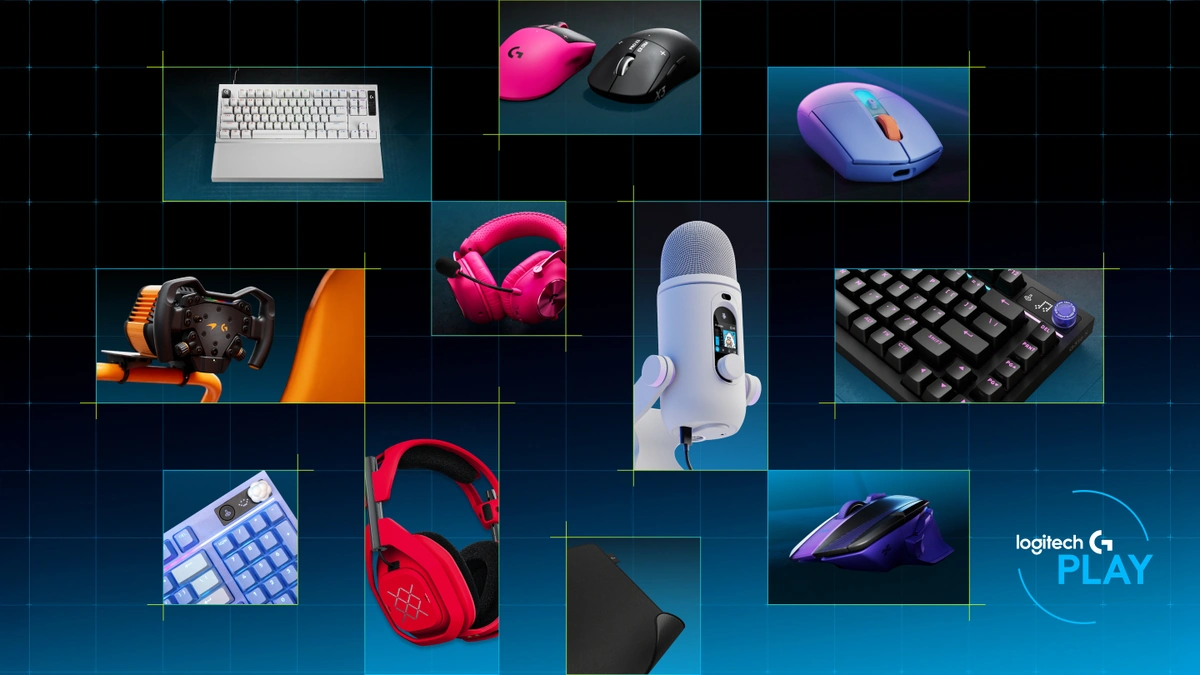

A gaming peripheral is an input or output device that connects to a gaming system to enable competitive control precision, low-latency response, and audio fidelity beyond what standard office hardware provides. Every click, keystroke, and audio cue passes through one of three peripheral categories: keyboard, mouse, or headset. The hardware specifications at this layer control input latency more directly than GPU clock speed or display panel type. A player using a Best Graphics Card For 4K Gaming paired with a slow membrane keyboard and a 500 Hz mouse will still lose input timing to an opponent with equivalent GPU hardware but tighter peripheral specs. In VR applications, covered in depth in Unity vs Unreal Engine for VR Games, peripheral latency compounds with render latency to produce motion-sickness feedback loops, making low-latency input hardware a baseline requirement rather than an upgrade.
Mechanical vs Membrane Keyboards for Gaming
Gaming peripherals at the keyboard layer split into two categories with meaningfully different performance profiles: mechanical and membrane keyboard designs. The distinction that matters for competitive gaming is where in the key travel the registration event occurs. A mechanical keyboard registers at the actuation point (typically 2mm of travel), then resets at roughly the same depth, allowing the next keypress to begin immediately without fully releasing the key. The rubber-dome membrane design routes the keypress through a pressure pad that must contact a circuit layer at the full travel depth, usually 4mm, before registering. That 2mm difference in reset distance translates to measurable re-registration delay during rapid sequential inputs such as strafing commands in FPS titles or unit-control sequences in RTS games.
Switch specifications verified May 2026.
- Mechanical keyboard advantages: shorter actuation and reset distance, independent per-key registration, hot-swap compatibility on supported boards, higher keystroke longevity (50-100 million actuations rated)
- Membrane keyboard advantages: lower unit cost, quieter operation without switch dampeners, lighter build weight, spill resistance on sealed designs
Keyboard Switch Types: Linear, Tactile, and Clicky
Each keyboard switch family matches a different input pattern. The three primary types differ in actuation force, travel, and feedback character:
- Linear (Cherry MX Red): 45g actuation force, 2mm actuation point, 4mm total travel. No tactile bump or audible click; the key moves smoothly from top to bottom. Preferred by FPS players who make rapid repeated presses and want no resistance variation between the top and bottom of travel.
- Tactile (Cherry MX Brown): 45g operating weight with a tactile bump at 2mm, 4mm total travel. The bump provides registration confirmation without an audible click, making this keyboard switch type workable for both gaming and extended typing sessions.
- Clicky (Cherry MX Blue): 60g operating force, 2.2mm pre travel, 4mm total travel according to Cherry specifications. The audible click and tactile bump are the highest-feedback option; least preferred in online gaming environments because the click sound registers clearly in open microphones.
- Razer alternatives: Razer Yellow (linear, 45g, 1.2mm actuation), Razer Orange (tactile, 45g, 1.9mm), and Razer Green (clicky, 50g, 1.9mm) follow the same family logic with shorter actuation distances. Specifications per Razer Switch Specifications.
- Hot-swap boards: boards with hot-swap sockets accept switch replacement without soldering. Competitive players who want to trial different switch weights and travel profiles without buying multiple keyboards should prioritize hot-swap compatibility as a purchase criterion.
Detailed actuation travel data for Cherry MX switches is documented in the Cherry MX Technical Specifications. The actuation force and reset-point relationship is the specification that governs rapid re-registration, not the audible click or tactile bump.
Comparing Gaming Mice: Sensor Type, DPI, and Ergonomics
A gaming headset shapes competitive performance through five measurable specifications, not through comfort ratings or aesthetic design. Gaming peripherals at the audio layer require the same specification-first evaluation that keyboards and mice demand. The five selection dimensions, in order of competitive impact:
- Driver diameter: 40mm drivers are the category standard. 50mm drivers displace more air and produce wider stereo imaging, which improves positional accuracy in titles where footstep and reload directionality are tactically significant.
- Frequency response: a flat or midrange-elevated curve across 20Hz-20kHz preserves positional audio cues. A bass-heavy consumer-tuned frequency response compresses the 1kHz-4kHz band where footstep transients and reload sounds reside, reducing directional precision. Specifications verified May 2026.
- Surround sound processing: virtual 7.1 surround sound uses software DSP (digital signal processing) applied to a stereo driver pair, adding processing latency of 5-15ms. Hardware 7.1 routes audio to multiple physical drivers per ear cup, bypassing the processing overhead. For latency-sensitive titles, hardware surround or high-quality stereo with flat frequency response outperforms software-processed virtual surround.
- Wireless connectivity: a 2.4GHz USB dongle delivers 4-12ms round-trip audio latency, suitable for competitive play. Bluetooth A2DP adds 30-80ms. AptX Low Latency Bluetooth narrows this to approximately 40ms but requires compatible source hardware. Bluetooth wireless connectivity is not recommended for latency-sensitive competitive titles.
- Microphone type: cardioid condenser microphones capture a wide frequency range but pick up room ambient noise. Unidirectional dynamic microphones reject off-axis sound more effectively in open-room gaming environments where mechanical keyboard noise or ambient audio would otherwise bleed into the signal.
Wired vs Wireless Gaming Peripherals
Gaming peripherals at both the mouse and headset layer now offer wireless connectivity that matches wired latency under controlled conditions, with specific protocol requirements. The wired-vs-wireless decision differs by device type, so both are addressed together here. For mobile and console peripheral context, see Top Gaming Consoles and Gaming Laptops vs Desktops For Performance.
Modern 2.4GHz gaming mice using protocols such as Logitech LIGHTSPEED, HyperX HyperSpeed, or Corsair SLIPSTREAM report round-trip input latency at or below 1ms in controlled test conditions, matching wired performance. The driver latency difference between a wired connection and a quality 2.4GHz wireless connection is not detectable in human reaction-time testing, as documented in research published by IEEE Transactions on Consumer Electronics. The practical cost of wireless on a gaming mouse is battery weight: wireless mice add 5-20g compared to wired equivalents. For players who prioritize sub-70g total weight, that tradeoff is meaningful. Wired mice with paracord-style cables reduce cable drag to near-zero, making cable friction a non-factor for mouse movement.
| Factor | Wired Mouse | Wireless Mouse (2.4GHz) | Wired Headset | Wireless Headset (2.4GHz) |
|---|---|---|---|---|
| Driver latency | 0.125-1ms | Below 1ms (LIGHTSPEED class) | Under 1ms | 4-12ms |
| Battery dependency | None | 20-80 hours per charge | None | 15-30 hours per charge |
| Cable management required | Yes | No | Yes | No |
| Competitive recommendation | Yes (paracord cable preferred) | Yes (2.4GHz only) | Yes | Yes (2.4GHz; Bluetooth not recommended) |
Matching Gaming-peripheral hardware to Play Style
Gaming-peripheral devices produce different competitive outcomes depending on how each specification aligns with a specific genre's input demands. The peripheral-layer selection decision, not GPU selection or display resolution, is the variable that most directly governs in-game input accuracy at the player level. The play-style matching framework below maps keyboard, mouse, and headset specifications to four distinct use cases. For console-specific peripheral compatibility, see Playstation 5 vs Xbox Series X vs Nintendo Switch Features.
- Competitive FPS (CS2, Valorant, Apex Legends): linear mechanical keyboard with 45g actuation force and 2mm actuation point; optical sensor gaming mouse at 400-800 DPI with 1000Hz report rate minimum; wired connection or 2.4GHz wireless; gaming headset with flat frequency response and physical surround sound or high-quality stereo. Avoid virtual surround processing latency. DPI range beyond 1600 offers no accuracy benefit at typical FPS sensitivity settings.
- MOBA and RTS (Dota 2, StarCraft II): tactile keyboard switch for accurate key re-registration during rapid command sequences where confirmation feedback reduces mis-input errors; gaming pointer with on-the-fly DPI range switching via side button for camera vs unit-control modes; headset is secondary (positional directionality is less tactically critical than in FPS).
- Single-player and RPG: rubber-dome keyboard is acceptable where input re-registration speed is not a performance variable; any laser sensor module gaming-grade mouse; gaming headset with elevated bass response for immersive soundscapes rather than flat positional accuracy; Bluetooth wireless connectivity is tolerable where competitive latency is not a factor.
- Console play (PS5, Xbox Series X): USB-connected mechanical keyboard and optical mouse work on both platforms for supported titles. Wireless 2.4GHz gaming headset over console-proprietary 3D audio APIs (PlayStation Tempest Engine, Xbox Spatial Sound) delivers the best spatial imaging without Bluetooth latency penalties. Verify title-specific peripheral support before purchasing a keyboard-mouse setup for console.
Further reading
- Unity vs Unreal Engine for VR Games covers how peripheral latency interacts with VR render pipelines to determine motion-sickness thresholds.
- Best Graphics Card For 4K Gaming covers GPU selection for the display layer, the hardware tier above the peripheral layer in the signal chain.
- Playstation 5 vs Xbox Series X vs Nintendo Switch Features covers console platform selection, including native peripheral API support.
- How to Choose a Multistreaming Platform: Restream, StreamYard, OBS
See also IETF RFC 6455 WebSocket (low-latency input).
Frequently Asked Questions
What are the key features to look for in a gaming-class mouse?
A esports mouse's most important specifications are sensor type (optical preferred over laser for consistency) and poll rate (1000 Hz minimum for competitive play), which together determine how accurately and responsively the cursor tracks physical movement. DPI range matters less than sensor accuracy at your chosen sensitivity setting; most competitive players use 400-800 DPI with in-game sensitivity multipliers rather than the mouse's maximum DPI ceiling. Ergonomic grip style (palm, claw, or fingertip) and button count are secondary factors once the core sensing specifications are confirmed.
Are mechanical keyboards better for gaming than dome-switch keyboards?
A mechanical-switch keyboard registers a keypress at 2mm of travel and resets at roughly the same distance, which allows rapid re-presses without lifting the finger to full key height. The rubber-dome type requires the key to travel the full 4mm to the bottom before registering, which slows re-registration speed in rapid-input titles such as FPS or RTS games. For single-player and casual gaming the difference is marginal. For competitive play where repeat inputs occur within milliseconds, the shorter actuation and reset distance of a mech keyboard switch produces a measurable input speed advantage over dome-switch designs.
How do I choose the right gaming headset?
Choose a gaming headphones by first matching its freq response profile to your use case: a flat or midrange-forward response (1kHz-4kHz emphasis) preserves positional audio cues such as footsteps and reload sounds better than a bass-heavy consumer-tuned profile. Decide on wired or wireless next: 2.4GHz USB dongle wireless achieves 4-12ms driver latency and suits competitive play; Bluetooth adds 30-80ms and is not recommended for latency-sensitive titles. Driver diameter (40mm or 50mm) and whether surround sound is processed in software or delivered by physical drivers are secondary decisions that affect spatial imaging width.