A mechanical keyboard switch is the physical mechanism beneath each keycap that determines how a keypress feels, sounds, and registers, with three distinct types available to match any typing or gaming preference. Choosing between them shapes every keystroke, and the difference is more pronounced in daily use than any spec sheet suggests. Understanding each switch category from a feel-first perspective is the most direct route to a purchase that fits the way you actually type.
How Mechanical Keyboard Switches Work
A mechanical keyboard switch contains a spring-loaded stem and housing assembly that physically registers each keypress at a defined actuation point, unlike the pressure-sensitive rubber dome in a membrane keyboard. The stem travels inside the housing when a key is pressed; the spring underneath determines how much resistance the finger encounters; and the actuation point is where the electrical contact closes and the input registers. That physical separation of parts is what gives mechanical switches their distinct personalities: small changes to stem shape, spring weight, and housing material produce very different switch feel outcomes.
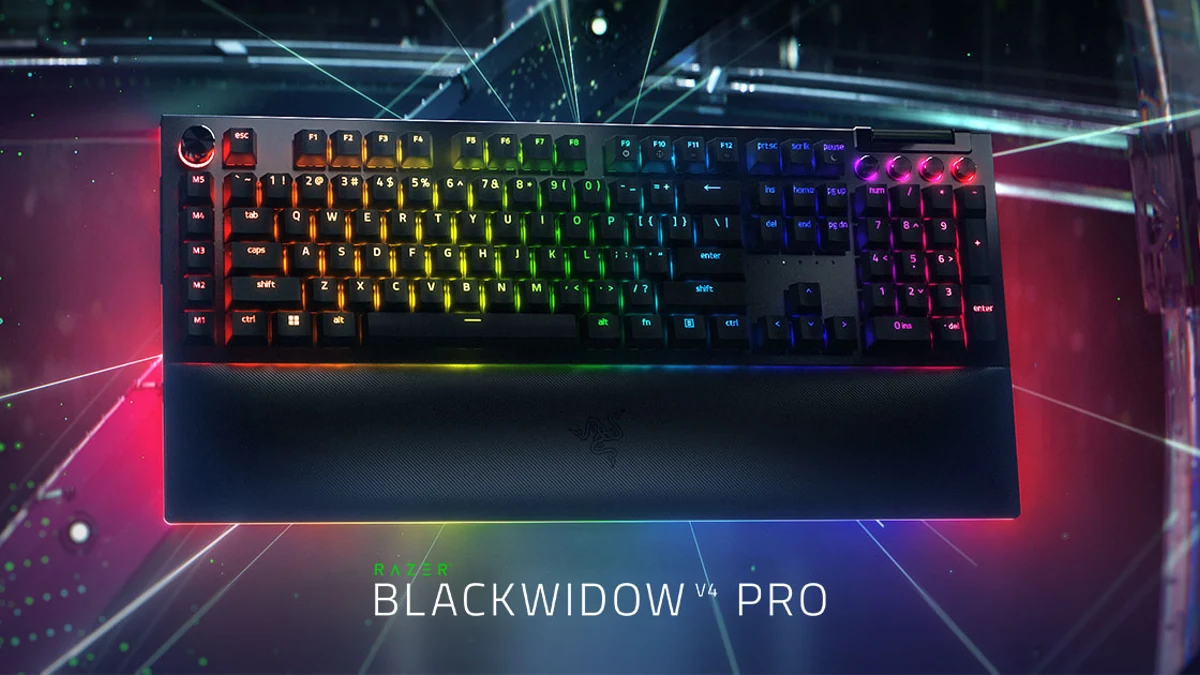
Three terms define the anatomy of every mechanical keyboard switch:
- Stem
- The moving part that travels inside the housing when a key is pressed. Stem shape controls whether the switch produces a tactile bump, a click bar snap, or neither.
- Spring
- Coiled beneath the stem, the spring determines how much force the finger must apply to reach the actuation point. Lighter springs require less effort; heavier springs increase resistance across full travel.
- Housing
- The outer shell that encases the stem and spring, guides travel direction, and influences the sound the switch produces on each keystroke. Housing material, from nylon to polycarbonate, affects both acoustics and typing feel.
A membrane keyboard uses a single continuous rubber dome layer instead of individual spring-loaded units. The membrane registers a keypress when the dome collapses fully, which means there is no distinct actuation point and no way to adjust or replace individual key mechanisms. Mechanical keyboard switches solve both limitations.
Linear Switches: Smooth and Consistent
A linear switch travels straight down without any tactile feedback or audible click, producing a smooth, consistent switch feel from top of travel to bottom. The stem moves in a straight, uninterrupted line: no bump, no snap, nothing to break the keystroke. Gateron describes their linear offerings as "comparatively noiseless switches with buttery-smooth actuation and a vertical pressing feel" and notes that these switches "don't provide any audible click or tactile feedback when triggered" (Gateron linear switch guide). That description maps accurately to every mass-market linear switch, regardless of brand.
The absence of tactile interruption is the defining characteristic. Fingers can repeat keystrokes rapidly because there is no bump resistance to overcome on each press. The actuation point sits at the same depth on every press, making the typing experience predictable for anyone who has developed a consistent keystroke depth.
Linear switches cover a wide range of applications, but some contexts suit them better than others:
- Competitive gaming: Smooth, uninterrupted travel allows rapid repeated key activations without tactile interference. Most tournament players favor light-actuation linears for this reason.
- Quiet office environments: Linear switches are inherently quieter than clicky variants. For near-silent operation, a silent switch version adds internal dampening pads that absorb both the downstroke and the upstroke, reducing sound to a soft thud.
- High-volume typists who bottom out: Writers who press keys all the way to the base plate find a linear switch comfortable because the travel is smooth throughout, with no mid-stroke bump to resist.
- Shared spaces: A silent switch linear is one of the few mechanical keyboard options that can coexist with a meeting or an open-plan desk without drawing complaints.
Tactile Switches: Feedback Without the Click
A tactile switch produces a physical bump mid-travel that confirms the keypress has registered, giving the writer or coder a typing experience that does not require bottoming out each key. The tactile bump is a deliberate resistance point engineered into the stem shape: as the stem descends, a small protrusion drags against the housing wall and then releases, creating a brief but distinct sensation at the actuation point. No click bar fires and no audible snap occurs; the feedback is entirely physical.

The tactile bump location varies slightly across different switch designs, but the functional effect is consistent. The finger registers the confirmation and can release the key immediately without pressing to the bottom. This shorter effective travel reduces finger movement per keystroke, which matters during long writing or coding sessions. A tactile switch also tends to be quieter than a clicky switch because there is no spring-loaded click mechanism to amplify sound, though louder than a silent switch linear.
Contexts where a tactile switch performs well:
- Long-form writing: Physical keystroke confirmation reduces typo rates for writers who have learned to trust the bump rather than rely on audio cues. The typing experience feels intentional, not accidental.
- Programming and IDE work: Precise key-by-key confirmation helps coders catch missed keystrokes without needing to watch the screen after every character.
- Mixed-use desks: A tactile switch handles the transition between typing tasks and gaming without requiring a switch swap. The bump is perceptible during deliberate typing but does not disrupt rapid gaming keystrokes the way a clicky switch can.
- Office environments with noise tolerance: The tactile switch sits between linear and clicky on noise output. At a normal keystroke force, the sound is acceptable in most office settings, especially with an o-ring dampener installed.
Clicky Switches: Audible Confirmation
A clicky switch pairs the tactile bump with a sharp audible click bar that snaps at the actuation point, making the keypress both felt and heard. The click mechanism uses a two-part stem design: a click jacket and a stem body that separate mid-travel, causing the click bar to snap outward and produce the characteristic sound. The result is a more pronounced tactile bump than a tactile switch delivers, combined with a clear audio cue that registers whether the key was fully actuated. Cherry MX Blue is the most widely recognized clicky switch design; Cherry's product documentation describes the audible-click mechanism as a deliberate engineering choice to provide clear keystroke feedback (CHERRY MX datasheet).
The switch feel of a clicky variant is more deliberate and satisfying for typists who enjoy auditory feedback as part of their workflow. The sound profile also acts as an inadvertent quality check: a missed actuation produces no click, so mistyped characters are easier to catch in rhythm.
Clicky switch use cases and their constraints:
- Dedicated home offices: A clicky switch rewards typists who value audio feedback and have no noise-sensitive neighbors at their workstation. The click sound is consistent and satisfying for long sessions.
- Typing enthusiasts and hobbyists: The pronounced tactile bump and click combination makes a clicky switch the preferred pick for keyboard enthusiasts who prioritize typing feel above everything else.
- Not recommended for shared workspaces: The click is audible at a distance and can disrupt colleagues in open offices or shared rooms. Video calls amplify the problem; microphones easily pick up the click noise even at moderate typing speeds.
- Not optimal for competitive gaming: The click mechanism adds a small amount of resistance at the actuation point that most gamers prefer to avoid. Rapid double-presses and fast key release are less fluid than with a linear switch.
Linear vs Tactile vs Clicky: Side-by-Side Comparison
The table below maps each mechanical keyboard switch type against the dimensions that matter most to buyers: switch feel, noise level, best use case, and upgrade flexibility. For context on how peripheral choices fit into a broader desk setup, the gaming monitor buying guide covers display pairing for gaming builds, and the CPU vs GPU for gaming and productivity comparison explains how component choices shape the rest of the peripheral stack.
| Switch Type | Switch Feel | Sound Profile | Best For | Hot-Swap Tip |
|---|---|---|---|---|
| Linear | Smooth and uninterrupted from top to bottom; no bump or snap | Quiet to near-silent (silent switch variants add dampening pads) | Gaming, fast typists, quiet offices | Most widely available in hot-swap boards; easiest to source replacements |
| Tactile | Physical bump at the actuation point; no click sound | Moderate; quieter than clicky, slightly louder than linear | Writing, coding, mixed typing and gaming | Compatible with hot-swap PCBs; swap for a heavier or lighter tactile variant to tune bump strength |
| Clicky | Tactile bump plus audible click bar snap at the actuation point | Loud; click is audible across a room at normal typing speed | Home office typing, keyboard enthusiasts | Hot-swap support allows switching away from clicky without board replacement if environment changes |
The Gateron switch selection guide groups buyers by feel preference first, then by environment, then by use case, which mirrors the table structure above (Gateron switch selection guide). Gateron's own lineup spans all three mechanical keyboard switch categories, with product datasheets available for buyers who want to compare specific variants within each type (Gateron product datasheets).
How to Choose the Right Switch for Your Needs
Choosing a mechanical keyboard switch comes down to three factors: the environment you type in, the tasks you prioritize, and whether you want the option to swap switches later. The ordered steps below walk through the decision in sequence. For buyers assembling a full workstation, the laptop vs desktop vs workstation setup comparison covers how keyboard choice fits into the broader desk configuration, and the gaming PC component guide addresses switch selection in the context of a gaming build.
- Assess your noise environment first. If you work in a shared office, open-plan space, or take video calls regularly, a clicky switch is the wrong starting point. A linear switch, and particularly a silent switch variant, keeps noise low enough to avoid complaints. A tactile switch is a middle-ground option for shared environments where some sound is acceptable. If you work alone in a private space, noise is not a constraint and any switch type is viable.
- Match switch type to your primary use case. Gaming as the main activity points toward a linear switch for smooth, fast actuation without tactile interruption. Writing, coding, or administrative work points toward a tactile switch for keystroke confirmation that does not require bottoming out. A clicky switch suits anyone who enjoys the auditory typing experience and treats the sound as signal rather than noise. Mixed use cases (gaming plus writing) tend to favor a tactile switch as the more versatile option across both activities.
- Check hot-swap support before purchasing switches separately. A hot-swap PCB allows pulling and replacing individual switches without a soldering iron, which means the choice made at purchase does not have to be permanent. If the keyboard lacks hot-swap support, the switch selection is a longer-term commitment and warrants more care. Buyers who are genuinely uncertain about their preferred typing experience should prioritize a hot-swap board to allow experimentation. The typing experience preference often shifts after extended use, and having the ability to swap helps avoid buying a second keyboard.
Switch feel preferences vary more than most first-time buyers expect. Typing test stations at local electronics retailers or specialty keyboard shops let buyers try linear, tactile, and clicky switches under realistic conditions before committing. Budget-conscious buyers can also purchase individual switch testers, which contain one of each type for direct comparison at the desk.
References
- Gateron: What's the Best Gateron Linear Switch for Mechanical Keyboards
- Gateron: Which Gateron Switch Should I Choose
- CHERRY MX2A Silent Red Data Sheet
- Gateron Product Datasheets
Further reading
Frequently Asked Questions
Does switch type affect how quiet a keyboard is?
Yes. Linear and tactile switches are noticeably quieter than clicky switches because they omit the audible click bar. If office noise is a concern, linear switches are the quietest option; silent-variant linears add dampening pads for near-silent keystrokes. Clicky switches are consistently louder and can be disruptive in shared workspaces.
Which switch type is best for gaming?
Linear switches are the most popular choice for gaming because their smooth, uninterrupted travel lets you actuate keys rapidly without a tactile bump interrupting fast double-presses. Most competitive players prefer light-actuation linears. Tactile switches work for mixed gaming and typing use; clicky switches are rarely chosen for competitive play due to audible distraction in team voice chat.
Can you swap switches on any mechanical keyboard?
Only if the keyboard has a hot-swap PCB. Hot-swap sockets let you pull and replace individual switches without soldering. Standard keyboards require desoldering the existing switches before installing new ones, which needs a soldering iron and basic skill. Check the keyboard spec sheet or product listing for hot-swap support before purchasing switches separately.