A gaming PC build is a modular performance system that combines discrete GPU, CPU, DDR5 memory, and NVMe storage into a platform matched to a target resolution and refresh rate. The right parts list is not a universal ranking; it is a function of the resolution tier you play at, the refresh rate of your monitor, and where the bottleneck moves as those two variables change. A graphics processing unit (GPU) controls how many frames the system can paint at 1440p and 4K, while a central processing unit (CPU) dominates minimum frame rates at high-refresh 1080p in titles that lean on simulation, draw calls, or physics.
This article anchors every component pick to a resolution tier, names current parts from NVIDIA, AMD, Intel, Corsair, Kingston, and Western Digital with vendor specifications, and closes with a budget gaming PC parts list under $800 that prioritizes frame rate performance over feature checkboxes. Readers unsure a desktop build suits their workload can first compare desktops with laptops and workstations.
How to Pick Gaming PC Parts: Resolution-Tier Framework
Gaming PC parts selection at the CPU layer comes down to two current desktop families: the AMD Ryzen 9000 series on socket AM5 and the Intel Core Ultra 200S series on socket LGA 1851. Both support DDR5 memory and PCIe 5.0 lanes, so platform compatibility for storage and graphics is parity. The picks below map to the resolution tier the central processing unit will most often run with.
| Resolution tier | CPU pick | Cores / threads | Why it fits |
|---|---|---|---|
| High-refresh 1080p | AMD Ryzen 7 9800X3D | 8 / 16 | 3D V-Cache raises minimum frame rates in CPU-bound esports and simulation titles. |
| 1440p balanced | AMD Ryzen 7 9700X or Intel Core Ultra 7 265K | 8 / 16 or 20 / 20 | Mid-tier 8-core silicon avoids GPU bottleneck headroom waste at 1440p. |
| 4K premium | AMD Ryzen 9 9900X or Intel Core Ultra 9 285K | 12 / 24 or 24 / 24 | GPU is the limiter; the extra cores cover streaming, capture, and background loads. |
| Budget gaming PC | AMD Ryzen 5 9600X | 6 / 12 | Six modern cores hold playable minimums at 1080p and 1440p under $300. |
A thermal design power (TDP) figure of 65 W to 170 W across these parts dictates cooler class: 65 W chips run on a competent dual-tower air cooler, while 170 W flagships ask for a 240 mm or 280 mm liquid cooler. For a fuller comparison that includes content-creation workloads, see Best CPU for Productivity and Gaming.
Best GPU Picks for Gaming
The graphics processing unit is the single component that most directly maps to the tier. The current generation pits the NVIDIA RTX 50 series, based on the Blackwell architecture and starting at $299 according to NVIDIA's launch announcement, against the AMD Radeon RX 9000 line on the RDNA 4 architecture. NVIDIA holds a feature lead in ray tracing and DLSS frame generation, while AMD competes on raster performance per dollar at 1440p.
| the target resolution | GPU pick | Target frame rate | Notes |
|---|---|---|---|
| High-refresh 1080p | NVIDIA RTX 5060 or AMD Radeon RX 9060 | 144 to 240 fps in esports | Mid-range silicon paired with a strong CPU. Ray tracing kept off for competitive titles. |
| 1440p balanced | NVIDIA RTX 5070 or AMD Radeon RX 9070 | 100 to 165 fps in modern AAA | Sweet spot for 1440p gaming. DLSS or FSR upscaling covers the heaviest ray tracing loads. |
| 4K premium | NVIDIA RTX 5080 | 60 to 120 fps at 4K with DLSS | Required for sustained 4K gaming with ray tracing enabled in most current titles. |
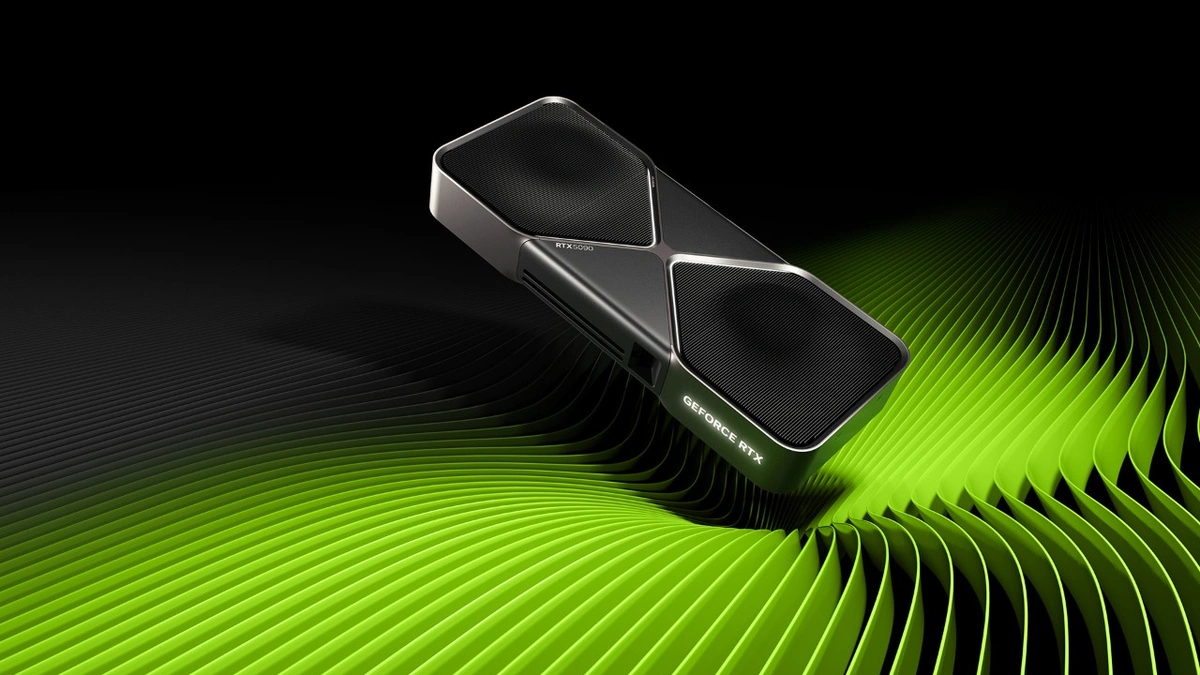
| Halo / flagship | NVIDIA RTX 5090 | 120+ fps at 4K, native 8K capable | Reserved for ultra-wide, multi-monitor, or VR setups where the budget is uncapped. |
According to NVIDIA's GeForce RTX 50 series product page, Blackwell adds neural rendering and a fifth-generation Tensor core that pushes DLSS 4 frame generation. Pick the GPU first, then size every other component to the GPU tier; a 4K card behind a budget gaming PC chassis throttles before it reaches its advertised frame rate performance.
DDR5 Memory: Capacity and Speed by Tier
DDR5 memory is the default class for every new gaming PC build on AM5 and LGA 1851 sockets; DDR4 is only a sensible choice when reusing an older motherboard. Both Intel and AMD desktop platforms hit a documented sweet spot around 6000 MT/s on a two-stick kit, where latency, bandwidth, and platform compatibility align without manual overclocking.
- 32 GB at 6000 MT/s, CL30 is the gaming sweet spot for 1440p and 4K builds. The Corsair Vengeance 32 GB (2x16 GB) DDR5-6000 C30 kit is a stocked reference part with vendor-published timings.
- 32 GB at 6400 MT/s from the Kingston Fury Beast DDR5 line is a comparable alternative on Intel Core Ultra platforms that tolerate higher data rates on a single rank.
- 16 GB at 5600 MT/s is the floor for a budget gaming PC at 1080p; below this, modern titles begin to stutter on texture streaming.
- 64 GB is overkill for pure gaming and should only be specified when the same build doubles as a streaming, video, or simulation workstation.
Verify the kit on the motherboard's qualified vendor list before ordering; DDR5 memory training can fail on early BIOS revisions, and platform compatibility on socket AM5 in particular has improved across AGESA updates rather than at launch.
Best NVMe SSD Picks for Gaming Storage
Gaming PC components at the storage layer have converged on the PCIe 4.0 NVMe SSD class. PCIe 5.0 drives exist and post higher sequential numbers, but in-game load time differences against a fast PCIe 4.0 NVMe SSD are inside the margin of error in most titles. Capacity now matters more than raw transfer rate, since modern AAA installs routinely exceed 100 GB.
- WD Blue SN5000 2 TB, a PCIe 4.0 NVMe SSD with sequential reads up to 5,150 MB/s per Western Digital's product page, is the value pick for a primary game library drive.
- SanDisk Extreme M.2 NVMe PCIe SSD, listed on Western Digital's SanDisk product page, is an alternative when the build prioritizes brand availability at retail.
- PCIe 5.0 NVMe SSD upgrades are an option only for content creators moving large media files; for pure gaming, the load time uplift over a current PCIe 4.0 NVMe SSD does not justify the price or the added M.2 heat output.
Power Supply and Case: What the GPU Tier Dictates
The power supply unit and case are not afterthoughts; they are sized directly off the GPU tier and the CPU's thermal design power. NVIDIA's RTX 50 series flagships pull through the new 12V-2x6 PCIe 5.0 connector, which requires an ATX 3.0 PSU to deliver clean transient response under load. Undersizing the PSU is the most common cause of black-screen crashes on a fresh gaming PC build.
- 650 W 80 Plus Gold ATX 3.0 PSU for a competitive 1080p build with an RTX 5060 or Radeon RX 9060 and a 65 W CPU.
- 750 W to 850 W 80 Plus Gold ATX 3.0 PSU for a 1440p build with an RTX 5070 or Radeon RX 9070 paired with an 8-core 105 W CPU.
- 1000 W 80 Plus Gold or Platinum ATX 3.0 PSU for a 4K build using an RTX 5080 with native PCIe 5.0 connector, leaving transient headroom for spikes.
- Case airflow should provide three intake fans and one exhaust at minimum for any build with a GPU over 200 W thermal design power; mesh front panels outperform tempered-glass fronts by a measurable margin in GPU hotspot temperatures.
The resolution tier framework keeps the PSU calculation honest: a 4K GPU plus a 170 W CPU draws roughly 500 W at the wall under sustained load, so a 1000 W unit operates near its peak efficiency band rather than its rated ceiling. Premium GPU price points have widened the gap between budget and flagship gaming PC builds, which makes PSU and case sizing the deciding factor in whether a build delivers its rated frame rate performance.
Budget Gaming PC: Best Parts Under $800
A budget gaming PC under $800 in parts can deliver playable 1080p and entry 1440p performance when the GPU receives roughly 40 percent of the bill of materials. The list below pairs a six-core CPU with a mid-range GPU, 16 GB of the DDR5 kit at 5600 MT/s, a 1 TB the PCIe SSD, and a 650 W ATX 3.0 PSU; it sacrifices ray tracing headroom and 4K capability in exchange for cost-effective components that hold playable minimum frame rates.
| Component | Budget pick | Approximate price |
|---|---|---|
| CPU | AMD Ryzen 5 9600X (6 cores) | $240 to $280 |
| GPU | NVIDIA RTX 5060 or AMD Radeon RX 9060 | $280 to $330 |
| Motherboard | B650 (AM5) ATX | $140 to $180 |
| DDR5 | 16 GB (2x8 GB) at 5600 MT/s | $55 to $75 |
| NVMe SSD | WD Blue SN5000 1 TB PCIe 4.0 | $70 to $90 |
| PSU | 650 W 80 Plus Gold ATX 3.0 | $80 to $110 |
| Case | Mesh-front mid-tower with 3 intake fans | $60 to $90 |
The value per watt on this configuration is favorable because both the mid-range GPU and the six-core CPU sit in the 65 W to 145 W thermal design power band, so the 650 W PSU operates near its efficiency peak. Frame rate performance lands around 90 to 140 fps at 1080p high settings in current AAA titles and 60 to 90 fps at 1440p with upscaling enabled. Upgrading the GPU one tier (to an RTX 5070) when budget allows is the single change that lifts this build into balanced 1440p territory without re-spending on platform compatibility.
Further reading
Frequently Asked Questions
How do I build a gaming PC on a budget ?
Select a mid-range GPU matched to 1080p or 1440p targets, pair it with a six-core-or-higher CPU, 16 GB of the DDR5 kit. A NVMe drive to stay under $800 without surrendering playable frame rates. Prioritize the GPU budget first, since it controls frame rate performance at target resolution, then allocate the remainder to CPU, memory, and storage in that order.
Is it better to build or buy a prebuilt gaming PC ?
Building your own gaming PC typically delivers 15-25% more performance per dollar at equivalent price points, while prebuilts trade that value gap for assembly convenience and bundled warranties. If component compatibility and assembly time are constraints, a prebuilt from a reputable integrator is a defensible choice; builders willing to spend two to three hours on assembly almost always get more hardware for the same spend.
Do I need DDR5 for a gaming PC ?
DDR5 is the default memory class for all new platform launches . Making it the correct choice for any fresh gaming PC build on current Intel or AMD desktop platforms. DDR4 remains viable only if you are upgrading components within an older platform rather than building from scratch; on a new socket, DDR4 is not supported.