A portable gaming console is a self-contained handheld device that integrates a display, processor, and controls into a single unit designed for on-the-go play. Unlike a home console such as a PS5 or Xbox Series X, which requires a TV and mains power, it runs on battery and delivers the complete gaming loop from a single handheld unit. The question for most buyers is not whether the category works; the hardware has matured considerably. The question is which device fits the specific library access model and form factor a buyer already lives with.
What a Portable Gaming Console Is and Who It Is For
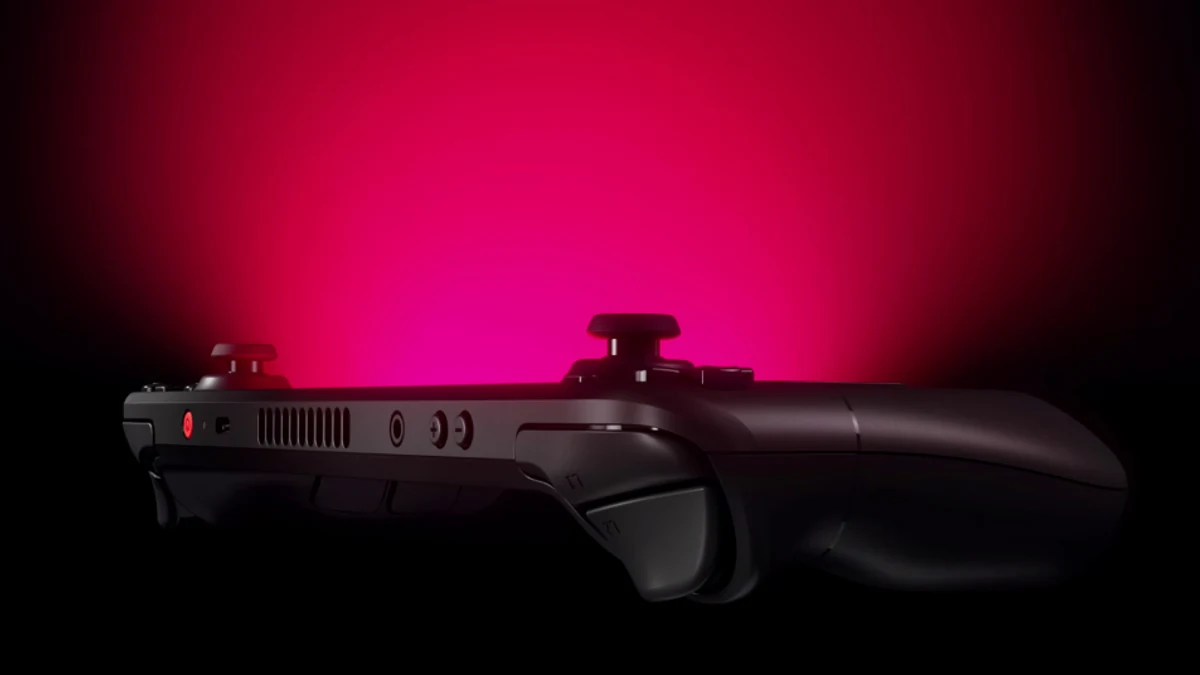
A portable gaming console integrates a mobile system-on-chip, a built-in display panel, and physical controls into a handheld form factor that operates independently of a TV or wall socket. This is the hardware category that separates handheld gaming from cloud streaming clients and from home consoles that require a television. The gaming hardware market recognizes four devices as primary contenders in this segment: Nintendo Switch OLED, the Steam Deck (available in LCD and OLED variants), and PlayStation Portal.
Two buyer profiles drive the majority of purchases. The first is a player who wants a primary gaming device they can carry to work, travel with, or use without claiming the living room TV. The second is a player who already owns a home console and wants a secondary handheld that extends their existing library. Each profile maps to a different hardware recommendation, and the right answer changes based on whether the buyer has an existing Steam library, a PS5, or no prior gaming platform at all.
Game engine choice by developers shapes which titles reach portable hardware. Unity is the primary engine behind most Switch ports via Nintendo's platform module, while Valve's device runs the broader Steamworks catalog through Proton regardless of which engine was used in development. Understanding that distribution dynamic matters before committing to a device. For a deeper look at how engine selection affects the VR and handheld title pipeline, see the analysis of Unity vs Unreal Engine for VR Games.
Hardware Specifications Compared
Every portable gaming console on the market makes a different engineering trade-off between raw compute, display panel quality, battery capacity, and chassis weight. The table below covers the four primary devices across nine hardware axes. PlayStation Portal does not run games locally; its specifications describe a streaming client only, not an independent compute platform.
| Specification | Switch OLED | Deck LCD | Deck OLED | PS Portal |
|---|---|---|---|---|
| System-on-Chip | Nvidia Tegra X1+ (ARM Cortex-A57/A53, Maxwell GPU) | AMD Zen 2 + RDNA 2 (8 CUs) | AMD Zen 2 + RDNA 2 (8 CUs, optimized node) | Qualcomm streaming SoC (no local execution) |
| CPU Cores | 8-core (4x A57 + 4x A53) | 8-core Zen 2 | 8-core Zen 2 | N/A (streaming client) |
| RAM | 4 GB LPDDR4 | 16 GB LPDDR5 | 16 GB LPDDR5 | N/A |
| Display Panel | 7-inch OLED | 7-inch LCD | 7.4-inch OLED | 8-inch LCD |
| Native Resolution | 720p | 800p (1280x800) | 800p (1280x800) | 1080p |
| Refresh Rate | 60 Hz | 60 Hz | 90 Hz | 60 Hz |
| Battery Capacity | 4310 mAh | 40 Wh | 50 Wh | ~4500 mAh |
| Weight | 420 g (with Joy-Cons) | 669 g | 640 g | 529 g |
| FSR / Upscaling | No (Tegra X1+ lacks FSR/DLSS) | AMD FSR 1.0/2.0 | AMD FSR 1.0/2.0 | N/A |
The Tegra X1+ in the Switch OLED predates hardware ray tracing and AMD FidelityFX Super Resolution support. Frame rate on first-party Switch titles is typically locked at 30 or 60 fps; the GPU cannot push frame rate higher through upscaling the way Valve's device can. The RDNA 2 architecture in Valve's handheld supports AMD FidelityFX Super Resolution, which allows frame rate to recover at lower render resolutions. Vendor specifications are available at Nintendo's hardware spec page and Valve's technical spec page.
Battery Life and Thermal Management
Battery life is the primary practical constraint on any handheld console used as a travel device, and the variance across these four options is wider than marketing figures suggest. Real-world play differs significantly from rated capacity, particularly when TDP (thermal design power) limits interact with display brightness and workload intensity.
The RDNA 2 system-on-chip in Valve's handheld throttles when back-vent skin temperature crosses its threshold; users can monitor and cap TDP manually through the SteamOS overlay, a control not available on the Switch or PlayStation Portal. Reducing TDP from the default 15W to 8-10W with FSR enabled can recover significant runtime at the cost of peak frame rate. Charging follows USB-C Power Delivery negotiation between the handheld and the brick, so the charger's rated profile decides whether the battery gains charge during play. For context on how peripheral accessories such as portable battery packs interact with USB-C power delivery on handheld gaming devices, see the Gaming Peripherals Comparison Guide.
- Nintendo Switch OLED: 4.5 to 9 hours depending on title. First-party titles such as The Legend of Zelda series and Mario franchise draw less GPU load and reach the upper range. Battery life becomes irrelevant in docked mode, which draws from AC power.
- Steam Deck LCD: 2 to 8 hours. AAA titles at 60 fps at default 15W TDP drain in 2 to 3 hours. Reducing TDP to 8-10W with FSR enabled extends runtime to 4 to 6 hours.
- Steam Deck OLED: 3 to 12 hours. The 50 Wh cell and more power-efficient OLED panel deliver 4 to 6 hours of typical gaming at 10 to 12W TDP, with lighter titles approaching the upper bound.
- PlayStation Portal: Battery life of approximately 6 hours quoted, but actual duration depends on Wi-Fi rendering workload and PS5 host state. Local GPU load is minimal; network bandwidth and the screen drive consumption instead.
Game Library Depth and Ecosystem Access
Each handheld console in this comparison operates a distinct game library access model, and the model a buyer inherits shapes their purchase decision as much as any hardware specification. Choosing the wrong ecosystem means re-purchasing titles or losing access to games already owned.
Switch OLED connects to approximately 10,000 titles on the Nintendo eShop. The case for the Switch rests on Nintendo exclusives: The Legend of Zelda series, the Mario franchise, Pokemon, and Metroid are hardware-locked with no path to PC or other consoles. Buyers who want those titles have no alternative platform. Valve's device provides access to the full Steam catalog of more than 50,000 titles through the Proton compatibility layer. Valve's Deck Verified program classifies titles as Verified, Playable, Unsupported, or Unknown. Most top-100 Steam titles carry Verified or Playable ratings, and major competitive titles using Easy Anti-Cheat or BattlEye are now Proton-compatible. Proton compatibility does not require re-purchasing PC games; any title already in a Steam library runs on the device without modification. PlayStation Portal does not expand the PS5 game library at all. It streams any PS5 title the user already owns via Remote Play, and a PS5 console and account for PlayStation is required. Streaming requirements are documented on the PlayStation Portal Remote Player product page.
Ranked by independent library breadth:
- Steam Deck (LCD and OLED variants): 50,000+ titles via Proton compatibility, no re-purchase required for existing Steam libraries.
- Nintendo Switch OLED: 10,000 titles including a catalog of Nintendo exclusives unavailable on any other platform.
- PlayStation Portal: No independent game library; dependent entirely on the buyer's existing PS5 game collection and a stable Wi-Fi connection.
Buyers who have already shortlisted these two devices and want a situational decision framework rather than a full-spectrum survey should read How To Choose Between Steam Deck And Nintendo Switch.
Portability, Weight, and Ergonomics
Choosing the right handheld gaming console means assessing how its handheld form factor fits into daily carry. Valve's handheld is the widest device at 298mm and thickest at 49mm. The Switch OLED is the most compact in handheld mode at 242mm wide. Weight differences between devices are large enough to affect extended play sessions meaningfully.
Docked mode is available on the Switch OLED and Valve's device but not PlayStation Portal. The Switch OLED includes a dock in-box that connects to a TV via HDMI. Valve's device requires a separate USB-C dock or hub; an official option is available, but any USB-C hub with DisplayPort output works. PlayStation Portal does not dock to a TV; it streams to its own screen while the PS5 handles the TV connection separately. For a direct comparison of PS5, Xbox Series X, and Nintendo Switch as home consoles, see Playstation 5 vs Xbox Series X vs Nintendo Switch Features.
Grip ergonomics differ across the devices. Valve's handheld has full-size thumbsticks and physical trackpads designed for extended sessions. Switch Joy-Cons use smaller thumbsticks better suited to shorter play periods. PlayStation Portal uses DualSense-derived grips that most PS5 players will recognize immediately.
- Nintendo Switch OLED
- 420 g with Joy-Cons (275 g as Switch Lite). Compact handheld form factor with smaller thumbsticks suited to shorter sessions or players with smaller hands.
- LCD model (Valve's handheld)
- 669 g. Widest and heaviest in the comparison; full-size thumbsticks and trackpads reward longer sessions but add noticeable weight during transit.
- OLED model (Valve's handheld)
- 640 g. Slightly lighter than the LCD model due to display and battery cell changes; otherwise identical ergonomic layout.
- PlayStation Portal
- 529 g. DualSense-derived grip design is familiar to PS5 users; does not support TV output independently.
How to Choose the Right Portable Gaming Console for Your Profile
The right portable gaming console depends on library access, battery life requirements, and whether the buyer needs standalone compute or is willing to tether to an existing console. The five profiles below map each buyer type to a single device with reasoning grounded in the hardware and ecosystem constraints covered above. Each recommendation follows from specification, not preference.
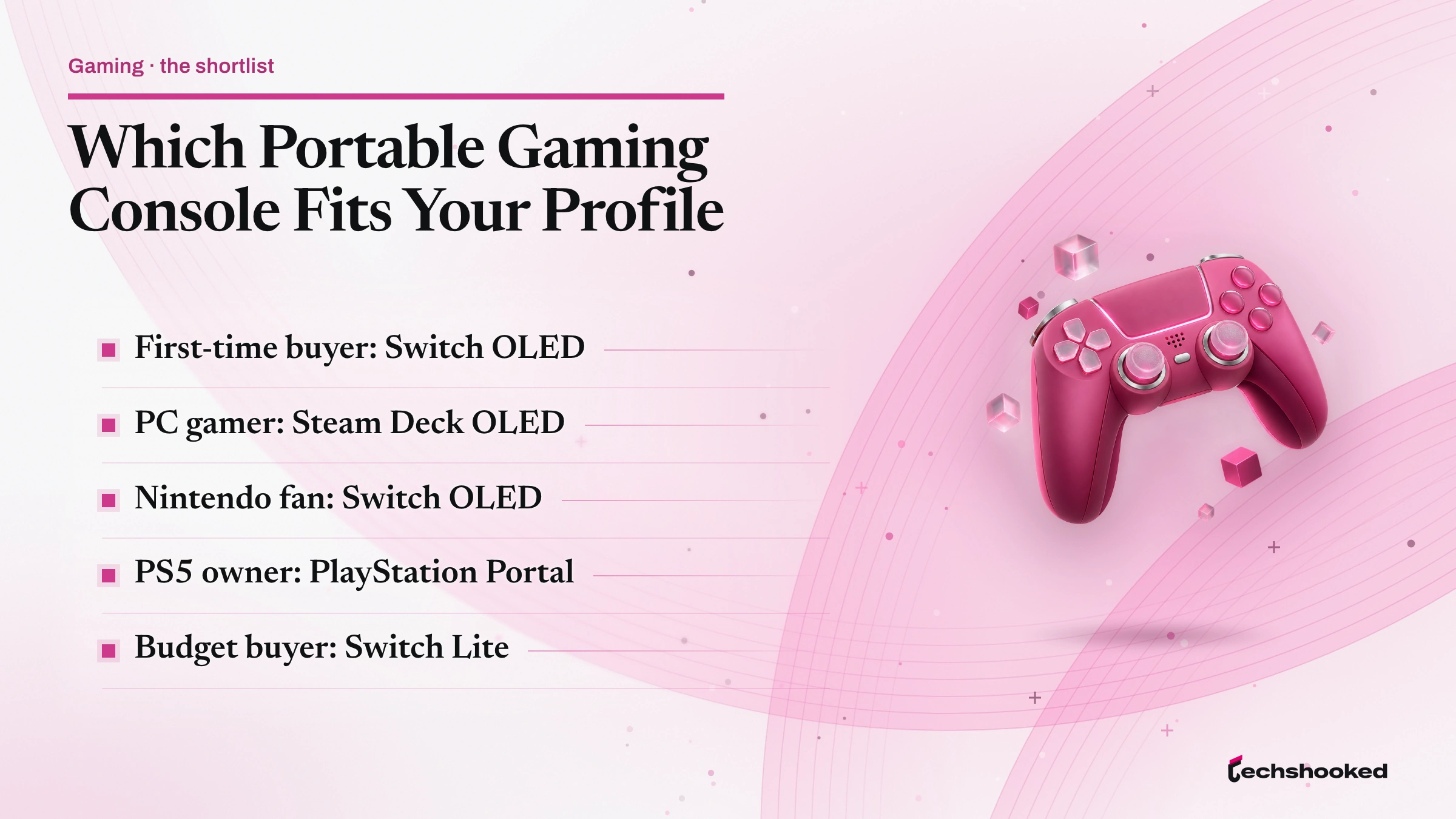
- First-time handheld buyer with no existing PC or console library: Nintendo Switch OLED. At $349, it offers the lowest entry cost among full-featured models, the broadest family-accessible catalog, and a Joy-Con dock arrangement that doubles as a home console setup. No prior library is lost because there is no prior library to consider.
- PC gamer with an existing Steam library: Steam Deck OLED. Proton compatibility activates every owned Steam title at no additional cost. The 50 Wh battery cell and OLED panel deliver the best play-session endurance among the two Valve variants. Handheld gaming continues the same library without requiring a separate ecosystem.
- Nintendo franchise player who wants first-party titles: Nintendo Switch OLED. Nintendo exclusives have no alternative platform path. The Zelda series, Mario franchise, and Pokemon catalog are available only on Switch hardware. No other device in this comparison carries those titles.
- PS5 owner who wants portable access to their existing console library: PlayStation Portal. It streams any owned PS5 title in 1080p at 60 Hz over Wi-Fi without requiring additional game purchases. Battery life of approximately 6 hours covers most travel sessions. The device is not suitable as a standalone platform; it requires the PS5, a PSN subscription, and a minimum 5 Mbps connection.
- Budget-constrained buyer who only needs handheld mode: Nintendo Switch Lite at $199. Removing the TV-docking rail produces the lightest option at 275 g and the lowest price point. Game library access mirrors the standard Switch, including all Nintendo exclusives. Docked mode is unavailable and Joy-Con controllers do not detach, but for a buyer who wants handheld gaming and needs to minimize hardware spend, the Lite removes features rather than compromising core gaming performance.
Buyers weighing whether a portable console or a budget desktop PC better fits their total hardware spend can compare cost and performance trade-offs in the Building A Budget Gaming PC: Best Components guide. Buyers exploring network-dependent play beyond PlayStation Portal should see the Cloud Gaming Platforms Comparison for a survey of streaming-first services.
Further reading
- Unity vs Unreal Engine for VR Games: how engine choice shapes which titles reach portable hardware
- Gaming Peripherals Comparison Guide: cases, battery packs, and docks that extend the portable gaming setup
- Best Mobile Streaming Apps for Phones: Live TV, Downloads, and Creator Tools
- Streaming Thumbnail Design: How to Create Thumbnails That Drive Clicks