
A mobile streaming app is a software platform that delivers live or on-demand video content directly to a smartphone or tablet over a cellular or Wi-Fi connection.
That single definition covers territory as different as watching a live NFL game through YouTube TV, downloading a Netflix series for an offline flight, and broadcasting your own gaming session to Twitch from a parking lot. Each use case runs on a distinct technical stack and pricing model. The category that matters depends entirely on whether you are the audience or the broadcaster.
What Mobile Streaming Apps Actually Do
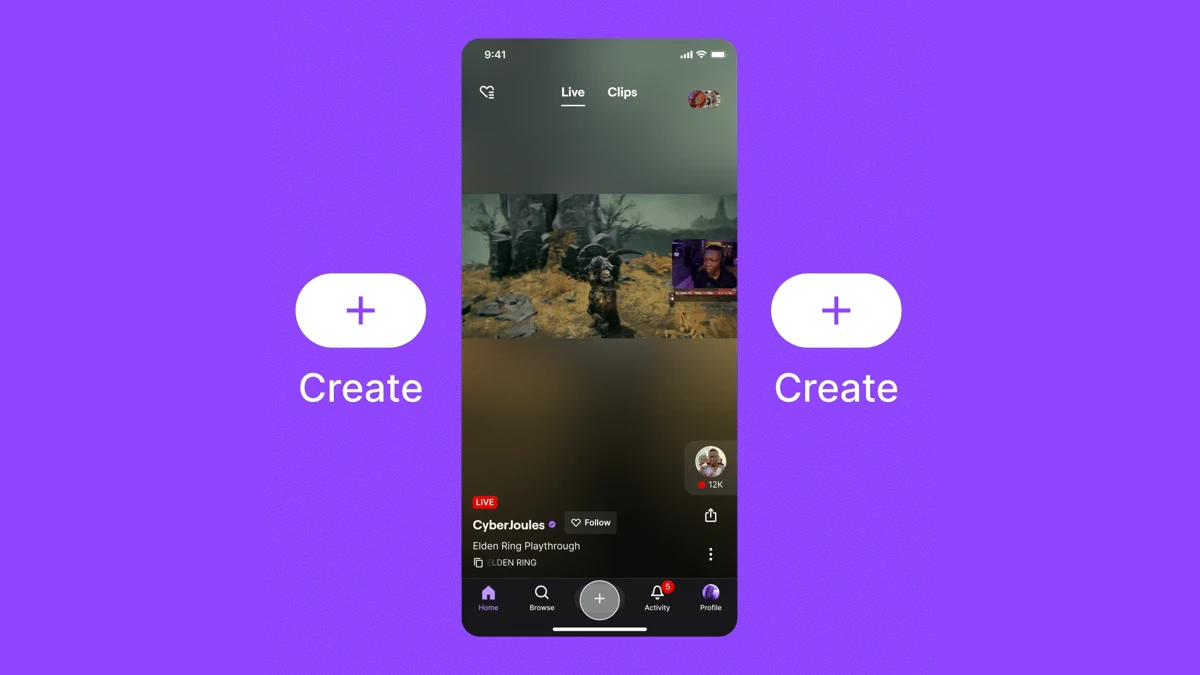
OneStream Live and NDI Camera serve creators who want to broadcast from a phone rather than consume content on one. OneStream Live is a mobile camera broadcasting platform that supports multistream output to 45 or more destinations simultaneously, including YouTube, Twitch, Facebook Live, and custom RTMP destination endpoints for private servers or CDN ingest points (OneStream Live on the App Store). The app requires iOS 13.4 or later. NDI Camera turns an iPhone or iPad into a network video source using the NDI (Network Device Interface) protocol, which sends the camera feed to a receiving system on the same local network rather than over the public internet. Both apps fit scenarios where a phone replaces a traditional camera-plus-encoder rig. The ordered steps below reflect the typical mobile camera broadcasting workflow for a creator going live with OneStream Live.
- Open OneStream Live and sign in to your account.
- Tap "New Stream" and select "Mobile Camera" as the input source.
- Add your multistream destinations (YouTube, Twitch, Facebook, or a custom RTMP destination).
- Configure resolution, bitrate, and real-time RTMP ingest settings for each destination.
- Tap "Go Live" to begin the broadcast; OneStream encodes and pushes the feed simultaneously to all selected endpoints.
- Monitor stream health indicators on-screen; adjust bitrate if the upload connection degrades.
For creators who prefer desktop encoding software alongside mobile camera input, the comparison of OBS, Streamlabs, and XSplit for desktop streaming covers how those tools handle remote camera sources.
How to Match the App to Your Use Case
Choosing the right mobile streaming app depends on whether you are consuming content, recording it for later, or broadcasting to an audience. The three use cases share a category name but diverge on every technical dimension: bandwidth direction, storage requirements, subscription structure, and OS minimums. The ordered list below maps primary goals to the appropriate streaming platform or app type.
- Cable replacement for live TV streaming: YouTube TV or Xfinity Stream. YouTube TV suits subscribers without an existing cable provider; Xfinity Stream adds value only if you already pay for Xfinity internet service.
- On-demand viewing and offline downloads during travel: Netflix on an ad-free plan for up to 100 active downloads per device, or Apple TV+ for download-supported Apple Originals. Choose based on the content library, not the app.
- Mobile camera broadcasting to a single platform: The platform's own mobile app (YouTube Studio, Twitch, Facebook Live) handles this without a third-party tool and carries no additional subscription cost.
- Multistream broadcasting to multiple platforms at once: OneStream Live. The app's multistream engine handles real-time RTMP encoding and fan-out to 45 or more destinations in a single session.
- Local network camera feed for studio production: NDI Camera. Sends the phone's feed to OBS or another receiving system on the same LAN without consuming upload bandwidth to the public internet.
Mobile camera broadcasting to monetized channels introduces additional requirements around platform partner programs. The guide on monetizing live streams from mobile covers eligibility thresholds and revenue split structures for the main platforms. For audio-first creators, the podcast streaming technology setup guide covers the mobile audio workflow separately.
Platform Compatibility and Device Requirements
Each mobile streaming app enforces its own minimum OS version and device requirements that determine whether your phone can run it. Apple's TV app, which consolidates Apple TV+ and third-party streaming platform channels on iOS, requires a device running iOS 12.3 or later (Apple Support: Apple TV app device compatibility). The list below summarizes the minimum requirements for each app category discussed in this article.
- YouTube TV (Android and iOS): recent Android and iOS versions. Active downloads available on select on-demand titles only.
- Xfinity Stream (Android and iOS): Recent Android and iOS versions. Home network restriction applies to live TV on cellular connections for some package tiers.
- Netflix (Android and iOS): Recent Android and iOS versions. Offline download limits scale with plan tier.
- Apple TV+ via TV app (iOS): iOS 12.3 or later. Offline downloads available for all Apple Originals on active paid subscriptions.
- OneStream Live (iOS): iOS 13.4 or later for mobile camera broadcasting and multistream output.
- NDI Camera (iOS): Requires a receiving system on the same local network that supports a recent NDI version. No cellular streaming; LAN-only transport.
Android users should verify Google Play Store compatibility for their specific device model before purchasing a subscription, as manufacturer Android skins occasionally introduce streaming platform restrictions not present on stock Android builds.
References
- Apple Support: Apple TV app troubleshooting and device compatibility
- Apple Support: Stream video content on iPhone and iPad
- Apple App Store: OneStream Live
- Netflix Help: Download TV shows and movies to watch offline
Further reading
Frequently Asked Questions
What is the best mobile streaming app for iOS?
The best mobile streaming app for iOS depends on your goal. For live TV, YouTube TV offers 100+ networks with cloud DVR and no storage limit. For on-demand viewing and offline downloads, Netflix supports up to 100 active downloads per device on ad-free plans. For broadcasting your own content, OneStream Live requires iOS 13.4 or later and supports multistreaming to 45 or more destinations.
Can I stream games from my Android phone?
Yes, Android phones support game streaming through dedicated apps, though the specific app depends on whether you want to watch games or broadcast your gameplay. Xfinity Stream requires Recent Android versions and provides live TV including sports. Creator-focused apps such as OneStream Live let you use your phone camera to broadcast gameplay to multiple platforms simultaneously.
Are there free mobile streaming apps available?
Yes, some mobile streaming apps offer free content tiers. Xfinity internet subscribers can access free live streaming channels and on-demand content through the Xfinity Stream app at no additional cost. Netflix offers an ad-supported plan that includes limited offline downloads capped at 15 per device per calendar month. Fully free, no-subscription options typically carry advertising and cover fewer channels.
What equipment do I need for mobile streaming?
For consumer streaming, all you need is a compatible smartphone and a stable internet connection over Wi-Fi or cellular. For creator broadcasting with apps like OneStream Live or NDI Camera, a phone with a capable rear camera, a stable upload connection, and in the case of NDI Camera, a receiving system that supports a recent NDI version are required. External microphones and tripods improve production quality but are optional.