

A gaming desktop is a high-performance computing platform that delivers sustained frame rates, full component upgradeability, and higher thermal headroom than any portable equivalent.
The choice between a desktop gaming setup and a laptop gaming setup is rarely about raw specification sheets. It comes down to three interconnected tradeoffs: how much power the GPU can consume, how long the system sustains that power draw under load, and what the buyer can replace three years from now. Those three axes determine performance per dollar (PPD) over the ownership cycle, and they resolve differently for every buyer profile.
How the Two Platforms Differ at the Hardware Level
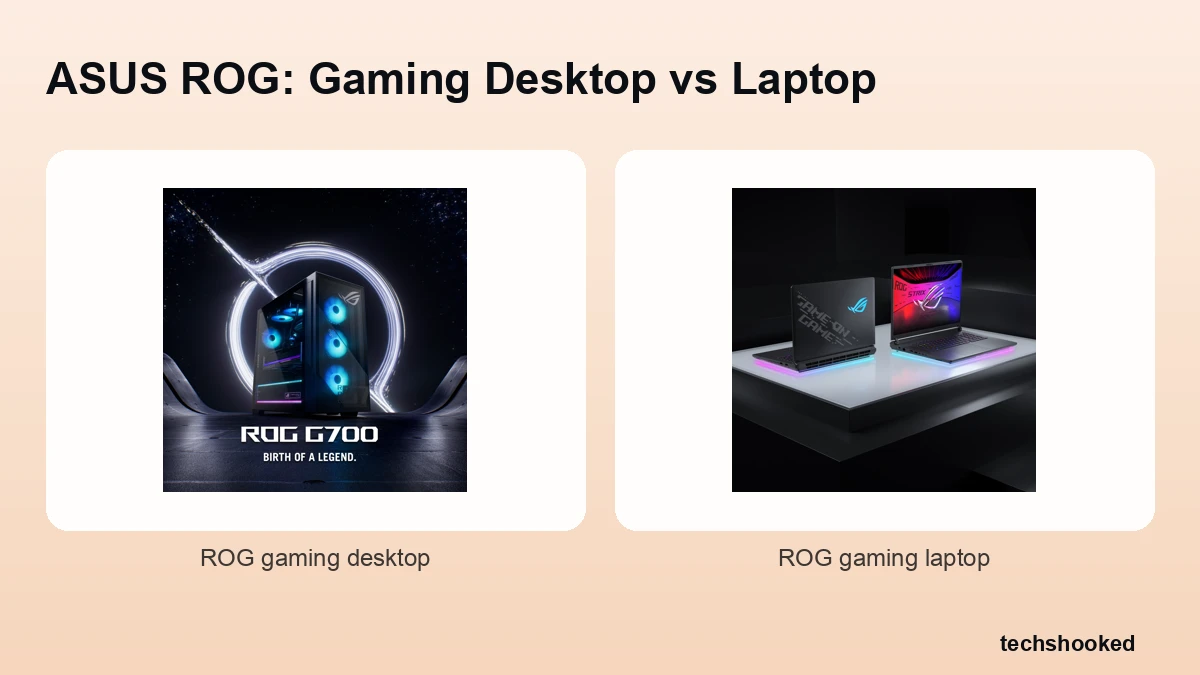
The fundamental split between a gaming desktop and a gaming laptop comes down to power budget and cooling volume. A desktop GPU operates at its full thermal design power (TDP) rating because the chassis has unrestricted airflow volume, dedicated fan arrays, and no battery chemistry to protect. Laptop GPUs run under a GPU power limit set by the system integrator, constrained by the slim chassis, the shared thermal module, and the battery's charge and discharge cycles. NVIDIA calls this architecture Max-Q, a design philosophy that scales GPU power limit downward to fit within a thin-and-light thermal envelope while preserving the desktop GPU's core silicon and feature set. The tradeoff is measurable: the same GPU die running at desktop TDP versus a Max-Q power limit can produce meaningfully different sustained frame rates in extended play sessions. For an in-depth look at the GPU tier that feeds desktop platforms, see the 4K gaming graphics card guide.
| Attribute | Gaming Desktop | Gaming Laptop |
|---|---|---|
| GPU power limit | Full TDP, set by GPU vendor spec | Reduced TDP, set by OEM thermal budget |
| Cooling volume | Large chassis, multiple fans, optional liquid | Shared heatpipe array, slim exhaust vents |
| Thermal design | Unrestricted airflow path | Battery compartment competes for airflow |
| Display | External monitor, user-selected | Integrated panel, vendor-specified |
| Portability | Tower or case requires dedicated space | Single bag carry with display included |
| Component access | Full board access; most parts are swappable | RAM/storage only on most models |
Gaming Performance: Sustained Frame Rates and Thermal Throttling
Desktop gaming platforms maintain peak GPU wattage across hours-long sessions because chassis airflow is not constrained by a battery compartment or slim chassis. When a GPU hits its thermal ceiling during play, the driver drops clock speed to reduce heat, a process called thermal throttling. On a desktop, the cooling headroom is large enough that throttling rarely occurs under normal ambient temperatures. On a gaming laptop, thermal throttling is a routine design consideration: the GPU power limit is set conservatively to keep skin temperature and sustained acoustics within acceptable bounds, which means the clock speed ceiling is lower from the start.
The practical consequence shows up in benchmark deltas between desktop and mobile GPU variants. NVIDIA publishes both desktop and laptop configurations of its GeForce RTX 50 Series desktop graphics cards and its GeForce laptop GPU lineup, and the power envelope difference between desktop and mobile variants of the same product family is substantial. A desktop-class GPU runs at its full rated wattage; the mobile variant of the same chip runs at a fraction of that in a thin chassis. Sustained frame rate deltas widen as session length increases, because the laptop's thermal throttling compounds over time while the desktop maintains steady cooling headroom.
Key performance factors that separate the two platforms in extended play:
- Cooling headroom: Desktop cooling volume absorbs heat spikes without triggering thermal throttling; laptop cooling operates closer to its ceiling at all times.
- Power delivery: A desktop draws from wall power with no battery buffer; GPU power limit is not shared with a charging circuit.
- Sustained frame rate stability: Desktop frame rate variance across a two-hour session is lower than equivalent laptop hardware under the same workload.
- Acoustic headroom: Desktop fans run at lower RPM per unit of heat removed because they are physically larger, which keeps noise lower during sustained gaming.
Performance Per Dollar: Where Each Platform Wins
At every mainstream budget tier, a gaming desktop delivers more performance per dollar than a comparably priced gaming laptop. The cost differential comes from two structural factors: laptops bundle a display, battery, chassis engineering, and thermal management into the price, while a desktop concentrates the budget in the silicon and power delivery. A mid-range GPU tier desktop build allocates a higher share of its total cost to the discrete GPU and RAM than a laptop at the same price can afford to.
The PPD gap is widest at the entry and mid tiers, where manufacturing margin on laptop chassis and display engineering consumes a larger portion of the retail price. At the high end of the gaming laptop price bracket, the gap narrows because premium laptop SKUs use higher-TDP GPU configurations and more aggressive cooling, though they still cannot match the full-TDP output of a desktop GPU at an equivalent or lower price. AMD's mobile processor architecture, first detailed in the Ryzen H-series mobile platform announced at CES 2020, demonstrated the engineering direction of converging CPU performance across desktop and mobile, but GPU power limits on the graphics processor subsystem power side have remained more divergent.
| Budget tier | Gaming Desktop advantage | Gaming Laptop advantage |
|---|---|---|
| Entry ($600-$900 range) | Higher GPU tier for the same spend | Integrated display; no monitor cost |
| Mid ($900-$1,400 range) | Full-TDP GPU; larger SSD and RAM | Portability; single-device workflow |
| High ($1,400+ range) | Liquid cooling options; full component access | Narrower PPD gap; premium panels |
Prices vary by region, configuration, and retailer. Verify current ranges directly on vendor and retailer sites before purchase, as GPU tier pricing shifts with each product generation.
Upgradeability and Long-Term Value
A gaming desktop is designed for iterative component upgrades, while a gaming laptop locks most hardware at the point of purchase. On a desktop, the GPU sits in a PCIe slot on an accessible motherboard. Swapping to a faster GPU tier in two or three years requires no soldering and no specialized tools beyond basic hand tools. CPU upgrades follow the same pattern within a socket generation, and storage and RAM are always swappable. The component upgrade cycle extends the useful life of the platform without replacing the full system.
A gaming laptop cannot offer the same path. The GPU is integrated into the system-on-package or directly soldered to the motherboard on all mainstream models. The soldered motherboard design is a deliberate tradeoff: it allows the chassis to be thinner and the thermal module to be tuned precisely for a single GPU TDP. The consequence is that a component upgrade is not possible for the graphics processor, and CPU upgrades are equally locked. RAM expansion is available on laptops that retain SODIMM slots, and NVMe storage is typically accessible via a maintenance panel. Beyond those two, the laptop's hardware profile is fixed at purchase.
- Gaming desktop: GPU, CPU, RAM, storage, PSU, and cooling are all individually replaceable over the system's life.
- Gaming laptop: RAM (if slotted) and storage are the only practical component upgrades post-purchase.
- Future-proofing gap: A desktop build from three years ago can receive a current-generation GPU; a three-year-old laptop cannot receive a GPU component upgrade of any kind.
- Resale dynamics: Desktop components hold separate resale value; a laptop depreciates as a unit, with no upgrade path to slow that curve.
Portability and Setup Flexibility
Gaming laptops earn their premium through portability: a single bag carries the entire setup, display included. That characteristic is not marginal for buyers who travel, commute, or attend LAN events regularly. A desktop gaming setup, regardless of how capable the hardware is, requires a dedicated physical space, a separate monitor, and a fixed power connection. The laptop gaming setup removes those constraints at the cost of GPU power limit and the component upgrade path described above.
Max-Q architecture, as defined by NVIDIA for its mobile GPU product line, is the engineering framework that makes portable gaming viable at higher GPU tiers. A Max-Q laptop can deliver playable frame rates at 1080p and 1440p in current titles while fitting in a bag that meets airline carry-on dimensions. The tradeoff against a desktop at the same price tier is real, but for a buyer whose primary constraint is location flexibility, it is the correct tradeoff. External monitor support via DisplayPort or HDMI also means a laptop can dock to a high-refresh panel at home, partially closing the display quality gap. The gaming monitor buying guide covers panel specifications for both docked laptop and dedicated desktop setups.
- LAN events: A gaming laptop is the only practical choice for competitive LAN play; a desktop tower is not portable gaming equipment.
- Travel and commute: Laptop gaming requires no secondary device; the display, audio, and input are self-contained.
- Dual-location workflows: A laptop paired with a docking station at home offers portable gaming without sacrificing monitor quality for desk sessions.
- Space-constrained living: A gaming laptop eliminates the need for a dedicated desk tower, a separate monitor, and the cable management that desktop gaming setups require.
AI Upscaling and Modern Rendering Features
Both gaming desktops and gaming laptops now ship with AI-accelerated upscaling that narrows the raw-resolution performance gap between the two form factors. NVIDIA's DLSS, AMD's FSR, and Intel's XeSS use dedicated tensor or shader cores to reconstruct a higher-resolution output from a lower-resolution rendered frame, which effectively increases frame rate without proportionally increasing GPU power draw. That matters for gaming laptops in particular, because AI upscaling allows the constrained GPU power limit to produce a visually competitive result against a desktop running at native resolution.
Intel's XeSS 3 technology extends upscaling to Arc-class and third-party GPU hardware, expanding access to neural rendering features beyond NVIDIA's proprietary ecosystem. The definitions below cover the primary AI upscaling technologies present in both desktop and laptop gaming hardware:
- DLSS (Deep Learning Super Sampling)
- NVIDIA's AI upscaling framework. Uses tensor cores on RTX-class GPUs to reconstruct high-resolution frames from lower-resolution inputs. Frame generation in recent DLSS versions adds interpolated frames to double or triple effective frame rate output, available on both desktop and Max-Q laptop hardware.
- XeSS (Xe Super Sampling)
- Intel's AI upscaling technology, supported on Arc GPUs and cross-vendor via a generic shader path. Recent XeSS versions add frame generation capability, bringing Intel's laptop and desktop Arc products closer to NVIDIA's DLSS feature parity.
- FSR (FidelityFX Super Resolution)
- AMD's open-source upscaling framework. Hardware-agnostic: runs on AMD, NVIDIA, and Intel GPUs, including gaming laptop hardware regardless of GPU vendor. Frame generation is available in recent FSR versions.
- Frame generation
- A rendering technique that inserts AI-synthesized intermediate frames between rendered frames, increasing perceived frame rate. Available through recent versions of DLSS, XeSS, and FSR. Particularly useful for gaming laptops where GPU power limit constrains native frame rate output.
Which Setup Should You Choose?
Choose a gaming desktop if sustained performance, long-term upgradeability, and performance per dollar are the primary criteria for your gaming setup. The desktop's structural advantages, full GPU power limit, unrestricted cooling headroom, and modular component upgrade paths, compound over time. A buyer who plans to keep the platform for four or more years will extract more total value from a desktop build than from a gaming laptop at the same initial price, because the GPU swap option extends the platform's relevance without a full replacement purchase.
Choose a gaming laptop if location flexibility is a non-negotiable constraint. The PPD gap is real, but it is not the only variable. A laptop gaming setup that travels to a LAN event, a second location, or a work site provides value that a desktop gaming setup structurally cannot. AI upscaling further narrows the visible frame rate gap in titles that support DLSS, XeSS, or FSR, making the laptop's lower GPU power limit less perceptible in practice than the raw wattage delta would suggest.
- Sustained competitive play at a fixed desk: Gaming desktop. Full-TDP GPU, no thermal throttling under sustained load, and a high-refresh external monitor of your choice.
- Travel, LAN events, or shared living spaces: Gaming laptop. Portable gaming in a single bag, with AI upscaling recovering frame rate performance relative to the GPU power budget.
- Budget-conscious buyers planning future upgrades: Gaming desktop. Entry-tier GPU now, component upgrade to a faster GPU tier in two years, without replacing the platform.
- Single-device productivity and gaming: Gaming laptop. The integrated display and battery make it the only viable choice when gaming and work happen on the same device in multiple locations.
- 4K or ultra-high-refresh gaming: Gaming desktop. At the display resolutions and refresh rates where GPU power limit matters most, a desktop-class GPU at full TDP consistently outperforms an equivalent mobile GPU under sustained load.
Neither platform is categorically superior. The decision resolves correctly when the buyer's primary constraint is identified first: if it is performance per dollar and upgrade path, the gaming desktop wins on both axes. If it is portability and location independence, the gaming laptop accepts the PPD tradeoff and delivers something the desktop cannot.
References
- NVIDIA GeForce RTX 50 Series Desktop Graphics Cards
- NVIDIA GeForce RTX 50 Series Laptop GPUs
- NVIDIA GeForce Laptop GPU Comparison
- Intel XeSS 3 Technology
- AMD Ryzen 4000 H-Series Mobile Processors (CES 2020 press release)
Further reading
Frequently Asked Questions
Do gaming laptops perform as well as desktops at the same price point?
No, a gaming desktop delivers more sustained performance than a laptop at the same price because desktop GPUs operate at higher power limits with unrestricted airflow. At an equivalent budget, a desktop typically sustains higher frame rates over long sessions, while a gaming laptop trades peak throughput for portability and an integrated display.
Can you upgrade the GPU in a gaming laptop?
GPU upgrades are not possible on most gaming laptops because the graphics processor is soldered directly to the motherboard. RAM and storage expansion (where slots are present) are the only practical hardware upgrades, whereas a gaming desktop allows full GPU, CPU, and cooling swaps over its lifetime.
Which gaming setup is better for competitive online play?
A desktop gaming setup typically sustains lower input latency and more consistent high frame rates for competitive play, due to better power delivery and cooling headroom. A gaming laptop is a fully viable choice for LAN events or travel where portability matters more than the marginal performance edge of a desktop.