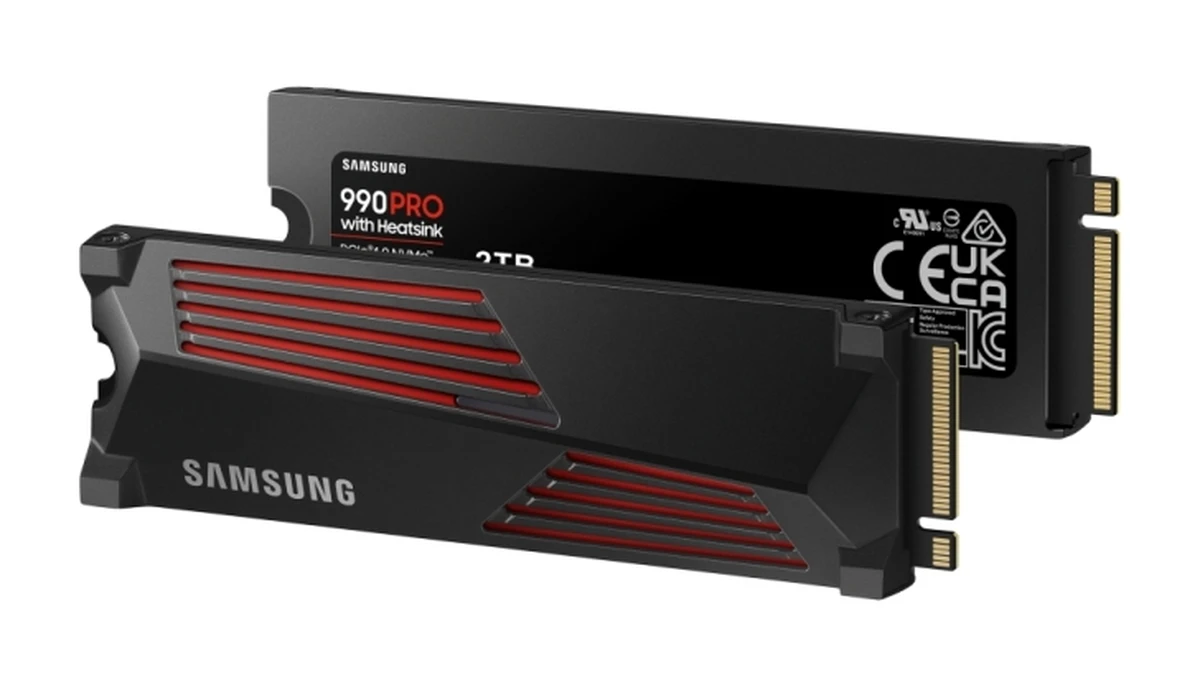
An SSD is a solid-state storage device that delivers game load times, open-world streaming speeds, and shader compilation throughput that rotating magnetic hard drives cannot match at any capacity tier. See also: Unity. See also: AI procedural generation. See also: indie game publishing platform. See also: stream optimization.
For most PC gamers the storage decision defaults to "biggest NVMe I can afford," but that approach overshoots for half the library and undershoots for the titles that need it most. The smarter question is which drive category belongs under which game category, and why the gap between them is as wide as the benchmarks say it is.
Why Storage Type Changes What Gaming Feels Like
NVMe SSD, SATA SSD, and HDD occupy three distinct performance tiers across every metric a game engine uses. The table below uses published reference figures from Samsung 990 Pro and WD Black SN850X class drives for PCIe Gen 4 NVMe, Samsung 870 EVO class for SATA, and a generic 7200RPM desktop HDD.

| Metric | NVMe SSD (PCIe Gen 4) | SATA SSD | 7200RPM HDD |
|---|---|---|---|
| Sequential read speed | 5,000-7,000 MB/s | 500-560 MB/s | 80-160 MB/s |
| Sequential write speed | 4,000-6,900 MB/s | 480-530 MB/s | 70-140 MB/s |
| Random read IOPS (4K) | 800,000-1,200,000 | 90,000-100,000 | 75-150 |
| Random write IOPS (4K) | 700,000-1,200,000 | 85,000-100,000 | 75-150 |
| Access latency | < 0.05 ms | < 0.1 ms | 8-12 ms |
| AAA title load time (typical) | 5-10 s | 12-18 s | 28-45 s |
| Open-world load time (large map) | 8-14 s | 18-28 s | 40-70 s |
The random read speed column is the one game engines care about most during open-world traversal. When a player crosses a terrain boundary at speed, the engine issues hundreds of small random reads in parallel. An HDD's 75 to 150 IOPS figure means the drive cannot service those requests before the rendered area overtakes the streamed data. The result is a pop-in or freeze that no amount of RAM can fully mask.
Sequential read speed matters at game launch and during long loading screens. Storage bandwidth (total throughput available to the engine) governs how quickly the title can decompress and stage level geometry into VRAM. A PCIe Gen 4 NVMe drive operating at 7,000 MB/s delivers more storage bandwidth in one second than an HDD delivers in 50 seconds at 140 MB/s peak. Frame rate is not affected once the game runs from RAM, but every transition point between areas remeasures the drive against these numbers.
DirectStorage and the API Shift That Redrew the SSD Argument
NVMe SSD adoption moved from recommended to required for a subset of titles when Microsoft shipped the DirectStorage API for Windows 11 (with partial Windows 10 support). Before DirectStorage, game engines decompressed textures on the CPU before transferring them to GPU VRAM. That CPU decompression step formed a bottleneck that capped how much a faster NVMe drive could actually help. A PCIe Gen 4 drive feeding data faster than the CPU could decompress yielded diminishing returns.
DirectStorage removes that bottleneck. The API allows the NVMe drive to stream compressed assets directly to the GPU via DMA (direct memory access), bypassing CPU decompression entirely. The GPU's built-in decompression pipeline handles the decode. According to Microsoft DirectStorage documentation, the architecture targets sub-one-second loading for game worlds that previously required 10 to 30 seconds.
Titles confirmed to ship with DirectStorage support include:
- Forspoken (Square Enix): first PC title to ship with DirectStorage active
- Ratchet and Clank: Rift Apart (Insomniac/Sony): demonstrates PlayStation 5-class open-world streaming on PC NVMe
HDD does not benefit from DirectStorage. The API removes the CPU decompression bottleneck, but rotational latency is a mechanical constraint, not a software one. An HDD feeding DirectStorage still stalls on seek time before a single byte reaches the GPU. DirectStorage-enabled titles on HDD can perform worse than non-DirectStorage titles on HDD, because the engine now expects storage bandwidth rates the drive cannot deliver.
Shader compilation gains a related benefit. On Vulkan and DX12 titles, compiled shader caches written to an NVMe SSD load back in under a second on replay. NAND flash serves small 4K random reads far faster than a rotational disk, which has to move a head and wait for the platter, and that is exactly the access pattern shader cache reads require.
Price Per Gigabyte: Where HDD Still Wins
SSD pricing has fallen sharply since 2020, but HDD retains a durable advantage on price per gigabyte at bulk capacity. The cost gap between flash and spinning media at the 4TB-to-16TB range remains wide enough to determine how many games a realistic setup can keep installed at any given time.
Approximate 2025 retail price per gigabyte ranges for consumer drives:
- PCIe Gen 4 NVMe SSD (2TB class): $0.07 to $0.10 per GB
- SATA SSD (2TB class): $0.05 to $0.07 per GB
- 3.5-inch HDD (4TB to 8TB class): $0.02 to $0.03 per GB
The price per gigabyte difference at the 4TB tier means a gamer pays roughly $240 to $400 for a 4TB SATA SSD versus $80 to $120 for a 4TB HDD. For a game library that includes 30 to 50 archived titles played less than once per month, that $160 to $280 cost difference buys nothing measurable in daily experience. Rotational latency on archived titles is irrelevant when the game takes 40 seconds to load instead of 12: the player accepts the wait, installs something from the archive, plays for a weekend, and returns it to cold storage.
There is no NVMe SSD equivalent at the 12TB or 16TB range in consumer pricing. A gamer archiving a decade of purchased titles needs spinning media. Per-gigabyte pricing on 8TB-plus hard drives still sits well below SATA SSD pricing, and while the gap is narrowing, it has not narrowed enough to eliminate game library tiering as a rational storage strategy.
Game Library Tiering: The Practical Allocation Framework
SSD allocation should follow game category, not alphabet or install date. A game library tiering framework built around I/O demand maps each title to the drive that covers its actual access pattern without paying NVMe prices for workloads that do not need NVMe speed.
The framework uses three tiers:
- Tier 1 (NVMe SSD): Titles where storage bandwidth directly affects player experience every session. Open-world games with real-time asset streaming (Cyberpunk 2077, Microsoft Flight Simulator, Star Citizen, Baldur's Gate 3 late acts). DirectStorage-enabled releases where the API requires NVMe to function at intended fidelity. Competitive multiplayer titles where map-load game load time affects matchmaking re-join speed. Active shader compilation workloads on DX12 and Vulkan titles in first-run or update-reset states. Keep 10 to 15 actively played titles here.
- Tier 2 (SATA SSD): Titles where game load time matters but open-world streaming does not. Single-player narrative games with discrete level-load screens (Resident Evil series, Sekiro: Shadows Die Twice, Hades, Disco Elysium). Any game under 10GB install size where load times are short regardless of drive tier. Titles replayed weekly or less but often enough that a 3 to 5 second load-time penalty per session adds up. The SATA SSD sequential read speed of 500 MB/s handles these workloads with no perceptible stutter.
- Tier 3 (HDD): Archived titles with replay frequency below once per month. Games with large install sizes (50GB or more) and low streaming demands (heavy cutscene content, static menus, minimal open-world traversal). Pre-2015 releases that predate NVMe-optimized I/O. The HDD rotational latency adds seconds to load time here, not minutes, and the title is accessed rarely enough that the tradeoff is invisible in practice.
The M.2 form factor makes multi-tier configurations straightforward on modern motherboards. NVMe drives use M.2 slots. Most Z690, Z790, and B650 motherboards include two to three M.2 slots, which supports a dual-NVMe configuration alongside a 3.5-inch HDD without SATA cable routing for the primary drives. The HDD connects via a single SATA data cable to the motherboard and one power lead from the PSU.
For a gamer with 50 or more installed titles, the concrete three-drive recommendation is: a 1TB PCIe Gen 4 NVMe SSD for the operating system and the 10 to 15 highest-demand Tier 1 games, a 2TB SATA SSD for the active Tier 2 library, and a 6TB to 8TB HDD for the Tier 3 archive. At 2025 pricing, this configuration costs $120 to $180 less than an all-SSD equivalent of the same total capacity, with no performance compromise on the titles where storage speed is actually perceptible. For context on how storage fits within a full component selection, see the forthcoming Building A Budget Gaming PC guide. GPU selection affects the benefit ceiling of DirectStorage-enabled titles; the forthcoming Best Graphics Card For 4K Gaming analysis covers the VRAM and decompression side of that equation. If you are weighing a desktop build against a laptop, storage configuration options differ materially; the forthcoming Gaming Laptops vs Desktops For Performance comparison addresses M.2 slot availability by form factor.
Further reading
Frequently Asked Questions
What is the actual load time difference between an NVMe SSD and an HDD for modern games?
An NVMe SSD typically reduces game load times by 60 to 80 percent compared to a 7200RPM HDD, with the gap widening on titles that stream open-world assets during play. Cyberpunk 2077 takes 25 to 35 seconds to load from a 7200RPM HDD and 8 to 12 seconds from a PCIe Gen 4 NVMe drive. The difference is smaller on titles with discrete level-load screens and larger on open-world games where the drive reads asset chunks continuously during traversal. Random read speed, not sequential read speed, determines stutter behavior during open-world play; this is why SATA SSD and NVMe SSD both eliminate stutter while HDD does not.
Does using an HDD instead of an SSD cause stuttering during gameplay?
An HDD causes mid-gameplay stutter in open-world titles that stream assets in real time, because rotational latency of 8 to 12 milliseconds cannot keep pace with GPU traversal speed. The stutter appears as a brief freeze when entering a new area, not as a frame-rate drop visible on a frame-time graph. SATA SSD or NVMe eliminates this stutter because both provide sub-0.1ms access latency. An HDD does not cause stutter in games that load discrete levels and then operate entirely from RAM; in those titles, the only penalty is a longer game load time at startup.
What is the most cost-efficient storage setup for a gamer with a large game library?
A three-tier configuration covers most gaming scenarios with the best cost-to-performance ratio: a 1TB NVMe SSD for the operating system and the 10 to 15 most actively played titles (particularly open-world or DirectStorage-enabled games), a 2TB SATA SSD for the rest of the active library, and a 6TB to 8TB HDD for archived titles played less than once per month. This configuration typically costs $120 to $180 less than an all-SSD equivalent while keeping rotational latency out of the titles where it is perceptible. Game library tiering by access frequency, not by game genre or install size, is what determines whether HDD in the stack is a liability or a rational cost decision.