A REST API is a web service interface that exposes a stateless API endpoint over HTTP using standard request methods. Each API endpoint maps a URL path and method to a data operation in your backend. Three Python frameworks dominate the build path for new REST work: a lightweight micro-framework, a batteries-included full-stack toolkit, and a modern type-hint-driven option. Each one represents a different bet about how much structure the framework should impose, how validation should happen, and whether request handling runs synchronously or asynchronously. The right pick depends on the shape of the workload and the team behind it, not on raw throughput numbers pulled from a benchmark leaderboard. If you are still choosing between REST and GraphQL, compare the two styles before picking a framework.
What Is a REST API
A RESTful API (representational state transfer interface) exposes server-side resources through URLs and manipulates them with four standard HTTP methods: GET to read, POST to create, PUT or PATCH to update, and DELETE to remove. The stateless request-response contract is the core architectural constraint: every call carries the full context the server needs, so no session memory is kept between requests. That property is what makes RESTful services horizontally scalable behind a load balancer and why most public web APIs (Stripe, GitHub, Twilio) adopt the style. For a deeper look at where REST sits next to gRPC and message queues inside a service mesh, see Microservices Communication: gRPC vs REST vs Message Queues.
Why Python for API Development
Python earns its place as a default API language through three traits: a large ecosystem of HTTP, database, and authentication libraries; readable syntax that keeps endpoint code reviewable; and broad deployment support across every major cloud, container runtime, and serverless platform. Developer productivity tends to outweigh raw single-thread performance for most line-of-business APIs, and Python ships a credible answer for each common service shape. The three frameworks below cover roughly 90 percent of new Python framework choices for REST work.
Building a REST API With Flask
Flask is a lightweight Web Server Gateway Interface (WSGI) web application framework that depends on the Werkzeug toolkit and the Jinja template engine, per the official project documentation. The micro-framework imposes no project layout, which makes it attractive for single-file prototypes and teaching exercises. A working GET endpoint is roughly ten lines of code.
- Install the package with
pip install flaskinside a virtual environment. - Create
app.py, import the framework withfrom flask import Flask, jsonify, and instantiate the application with the standard__name__constructor argument. - Declare a route with a decorator:
@app.route("/items", methods=["GET"])and returnjsonify({"items": items})from the handler. - Run the development server with
flask --app app runand confirm the JSON response athttp://127.0.0.1:5000/items. - For production, swap the dev server for Gunicorn behind Nginx; the development server is single-threaded and not hardened for public traffic.
The lightweight framework leaves serialization, validation, and authentication to the developer. Most teams reach for extensions such as flask-restful for resource classes, Marshmallow for schema validation, and PyJWT for token auth. That a-la-carte model is the strength and the cost of the micro-framework approach: nothing is hidden, but nothing is provided either.
Building a REST API With Django REST Framework
Django REST Framework (DRF) sits on top of Django, the batteries-included full-stack web framework shipping as version 6.0.5 per the official Django download page. DRF inherits Django's ORM, admin interface, migrations, and authentication backends, then layers serializers, ViewSets, and routers on top to expose models as a RESTful API. The full setup takes longer than the micro-framework approach but eliminates dozens of decisions about validation, pagination, permissions, and content negotiation.
- Install both packages:
pip install django djangorestframework. - Start the project and an app:
django-admin startproject api .followed bypython manage.py startapp items. - Add
"rest_framework"and"items"toINSTALLED_APPSinsettings.py. - Define a model in
items/models.py, then runpython manage.py makemigrationsandmigrate. - Write a serializer that subclasses
serializers.ModelSerializerand references the model in itsMetaclass. - Create a ViewSet subclassing
viewsets.ModelViewSetwithquerysetandserializer_classattributes; register it with aDefaultRouterinurls.pyto expose list, retrieve, create, update, and delete API endpoints automatically.
DRF is the right choice when the API sits next to a database-backed application with admin needs, content models, and human users. The Django REST Framework API guide covers serializer fields, permission classes, throttling, and OpenAPI schema generation through third-party packages such as drf-spectacular. Teams already running Django avoid bolting on a second web stack by staying inside DRF.
Building a REST API With FastAPI
The modern framework is built on Starlette for the web layer and Pydantic for data validation, with Asynchronous Server Gateway Interface (ASGI) at the runtime layer. It uses standard Python type hints to drive request parsing, response serialization, and OpenAPI generation from the same declaration. The result is a tight loop between schema definition, validation, and interactive documentation.

- Install the framework and an async server:
pip install fastapi uvicorn. - Create
main.pyand define a Pydantic model:class Item(BaseModel): name: str; price: float. - Instantiate the application object inside
main.pyusing the framework constructor. - Declare an asynchronous programming (async) handler:
@app.post("/items") async def create_item(item: Item): return item. The type hint onitemdrives parsing, validation, and the response schema. - Run the dev server with
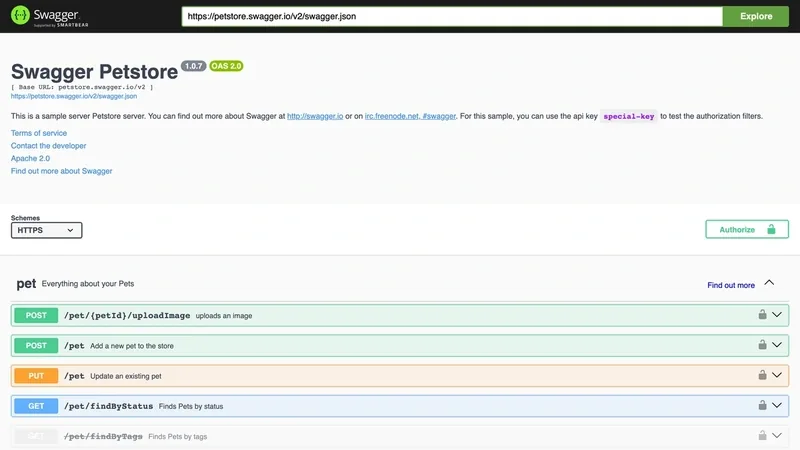
uvicorn main:app --reloadand openhttp://127.0.0.1:8000/docsto see the auto-generated Swagger UI backed by the OpenAPI schema. - For production, run Uvicorn directly or have Gunicorn manage multiple Uvicorn workers via the
uvicorn.workers.UvicornWorkerclass.
The async framework shines on I/O-bound workloads: database queries, downstream HTTP calls, and message-broker reads can all be awaited without blocking the event loop. The official benchmark page cites independent TechEmpower Framework Benchmarks as evidence that the modern framework runs among the fastest Python framework options under Uvicorn, while explicitly cautioning that comparisons must hold feature sets (validation, serialization, docs generation) equal.
Side-by-Side Comparison Across Three Python Frameworks
| Framework | Architecture | Async Support | Data Validation | Auto Docs | Best For |
|---|---|---|---|---|---|
| Micro-framework | Synchronous (WSGI) | Limited; needs middleware | External (Marshmallow, Pydantic) | External (apispec, flask-smorest) | Lean prototypes, teaching, single-purpose services |
| Django + DRF | Synchronous default | Sync views default; async views supported | DRF serializers | External (drf-spectacular) | Database-heavy apps needing ORM, admin, auth |
| Async framework | Asynchronous | Native async/await | Pydantic, built in | Built in; Swagger UI plus ReDoc at /docs and /redoc | High-throughput async APIs, ML inference, OpenAPI-first work |
Raw requests-per-second numbers vary widely with the workload shape, Python version, server configuration, and the middleware stack. The official documentation itself warns against treating benchmark figures as universal, so the table above ranks architectural fit rather than throughput. A learning curve note: the lightweight framework is the gentlest entry, the type-hint-driven framework is the second-easiest if the team already writes typed Python, and DRF is the steepest because Django itself must be learned first.
Choosing the Right Framework
Four decision criteria tend to settle the choice: team size, expected workload shape, surrounding application stack, and how much of the request pipeline the team wants to own.
- Pick the micro-framework for a prototype, an internal tool, a teaching project, or a single-purpose service where the team wants full control over every layer of the stack.
- Pick DRF when the API sits next to a database-backed product that benefits from Django's ORM, admin interface, user model, and migration system, and when long-term maintenance is more valuable than minimal code.
- Pick the async framework for I/O-bound workloads, ML inference endpoints, services that fan out to many downstream APIs, or any project where API documentation must stay in lockstep with the code.
None of the three is a wrong answer for a small CRUD service; the cost of switching later is low because the HTTP contract is the durable artifact, not the framework code behind it.
Deploying a Python REST API
Production deployment follows the same general pattern across all three Python framework options: an application server runs the Python process, a reverse proxy terminates TLS and handles static assets, and a container image keeps the runtime reproducible across environments.
- Synchronous stacks (the lightweight framework, DRF): run under Gunicorn with Nginx as the reverse proxy.
- Async stacks (the modern framework): run under an ASGI server directly, or have Gunicorn manage the ASGI workers for multi-process scaling.
- Containers: package the app with a Python base image, pin dependencies in
requirements.txtorpyproject.toml, and expose port 8000 (or whatever the server binds). - Cloud targets: AWS EC2 or Fargate, Google Cloud Run, Heroku, Fly.io, and AWS Lambda (via the Mangum adapter for async apps) all run Python REST services with minimal friction.
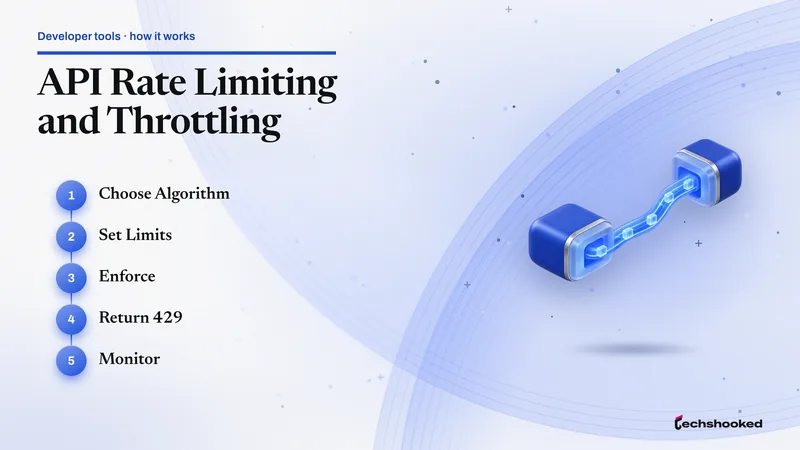
- Edge concerns: add rate limiting at the gateway or middleware layer (see How To Implement API Rate Limiting and Throttling) and place a managed gateway in front for auth, quotas, and observability (see API Gateway Comparison: AWS vs Kong vs Zuul).
Further reading
Frequently Asked Questions
Which Python framework is best for building a REST API?
The right choice depends on your project scope: Flask suits small APIs and learning projects; Django REST Framework fits applications that need a database ORM, an admin interface, and built-in authentication; FastAPI is the strongest option for high-throughput or asynchronous workloads where auto-generated OpenAPI documentation matters.
How does Flask performance compare to FastAPI?
FastAPI runs on an ASGI stack (Uvicorn plus Starlette) and supports native async request handling, which gives it a throughput advantage over Flask's synchronous WSGI architecture under I/O-heavy workloads. Raw benchmark numbers vary by configuration and workload type; the FastAPI documentation recommends comparing frameworks with equivalent feature sets, including data validation and serialization, rather than treating rps figures as universal.
What server does FastAPI require in production?
FastAPI is an ASGI application and cannot run on a standard WSGI server like Gunicorn alone. Production deployments use Uvicorn or Hypercorn as the application server, typically behind a reverse proxy such as Nginx. Gunicorn can manage multiple Uvicorn worker processes using the uvicorn.workers.UvicornWorker class for process-level scaling.
How do I deploy a Python REST API to production?
Flask and Django REST Framework apps deploy behind Gunicorn as the WSGI server with Nginx as the reverse proxy. FastAPI apps replace Gunicorn with Uvicorn (or Gunicorn managing Uvicorn workers). All three frameworks containerize cleanly with Docker, and each supports major cloud platforms including AWS, Google Cloud Run, and Heroku.