API rate limiting is a traffic-control technique that caps the number of requests a client can submit to an endpoint within a defined time window. The mechanism protects upstream services from runaway clients, abusive scrapers, and accidental retry storms, and it gives platform teams a predictable contract to expose to API consumers. Picking the wrong algorithm or wiring the policy at the wrong layer turns a simple guardrail into a source of intermittent 429 responses that look like bugs to downstream teams. The implementation choices that matter sit in three places: the algorithm, the enforcement layer, and the response contract.
API Rate Limiting and Throttling: How They Differ in Practice
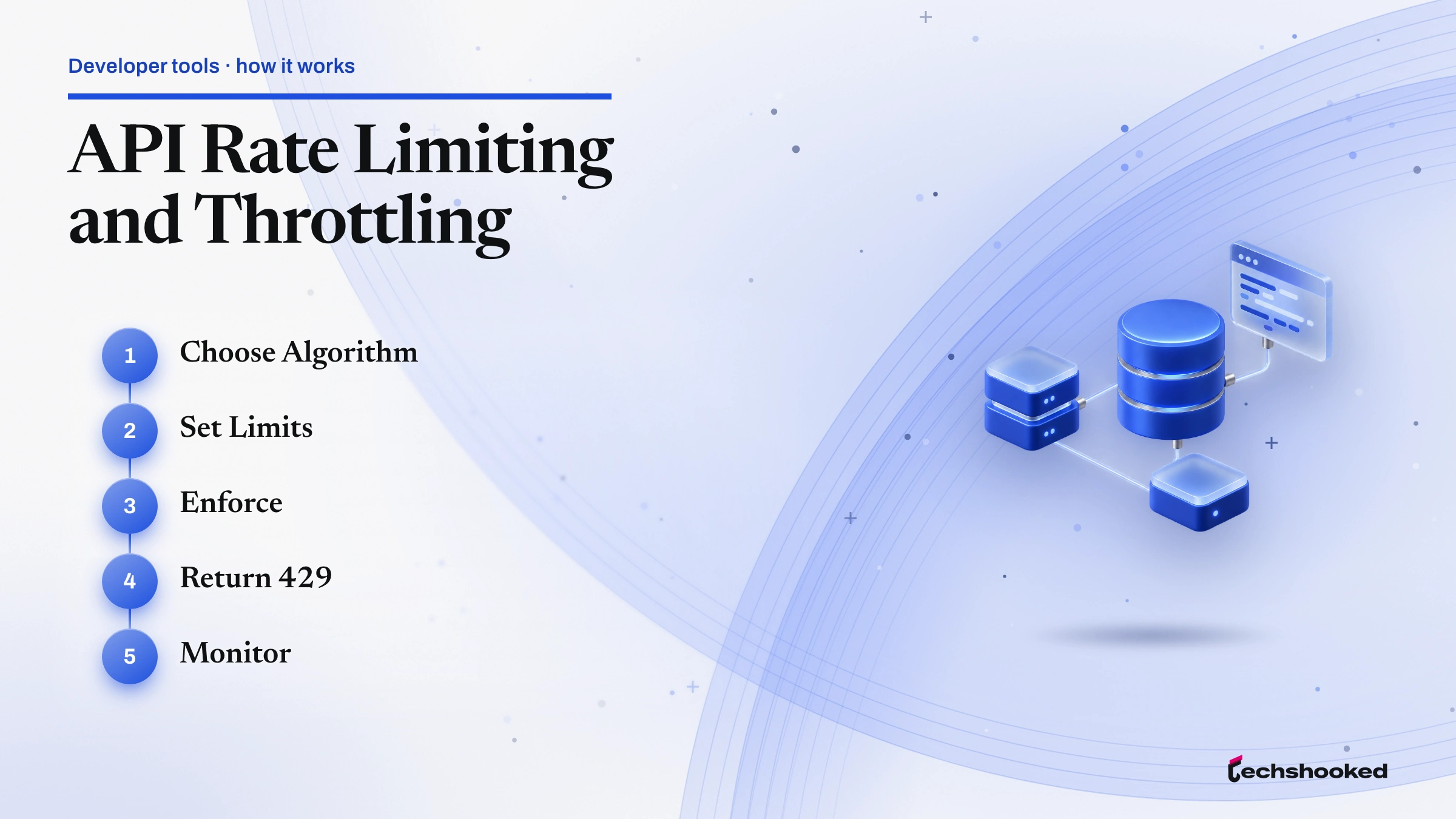
API rate limiting works the same way at every layer, but the configuration order matters. Skipping the scope decision is the most common failure mode because a per-IP limit behaves very differently from a per-API-key limit once a single corporate proxy fronts thousands of users. The steps below produce a workable policy on any gateway or middleware.
- Define the rate-limit scope. Decide whether the unit of enforcement is the source IP, the API key, the authenticated user ID, or the endpoint. Public APIs almost always combine an account-level ceiling with a per-endpoint cap. The API gateway comparison of AWS, Kong, and Zuul sets out how each one exposes these scopes.
- Select an algorithm. Match the algorithm to the workload. Token bucket suits bursty REST traffic; sliding window log suits low-volume metered tiers; fixed window counter is acceptable only for internal best-effort caps.
- Pick the enforcement layer. Push the policy as close to the edge as possible. Gateway enforcement avoids loading downstream services; application-layer enforcement is only justified when the policy needs request-body context.
- Configure limit values and burst allowance. Express the limit in requests per second (RPS) and set a burst capacity that absorbs realistic client retries without inviting abuse. A common starting point is 10 RPS sustained with a 20-request burst per API key on a B2B API.
- Emit rate limit headers on every response. The IETF RateLimit header draft defines
RateLimit-Limit,RateLimit-Remaining, andRateLimit-Reset. Documented headers let clients self-pace instead of guessing. The REST API documentation guide covers how to surface these in the API reference.
Platform-Specific Configuration
AWS API Gateway, Azure API Management, and Google Cloud each expose API rate limiting through different primitives. Collapsing them into a single "rate-limit policy" abstraction hides the operational differences that bite during incident response. The list below summarizes what each platform actually configures.
- AWS API Gateway. Uses the token bucket algorithm. The default throttle quota is 10,000 requests per second per account per Region with burst capacity layered on top. Four throttling tiers are available: account-level, stage-level, method-level, and per-client throttling via a usage plan tied to an API key. AWS notes throttles are best-effort targets, not guaranteed ceilings. REST APIs support per-client throttling and usage plans; HTTP APIs only offer route-level overrides, which is the deciding factor when choosing between REST and HTTP API types.
- Azure API Management (APIM). The rate-limit policy caps call rate per subscription and returns 429 when exceeded. The rate-limit-by-key policy applies the same control per arbitrary key (commonly an API key or claim). APIM also offers quota policies for renewable or lifetime call-volume budgets. The docs warn that distributed deployments are not perfectly accurate at sub-second granularity; design the threshold with that caveat in mind.
- Google Cloud. Consumer-facing usage caps allow requests per day, per minute, or per minute per user. Per-user caps apply by default to the authenticated principal, or to the client IP address when there is none; a server-side app that calls on behalf of many users through one principal needs the
quotaUserparameter to cap them separately. Producer-side enforcement uses Service Infrastructure, where managed servers must callservices.allocateQuotaregularly to enforce limits scoped to a service consumer (an API key, project ID, or project number).
Returning 429 Responses and Rate Limit Headers Correctly
request capping fails as a contract when the response is ambiguous. Return HTTP 429 Too Many Requests, not 503, and not 200 with an error envelope. AWS API Gateway, Azure API Management, and Google Cloud all return 429 on limit breach, which means client libraries can rely on a single status code across the three platforms. Pair the status with rate limit headers so clients can recover without polling.
RateLimit-Limit- The request quota associated with the policy active for the current window, as defined in the IETF draft.
RateLimit-Remaining- Requests remaining in the current window. Clients use this to self-pace before tripping the ceiling.
RateLimit-Reset- Seconds until the window resets. The companion
Retry-Afterheader (defined in RFC 7231) accompanies any 429 response.
For asynchronous integrations, also see how webhook versus polling patterns change the retry economics when a 429 response interrupts a sync job.
Troubleshooting Common Rate-Limiting Issues
request throttling failures tend to cluster around five recurring patterns. Each has a clear root cause and a tested fix.
- Clients ignore
Retry-Afterand hammer the endpoint. Cause: client SDK retries on 429 without honoring the header. Fix: document the header prominently in the API reference and ship a reference client that respects it; reject repeat offenders with a longer back-off via per-client throttling. - Burst traffic overwhelms fixed window counters at window boundaries. Cause: a thundering herd hits in the last second of one window and the first second of the next, doubling the effective rate. Fix: switch the affected endpoint to a sliding window log or a token bucket with conservative burst allowance.
- Distributed deployments enforce limits inconsistently. Cause: APIM and similar gateways approximate the global counter across instances. Fix: set the threshold below the strict target to account for drift, or centralize the counter in a low-latency store (Redis with Lua scripts is the common pattern).
- Per-user limits do not apply on Google Cloud. Cause: the
quotaUserparameter is missing from server-side requests. Fix: addquotaUserto every outbound call and confirm enforcement in Cloud Monitoring. - Wrong status code returned. Cause: middleware returns 503 or 200 on rate-limit breach. Fix: standardize on 429 across services so a single retry handler covers every endpoint.
Production Tips for Rate Limiting
request capping earns its keep when the policy is consistent, observable, and documented. The practices below consolidate the algorithm-selection and platform-implementation choices into a deployable checklist.
- Enforce at the gateway, not the application. The gateway sees every request once and isolates downstream services from rejected traffic.
- Use per-client throttling via API keys for monetized APIs. Tie the key to a usage plan or a quota policy so billing tiers map directly to rate caps.
- Emit rate limit headers on every response, not just on 429. Self-pacing clients reduce the load before the ceiling is hit.
- Publish the limits in the API reference. Undocumented caps generate support tickets that documented ones never produce.
- Pick the algorithm for the workload, not the team's habit. A sliding window log on a fairness-sensitive metered endpoint is worth the extra memory; a token bucket on a public read endpoint is the right default.
- Alert on 429 rate. A spike in 429 responses is an early signal of a misconfigured client or an abuse campaign. Wire the metric into the observability dashboard before clients start filing tickets.
- Treat AWS throttles as targets, not contracts. AWS API Gateway documents throttles as best-effort. Size headroom accordingly when the SLA depends on it.
Further reading
Frequently Asked Questions
What is the difference between request throttling and API throttling?
rate limiting enforces a hard ceiling on the number of requests a client can make in a given time window, returning HTTP 429 when that ceiling is hit. Throttling is a softer control that queues or delays excess requests to smooth traffic flow before the ceiling is reached. In practice, most API gateways combine both: throttling absorbs short bursts while rate limiting enforces the outer boundary.
What HTTP status code should my API return when a client is rate-limited?
Return HTTP 429 Too Many Requests. This is the correct status code per RFC 6585 and is the response code used by AWS API Gateway, Azure API Management, and Google Cloud when configured limits are exceeded. Returning 503 Service Unavailable or 200 with an error body in the response are both incorrect and prevent clients from distinguishing rate-limit errors from infrastructure failures.
Which API throttling tools support per-client rate limiting out of the box?
AWS API Gateway REST APIs support per-client throttling through usage plans tied to API keys. Azure API Management supports per-key rate limiting via the rate-limit-by-key policy. Google Cloud's Service Infrastructure supports per-service-consumer limits identified by API key, project ID, or project number. HTTP API-type gateways (such as AWS HTTP APIs) typically offer route-level throttling rather than per-client granularity, which is an important distinction when choosing a gateway.