A streaming microphone is an audio input device that captures a broadcaster's voice for live delivery on platforms such as Twitch and YouTube Gaming.
Choosing the right one shapes how a stream sounds from the first broadcast onward. The core decision is connectivity: USB, XLR, or a hybrid design that handles both. Each path carries different cost, complexity, and upgrade implications that reward knowing before buying.
USB vs XLR vs Hybrid: Connectivity Basics
Every streaming microphone connects to a computer through one of three signal paths. A USB microphone converts the analog capsule signal to digital internally and delivers audio over a single USB or USB-C cable. An XLR microphone outputs a balanced analog signal that requires a separate audio interface or mixer to reach the computer. Hybrid designs route signal over either XLR or USB-C depending on the session, giving streamers a path into both worlds from a single device.
| Feature | USB Microphone | XLR Microphone | Hybrid (USB-C + XLR) |
|---|---|---|---|
| Setup complexity | Low: cable to port, driver installs automatically | Medium: requires interface, driver, and gain setting | Low for USB; medium when using XLR path |
| Required gear | Computer with USB port | Audio interface or mixing console | Computer for USB; interface for XLR path |
| Zero-latency monitoring | Available on select models via headphone jack | Available on most audio interfaces | Available on-device via headphone output |
| Upgrade path | Replace the whole microphone | Upgrade interface or cable independently | Shift to XLR path when interface is added |
The RODE PodMic USB is a hybrid XLR and USB-C dynamic microphone with on-device zero-latency monitoring, confirmed at rode.com. The Shure MV7+ is a USB-C and XLR dynamic streaming microphone with Auto Level Mode and a real-time Denoiser, per shure.com. Both illustrate how hybrid designs let a streamer start with plug-and-play recording and adopt an audio interface later without replacing hardware.
Dynamic vs Condenser Microphones for Streaming
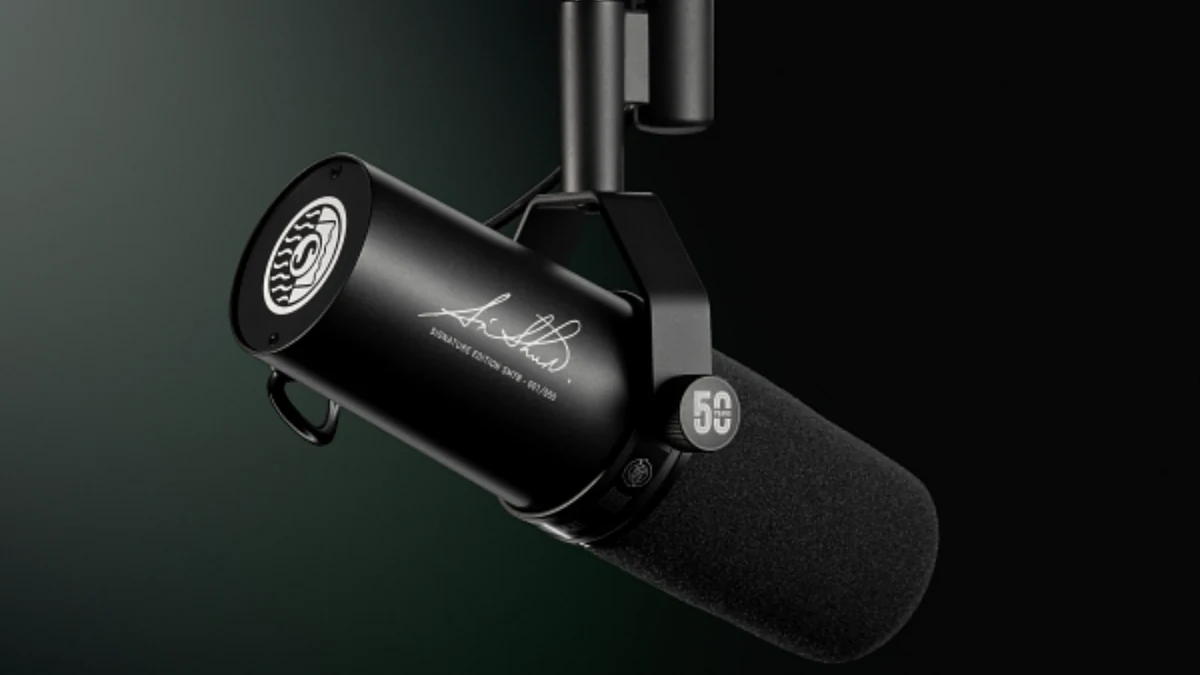
A streaming microphone falls into one of two transducer categories, each with a distinct sensitivity profile. A dynamic microphone uses a moving-coil capsule that responds mainly to loud, close-range sound. A condenser microphone uses a charged diaphragm to capture a wider frequency range at higher sensitivity. For home studio broadcasting, that difference determines how forgiving the room needs to be.
| Characteristic | Dynamic Microphone | Condenser Microphone |
|---|---|---|
| Sensitivity | Lower: captures loud, close sources well | Higher: resolves quiet detail and wider frequency range |
| Background noise rejection | Strong: less sensitive to room reflections and distant sources | Moderate: picks up ambient noise in untreated rooms |
| Phantom power required | No | Yes (48V via interface or XLR cable) |
| Ideal environment | Untreated home studio, shared room, LAN party | Acoustically treated space with low ambient noise |
The RODE NT-USB Mini is a compact USB condenser microphone with a cardioid polar pattern designed for streamers and gamers, as listed at rode.com. It suits streamers recording in treated rooms where background noise rejection is less critical and vocal clarity is the priority.
Key Features to Look For in a Streaming Microphone
A streaming microphone earns its place in a setup through practical features rather than spec-sheet claims. The shortlist below filters for what genuinely matters during a live session.
- Cardioid polar pattern. The cardioid polar pattern captures audio from the front and rejects most sound from the sides and rear, cutting keyboard noise, fan hum, and room reflections without room treatment.
- Zero-latency monitoring. A headphone output on the microphone body or audio interface provides zero-latency monitoring so the broadcaster hears their voice in real time without delay-induced disorientation.
- Connectivity type. USB provides plug-and-play recording without additional hardware. XLR connects to an audio interface for more granular gain and EQ control.
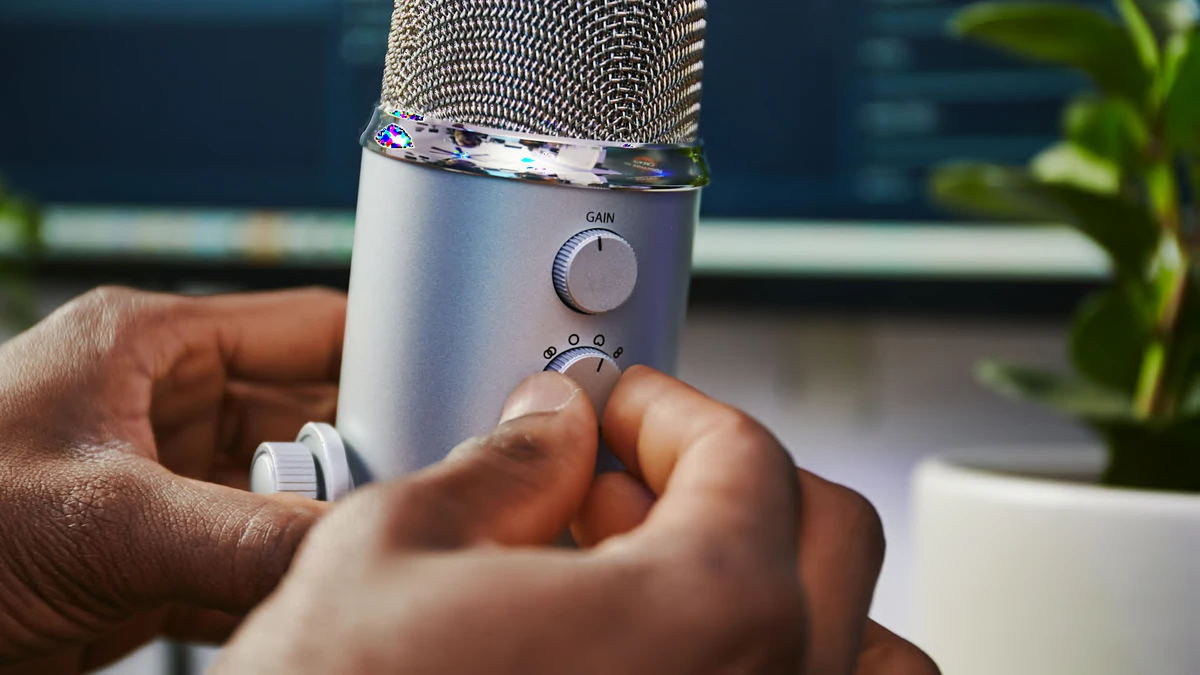
- On-device gain control. A physical gain knob prevents clipping during loud gaming moments without opening software between takes.
- Pop filter or integrated windscreen. A built-in or attached pop filter reduces plosive transients ("p" and "b" sounds) that distort at close range.
- Mute button. An illuminated hardware mute button lets a streamer cut audio instantly without touching the streaming software.
Streamers who prioritize plug-and-play recording and skip the audio interface will find these features on USB and hybrid models. Those building toward broadcast-quality audio over time should also confirm the XLR path is available on the chosen body.
USB Streaming Microphones: Who They Suit
A USB microphone removes every hardware barrier between a broadcaster and a live stream. Plug-and-play recording works without drivers, mixers, or gain calibration, which makes this category the entry point for most streamers. For home studio broadcasting where simplicity and portability matter more than signal chain depth, USB remains the practical choice.
- Beginners and first-time streamers. A USB microphone is ready to broadcast as soon as it is connected; no interface budget or learning curve required.
- Console streamers. Many gaming consoles support USB audio input directly, so a USB mic works without a separate capture card or interface in the chain.
- Mobile and travel setups. A compact USB condenser microphone packs into a bag alongside a laptop for streams away from a permanent desk.
- Streamers without a mixer. A built-in USB audio converter means the microphone handles analog-to-digital conversion internally; no mixer is needed.
- Creators who also record short-form content. The same USB mic used for live streaming connects to video editing software without reconfiguring the signal chain.
Samson's USB microphone lineup covers this category with models aimed at Twitch and gaming-focused broadcast scenarios, as confirmed at samsontech.com. For a comparison of the streaming software that pairs with these microphones, see the OBS, Streamlabs, and XSplit compared for live streaming guide.
XLR and Hybrid Microphones: When to Upgrade
An XLR microphone opens access to professional signal routing, discrete preamps, and hardware EQ that a USB path cannot replicate. Broadcast-quality audio at this tier requires an audio interface in the chain, but the investment pays off when a stream's production ambitions grow. A hybrid model such as the RODE PodMic USB, which outputs over XLR and USB-C as documented at rode.com, offers a stepped path that avoids committing to one workflow before the other.
- Assess room treatment. An XLR condenser microphone in an untreated room amplifies reflections and fan noise. Confirm the recording space has at least soft furnishings and no hard parallel walls before moving away from a dynamic XLR mic or USB option.
- Evaluate audio interface budget. An audio interface adds hardware cost and desk space. Entry-level interfaces from Focusrite and Universal Audio provide phantom power and zero-latency monitoring at different price brackets; factor that into the total upgrade cost before choosing a pure XLR microphone.
- Decide between hybrid dual-output or pure XLR. A hybrid XLR microphone lets a streamer operate on USB today and shift to the XLR path when an interface arrives, without purchasing new hardware. A pure XLR microphone delivers a cleaner dedicated signal path but commits the broadcaster to interface ownership from day one.
Streamers evaluating platform choices alongside their audio upgrade should also review choosing a multi-streaming platform, since audio quality requirements differ by platform encoder and output bitrate.
Polar Patterns and Room Acoustics
A streaming microphone's polar pattern defines which directions it captures sound and which it rejects. Room acoustics interact directly with that pattern: a cardioid polar pattern performs differently in a reflective box room than in a soft, diffused space. Matching pattern to environment reduces post-processing workload and background noise rejection failures during a live session.
- Cardioid
- Captures sound from the front hemisphere and attenuates audio from the sides and rear. The cardioid polar pattern is the standard for streaming because it rejects keyboard clicks, secondary speakers, and room echo with no acoustic treatment required.
- Hypercardioid
- Tighter front pickup angle than cardioid, with stronger off-axis rejection and small rear lobes. The Audio-Technica AT2040, an XLR dynamic microphone with a hypercardioid polar pattern confirmed at audio-technica.com, suits streamers in noisier environments where background noise rejection is the primary concern.
- Omnidirectional
- Picks up sound equally from all directions. Useful in treated studio sessions with multiple hosts around one microphone, but impractical for solo home studio broadcasting where surrounding noise sources are uncontrolled.
Most streaming microphones ship with a fixed cardioid polar pattern. Multi-pattern models that include omnidirectional or bidirectional modes add cost and complexity that most solo streamers do not need.
Choosing the Right Streaming Microphone for Your Setup
Selecting a streaming microphone comes down to four practical questions that, answered in order, narrow the field without overcomplicating the decision. For stream optimization and internet speed requirements, audio quality and bitrate work together; knowing the final encoding target shapes how much audio quality difference matters in practice.
- Plug-and-play recording or interface-based? A USB microphone with plug-and-play recording works for any broadcaster who wants to go live immediately. If controlling gain, EQ, and signal routing via an audio interface is already part of the plan, start with a hybrid or pure XLR microphone instead.
- What is the room treatment status? An untreated room with fan noise, hard surfaces, and ambient sound favors a dynamic microphone with a cardioid or hypercardioid polar pattern. A treated or naturally quiet room opens the door to a condenser microphone for broader frequency capture.
- Is zero-latency monitoring required? Streamers who monitor their own voice in headphones during broadcast need a microphone or audio interface that provides zero-latency monitoring. Confirm the hardware supports this before purchase rather than relying on software monitoring, which introduces delay.
- What is the upgrade path? A USB-only microphone does not connect to an XLR audio interface later. A hybrid XLR microphone or a pure XLR dynamic microphone purchased alongside an entry-level audio interface preserves more options for broadcast-quality audio as the channel grows.
Home studio broadcasting setups that prioritize long-term flexibility benefit most from a hybrid or XLR dynamic microphone from day one. Streamers starting from zero benefit from a USB condenser microphone or USB dynamic microphone that delivers broadcast-quality audio without added hardware. The content creation tools for streamers overview covers the broader software and hardware ecosystem that this microphone decision slots into.
References
- Shure MV7+ Podcast Microphone product page (shure.com)
- RODE PodMic USB product page (rode.com)
- RODE NT-USB Mini product page (rode.com)
- Audio-Technica AT2040 product page (audio-technica.com)
- Samson USB Microphones product category (samsontech.com)
Further reading
Frequently Asked Questions
Do I need an audio interface to use a streaming microphone?
Not always. USB microphones connect directly to a computer without an audio interface, making them the simpler choice for most streamers. XLR microphones require an audio interface or mixer but offer more control over gain, EQ, and signal routing, which appeals to streamers who want to grow their production quality over time.
What is the difference between a dynamic and a condenser microphone for streaming?
A dynamic streaming microphone uses a moving-coil capsule that is less sensitive to room noise and off-axis sounds, making it forgiving in untreated home studios. A condenser microphone captures a wider frequency range with more detail and sensitivity, which can flatter vocal clarity but will also pick up background noise unless the room is acoustically treated.
What polar pattern should a streaming microphone have?
Cardioid is the most practical polar pattern for streaming. It captures sound from the front and rejects most audio from the sides and rear, reducing keyboard clicks, fan noise, and room reflections. Some broadcast-style dynamic microphones use a tighter hypercardioid pattern for even stronger off-axis rejection, which is useful in noisier environments.