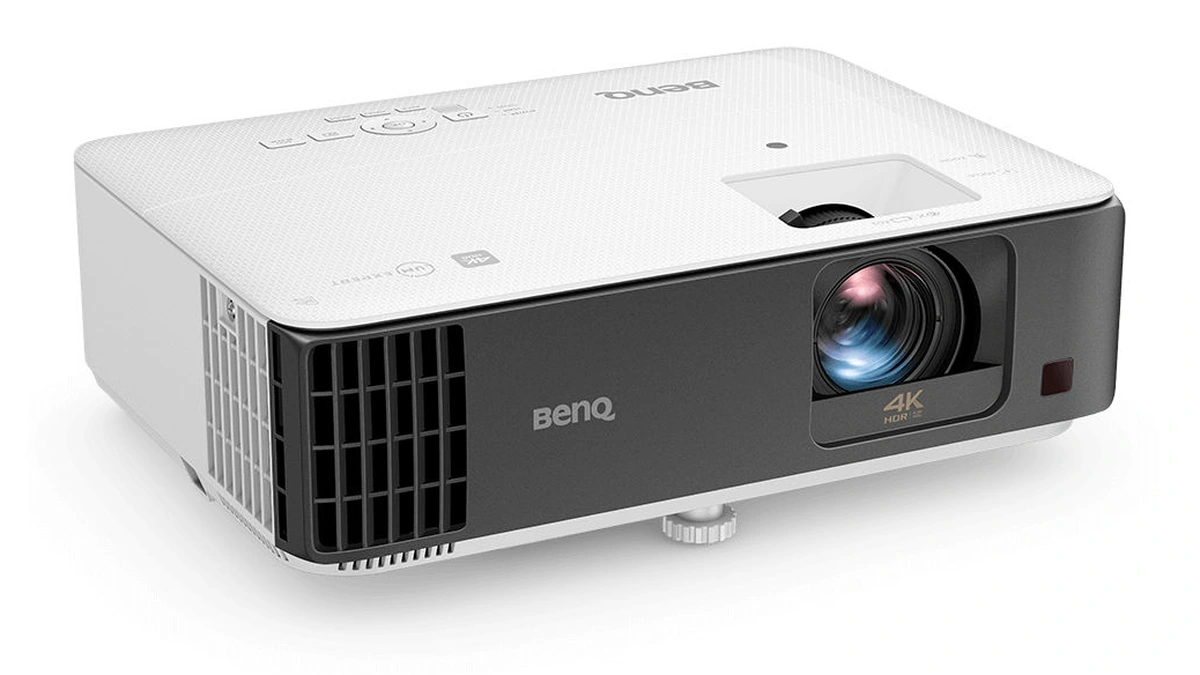
A projector is a display that throws an image onto a wall or screen through a lens, so the picture size depends on distance and light output rather than on the size of a panel. That makes buying a projector a different exercise from buying a TV. What to look for comes down to three numbers first: the throw ratio, which sets where the projector can sit; the rated brightness, which sets how much room light it can fight; and the light source, which sets how long it keeps that brightness. Resolution, contrast, the screen and gaming features matter, but only after those three fit the room.
Projector or TV for Your Room
A projector wins on image size and loses on convenience, and the room decides which of the two matters more. In its home theater setup guide, Dolby says projectors are typically found in more advanced home theater setups and that 100 to 150 inches is the most common image size for a good home theater projector. Dolby also notes the extra work: you need to install a screen and take care where the projector is mounted, and while projectors can have one or two built-in speakers, Dolby says a soundbar or an AV receiver with speakers is needed for a rich, immersive sound. For a living-room theater with windows, Dolby calls blackout curtains a must.
Room light is the deciding number. BenQ's brightness guidance puts a dark room with a 100 to 120 inch screen at 1,500 to 2,000 lumens and a room with ambient light at 3,000 lumens or more. Our advice, based on those figures:
- Pick a projector if you can darken the room, want an image well beyond TV sizes, and have space for a screen and a separate sound system.
- Pick a TV if the room is bright for most of the day or you want one box that works the moment it is plugged in.
- Look at an ultra-short-throw model for a projector-sized image from a unit that sits on a cabinet where a TV would, as the section below on the format explains.
Throw Distance Decides Where the Projector Goes
Every projector has a throw ratio, and it is the first spec to check against the room. BenQ defines throw ratio as throw distance divided by image width: at a ratio of 2.0, the projector needs 2 feet of distance for every foot of picture width. A 100-inch 16:9 image is about 7.2 feet wide, which BenQ uses in its installation calculator, and BenQ says ultra-short-throw models need less than 3.3 feet to fill that size. Applying the formula to three current BenQ models shows how far apart the categories sit:
| Category | BenQ example | Listed throw ratio | Distance for a 100-inch image |
|---|---|---|---|
| Standard throw | X3100i | 1.15 to 1.50 | About 8.3 to 10.8 feet |
| Short throw | TK700STi | 0.9 to 1.08 | About 6.5 to 7.8 feet |
| Ultra-short throw | V5010i | 0.25 | About 1.8 feet |
The ratios come from the X3100i, TK700STi and V5010i spec pages; the distances are the formula applied to a 7.2-foot-wide image, so treat them as starting points and confirm with the maker's calculator. A zoom range, like the X3100i and TK700STi offer, gives some freedom in where the projector sits. A fixed-lens ultra-short-throw model has none, so the screen size follows directly from how far the unit sits from the wall.
An off-center projector can be corrected in two ways. The X3100i spec page lists vertical lens shift, which moves the image optically, while the TK700STi lists only 2D keystone adjustment. In a support FAQ, BenQ says keystone correction uses digital algorithms to make the image rectangular, and that it can make image edges look jagged, more visibly as the adjustment grows, and may also affect sharpness. Our advice is to line the projector up with the center of the screen where the room allows and treat keystone as the fallback.
Ultra-Short-Throw Projectors Sit at the Wall
An ultra-short-throw projector, often shortened to UST, sits on a low cabinet a few inches from the wall and fires the image upward. It is the projector format designed to stand in for a TV. Samsung's The Premiere 9 uses triple laser technology and projects up to 130 inches, rated at 3,450 ISO lumens, with built-in Dolby Atmos speakers and the Tizen OS smart TV platform. Epson's EpiqVision Ultra LS800 uses three-chip 3LCD and a laser light source, and Epson lists picture sizes up to 150 inches.
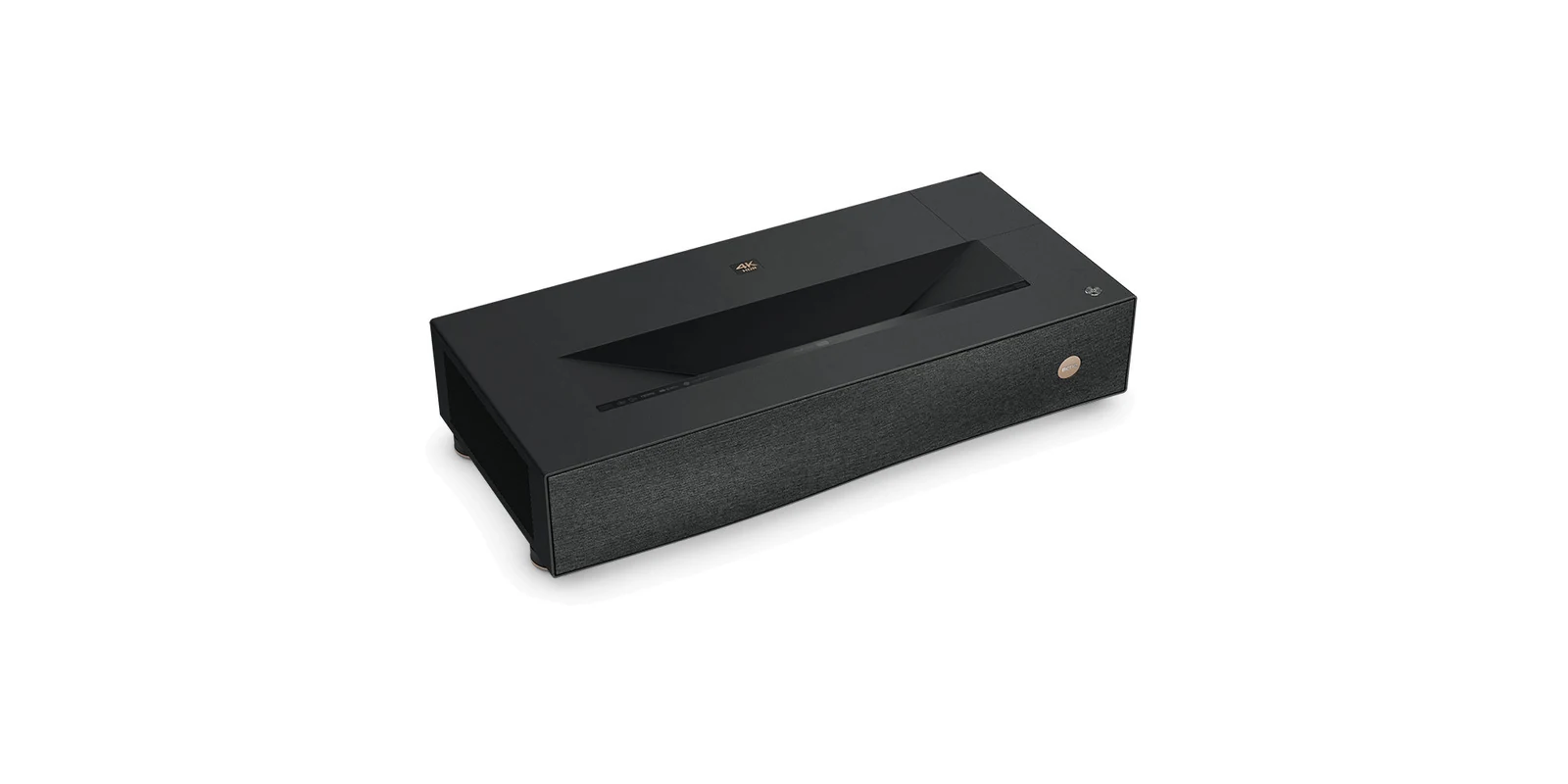
The trade-offs of the format are specific:
- No ceiling mount and no cable runs: the projector sits where a TV stand would, and the image never crosses the room, so nobody walks through the beam.
- Built-in sound: Samsung lists 40W 2.2.2 Dolby Atmos speakers on The Premiere 9, and Epson lists a 2.1 audio system by Yamaha on the LS800.
- Placement sets the size: moving a fixed-lens UST a few inches changes the picture size, so the cabinet depth has to suit the screen you want.
- The screen matters more: Epson sells optional SilverFlex Ultra ALR screens, built to cut the effect of ambient room light, for the LS800 in 100-inch and 120-inch sizes.
Epson selling an ALR screen next to the projector points to the format's weak spot: a living room with the lights on.
Brightness Numbers and How They Are Measured
Projector brightness is quoted in lumens, but the number only means something when the measuring method is named. The spec-sheet standard for projectors is ISO/IEC 21118, which specifies the information to be included in the specification sheets of front projection data projectors. Samsung says the ISO lumens it quotes for The Premiere 9 follow ISO standards, and BenQ quotes ANSI lumens. Epson goes further and splits the figure in two: on the LS800 page, Epson says it measures white light output under ISO 21118 and color light output under an IDMS method, and rates the projector at 4,000 lumens for each.
On a spec sheet, those terms sort out like this:
- ANSI lumens: the term BenQ uses on every spec page cited here, such as 2,500 for the V5010i and 3,000 for the TK700STi.
- ISO lumens: white brightness under the ISO approach, the figure Samsung and Epson publish.
- Color brightness: a separate measurement of colored light that Epson publishes next to white brightness, with both rated at 4,000 lumens on the LS800.
- Unlabeled lumens: a brightness figure with no standard named next to it cannot be compared with the three above.
How much you need depends on the room more than the spec. In its brightness advice, BenQ says most home theater setups with a 100 to 120 inch screen perform well with 1,500 to 2,000 lumens in dark rooms, and that a room with ambient light calls for 3,000 lumens or more. Bigger images spread the same light over more area, so a jump in screen size needs more brightness to look the same.
Screens, Walls and Seating Distance
A projector does not need a screen on day one. In its screen buying advice, BenQ says a flat, smooth white wall can offer a decent image for first-time users, and that a dedicated screen is worth it for deeper contrast and more vibrant color. BenQ sorts the options by room:
| Screen type | Where BenQ places it | Trade-off BenQ lists |
|---|---|---|
| Fixed frame | Dedicated home theaters or media rooms with wall space | Takes up a large section of wall |
| Ceiling or wall pull-down | Rooms without a dedicated media space | Untensioned screens can curl; tab-tensioned models stay flat |
| Portable floor or stand screen | Living room, study or backyard movie nights | Set up and folded away each time |
The surface matters as much as the frame. BenQ says standard matte white screens work well in dark rooms and that an ambient light rejecting (ALR) screen suits bright spaces, while white remains its choice for home entertainment. High-gain coatings boost brightness at the cost of a narrower viewing angle and possible hot spotting, so BenQ recommends a screen with even light distribution and no gain for most homes. Acoustic screens let speakers sit behind the image but reflect less light, which BenQ says suits custom theaters and darker rooms.
Screen size should follow the seat. BenQ cites a viewing angle of at least 30 degrees from SMPTE and 40 degrees from THX, and turns that into a quick rule: multiply the screen size by 1.3 for movie watching and by 1.8 for everyday viewing. A 100-inch screen works out to about 10.8 feet for films and about 15 feet for general use, so measure the seating distance before the throw distance.
Lamp, LED and Laser Light Sources
The projector light source sets how long the rated brightness lasts and whether replacement lamps are part of the running cost. The third edition of ISO/IEC 21118 was revised in part for the shift from lamps to laser and LED light sources, according to its foreword, and BenQ's lineup shows all three side by side:
| Light source | BenQ example | Rated brightness | Rated light source life |
|---|---|---|---|
| Lamp | TK700STi | 3,000 ANSI lumens | 4,000 hours Normal, up to 15,000 hours LampSave |
| LED | X3100i (4LED) | 3,300 ANSI lumens | 20,000 hours Normal, 30,000 hours Eco |
| Laser | V5010i (RGB laser) | 2,500 ANSI lumens | 20,000 hours Normal and Eco |
All three figures are BenQ's ratings from the TK700STi, X3100i and V5010i spec pages. The two UST models above follow the same direction, with a triple laser in The Premiere 9 and a laser light source in the LS800. A lamp model asks for replacement lamps over time. The lower brightness of the RGB laser V5010i against the lamp TK700STi is also a reminder that light source and lumens are separate decisions.
Resolution, Pixel Shift and Contrast
The BenQ and Epson models above reach 3840 by 2160 with pixel shifting, and the competing chip vendors describe it differently. Texas Instruments, which makes the DLP chips used in projectors such as the V5010i, says in an August 2025 application brief that its XPR technology splits each 4K frame into four 1080p sub-images and steers them into place to display 8.3 million pixels. TI argues that a 3LCD system with two-phase pixel shifting reaches about half that count. Epson, on the LS800 page, calls its approach 4K resolution enhancement technology, which shifts each pixel to produce the stated resolution. Neither vendor's framing is neutral, so judge sharpness from a demo where you can.
Check native resolution before any of that. BenQ's GV50 spec page lists a native resolution of 1080p (1920 by 1080) next to resolution support up to 4K UHD (3840 by 2160), so a line saying a projector accepts 4K does not make it a 4K projector. A 4K image carries four times the pixels of 1080p. In our view, that extra detail shows most on large screens at the closer movie distance above, and a native 1080p model loses less from farther back.
Contrast figures need even more care. In a TI white paper, Texas Instruments says a full white versus full black comparison does not show what a display can do, and that ANSI contrast, measured with bright and dark areas in the same image, is the more accurate figure. The headline ratios on home spec sheets are the other kind:
- BenQ V5010i: 2,500,000:1, listed as FOFO (full on, full off) with light source dimming.
- Samsung The Premiere 9: 2,000,000:1, listed as dynamic.
- Epson LS800: 2,500,000:1, listed as dynamic.
Those numbers rank a projector against its own siblings at best. In a living room, ambient light and the screen surface set the contrast you actually see.
Portable Projectors Trade Brightness for Battery
A portable projector gives up brightness to run without a wall socket. BenQ's GV50 shows the trade in one spec sheet:
- Brightness: 500 ANSI lumens, against 2,500 to 3,300 for the three home models in the throw and light source tables above.
- Power: a built-in lithium-ion battery, charged from a USB-C Power Delivery adapter or power bank rated from 45 W to 100 W; BenQ's battery FAQ says battery mode may reduce brightness.
- Picture: native 1080p from a laser light source rated at 20,000 hours Normal and 30,000 hours Eco.
- Setup: a throw ratio of 1.2, automatic keystone, Google TV built in, and a net weight of 4.6 pounds.
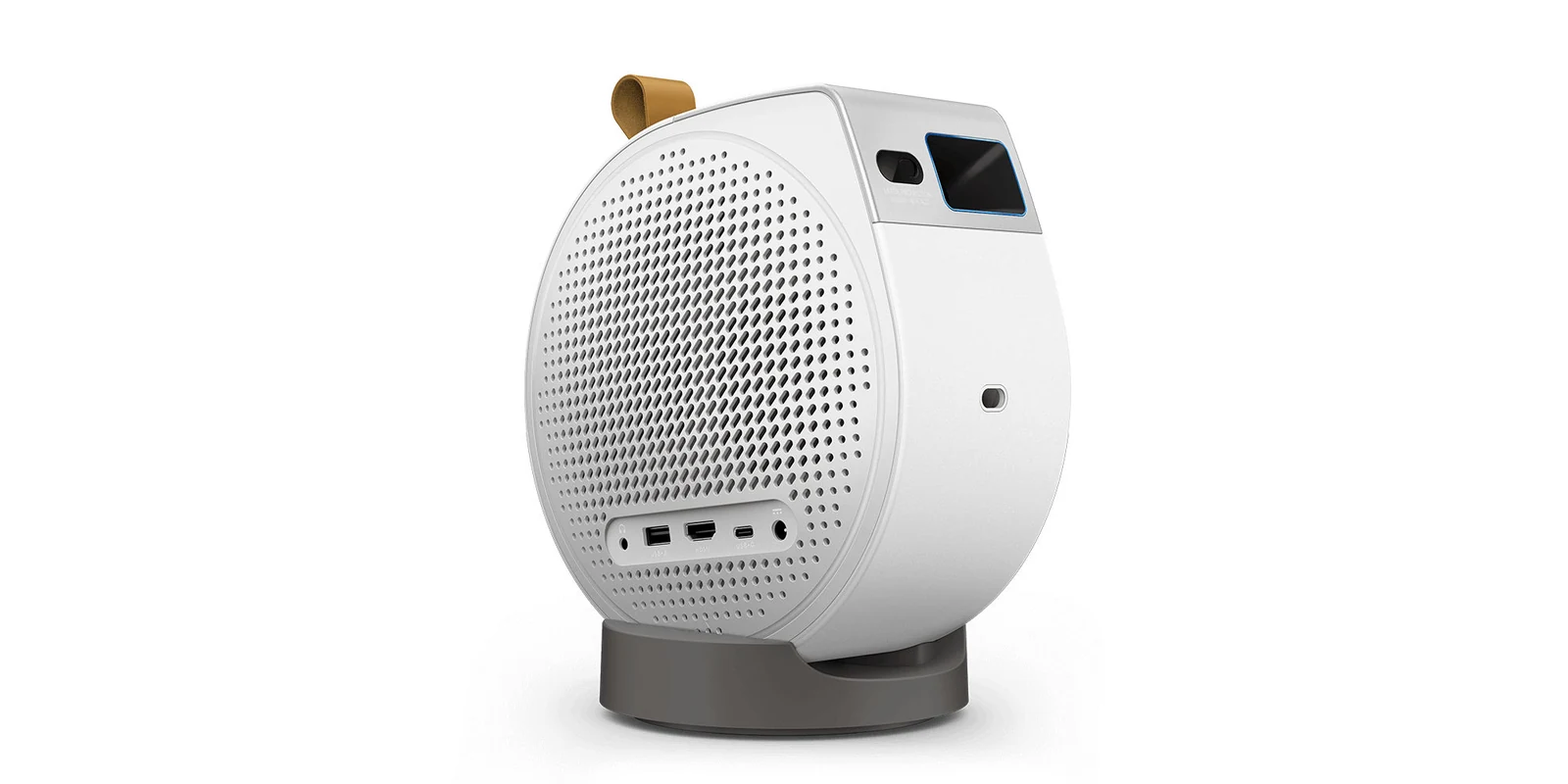
Set that 500-lumen figure against BenQ's own 1,500 to 2,000 lumens for a 100 to 120 inch image in a dark room, and a portable model reads as a dark-room, smaller-image projector. Our advice: buy one for bedrooms, travel and backyard nights, and a home model for the main screen.
Gaming and Sound on a Projector
A gaming projector needs low input lag and a console-friendly HDMI port. HDMI Licensing Administrator describes Auto Low Latency Mode (ALLM) as a signal from a console or PC that switches the display into a low-latency mode and back again when a movie starts. BenQ says the V5010i supports ALLM and accepts a 4K 120Hz signal, which it displays at 1080p 120Hz, and Samsung lists Game Mode with ALLM on The Premiere 9. BenQ publishes input lag per mode:
- TK700STi: 16.7 ms at 4K 60Hz and 4.2 ms at 1080p 240Hz.
- X3100i: 16.7 ms at 4K 60Hz and 4.2 ms at 1080p 240Hz.
- V5010i: 17.9 ms at 4K 60Hz and 5 ms at 1080p 240Hz.
Sound is the other half. Built-in speakers suit a casual setup, but a projector with HDMI eARC can pass a soundtrack on to a soundbar or receiver. BenQ lists eARC with Dolby Atmos pass-through on the V5010i, and Samsung lists eARC on The Premiere 9. HDMI LA says eARC carries formats up to Dolby TrueHD, Dolby Atmos and DTS:X to an AV receiver or soundbar over one cable.
Mistakes That Waste a Projector Budget
Most projector disappointments trace back to one of a handful of avoidable errors:
- Buying lumens without a standard: an unlabeled brightness figure cannot be compared with ANSI or ISO ratings, or with a color brightness figure.
- Reading 4K support as 4K resolution: a projector can accept a 4K signal and still display native 1080p, as the GV50 spec page shows.
- Ignoring the throw ratio: a standard-throw model that needs 10 feet will not fill a screen in a room with 7 feet to spare.
- Reading dynamic contrast as picture quality: FOFO and dynamic ratios do not predict how an image looks with the lights on.
- Skipping the screen: a painted wall is fine in the dark, but a bright room is where an ALR screen earns its price.
- Assuming built-in speakers are enough: 2.1 or 2.2.2 speakers in one box put no speaker behind the seats.
How to Choose a Projector for Your Room
A projector choice is easier in a fixed order, starting with the room:
- Measure the distance. Divide the distance from projector to screen by the image width you want to get the throw ratio you need.
- Judge the room light. A dark room works with 1,500 to 2,000 lumens at 100 to 120 inches, per BenQ; a living room with lights on needs 3,000 or more and probably an ALR screen.
- Plan the screen. Start on a smooth white wall if you like, then size a screen to the seat: BenQ puts the ideal viewing distance at about 1.3 times the screen size for movies.
- Pick the light source. Laser and LED models carry a longer rated life for the light source in BenQ's ratings; a lamp model needs replacement lamps.
- Decide on UST. If the projector must replace a TV on a cabinet, an ultra-short-throw model is the format built for it.
- Confirm native resolution. Read the native figure, not the input formats the projector accepts.
- Check inputs and lag. Gamers should look for ALLM, published input lag and enough HDMI ports for every console.
- Plan the sound. Use eARC to send audio to a soundbar or receiver if the built-in speakers fall short.
Many of the same specs appear on monitors. The monitor buying guide on resolution, refresh rate and panel types sets out how those numbers work on a desk display, and the OLED vs Mini-LED vs IPS monitor comparison covers the panel side of the contrast question. For a console or PC that will spend time on the big screen, the gaming monitor buying guide weighs 1440p, 4K and ultrawide options.
Further reading
Frequently Asked Questions
How many lumens does a projector need for a living room?
Plan on 3,000 lumens or more for a room with lamps or daylight, and 1,500 to 2,000 for a dark room. That is BenQ's guidance for a 100 to 120 inch image. Check that the figure is rated in ANSI or ISO lumens, and budget for an ambient light rejecting screen if the room is bright.
Is it worth buying a projector instead of a TV?
It is when the goal is a picture far larger than a TV and the room can be darkened. Dolby puts the most common home theater projector image at 100 to 150 inches, and BenQ suggests 1,500 to 2,000 lumens for a 100 to 120 inch image in a dark room and 3,000 or more with ambient light. A projector also needs a screen or a suitable wall and, per Dolby, a soundbar or receiver for full sound, so a TV stays the simpler choice for a bright room or daytime gaming.
Which is better, a 4K or 1080p projector?
A 4K projector can show more detail, since 3840 by 2160 is four times the pixels of 1080p, but the gain depends on screen size and seating distance. Check the native figure first: BenQ's GV50 accepts a 4K signal but displays native 1080p. Among 4K models, Texas Instruments says its DLP XPR technology places 8.3 million pixels per frame and argues two-phase 3LCD shifting reaches about half that, while Epson calls its approach 4K resolution enhancement, so compare sharpness in person where you can.
Do you need a screen for a projector?
Not to start. BenQ says a flat, smooth white wall can offer a decent image for first-time users, and Samsung shows The Premiere projecting onto a wall. A screen adds contrast and color: BenQ suggests matte white for dark rooms and an ALR screen for bright ones, and Epson sells optional SilverFlex Ultra ALR screens for its LS800 in 100-inch and 120-inch sizes.
Should I buy a portable or a home projector?
Buy a portable one for flexibility and a home model for brightness. BenQ rates its battery-powered GV50 at 500 ANSI lumens and, per its battery FAQ, battery mode may reduce brightness, while its V5010i lists 2,500 ANSI lumens. For the main screen in a living room, the home projector is the safer buy.
How long does a laser projector last compared with a lamp?
In BenQ's ratings, laser life runs longer than lamp life. BenQ rates the laser in its V5010i at 20,000 hours, while the lamp in its TK700STi is rated at 4,000 hours in Normal mode and up to 15,000 hours in LampSave mode. Both figures are BenQ's own estimates, so treat them as a comparison between light sources rather than a promise.