A threat intelligence platform is a security system that aggregates, normalizes, and analyzes threat data from multiple sources so security teams can act on it before an attack completes. For an small and medium business (SMB) without a dedicated security operations center, that promise is the deciding factor in whether a tool is worth the line item or another console nobody opens. The three products covered below sit at different points of the stack: an endpoint suite, a firewall subscription, and a cloud findings aggregator. Each earns its place in an SMB shortlist for a different reason, and none of them requires a full analyst rota to operate at baseline.
What a Threat Intelligence Platform Does
A threat intelligence platform (TIP) earns the label by performing three jobs in sequence: ingesting raw threat feed data, normalizing it into a comparable shape, and operationalizing the result as alerts or blocking actions a security team can use. Strip any of those out and the tool drops a category. The ingestion layer pulls indicators of compromise (indicator of compromise (IoC) values such as file hashes, IP addresses, and domain names) from commercial feeds, open-source lists, vendor telemetry, and government bulletins. Normalization deduplicates and enriches those signals with context like confidence scores, observed campaigns, and known command and control (command and control (C2)) infrastructure. The operationalization layer pushes the result into endpoint protection agents, firewalls, and SIEM ingestion pipelines where threat detection logic can act on it.
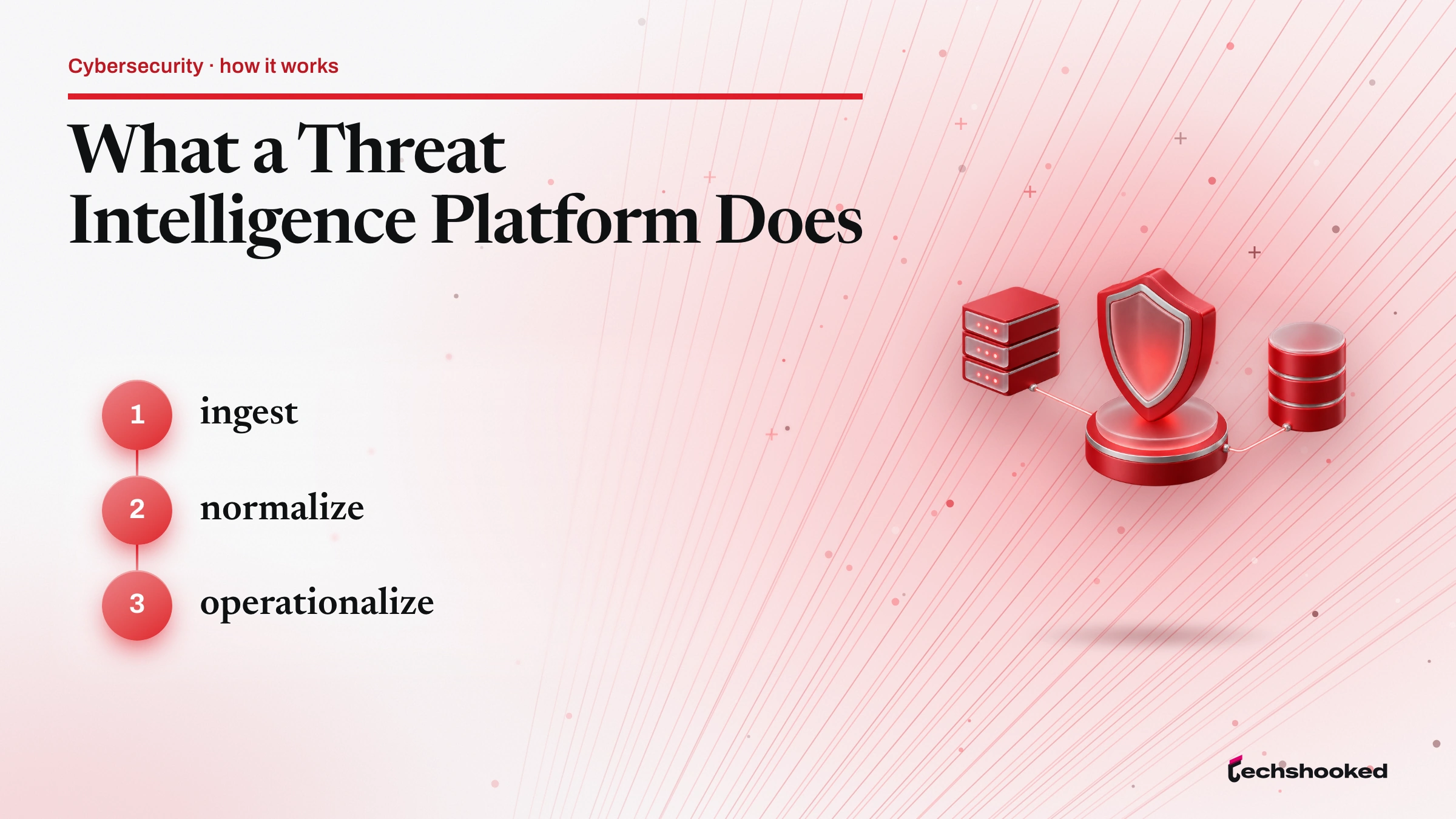
- Ingest
- Pull indicator of compromise (IoC) records and contextual reporting from multiple threat feed sources at machine speed.
- Normalize
- Deduplicate, enrich, and score signals so a single indicator does not generate three alerts from three feeds.
- Operationalize
- Route the cleaned intelligence to enforcement points and analyst workflows where threat detection actually happens.
Why SMBs Need a Threat Intelligence Platform
The case for a threat intelligence platform in a small and medium business (SMB) rarely rests on capability envy. It rests on staffing gaps. Most SMBs run security as a fractional responsibility inside IT, with no security operations center, no full-time threat hunting practice, and a vulnerability management program that lives in a spreadsheet. The attack surface, however, looks identical to a mid-market target: cloud SaaS, remote endpoints, third-party suppliers, and a phishing-prone user base. A TIP closes the gap by automating the correlation work an analyst would otherwise do manually, and by feeding enforcement points with the latest IoC and C2 intelligence without a human in the loop.
- Phishing campaigns that rotate domains faster than a quarterly review cycle can track.
- Supply-chain compromises where a trusted vendor pushes a malicious update into the SMB environment.
- Endpoint malware that lands through a single contractor laptop and pivots through flat internal networks.
- Cloud misconfigurations that expose storage buckets or identity tokens to opportunistic scanners.
Microsoft Defender for Business
Microsoft Defender for Business is the most direct fit for an SMB that already runs the Microsoft estate, and the most likely platform to already be paid for. The product is available as a standalone subscription or bundled into Microsoft 365 Business Premium, which means many SMBs hold a TIP-adjacent endpoint protection license they have never fully turned on (Microsoft documentation). The baseline coverage targets computers, tablets, and phones, with mobile threat defense that adds OS-level threat and vulnerability management, web protection, and app security on iOS and Android.
For teams that want to push beyond the default dashboard, the Defender for Endpoint streaming API is generally available on Defender for Business and Microsoft 365 Business Premium. The API supports streaming of device file, registry, network, and sign-in events to Azure Event Hub, Azure Storage, and Microsoft Sentinel, which gives an SMB a defensible path from a packaged product into a real threat hunting and advanced detection workflow as the team matures (Defender for Business: What's New). For SMBs that prefer not to staff that work internally, the same telemetry is the substrate a managed detection and response (MDR) provider needs to take over triage. A general IT administrator can run the product day-to-day; the streaming pipe waits until the security posture and headcount justify it.
- Bundled inside Microsoft 365 Business Premium, removing a separate procurement cycle for many SMBs.
- Mobile threat defense covers iOS and Android with vulnerability management and web protection.
- Streaming API exports raw event data to Azure Event Hub, Azure Storage, or Microsoft Sentinel for downstream MDR or SIEM use.
- Operable without a dedicated SOC; ready for one when it arrives.
Palo Alto Networks Advanced Threat Prevention
Palo Alto Networks Advanced Threat Prevention is the right shortlist entry for SMBs that already run a Palo Alto next-generation firewall and want the threat intelligence layer to ride on that asset rather than a new console. The subscription provides comprehensive exploit malware and command-and-control protection at the firewall, with frequent signature updates that push the latest threat feed content directly into enforcement (Palo Alto Networks documentation). For research and incident triage, the Threat Vault portal lets a security lead look up the latest threats that next-generation firewalls can detect and prevent, which collapses a common SMB workflow of jumping between vendor advisories and ad-hoc Google searches.

The telemetry model deserves a careful read. When telemetry is enabled, the firewall periodically sends application, threat, and device health data to Palo Alto Networks, which uses the resulting intelligence to deliver enhanced vulnerability and spyware signatures back to all customers. Palo Alto Networks states explicitly that telemetry is community-driven in benefit but that the underlying data is not shared with other customers or third-party organizations (telemetry sharing documentation). For an SMB, the practical effect is a TIP layer that runs at the perimeter with no separate platform to learn. The tradeoff is scope: the threat intelligence improves firewall enforcement, not endpoint or cloud posture, and it assumes the SMB already runs Palo Alto hardware or VM-Series instances.
- Comprehensive exploit malware and command-and-control coverage delivered through the existing firewall.
- Frequent signature updates push the latest threat intelligence without separate ingestion pipelines.
- Threat Vault gives lookup access to threats the next-generation firewall fleet can detect and prevent.
- Telemetry is community-driven but not cross-shared with other customers or third parties.
AWS Security Hub as a TIP-Adjacent Posture Layer
AWS Security Hub is not a dedicated threat intelligence platform, and an SMB shopping for one should not treat it as a like-for-like alternative to the two products above. It is a cloud security posture management (cloud security posture management (CSPM)) and findings aggregation layer that earns a place in this shortlist because most SMBs running on AWS already have access to it and most have not switched it on. Security Hub aggregates active findings from GuardDuty, Inspector, Macie, and partner integrations, and it lets a security lead filter active findings by up to ten attributes to cut analyst noise.
The product also ships the AWS Foundational Security Best Practices standard, which continuously evaluates AWS accounts and workloads to identify deviations from documented security best practices (AWS Security Hub FSBP documentation). That is closer to vulnerability management and security posture monitoring than to indicator-driven threat detection, and that distinction matters when scoping a budget. For an SMB without a SOC, Security Hub is the consolidation point that makes a downstream SOAR or MDR handoff feasible: the Google Chronicle SOAR marketplace ships a documented integration for AWS Security Hub findings, which gives even a small team a path to automated triage (Chronicle SOAR integration).
- Aggregates active findings across GuardDuty, Inspector, Macie, and partner sources.
- Filter set supports up to ten finding attributes for noise reduction.
- AWS Foundational Security Best Practices standard runs continuous posture checks against AWS accounts.
- Documented Chronicle SOAR integration provides a downstream automation path for SMBs without a SOC.
Platform Comparison for SMB Decision-Makers
The three options solve different parts of the threat intelligence platform problem for SMBs. The table below scores each one on the criteria that matter most for a team without a dedicated SOC: how operable it is at baseline, where it deploys, what feeds its intelligence, whether it touches mobile endpoints, how it streams to downstream tooling, and whether it has an SMB-specific SKU.
| Criterion | Microsoft Defender for Business | Palo Alto ATP + Threat Vault | AWS Security Hub CSPM |
|---|---|---|---|
| No-SOC operability | High; built for SMB IT admins | Moderate; firewall ops skill required | Moderate; AWS console literacy required |
| Deployment type | Endpoint suite, cloud-managed | NGFW subscription add-on | Cloud-native AWS service |
| Threat feed source | Microsoft endpoint telemetry | Palo Alto signature updates, Threat Vault | AWS native services, partner findings |
| Mobile threat defense | Yes, iOS and Android | No | No |
| Streaming/API integration | Streaming API to Event Hub, Storage, Sentinel | Firewall logs, syslog, panorama | Findings export, Chronicle SOAR integration |
| SMB-specific SKU | Yes, Microsoft 365 Business Premium bundle | No dedicated SMB SKU | No; pay-as-you-go pricing |
How to Choose the Right Threat Intelligence Platform for Your SMB
The choice is rarely about which TIP is best in the abstract. It is about which one fits the stack and the staffing model already in place. The sequence below maps the decision to the variables that actually move the answer.
- Audit the existing stack for native TIP capability. If the team already pays for Microsoft 365 Business Premium or runs Palo Alto firewalls, the most defensible first move is to turn on what is already paid for. New procurement should follow, not precede, this audit.
- Determine SOC staffing. A zero-analyst environment narrows the field to platforms with sane defaults and automated alerting. A part-time analyst can manage a hybrid model. A team with no internal capacity should pair any TIP with a managed detection and response provider that owns triage.
- Map the primary attack surface. Endpoint-heavy organizations weigh Defender for Business higher; perimeter-heavy ones favor Palo Alto; AWS-native shops start with Security Hub. Hybrid estates often need two of the three rather than one and a compromise.
- Evaluate threat feed currency. Ask how often signatures and IoC sets refresh, how the vendor handles takedowns, and whether the threat feed reflects the geographies and verticals the SMB actually operates in.
- Test integration paths. Confirm streaming API support, SIEM ingestion targets, and any MDR handoff hooks before signing. A platform that cannot export to the next tool the team will adopt is a dead end.
- Run a 60-to-90-day pilot against named KPIs. Track mean time to detect, false-positive rate, alert-to-action latency, and analyst hours saved. Decide on the data, not the feature checklist.
For SMBs whose primary footprint is AWS, the CSPM tooling landscape for AWS is the natural companion read; the CSPM layer often does more of the daily security posture work than the TIP itself. Teams weighing the broader detection architecture should also review the SIEM and SOAR comparison and the SOC team composition guide before locking the procurement plan.
Further reading
Frequently Asked Questions
How do I choose a TIP for a small business?
Start by mapping your existing security stack and SOC staffing level, then match a TIP to that operational capacity. A team with no dedicated analysts should prioritize platforms with automated alerting and managed detection and response options. Evaluate threat feed currency, integration with your endpoints and cloud environment, and vendor support SLAs before committing. Run a 30-to-90-day pilot against specific detection KPIs rather than relying on feature checklists alone.
Are there cost-effective threat intelligence tools built for SMEs?
Yes. Microsoft Defender for Business is explicitly positioned for small and medium-sized businesses and is available as part of Microsoft 365 Business Premium, which many SMBs already license. AWS Security Hub CSPM provides findings aggregation at a consumption-based price point for teams already in the AWS ecosystem. Both reduce the need for a dedicated TIP budget by embedding TIP-like capabilities into products SMBs already use.
Can a small business run a TIP without a dedicated SOC team?
Yes, but the platform choice matters significantly. Products like Microsoft Defender for Business are designed for environments without a full security operations center, offering automated threat detection and response workflows that a general IT administrator can manage. More complex platforms with raw feed ingestion and manual correlation rules require at least a part-time analyst. If internal capacity is zero, pair the platform with a managed detection and response provider that handles triage.