A smart thermostat is a Wi-Fi-connected climate control device that learns household schedules, adjusts heating and cooling automatically, and integrates with major smart-home platforms to cut energy waste.
Three brands dominate the US residential market: Google Nest, ecobee, and Honeywell Home. Each targets a slightly different buyer profile. Nest leans on Google Home integration and the Matter protocol. ecobee leads on multi-room sensor coverage. Honeywell Home spans the widest price range, from a basic programmable model to a fully connected Wi-Fi unit. The right choice depends on your HVAC wiring, your existing devices, and how much automation you actually want.
What Makes a Thermostat Smart
A smart thermostat differs from a programmable model by connecting to your home Wi-Fi and responding to occupancy, weather data, and app commands in real time. A standard programmable thermostat follows a fixed schedule you set once; a smart model adjusts that schedule based on who is home, what the outdoor temperature is, and what patterns it has observed over weeks of use. That adaptive behavior is the foundation of home automation in the climate control category.
The smart home technology overview covers how thermostats fit within broader device ecosystems, including hubs, protocols, and voice assistants. For a thermostat specifically, the key capabilities break down as follows.
- Smart scheduling
- The thermostat builds and refines a temperature schedule from your daily patterns, reducing run time during unoccupied hours without requiring manual reprogramming.
- Remote temperature control
- A companion app gives you remote temperature control from any location with cellular data, so you can pre-cool a home before you arrive or cut heating during an unexpected delay.
- Occupancy detection
- Built-in motion sensors or linked remote sensors detect whether anyone is in a room and trigger setback temperatures automatically.
- Platform integration
- Smart thermostats connect to Alexa, Google Home, Apple Home, or SmartThings, allowing voice commands and cross-device automation routines.
- Energy reporting
- Monthly or weekly energy history reports show how long the system ran and what drove consumption, turning abstract utility bills into actionable data.
Nest Thermostat: Matter Support and Google Home Integration
The Nest Learning Thermostat integrates with Google Home and supports the Matter protocol, making it a strong choice for households already invested in the Google ecosystem. Matter protocol (introduced by the Connectivity Standards Alliance) is the IP-based interoperability standard that allows home automation devices from different manufacturers to communicate directly without a brand-specific cloud bridge. For buyers planning a Matter-native home, the Nest Learning Thermostat is one of the few thermostats with full Matter support at the device level.
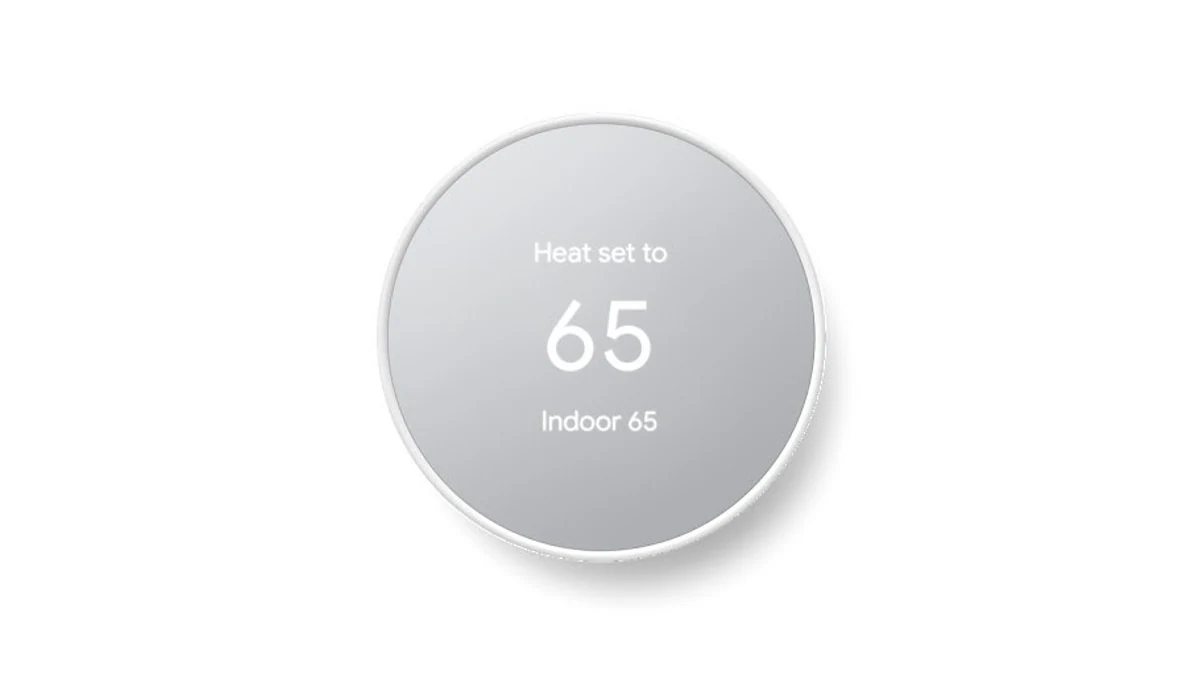
The current Nest Learning Thermostat (4th gen, 2024) learns through Smart Schedule, which builds a schedule from the temperatures you set and can apply changes automatically or only suggest them in the Google Home app, per Google. Google's technical documentation confirms compatibility with most standard 24V systems, though heat pump staging and multi-stage configurations require verification against Google's compatibility checker before purchase (Google Nest thermostat heating and cooling stage support). HVAC compatibility details and wiring diagrams are published at the official Google Nest thermostat system compatibility guide.
Key features of the current Nest Learning Thermostat generation (Google Nest Learning Thermostat technical specifications):
- Matter protocol support for cross-brand interoperability
- Google Home and Google Assistant integration with voice commands
- Smart Schedule: learns the temperatures and times you prefer; set to automatic, suggestions only, or off
- Borderless display with Dynamic Farsight that wakes when you approach the thermostat
- Presence-based automations that switch to Eco temperatures when everyone is away
- One Nest Temperature Sensor in the US box; up to six sensors per thermostat
- ENERGY STAR certified, qualifying the unit for utility rebate programs
The primary limitation is ecosystem lock-in. Nest works best when Google Home is already your hub. Apple Home users get Matter-bridged access, but full automation depth requires Google Home. Amazon Alexa integration is available for basic voice control but lacks advanced routine triggers.
ecobee Thermostat: SmartSensor and Multi-Ecosystem Reach
ecobee's Smart Thermostat Premium includes a built-in radar occupancy sensor and a SmartSensor in the box, giving it a sensor advantage that single-point thermostats cannot match. The core problem with wall-mounted sensors is that the thermostat reads temperature at one fixed point, which may be a hallway far from where people actually spend time. ecobee's remote SmartSensor places a temperature and occupancy sensor in a room that matters, and the thermostat averages readings across both points to make better heating and cooling decisions.
ecobee states its thermostats can deliver energy savings of up to 26% on heating and cooling costs compared to holding a constant temperature. The company attributes this to the combination of occupancy-driven setbacks and smart scheduling that reduces run time during predictably empty periods. ENERGY STAR certification backs that efficiency claim at a program level. ecobee supports the widest smart home ecosystem compatibility of the three brands: Apple Home (HomeKit), Amazon Alexa (built-in speaker on the Premium model), Google Home, and Samsung SmartThings all work natively without additional hardware.
For buyers who are not committed to a single smart home ecosystem, or who are building a mixed-brand home, ecobee's platform breadth is a meaningful differentiator. Remote temperature control via the ecobee app is available on iOS and Android, and the SmartSensor can be paired room by room as the household expands its sensor coverage.
- Built-in radar occupancy sensor on the thermostat faceplate
- SmartSensor included in box for remote room temperature monitoring
- Apple Home, Alexa, Google Home, and SmartThings support without additional hardware
- Built-in Amazon Alexa speaker on the Smart Thermostat Premium model
- ENERGY STAR certified across the current smart thermostat lineup
- ecobee app provides remote temperature control and occupancy reports
- Power Extender Kit available for systems without a C-wire
Honeywell Home Thermostat: Lineup Range and C-Wire Requirements
Honeywell Home offers smart thermostats across a wider price and feature range than Nest or ecobee, from the programmable T6 Pro to the ENERGY STAR certified X2S Wi-Fi model and the X8S, which supports wireless room sensors. That breadth makes Honeywell Home a practical option for buyers replacing multiple thermostats at different budget points, or for landlords specifying units across a property portfolio with mixed HVAC systems.
The common wire, abbreviated as C-wire throughout, is the fifth conductor in a standard thermostat wiring harness. It supplies continuous 24VAC power from the HVAC control board to the thermostat, allowing modern Wi-Fi models to stay powered without stealing charge from the heating or cooling call wires. The Honeywell Home X2S explicitly requires a C-wire; it has no power-harvesting fallback. Buyers without a C-wire must either run a new wire, use an add-a-wire adapter, or choose a different model from the Honeywell Home lineup that supports a power adapter solution. Details on wiring and model-specific requirements appear on the Honeywell Home X Series thermostat lineup page.
The T6 Pro Programmable has no Wi-Fi and suits rental units or secondary zones where app control is unnecessary; a Wi-Fi T6 Pro Smart version is sold through HVAC pros. The X2S adds Wi-Fi, the Resideo app, remote temperature control, and ENERGY STAR certification at a step up in price. Smart scheduling on the X2S is configurable by day and period through the app, but the model does not offer auto-learning from occupancy patterns the way a learning thermostat does.
- Broadest lineup range: basic programmable through full Wi-Fi smart thermostat
- X2S requires a C-wire; no power harvesting or adapter bundled in the box
- ENERGY STAR certified on the X2S model, qualifying for utility rebate programs
- Smart scheduling configurable by day part through the Resideo app
- Amazon Alexa and Google Assistant voice control on Wi-Fi models
- T6 Pro supports multi-stage heating and cooling systems and conventional or heat pump configurations
Side-by-Side Comparison: Nest, ecobee, and Honeywell Home
The table below compares each brand on the criteria most buyers weigh when choosing a smart thermostat: ecosystem, sensor set, C-wire need, ENERGY STAR status, and warranty.
| Criterion | Nest Learning Thermostat | ecobee Smart Thermostat Premium | Honeywell Home X2S |
|---|---|---|---|
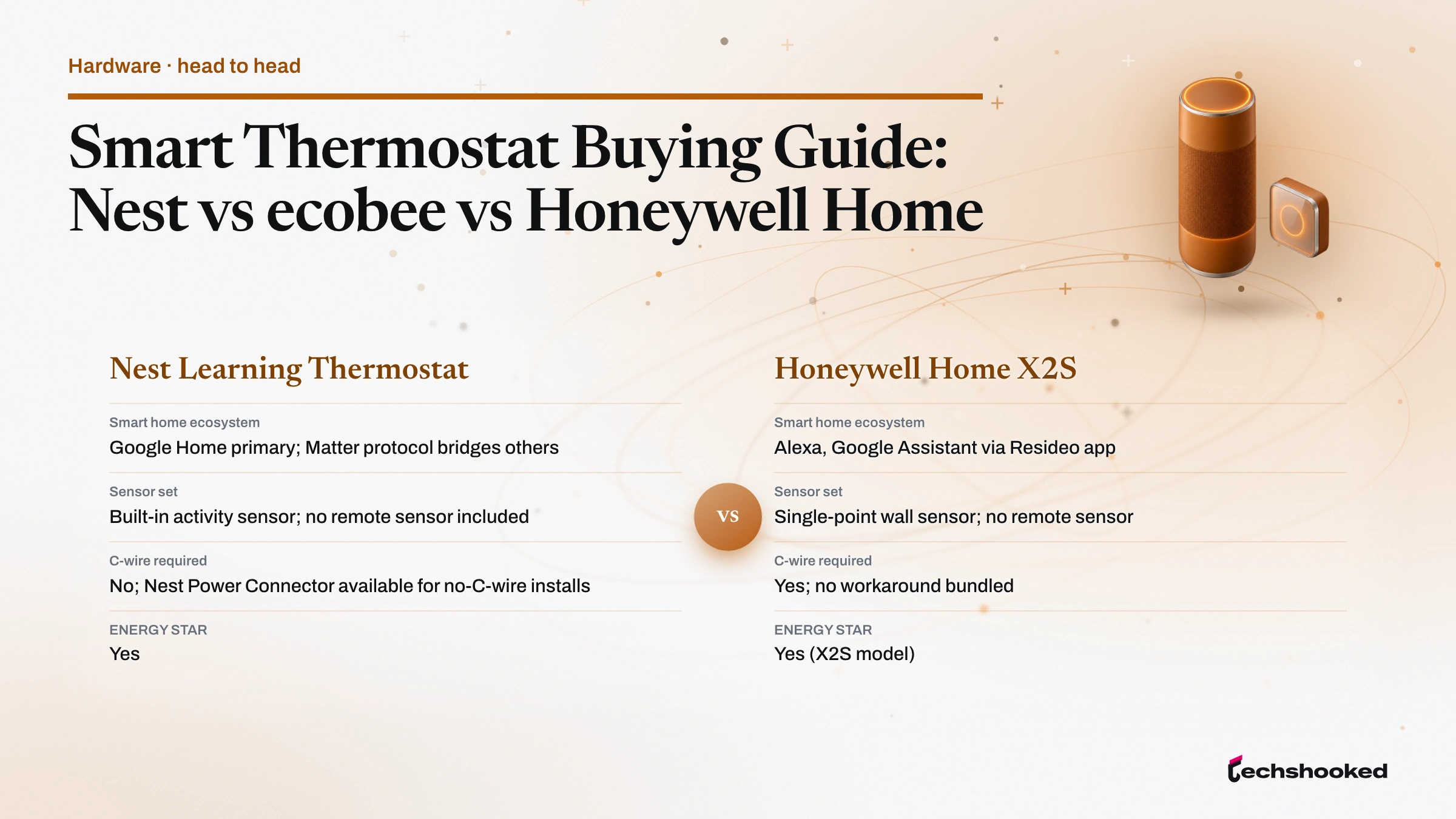
| Smart home ecosystem | Google Home primary; Matter protocol bridges others | Apple Home, Alexa, Google Home, SmartThings | Alexa, Google Assistant, Apple Home (Matter certified) |
| Sensor set | Built-in sensors; one Nest Temperature Sensor included | Built-in radar occupancy sensor; SmartSensor included | Single-point wall sensor; no remote sensor |
| C-wire required | Not in most homes; heat pump, zoned and heat-only or cool-only systems need a C-wire or the Nest Power Connector | No; Power Extender Kit included for no-C-wire installs | Yes; no workaround bundled |
| ENERGY STAR | Yes | Yes | Yes (X2S model) |
| Learning thermostat behavior | Yes; builds schedule from manual adjustments | Partial; Schedule Assistant suggests schedule changes, occupancy sensing adjusts temperatures | No; schedule is manually programmed |
| HVAC compatibility | Most 24V systems; multi-stage with verification | Most 24V systems including heat pumps | Most 24V systems; T6 Pro supports heat pumps |
| Remote sensor option | Yes; Nest Temperature Sensors, up to six | Yes; additional SmartSensors purchasable | Not on the X2S; the X8S takes wireless room sensors |
| Warranty | Two years | Three years | Two years (X2S, X8S) |
HVAC Compatibility and Installation Requirements
Confirming HVAC compatibility before purchase saves both the cost of a return and the risk of wiring damage during installation. The steps below apply to any smart thermostat purchase, regardless of brand.
- Photograph your existing wiring. Remove the cover of your current thermostat and photograph every wire and its terminal label before disconnecting anything. Terminal labels vary by manufacturer but common ones include R, Rc, Rh, G, Y, W, C, and O/B.
- Check for a C-wire. Look for a wire connected to the terminal labeled C. If it is present, you have a common wire and can install any model reviewed here. If the C terminal is empty, check whether an unused wire exists in the bundle at the wall, since installers sometimes park a spare wire behind the plate.
- Use the brand's compatibility checker. All three brands publish online tools that take your terminal labels as input and return a pass or fail for each thermostat model. Run your wiring configuration through the checker before completing the purchase.
- Verify heating and cooling stage count. Single-stage systems are universally compatible. Two-stage or variable-speed systems require confirmation, especially for heat pumps with auxiliary heat strips. The Google Nest heating and cooling stage support page details which configurations each Nest model handles.
- Check voltage. Smart thermostats in the residential market require 24V low-voltage systems. Line-voltage systems (120V or 240V baseboard heaters) are not compatible with any of the three brands compared here and require a different product category.
- Plan C-wire solutions early. If your system lacks a common wire, decide before purchase whether you will run a new wire, use an add-a-wire adapter, or choose a model that ships with a power adapter. Factor in electrician costs for multi-zone or complex wiring situations.
Choosing the Right Smart Thermostat for Your Home
The best smart thermostat for your home depends on three factors: your existing smart-home ecosystem, whether your HVAC has a C-wire, and how much you want sensor-driven zone control. Each factor eliminates or elevates a candidate.
- Start with your ecosystem. Google Home users get the deepest experience from Nest. Apple Home users should prioritize ecobee, since its HomeKit support is native and does not require Matter bridging. Mixed-device households and those without a dominant hub benefit most from ecobee's broad smart home ecosystem compatibility.
- Confirm your C-wire situation. A home with a common wire can run any model. A home without one should choose Nest (Power Connector) or ecobee (Power Extender Kit) over the Honeywell Home X2S, which requires a C-wire with no adapter bundled.
- Decide how much sensor coverage you need. Single-zone homes with the thermostat in a central hallway may see adequate results from any occupancy sensor on the main unit. Multi-room homes, or homes where the thermostat is poorly located, get measurably better heating and cooling balance from ecobee's SmartSensor system. The occupancy sensor in secondary rooms prevents the system from heating or cooling an empty space to comfort temperature.
- Factor in energy savings goals. All three brands carry ENERGY STAR certification on their Wi-Fi-capable models, qualifying purchases for utility rebates in most US states. ecobee's stated energy savings figures are the most specific vendor claim in the category. For buyers motivated primarily by energy savings, the multi-point sensor approach gives the most granular control.
- Consider installation complexity. Straightforward single-zone 24V installs are DIY-friendly across all three brands. Heat pump systems, dual-fuel systems, and multi-zone setups benefit from a licensed HVAC technician, regardless of which thermostat you select. The risk of incorrect wiring is damage to the HVAC control board, not just the thermostat.
Remote temperature control from a smartphone is a standard feature across all three brands at their Wi-Fi tiers. The differentiator among them is sensor depth, ecosystem alignment, and how actively the thermostat learns versus how much you program it manually. Households that prioritize set-and-forget automation with multi-room accuracy favor ecobee. Households already on Google Home and Matter favor Nest. Households seeking the broadest model selection with straightforward scheduling favor Honeywell Home.
Further reading
- Google Nest thermostat system compatibility guide (support.google.com)
- Google Nest Learning Thermostat technical specifications (support.google.com)
- Google Nest thermostat heating and cooling stage support (support.google.com)
- ecobee smart thermostats product page (ecobee.com)
- Honeywell Home X Series thermostat lineup (honeywellhome.com)
- SmartThings vs Home Assistant vs Hubitat: Smart Home Hub Comparison for Advanced Users
- Understanding Fanless PCs: Benefits and Representative Models
- Video Editing Workstation Build Guide: HP, Dell, and Custom Components
Frequently Asked Questions
What are the main differences between Nest, ecobee, and Honeywell thermostats?
Nest focuses on Matter compatibility and Google Home integration. Ecobee bundles a SmartSensor and supports the widest ecosystem, including Apple Home, Alexa, and SmartThings, while Honeywell Home offers the broadest lineup from basic programmable to Wi-Fi smart models for any home automation setup. Choose based on which smart-home ecosystem you already use and whether your HVAC needs a C-wire.
Do smart thermostats work with all HVAC systems?
Most smart thermostats work with standard 24V heating and cooling systems. Google Nest thermostats are designed to work with most 24V systems, though some installations may still require a C-wire or Nest Power Connector. Honeywell Home's X2S explicitly requires a C-wire. Check your system compatibility using each brand's online compatibility checker before buying.
Can I install a smart thermostat myself?
Yes, most smart thermostats include step-by-step guides for DIY installation on standard single-zone 24V systems. Professional installation is worth considering if your system uses multiple stages, a heat pump, or lacks a C-wire, since wiring errors can damage HVAC equipment.
How much can a smart thermostat save on energy bills?
ecobee states its thermostats can save up to 26% on energy bills, or up to $284 a year on heating and cooling, compared with holding a constant 72°F. Actual savings depend on your local climate, usage habits, and current thermostat setup. ENERGY STAR-certified models from all three brands qualify for potential utility rebates that can offset the purchase price.