A smart home hub is a dedicated controller that bridges Zigbee, Z-Wave, Thread, and Wi-Fi devices into a single automation layer, letting users create rules and routines that run independently of any single cloud service. For advanced users running dozens of devices across multiple radios, the choice of hub determines whether the home keeps working when the vendor's cloud goes down. SmartThings, Home Assistant, and Hubitat each take a different position on that question, and the gap between them has widened as Matter adoption pulls the market toward IP-routable devices and Thread border routers. Edge Drivers have narrowed the gap for routine Zigbee and Z-Wave control on SmartThings, yet local processing depth and offline resilience still favor the two local-first platforms in any serious home automation deployment.
What a Smart Home Hub Actually Controls
A smart home hub combines radio hardware and rule-execution software into a single appliance that translates between low-power mesh protocols and a household IP network. The hub is distinct from a protocol gateway (radio-to-IP bridge with no local logic) and a vendor bridge (a single-brand controller such as a Philips Hue Bridge). The W3C Web of Things architecture formalizes these roles as Thing, Gateway, and Controller. A real hub does all three, and the breadth of its protocol stack determines what hardware the home can absorb.
The protocol layer matters because Zigbee, Z-Wave, Thread, and the Matter protocol each solve a different reliability problem. Zigbee and Z-Wave are mature mesh radios with long device catalogs; Thread is a newer IPv6 mesh designed for Matter; the Matter protocol is an application-layer interoperability standard that rides Wi-Fi, Thread, or ethernet. Local execution of automations sits above all of them, and is the single feature that separates a hub from a remote control. The underlying mesh mechanics are covered in smart home hubs and the Matter, Zigbee, and Z-Wave protocols.
- Zigbee: 2.4 GHz low-power mesh; broadest sensor and bulb catalog; a Zigbee network requires a hub-side coordinator radio.
- Z-Wave: Sub-GHz mesh (908 MHz in North America) optimized for locks, switches, and long-range sensors; a Z-Wave mesh produces less interference with Wi-Fi than the 2.4 GHz radio.
- Thread: Low-power IPv6 mesh; requires a Thread border router (TBR) to bridge to the LAN; carries Matter traffic.
- Matter: Application-layer interoperability standard from the Connectivity Standards Alliance; runs over Wi-Fi, Thread, or ethernet; needs a Matter controller, not always a Thread radio.
- LAN/Wi-Fi: Direct IP integrations for cameras, speakers, and brand bridges; usually cloud-routed unless the integration is local-first.
SmartThings Architecture: Edge Drivers and Cloud Dependence
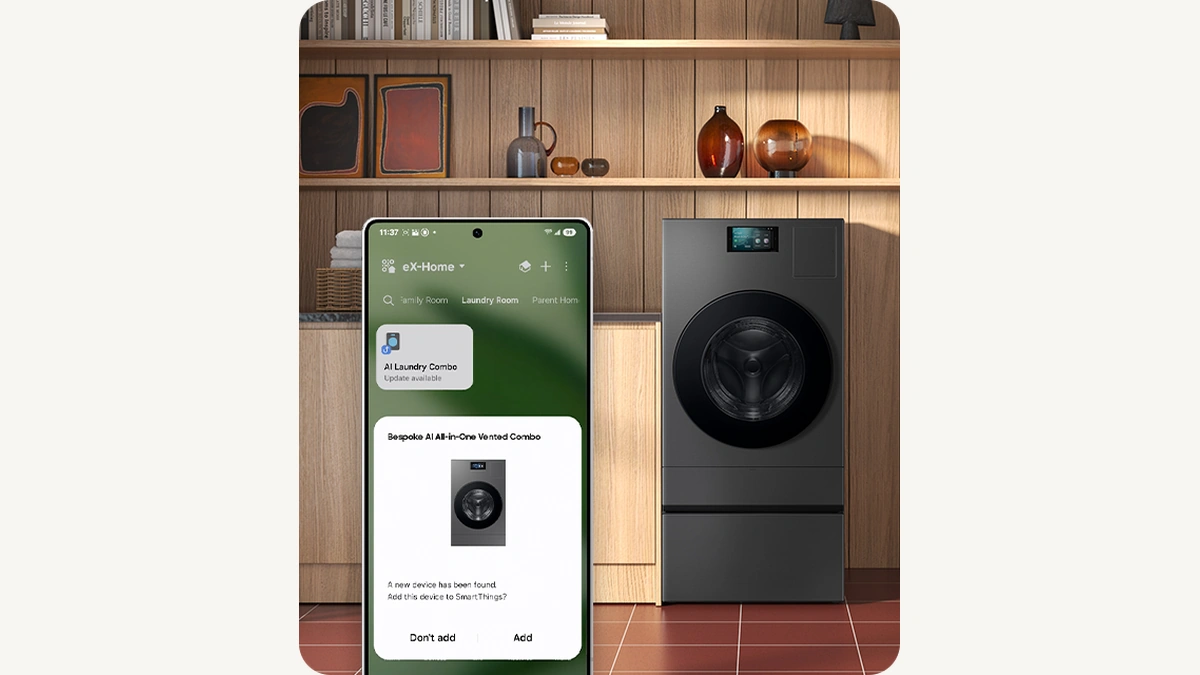
SmartThings is Samsung's consumer smart home platform, distributed through the Aeotec Smart Home Hub, the SmartThings Station, and built-in radios in select Samsung Q60-and-above televisions released after 2022. The hub family acts as the brain of a SmartThings installation and adds Zigbee, Z-Wave, and LAN-connected devices to a single mobile app, according to Samsung's hub support documentation. Matter controller support arrived on October 24, 2022, and now extends across most current hubs on firmware 45.9 or higher.
The architectural shift that matters is the Edge Driver (ED) framework. Samsung's ED framework replaced the older cloud-hosted Groovy device handlers with Lua-based drivers that run on the hub itself. EDs deliver lower latency and continue to operate when the SmartThings cloud is unreachable, per Samsung's Edge Driver FAQ. The migration to ED is the strongest local processing move SmartThings has made, and it materially narrows the cloud dependency gap with Hubitat for routine device control.
The gap does not close completely. Several capabilities still touch Samsung's cloud, and that is where the cloud-dependent workflow risk concentrates for SmartThings owners.
- Runs locally on the hub: ED-managed device control, on-hub Routines that reference only local devices, Zigbee and Z-Wave commissioning, Matter-over-Thread device control on hubs with a TBR.
- Still requires the cloud: SmartThings account login and mobile app pairing, voice assistant routing (Bixby, Google Assistant, Alexa), SmartApps that pull from third-party cloud APIs, push notifications, and any routine that references a cloud-only device such as a Ring camera.
- Hardware caveat: the 2015 SmartThings Hub can act as a Matter controller over Wi-Fi or LAN but does not contain a TBR, so Matter-over-Thread devices need a different hub on the network.
Home Assistant: Local-First Architecture and Migration Path
Home Assistant is an open-source home automation platform that keeps device state and automation logic on local hardware by default. The project's official positioning is unambiguous: Home Assistant works fully without its optional cloud subscription, and its integrations directory lists more than a thousand integrations. That breadth is the practical answer to the device compatibility question SmartThings users raise most often when they consider migrating, and the local processing model is what makes the offline resilience claim hold up under a residential WAN outage.
The reference hardware is Home Assistant Green, a small plug-and-play appliance with the operating system preinstalled. Green ships without Zigbee, Z-Wave, or Thread radios in the base configuration; adding a Home Assistant Connect ZBT-2 USB stick provides a Zigbee network and a Thread border router in one accessory, and a separate Z-Wave dongle (typically a Zooz or Aeotec stick) covers the Z-Wave mesh. The ZHA integration is hardware-independent and can replace most proprietary Zigbee gateways, which means an existing SmartThings Zigbee mesh can be re-paired to ZHA without changing the bulbs, sensors, or switches themselves.
The migration is not a flip-the-switch operation; it is a parallel-run exercise that takes a weekend for a 20-device home and several weeks for a 100-device installation. A workable sequence:
- Stand up Home Assistant Green alongside the existing SmartThings hub. Add LAN and cloud integrations first (Hue Bridge, Sonos, Ecobee, Tesla) since these can be dual-managed without un-pairing anything.
- Recreate the most-used local automation rules in Home Assistant and verify they fire correctly before moving any physical devices.
- Section by section, unpair Zigbee and Z-Wave devices from SmartThings and re-pair them to ZHA and the Z-Wave dongle. Work room by room so a failed pairing leaves the rest of the home functional.
- Migrate Matter devices last; Matter supports multi-admin, so a device can be commissioned to both controllers during the transition and removed from SmartThings once Home Assistant has stable control.
- Decommission the SmartThings hub only after a 30-day observation window confirms every automation, notification, and voice command works on Home Assistant alone.
The payoff is full offline resilience: with the SmartThings cloud removed from the path, a residential internet outage no longer breaks lighting, climate, or lock automations.
Hubitat: Local-Only Execution Without the Setup Overhead
Hubitat Elevation occupies the middle position between SmartThings and Home Assistant. It is a closed-source commercial hub with Zigbee and Z-Wave radios on-board, a web-based rule editor, and a stated design goal of running every automation locally on the device. There is no monthly fee and no required cloud account for day-to-day operation; remote access is offered as an optional paid add-on rather than a default dependency.
For an advanced user whose only complaint with SmartThings is the cloud-dependent workflow risk, Hubitat removes that risk without imposing the YAML configuration learning curve that Home Assistant carries. Hubitat's Rule Machine engine runs entirely on-device, and the platform's local automation rules continue to fire during an internet outage with no degraded behavior. The trade-off is integration breadth: Hubitat's community of drivers is large, but it does not approach the thousand-plus integration count Home Assistant publishes.
- Advantages over SmartThings: fully local execution, no required cloud account, no risk of vendor sunset for cloud-only features, faster automation response times on the same Zigbee mesh.
- Advantages over Home Assistant: shipped with radios in the box, a UI-first rule editor, lower configuration overhead, smaller surface area for misconfiguration.
- Limitations: narrower third-party integration catalog, slower Matter feature rollout, no equivalent to the Home Assistant add-on ecosystem for tasks like Frigate NVR or InfluxDB metrics.
Protocol Stack Comparison: Zigbee, Z-Wave, Thread, and Matter Support
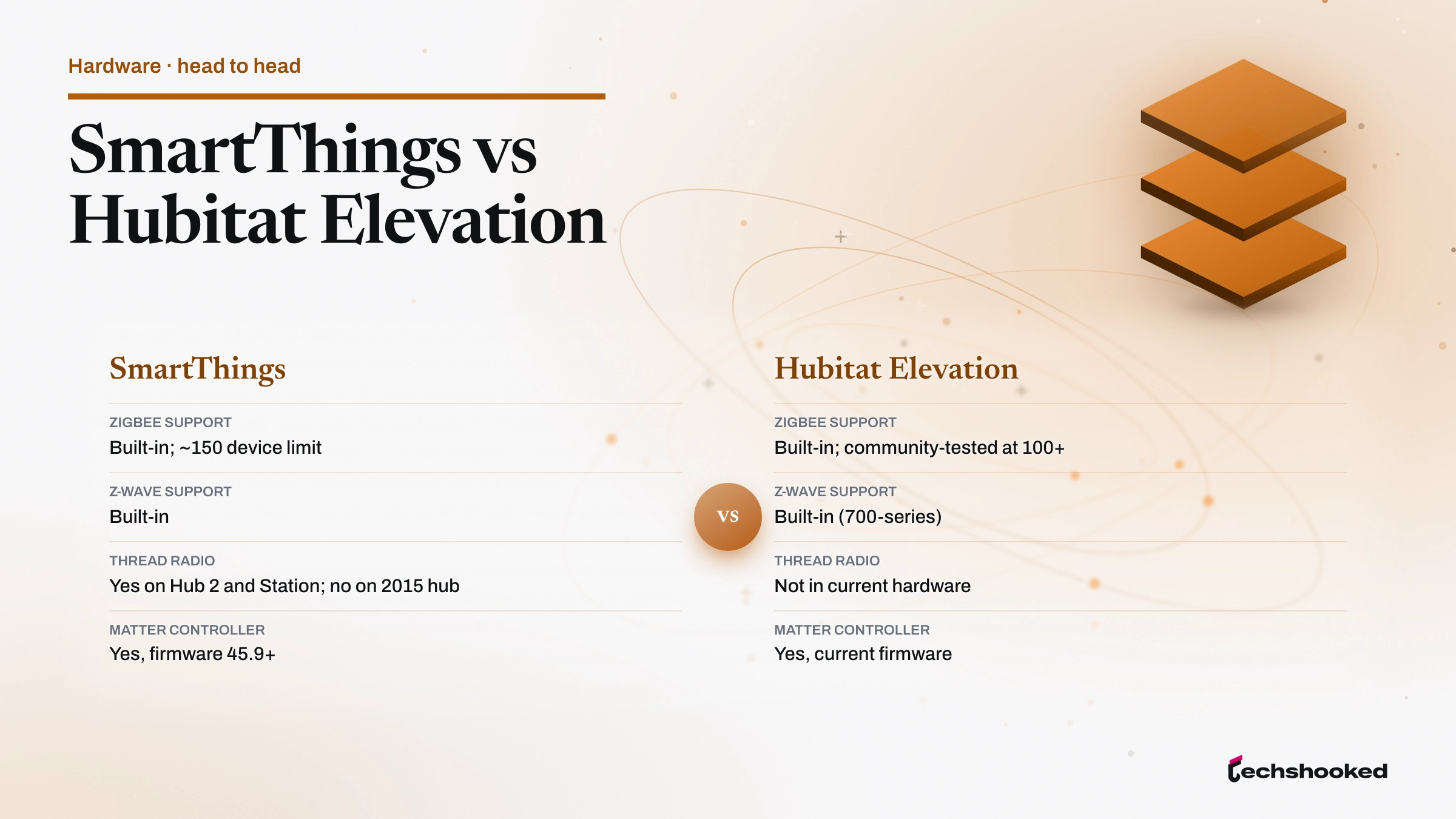
The protocol stack each hub exposes determines how much of the smart home market it can address without add-on radios. The table below compares the three platforms on the dimensions that drive purchase decisions for advanced users, including the practical device compatibility ceiling for each Zigbee network. The figures for the Aeotec Smart Home Hub 2 are vendor-published marketing values from Aeotec's product page rather than independent test results. For neutral interoperability standards, the IEEE 2413 IoT framework sets the architectural baseline.
| Capability | SmartThings (Aeotec Hub 2) | Home Assistant Green + ZBT-2 | Hubitat Elevation |
|---|---|---|---|
| Zigbee support | Built-in; ~150 device limit | Via Connect ZBT-2; ZHA integration | Built-in; community-tested at 100+ |
| Z-Wave support | Built-in | Via third-party USB stick | Built-in (700-series) |
| Thread radio (border router) | Yes on Hub 2 and Station; no on 2015 hub | Via Connect ZBT-2 | Not in current hardware |
| Matter controller | Yes, firmware 45.9+ | Yes, native | Yes, current firmware |
| Local processing | EDs plus on-hub Routines | Full local execution | Full local execution |
| Offline resilience | Partial; cloud-gated features fail | Full; LAN-only operation supported | Full; LAN-only operation supported |
| Recurring cost | None | Optional Nabu Casa cloud subscription | None; optional Hub Protect |
| Setup complexity | Low (mobile app) | High (YAML or UI editor) | Moderate (web UI) |
A note on Samsung TV hubs: the built-in SmartThings Hub in Q60-and-above televisions covers the Matter protocol, Thread, and a Zigbee mesh at the radio level, but Samsung positions it as a starter controller rather than a full hub. Device limits, firmware update cadence, and replacement risk on television hardware make it a poor fit for an advanced installation; treat it as a controller-only option, not a hub-class alternative.
Offline Resilience and Cloud-Dependent Workflow Risk
Offline resilience is the operational test that separates the three platforms more cleanly than any feature checklist. A clean way to evaluate it is to ask what fails the moment the residential WAN link drops. The same logic applies inside the home: favor the platform that keeps the essential control path local when the residential WAN link is unavailable.
- SmartThings: ED-backed device control and on-hub Routines continue running. Voice assistants stop responding, mobile app remote access stops working, any SmartApp pulling a third-party cloud API fails, and notifications queue until reconnection. A cloud-dependent workflow such as "if Ring detects motion, turn on the porch light" breaks immediately.
- Home Assistant: everything that does not explicitly reference a cloud integration continues running. Local automation rules, dashboards on the LAN, Zigbee and Z-Wave control, and Matter-over-Thread devices behave normally. Only integrations bound to an external API (Tesla, Ecobee, weather feeds) degrade.
- Hubitat: identical local behavior to Home Assistant for in-hub automations. Cloud-routed features (dashboards via Hub Protect, IFTTT integrations) drop until reconnection, but the core local automation rules engine is unaffected.
For users who treat the smart home as life-safety adjacent (locks, garage doors, hot-water shutoffs, freezer alarms), the cloud dependency gap between SmartThings and the two local-first platforms is the decision factor. EDs narrow the gap; they do not close it.
Migration Decision Framework: When to Leave SmartThings
The home automation migration question is rarely binary. Use the trigger conditions below to decide whether the operational pain justifies the parallel-run cost, and which destination platform fits. Two of the three triggers firing is usually the threshold where the move pays back within a year. For broader context on smart home technology and on voice assistant ecosystems, those companion pieces cover the adjacent decisions.
- Cloud outage frequency: if SmartThings cloud incidents have broken automations more than twice in the past twelve months, the cloud-only routines risk has moved from theoretical to operational.
- Device-count growth: approaching the ~150-device Zigbee ceiling on the Aeotec Hub 2, or running multiple hubs to cover a large floor plan, is a leading indicator that Home Assistant's broader device compatibility ceiling will pay back the migration cost.
- Protocol diversity: homes mixing a Zigbee network, a Z-Wave mesh, Thread, LAN cameras, and brand-specific bridges (Hue, Lutron, Ecobee) hit SmartThings integration gaps faster than single-radio homes.
- Matter priority: if new device purchases are Matter-first, all three hubs are viable controllers; the deciding factor reverts to local execution and integration breadth.
Stay on SmartThings if the Samsung ecosystem (TVs, appliances, Galaxy phones) is central to the household and EDs have already moved the most-used automations local. Move to Hubitat if the only requirement is a cloud-free rules engine for an existing Zigbee mesh and Z-Wave mesh, and the integration catalog Hubitat publishes covers the installed device list. Move to Home Assistant when integration breadth and full local-first control both matter, and someone in the household is willing to own the ongoing configuration work the platform asks for.
Further reading
Frequently Asked Questions
How do I choose between SmartThings, Home Assistant, and Hubitat?
Choose based on how much cloud dependency you can tolerate and how many devices you need to control. SmartThings suits users already in the Samsung ecosystem who want a managed experience; Hubitat suits those who want local-only execution without extensive configuration; Home Assistant suits users who need the widest device support and are comfortable with initial setup complexity.
Can I run multiple smart home hubs at the same time?
Yes, running two hubs in parallel is the standard migration path when moving from SmartThings to Home Assistant or Hubitat. The practical limit is device re-pairing: most Zigbee and Z-Wave devices can only pair to one hub at a time, so a full migration requires unpairing from SmartThings and re-pairing to the new hub, section by section. LAN and cloud-integrated devices can usually be dual-managed during the transition.
Does Home Assistant require technical expertise to replace SmartThings?
Home Assistant Green reduces the barrier significantly: it arrives pre-installed and plug-and-play. The remaining complexity is automation configuration, which uses a YAML-based or visual editor. Users comfortable with router-level networking and JSON/YAML configuration will find the migration manageable; users who rely on a mobile-only setup experience may find SmartThings or Hubitat a better fit.