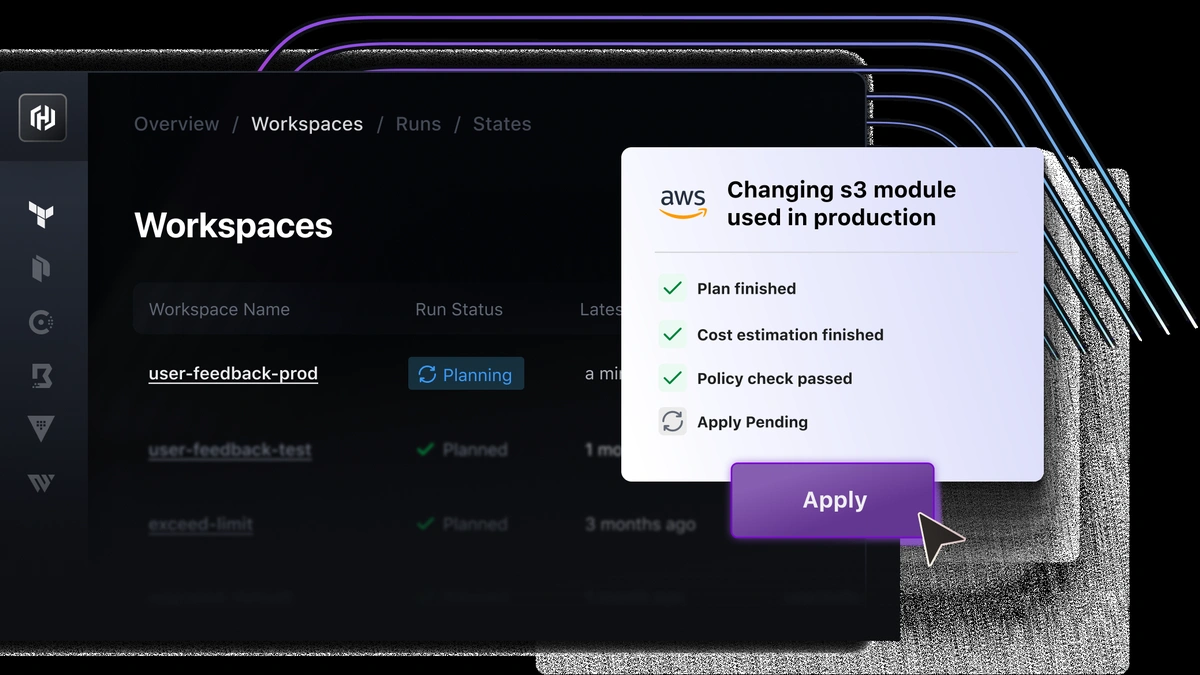
Terraform is an infrastructure provisioning tool that declares cloud resources in version-controlled HCL files and reconciles real infrastructure to that declared state across any provider.
Three tools dominate the infrastructure as code (IaC) conversation: Terraform, Ansible, and CloudFormation. Each solves a real problem, but they solve different problems at different layers of the stack. Choosing the wrong one for your team's constraints means months of workarounds. Choosing the right one means your infrastructure lifecycle runs without friction.
What Infrastructure as Code Does
Terraform, Ansible, and CloudFormation all automate infrastructure provisioning through machine-readable definition files, but each treats the relationship between declared state and running infrastructure differently. IaC replaces manual console clicks with version-controlled configuration that can be reviewed, tested, and rolled back. Terraform and CloudFormation apply declarative configuration: you define the desired end state and the tool resolves how to reach it. Ansible is primarily procedural, executing ordered task sequences, though its modules support idempotent execution so repeated runs produce consistent results. Configuration management, the ongoing task of keeping running hosts aligned with a specification, is Ansible's core purpose and a secondary concern for the other two.
| Tool | Paradigm | Primary Use | Cloud Scope |
|---|---|---|---|
| Terraform | Declarative | Multi-cloud resource provisioning | Any provider via plugin |
| Ansible | Imperative / procedural | Configuration management and app deployment | Multi-cloud via modules |
| CloudFormation | Declarative | AWS-native stack provisioning | AWS only |
How Terraform Works
Terraform converts HCL resource declarations into a dependency graph, runs a plan phase to diff current state against the state file, then applies only the changes required to reach the declared target. The state file is a JSON record that maps each HCL resource block to its real-world counterpart; every plan run compares this file against live infrastructure to detect drift and determine the minimum change set. Teams managing shared infrastructure store this state in a remote state backend, typically an S3 bucket with DynamoDB locking on AWS, so concurrent engineers do not corrupt each other's state. Terraform's provider plugin architecture extends coverage across AWS, Azure, GCP, and a large ecosystem of cloud and SaaS platforms on the Terraform Registry (developer.hashicorp.com/terraform). Each provider plugin translates HCL resource blocks into the target API's calls, which makes the tool's multi-cloud portability practical rather than theoretical.
The core workflow follows four commands, each with a distinct responsibility (HashiCorp Terraform plan docs):
- terraform init: Downloads the required provider plugins and initializes the backend configuration for the working directory.
- terraform plan: Produces an execution plan showing which resources will be created, modified, or destroyed; this step does not modify any real resources.
- terraform apply: Executes the plan, making the API calls required to reconcile live infrastructure to the declared state, and updates the state file with the resulting resource attributes.
- terraform destroy: Generates and applies a plan that removes all resources tracked in the state file, used to tear down ephemeral environments cleanly (HashiCorp destroy docs).
Because Terraform compares the state file on every plan, drift detection is built into the normal workflow. Any manual change made outside Terraform shows up as a diff the next time a practitioner runs terraform plan. This makes immutable infrastructure practical: teams replace resources rather than patching running instances, and the plan output shows exactly what will change before anything is touched.
How Ansible Works

Ansible executes ordered task lists called playbooks against a dynamic inventory, connecting to hosts over SSH without a resident agent and applying each task's desired state in sequence. Ansible is agentless: it installs no persistent daemon on managed nodes. However, it does require SSH access to target hosts and Python installed on each managed node. For AWS cloud-control tasks, the amazon.aws collection works differently: most cloud-control steps execute on the local control machine rather than SSHing into instances, using the AWS API directly (Ansible amazon.aws AWS guide). Each module handles idempotent execution at the task level: a package installation module checks whether the package is already present before calling the package manager. Configuration management is Ansible's primary design goal, covering package installation, file templating, service state, and application deployment in a unified playbook automation model.
Ansible's architecture breaks into five core components:
- Inventory: A file or dynamic script that defines which hosts or groups Ansible will manage, including connection variables like SSH user and key path.
- Playbook: A YAML file that maps plays to host groups; each play contains an ordered list of tasks Ansible executes top to bottom.
- Role: A reusable, self-contained unit of playbook automation that packages tasks, handlers, variables, and templates for sharing across projects via Ansible Galaxy.
- Module: The smallest executable unit; each module performs one discrete action (install a package, copy a file, call an AWS API) and handles idempotency internally.
- Handler: A special task triggered only when a preceding task reports a change, commonly used to restart a service only when its configuration file has actually been modified.
Ansible's strengths lie in post-provisioning configuration management. It does not maintain a persistent state file, so it cannot plan-preview changes or report on infrastructure drift the way Terraform does.
How CloudFormation Works
CloudFormation is an AWS-native stack orchestration service that provisions and updates stacks of resources described in JSON or YAML templates, with AWS managing all state tracking internally. Teams write declarative configuration templates that describe the complete desired state of an AWS environment: VPCs, EC2 instances, RDS clusters, IAM roles, and the dependency relationships between them. CloudFormation resolves those dependencies, handles rollback when a stack update fails, and supports nested stacks for large environments requiring stack orchestration across multiple logical boundaries. Cloud lock-in is the central tradeoff: the template language, stack model, and service integrations are specific to AWS, so a team using CloudFormation cannot extend the same workflow to Azure or GCP without a separate toolchain.
CloudFormation's stack lifecycle moves through five phases (AWS CloudFormation change sets):
- Template validation: CloudFormation parses the JSON or YAML template, checks syntax, and validates resource type definitions before any provisioning begins.
- Change set preview: Teams create a change set to see which resources will be added, modified, or replaced before committing an update, equivalent to Terraform's plan phase.
- Stack creation or update: CloudFormation provisions or modifies resources in dependency order, calling AWS APIs on behalf of the deploying account.
- Rollback: If any resource fails during creation or update, CloudFormation automatically rolls the stack back to its last stable state, reducing partial-failure risk for multi-resource deployments.
- Drift detection: Teams initiate drift detection via the AWS console, CLI, or API to compare live resource attributes against the stack template. CloudFormation drift detection is on-demand only: there is no native scheduling mechanism in the service itself (AWS CloudFormation drift detection). Periodic checks require external tooling, such as an AWS Lambda function triggered by Amazon EventBridge.
Terraform vs Ansible vs CloudFormation: Key Differences
Terraform and CloudFormation share a declarative configuration model but differ on state ownership and cloud scope; Ansible occupies a different tier entirely as a configuration management tool that can reach cloud APIs but was not designed around idempotent infrastructure provisioning. Across all three tools, infrastructure as code delivers its value through version-controlled, reviewable change sets rather than manual console operations. The state file is the clearest technical dividing line: Terraform owns and queries a state file on every plan; CloudFormation stores state internally in AWS and exposes it through the stack API; Ansible stores no persistent state, which means drift detection requires external tooling or a full re-run. On cloud scope, Terraform's provider plugin model gives it first-class support for AWS, Azure, GCP, and a wide range of platforms from the same HCL workflow, while CloudFormation templates are specific to AWS resource types. Immutable infrastructure patterns align naturally with Terraform's replace-on-change behavior; Ansible's mutable configuration model applies changes in place and suits long-running hosts that accumulate configuration over time.
| Dimension | Terraform | Ansible | CloudFormation |
|---|---|---|---|
| State management | Writer-managed state file; remote state backend required for teams | No persistent state file | AWS-managed; no external state required |
| Cloud scope | Multi-cloud via provider plugin | Multi-cloud via modules | AWS only (cloud lock-in) |
| Drift detection | On every plan (automatic) | None | On-demand only (console/CLI/API) |
| Language | HCL (declarative configuration) | YAML (procedural tasks) | JSON or YAML (declarative configuration) |
| Agent required | No agent | No daemon; requires SSH + Python on targets | No agent (AWS-managed) |
| Change preview | terraform plan before apply | No native plan phase | Change set before execute |
| Rollback | Manual (re-apply previous state) | No built-in rollback | Automatic on stack failure |
| Primary use case | Immutable infrastructure provisioning | Configuration management on running hosts | Stack orchestration for AWS resources |
The remote state backend overhead is real but well-understood for Terraform teams. The S3 and DynamoDB locking pattern is a one-time setup that scales to large engineering organizations. CloudFormation eliminates that overhead for AWS-only environments at the cost of portability. Ansible's stateless model is appropriate for configuration management tasks where module-level idempotent execution is sufficient, but it is not a substitute for a provisioning tool that tracks full infrastructure lifecycle from creation to destruction.
Choosing the Right Tool for Your Team
Terraform is the right default for teams managing resources across more than one cloud provider or planning to migrate away from AWS at any horizon. The decision depends on three primary constraints: cloud commitment, configuration scope, and state management tolerance. Selecting the right infrastructure as code tool shapes every downstream decision about pipeline automation, rollback strategy, and team onboarding. Infrastructure topology decisions, such as whether workloads run at the edge or in a central region, shape which IaC tool integrates most cleanly into a deployment pipeline; the edge computing vs cloud computing comparison covers the architectural tradeoffs that feed into those provisioning choices.
- AWS-only greenfield deployment
- CloudFormation is the lowest-friction choice: no state backend to configure, automatic rollback on failure, native integration with AWS services like Service Catalog and StackSets, and no additional tooling cost. Acceptable as long as multi-cloud is genuinely off the roadmap.
- Multi-cloud or hybrid infrastructure
- Terraform is the purpose-built answer. The provider plugin model covers AWS, Azure, GCP, and most major SaaS platforms from a single workflow, and the remote state backend with DynamoDB locking gives teams the governance layer they need for concurrent applies. Cloud lock-in is eliminated at the cost of managing state externally.
- Configuration-heavy mutable OS layer
- Ansible handles what Terraform and CloudFormation do not: post-provisioning configuration management at the OS and application layer. Playbook automation covers package installation, user management, secrets injection, and application deployment against already-running hosts. The common production pattern pairs Terraform for provisioning with Ansible for configuration, triggered in sequence by a CI/CD pipeline after a successful apply. Scaling decisions for the provisioned infrastructure layer are covered in the load balancing vs auto scaling guide.
Teams do not need to choose exactly one. Terraform and Ansible cover complementary layers of the infrastructure lifecycle and are frequently combined in production. CloudFormation is the right scope-reduction when the organization is committed to AWS and wants to eliminate external state management entirely.
Further reading
Frequently Asked Questions
Can Ansible replace Terraform for cloud provisioning?
Ansible can provision cloud resources through its AWS, Azure, and GCP modules, but it lacks a persistent state file. Without that file, it cannot detect drift or plan-preview changes the way Terraform does. For teams that need idempotent infrastructure lifecycle management (create, update, destroy with rollback), Terraform is the purpose-built choice. Ansible remains the better fit when the primary need is post-provisioning configuration management on already-running hosts.
Does CloudFormation drift detection run on a schedule?
No. CloudFormation drift detection is on-demand only: teams initiate it via the AWS console, CLI, or API to compare live resource attributes against the stack template. There is no native scheduling mechanism in CloudFormation itself; scheduling requires external tooling such as AWS Lambda triggered by Amazon EventBridge.
What is the Terraform state file and why does it matter?
The Terraform state file is a JSON record that maps each resource in your HCL configuration to its real-world counterpart in the cloud provider. Terraform compares this file against live infrastructure on every plan run to determine what changes are required. Without a shared remote state backend (such as S3 with DynamoDB locking for AWS teams), concurrent applies from multiple engineers risk state corruption and resource drift.
Is Ansible truly agentless?
Ansible is agentless in that it installs no persistent daemon on target machines. However, it does require SSH access to managed hosts and Python on each target node. AWS cloud-control tasks run differently: the amazon.aws collection executes most steps on the local control machine, using the AWS API rather than SSHing into instances.
Can Terraform and Ansible be used together?
Yes, and combining them is a common production pattern. Terraform provisions the base infrastructure layer (VPCs, EC2 instances, RDS clusters, load balancers) while Ansible handles post-provisioning configuration management (package installation, application deployment, secrets injection). A CI/CD pipeline stage can trigger an Ansible playbook run against newly provisioned hosts after a successful Terraform apply.