An e-commerce CMS is a content management system that combines catalog management, storefront publishing, and transactional infrastructure into a single platform purpose-built for selling online. That definition matters because most platform shootouts compare checkout flows and ignore the editorial substrate underneath. A storefront that cannot template metadata, restructure URLs, or extend product attributes will throttle organic growth long before the cart loses a sale. The five platforms covered below (Shopify, WooCommerce, BigCommerce, Adobe Commerce, and Wix Commerce) all process payments competently. They diverge sharply on how they treat catalogs as content.
What an E-Commerce CMS Actually Does
An e-commerce CMS sits at the intersection of four responsibilities that, until roughly 2015, lived in separate systems. Treating those responsibilities as a single architectural surface is what distinguishes a true e-commerce content management system (CMS) from a checkout widget bolted onto a marketing site. The infrastructure underneath that surface is covered in Building Scalable Online Stores With Cloud Architecture.
- Catalog management with structured product data. Products are typed records with variants, SKUs, attributes, taxonomies, and relations to other products. Depth here determines whether the platform can model a 6-axis apparel matrix or a configurable kit builder without custom code.
- Storefront publishing for non-product content. Landing pages, category copy, editorial guides, and blog posts that drive organic traffic must live in the same URL namespace and editorial workflow as products.
- Transactional infrastructure. Cart, checkout, payment gateway integration, tax engines, fulfillment hooks, and order management.
- SEO tooling. URL control, canonical tags, metadata templating, JSON-LD output for Product and Breadcrumb schema, and clean sitemap generation.
Where CMS Capability Separates the Field
Three failure modes recur across merchant migrations. First, rigid URL and taxonomy structures that prevent optimization of category pages, the highest-value organic real estate a store owns. Second, content and commerce treated as separate systems requiring developer glue, the classic bolt-on blog problem common to hosted SaaS platform vendors that grafted blogging onto a checkout core. Third, weak extensibility for structured product data in vertical catalogs: furniture dimensions, apparel size run matrices, configurable kit builders, B2B unit-of-measure conversions. These three gaps frame the criteria in the next section. They also explain why some merchants graduate from one platform to another within 18 months of a launch they expected to last five years. Architectures such as headless commerce address parts of this trade by decoupling the storefront from the commerce engine.
Five Evaluation Criteria for Selecting an E-Commerce CMS
Any honest e-commerce CMS evaluation needs a fixed rubric applied identically to every candidate. The five criteria below map directly to the columns of the comparison table that follows. Apply them in order; the first criterion that disqualifies a platform should end the conversation for that store typology.
- 1. Catalog architecture
- Does the platform natively support configurable, bundled, virtual, and grouped product types with custom attribute sets? Or does each non-trivial pattern require a paid plugin and a third-party support contract? Native depth scales; plugin stacks compound fragility.
- 2. SEO and content tooling
- URL structure control (can the merchant set a custom URL for every category and product without inheriting a forced prefix), metadata templating, native blog integration, and structured data output. SEO tooling that requires an app for canonical tags is not SEO tooling.
- 3. Plugin extensibility model
- Marketplace-gated apps, an open-source ecommerce plugin ecosystem, or an API-composable layer. Each model trades extensibility for governance differently. Plugin extensibility also dictates how many vendors a merchant ends up paying monthly for a single workflow.
- 4. Hosting and infrastructure model
- Fully managed SaaS, self-hosted, hybrid, or cloud-native with developer-controlled infrastructure. This determines who owns uptime, who pays for traffic spikes, and how much the team must know about Linux. Payment gateway integration depth often correlates with this axis, because hosted platforms tend to ship native processor support while self-hosted stacks rely on plugins. The companion guide on the Best Payment Gateways For E-Commerce covers the processor side of that question.
- 5. Total cost of ownership over three years
- Total cost of ownership (TCO) means licensing or revenue share, transaction fees, hosting, plugin spend, and developer cost combined across 36 months and segmented by store typology. The cheapest entry is rarely the cheapest exit.
Platform Comparison: Five E-Commerce CMS Options Evaluated
The five commerce CMS platform platforms below cover roughly 80% of new mid-market store launches outside China. The matrix scores each across the five criteria established above. Cell entries are intentionally compressed; the prose treatment that follows the table explains the trade per platform.
| Platform | Catalog architecture | SEO and content tooling | Plugin / app extensibility | Hosting model | 3-year TCO tier (mid-market) |
|---|---|---|---|---|---|
| Shopify | Variants capped at 100 per product natively; extended via apps | Canonical tags and sitemap native; URL prefixes /products/ and /collections/ are fixed | Marketplace-gated Shopify App Store; closed source | Managed SaaS | Mid ($15K to $80K) |
| WooCommerce (WordPress) | Simple, variable, grouped, external native; complex types via plugins | Strongest in class via Yoast or Rank Math and WordPress editorial workflow | Open-source plugin ecosystem on WordPress | Self-hosted | Low to Mid (under $30K with discipline) |
| BigCommerce | Up to 600 variants and 250 option values per product natively | Editable URL structures, metadata templates, native structured data | App marketplace plus open Stencil framework | Managed SaaS with headless option | Mid ($20K to $70K) |
| Adobe Commerce (Magento) | Configurable, grouped, bundled, virtual, downloadable; unlimited attributes | Full URL control, Page Builder for CMS pages, JSON-LD modules | Open-source core plus Adobe Commerce Marketplace | Cloud-native with dev control or self-hosted | High to Enterprise ($80K to $300K+) |
| Wix Commerce | Simple and digital products; 6 option types, max 1,000 variant combinations | Editable meta and sitemap; no programmatic templating | Marketplace-gated Wix App Market | Managed SaaS | Low (under $15K) |
Shopify
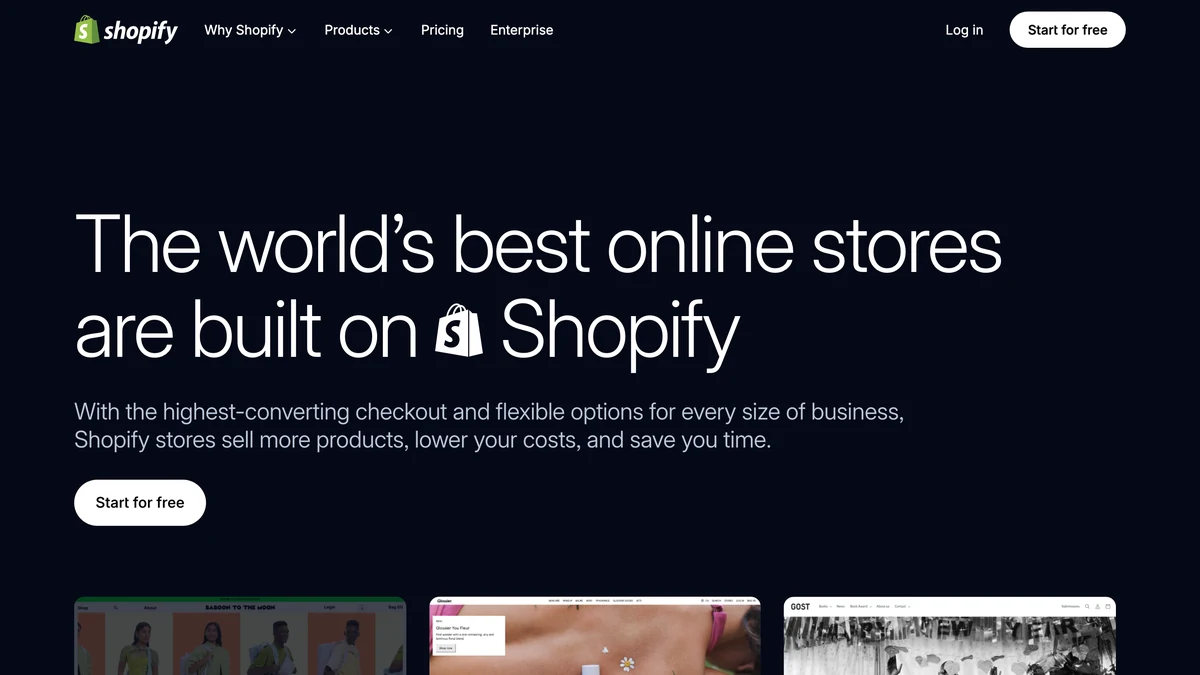
Shopify wins on operational simplicity and on multi-channel selling, where Shopify Channels stitch Instagram, Google Shopping, TikTok, and POS into the same inventory ledger. Native variant ceiling of 100 per product is a hard wall for catalogs with deep size and color matrices, and the workaround (apps such as Infinite Options or a metafields scheme) introduces a recurring app bill and an upgrade path risk documented in the Shopify Developer Documentation. Online Store 2.0 sections improved the templating story over classic Liquid, but the result is still closer to a flexible theme than a true CMS page builder. Pricing runs $39 for Basic, $105 for Shopify, and $399 for Advanced per month, with transaction fees waived only when Shopify Payments is the processor. App spend for mid-market stores commonly lands between $200 and $500 per month. Readers weighing the binary against WordPress can see How To Choose Between Shopify And WooCommerce.
WooCommerce
WooCommerce is open-source ecommerce running on WordPress, and that lineage is its single strongest asset for content-led merchants. Editorial workflow, SEO tooling, internal linking, and category page composition all benefit from the WordPress core and from plugins such as Yoast SEO and Rank Math, as documented in the WordPress.org documentation. Catalog management extends through WooCommerce Subscriptions, Product Add-ons, and Composite Products, though each new plugin is another vendor and another upgrade vector. Hosting is the merchant's problem, which is freedom and burden in equal measure; managed WooCommerce hosts (WP Engine, Kinsta, SiteGround) absorb most of the operational pain at $30 to $300 per month depending on traffic. TCO is the lowest at entry of any platform in this comparison and the most variable at scale, because plugin and hosting decisions compound over years.
BigCommerce
BigCommerce was built for high-SKU retailers, and its catalog ceiling shows it. Native support for up to 600 variants and 250 option values per product, confirmed in the BigCommerce Catalog API documentation, remains competitive among hosted platforms in this set, though Shopify has since raised its limit to 2,000 variants per product. SEO tooling permits editable URL structures and metadata templates that Shopify still gates behind workarounds. Headless commerce is a first-class option via the Stencil framework or a separate Next.js or Gatsby front end pointing at the GraphQL Storefront API. There are no platform transaction fees on any plan, which becomes a material TCO advantage past roughly $1M in annual revenue. Multi-channel selling covers Google Shopping, Meta, Amazon, and eBay natively. The weakness sits in the app marketplace, which is shallower than Shopify's, so niche workflows sometimes require custom development. Enterprise buyers comparing against the Shopify Plus side of the market should consult Shopify vs BigCommerce For Enterprise.
Adobe Commerce (Magento)
Adobe Commerce, the commercial successor to Magento, is the deepest catalog and structured product data platform in this comparison. Configurable, grouped, bundled, virtual, and downloadable product types ship native, with unlimited custom attribute sets and a Page Builder that finally collapses the historic gap between Magento and modern CMS editing, as the Adobe Commerce Developer Documentation details. The B2B module adds quote workflow, requisition lists, company account hierarchies, and customer-group pricing. Adobe Commerce Cloud licensing starts near $40K per year for SMB tier and scales into six figures for enterprise, and Magento-certified developer rates compound that figure significantly. Page-load performance on Adobe Commerce is also more sensitive to infrastructure choices than the hosted SaaS competition, which feeds into Gartner's positioning of the platform in its Magic Quadrant for Digital Experience Platforms Cloud-architecture references at AWS commerce-on-cloud guidance and the W3C Payment Request API cover the payment surface.. Merchants leaving the platform should review Magento to Shopify Migration Questions before signing a replatform statement of work.
Wix Commerce
Wix Commerce optimizes for the solo merchant and the micro-SMB. The Wix Editor and ADI design tooling let a non-developer ship a working storefront in days, and that is a real advantage when the alternative is a four-week WordPress build. Catalog support stops at simple and digital products, with 6 option types and a ceiling of 1,000 variant combinations per product. SEO tooling is adequate for basic optimization (editable meta, sitemap, schema for products) but lacks the programmatic metadata templating that scales with a 5,000-SKU catalog. The Wix App Market is marketplace-gated with no open-source plugin path, so workflow gaps stay gaps until the vendor ships them. TCO is the lowest of any option for stores under 500 SKUs and stops scaling cost-effectively past that point.
Matching CMS to Store Typology
Selecting the right commerce CMS depends less on platform feature lists than on the merchant archetype the store represents. The five store typology profiles below map onto the platforms scored above. Each entry names a shortlist, not a single winner, and surfaces the trade-off the merchant inherits.
- Content-led brand. Blog-first, SEO-driven acquisition, catalog under 500 SKUs, content and commerce tightly integrated. WooCommerce on WordPress is the strongest fit because editorial CMS is not a bolt-on; content and products share one URL namespace and one internal linking graph. Shopify is the fallback if the team refuses to manage hosting, with the understanding that content tooling there is a step down.
- High-SKU catalog retailer. Apparel, hardware, electronics, thousands of SKUs, complex variant matrices, faceted search. BigCommerce for native variant depth and predictable TCO without transaction fees. Adobe Commerce when catalog complexity passes BigCommerce's native model or B2B pricing rules enter the picture.
- B2B or wholesale operation. Quote management, customer-group pricing, buyer accounts, net-terms payment. Adobe Commerce with the B2B module is the only platform in this comparison with native quote workflows, requisition lists, and company hierarchy. Shopify Plus B2B is the hosted SaaS platform alternative for teams unwilling to staff a Magento operation, accepting a thinner B2B feature surface in return.
- SMB zero-dev entry. Solo founder or two-person team, sub-200 SKU catalog, no developer budget, launch under 4 weeks. Shopify Basic for the broadest payment gateway integration and lowest operational overhead. Wix Commerce if the primary revenue is content (courses, digital downloads) with a secondary physical product line.
- Enterprise omnichannel retailer. Multiple storefronts, multi-region, POS, ERP and OMS integration, headless commerce front end. Adobe Commerce Cloud or BigCommerce Enterprise paired with a Next.js front end via the headless ecommerce pattern. Shopify Plus stays on the shortlist for organizations already in the Shopify ecosystem who value operational simplicity over catalog depth; see Top Shopify Alternatives For Large Businesses for the broader replatform field.
How to Choose an Storefront CMS: A Decision Checklist
An commerce-CMS option selection should clear five gates before any contract is signed. Run them in order; treat any failure as platform elimination rather than negotiation use.
- Audit catalog complexity. Count total SKUs, maximum variant options per product, and the need for configurable or bundled types. If you need more than 100 variants per product natively, eliminate Shopify's Basic and Standard plans from the shortlist.
- Map the traffic acquisition model. If SEO-driven organic content is the dominant acquisition channel, weight SEO tools and editorial integration heavily. If paid acquisition dominates, checkout conversion tooling takes priority instead.
- Establish infrastructure tolerance. No developer capacity means the shortlist is hosted SaaS only (Shopify, BigCommerce, Wix Commerce). A team with developer resources and a cost-control mandate can evaluate self-hosted WooCommerce or Adobe Commerce, with the understanding that infrastructure ownership is a permanent line item.
- Model total cost of ownership over 36 months. Include licensing or revenue share, transaction fees, hosting, plugin or app spend, and developer cost. WooCommerce often looks cheapest at entry and compounds quickly through hosting upgrades and plugin extensibility purchases. See Top Ecommerce Platforms For Online Stores for the hosting layer of the same calculation.
- Run a content-commerce integration test. Before signing, verify that the platform can render a category landing page where editorial copy and product listings share one URL without a redirect. The platforms that fail this test are the same platforms that will frustrate the content team in year two. Content-first sites can also cross-check against Compare CMS Platforms for Tech Publishers for editorial-side criteria.
Further reading
- Building Scalable Online Stores With Cloud Architecture
- Best Payment Gateways For E-Commerce
- Understanding Headless Ecommerce Systems
- WordPress Hosting Performance Comparison: Shared vs VPS vs Managed
See also NIST Cybersecurity Framework.