CI/CD pipeline comparison is a structured evaluation of continuous integration and continuous delivery orchestration platforms that maps each tool's pricing model, runner architecture, YAML DSL ergonomics, and ecosystem depth against the operational constraints of a given engineering team. The four platforms evaluated here, GitHub Actions, GitLab CI, Jenkins, and CircleCI, each solve the same core automation problem through different architectural bets. Those bets produce sharp cost and control tradeoffs that feature lists alone cannot reveal.
What a CI/CD Pipeline Comparison Should Cover
A thorough CI/CD pipeline comparison evaluates five axes that determine whether a platform fits a team's operational reality: pricing model, runner architecture, YAML DSL ergonomics, ecosystem depth, and enterprise scaling. Stopping at feature lists misses the decision-critical variable: cost diverges sharply once free runner-minute quotas are exhausted or self-hosted runners are introduced into the topology.
Two distinctions scope this article. First, Language-runtime pipeline design, covering build cache strategies, container image size optimization, and test parallelism per stack, is a separate concern covered in Programming Languages for CI/CD Pipelines. Second, the orchestration platform sits above the service-communication layer; if your architecture question is how microservices talk to each other at runtime, see Microservices Communication: gRPC vs REST vs Message Queues.
Across every platform in this comparison, pipeline trigger events drive the execution model. A pipeline trigger is the event or condition that causes the orchestrator to schedule jobs: a commit push, a pull request open, a scheduled cron, or a webhook call from an external system. Continuous deployment behavior then depends on how each platform maps those triggers to deployment targets. The five axes below organize the tradeoffs.
- Pricing model: SaaS per-minute billing (GitHub, GitLab SaaS, CircleCI) versus self-managed infrastructure cost (Jenkins, GitLab self-managed).
- Runner architecture: hosted runners with fixed OS images versus self-hosted runners on customer-controlled compute.
- YAML DSL ergonomics: declarative expressiveness, matrix strategy support, modular include patterns.
- Ecosystem depth: native built-in features versus marketplace actions versus plugins.
- Enterprise scaling: autoscaling runner pools, compliance controls, seat-based access management.
GitHub Actions: Native GitHub Integration and Marketplace Scale
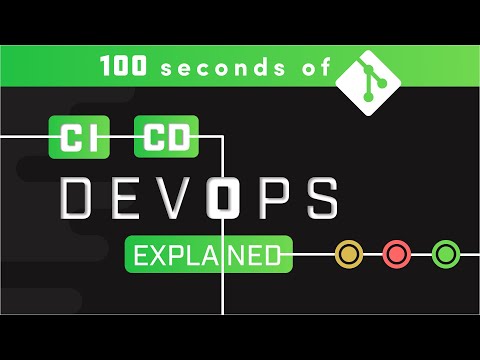
GitHub Actions is the CI/CD pipeline comparison's most widely adopted SaaS entrant, embedded directly inside github.com with no additional account required. Pipeline configuration lives in .github/workflows/*.yml; each workflow file is declarative, event-driven, and version-controlled alongside application code. Triggers map to GitHub events: push, pull_request, workflow_dispatch, schedule, and release. Matrix builds are declared inline with the strategy.matrix key, letting a single workflow file fan out across multiple OS and runtime combinations.
Pricing tiers determine cost at scale. The free plan includes 2,000 runner minutes per month for private repositories; public repositories get unlimited minutes on GitHub-hosted compute. GitHub Enterprise Server plans provide 50,000 runner minutes. Linux runners bill at $0.008 per minute; Windows runners apply a 2x multiplier; macOS runners apply a 10x multiplier. Pipelines with heavy macOS or Windows jobs hit those limits fast.
The self-hosted runner option bypasses minute quotas entirely. Teams provision self-hosted runners on their own VMs or Kubernetes clusters using the Actions Runner Controller (ARC), which provisions ephemeral runner pods per job. Ephemeral runners improve security hygiene: each job gets a clean environment. Pinning third-party actions by commit SHA rather than a mutable version tag prevents supply-chain substitution attacks, a practice the NIST SP 800-204D DevSecOps guidance recommends for all action references. For detailed ARC architecture, see the GitHub Engineering Blog.
- Marketplace: 20,000+ community actions; quality varies; pin by commit SHA for security.
- Secrets: repository or organization-level encrypted secrets; OIDC token federation with AWS, GCP, and Azure enables secretless cloud authentication.
- Artifact caching: the
actions/cacheaction stores and restores dependency caches keyed by hash; setup is more explicit than GitLab CI's built-in cache directive. - Weakness: no first-class review apps; environment protection rules require GitHub Enterprise for multi-stage approval gates.
GitLab CI: All-in-One DevOps Platform with Native Pipeline Depth
GitLab CI enters this CI/CD platform comparison as the deepest integrated option, bundling source control, container registry, package registry, security scanning, and continuous deployment into a single product. Pipeline configuration lives in .gitlab-ci.yml at the repository root. Stages are declared at the top level; jobs are assigned to stages. The needs: directive enables DAG-based (directed acyclic graph) dependency declarations, allowing jobs within the same logical group to run as parallel jobs without waiting for an entire stage to complete.
SaaS pricing: GitLab Free includes 400 compute minutes per month. GitLab Premium ($29 per user per month, billed annually) provides 10,000 minutes. GitLab Ultimate (custom pricing, 50,000 minutes) adds DAST and SAST security scanning, compliance frameworks, and advanced deployment controls. The YAML DSL supports the rules: directive for conditional job inclusion and include: for modular pipeline configuration across repositories. Self-managed GitLab replaces per-minute billing with a seat license; runners run on your own infrastructure without usage caps. See the GitLab CI/CD Pipeline Configuration Reference for the full YAML config specification.
Runner architecture centers on the GitLab Runner binary, which supports multiple executors: shell, Docker, and Kubernetes. The Kubernetes executor provisions a pod per job, delivering strong workload isolation. Runners register at project, group, or instance scope. For IaC provisioning of the infrastructure those runners deploy to, see Terraform vs Ansible vs CloudFormation.
- Dependency proxy: mirrors Docker Hub and npm to avoid rate limits, eliminating a class of pipeline failures that GitHub Actions teams manage separately.
- Artifact caching: built-in
cache:directive with configurable keys; no marketplace action required. - Review apps: dynamic environments per merge request, provisioned automatically on supported Kubernetes or cloud targets.
- AutoDevOps: infers build, test, deploy, and security scan stages from repository type without custom YAML; high value for teams new to CI/CD, opinion-heavy for mature teams with existing pipeline configuration.
- Self-hosted runner: the Kubernetes executor matches GitLab's SaaS compute model on customer infrastructure.
Jenkins: Open-Source Flexibility at the Cost of Operational Overhead
Jenkins is the CI/CD pipeline comparison's oldest entrant and the one that demands the most from its operators. Pipeline configuration lives in a Jenkinsfile at the repository root. Two pipeline syntaxes exist: Declarative (structured, YAML-like blocks, preferred for new projects) and Scripted (full Groovy, maximum flexibility, steep learning curve). Jenkins does not use a YAML schema natively; the Declarative syntax superficially resembles YAML but executes as Groovy on the controller JVM.
Jenkins itself is free and open source software released under the MIT license. Operational cost is entirely infrastructure: controller VM or container, plus build agent compute. The plugin ecosystem covers a wide range of integrations spanning SCM systems (GitHub, GitLab, Bitbucket), cloud providers (AWS, GCP, Azure), build tools, notification channels, and security scanners. Plugin quality and maintenance vary; dependency conflicts between plugins are a documented operational hazard in long-lived installations. See the Jenkins Pipeline Syntax Reference for Declarative and Scripted syntax.
The build agent model follows a controller-agent topology. Agents register by label; the Kubernetes plugin provisions ephemeral pod agents per build job, comparable to GitHub's Actions Runner Controller and GitLab's Kubernetes executor. For Kubernetes cluster management, see Kubernetes Deployment Guide for Beginners. At scale, Jenkins on spot instances can undercut SaaS minute billing significantly, but idle infrastructure raises the floor cost when build volume is inconsistent.
- Best fit: air-gapped environments, data-residency requirements, regulated industries that prohibit SaaS compute, or pipelines requiring Groovy logic that exceeds declarative YAML manifest expressiveness.
- Parallel jobs: supported natively via the
parallelblock in Declarative Pipeline; Kubernetes plugin scales build agent pods horizontally. - Operational cost: controller upgrade cycles, plugin compatibility management, and UI maintenance require dedicated platform engineering effort.
- No SaaS option: every Jenkins installation is self-managed; there is no hosted Jenkins service with comparable features from the core project.
CircleCI: Container-Native Speed with Orb Reusability
CircleCI occupies a distinct lane in any continuous integration and continuous delivery platform comparison: it optimizes for container-native build speed and per-job compute granularity above all else. Pipeline config lives in .circleci/config.yml. The YAML format defines executors (Docker, machine, macOS, Windows) and attaches a resource_class parameter per job, selecting the CPU and RAM tier: medium (2 vCPU / 4 GB), large (4 vCPU / 8 GB), xlarge (8 vCPU / 16 GB), and larger. That per-job compute selection is the most granular pricing control across all four platforms. See the CircleCI Configuration Reference for the full executor and resource_class specification.
Pricing runs on credits. The Free plan provides 30,000 credits per month, covering roughly 30 minutes on a medium Linux executor. The Performance plan starts at $15 per month with credit-based billing; credits deplete at different rates by resource class and OS. There is no per-seat charge on the build side, which benefits small teams running high build volumes. Runner minutes translate directly to credit consumption; artifact caching is supported via the save_cache and restore_cache steps in the workflow file.
Orbs are CircleCI's reusable CI config packages, comparable to GitHub Actions Marketplace actions. Certified Orbs from AWS, Slack, Datadog, and Snyk cover common pipeline steps without writing repetitive YAML. Native test splitting distributes test files across parallel jobs using --split-by=timing, minimizing wall-clock duration without third-party tooling. CircleCI does not bundle source hosting, issue tracking, or a container registry; teams on GitHub or GitLab carry overlapping tooling. The self-hosted runner option (CircleCI Server) is enterprise-only and adds infrastructure cost.
Head-to-Head: Five Decision Axes
The CI/CD pipeline comparison table below maps each platform across the five axes that determine fit. Row values reflect documented defaults as of mid-2026; verify current pricing with each vendor.
| Decision Axis | GitHub Actions | GitLab CI | Jenkins | CircleCI |
|---|---|---|---|---|
| Pricing model | Per runner-minute SaaS; free 2,000 min/month (private repos) | Per runner-minute SaaS (Free: 400 min); seat license for self-managed | MIT open-source; infrastructure cost only | Credit-based; Free 6,000 credits/month; no per-seat build charge |
| Runner control | Hosted runners + self-hosted agent via Actions Runner Controller (ARC) | GitLab Runner with Kubernetes executor; project/group/instance scope | Controller-agent; Kubernetes plugin for ephemeral build agent pods | Hosted executors + self-hosted node (enterprise CircleCI Server) |
| YAML syntax ergonomics | matrix strategy; reusable workflows; action pinning by SHA | needs: DAG; include: for modular pipeline definition; rules: conditionals | Declarative Pipeline (Groovy); no native YAML pipeline; Scripted for full Groovy logic | resource_class per job; orbs for reuse; --split-by=timing parallelism |
| Ecosystem depth | 20,000+ Marketplace actions; quality varies | Built-in registry, dependency proxy, DAST/SAST, review apps | 1,800+ plugin ecosystem; maintenance burden; dependency conflict risk | Certified Orbs (AWS, Slack, Datadog, Snyk); no bundled source hosting |
| Platform lock-in | Tied to github.com events; portable via act for local testing | Portable on self-managed GitLab; SaaS config re-usable | Fully portable; no SaaS dependency | Orbs are CircleCI-specific; config.yml structure is portable in principle |
Teams already on GitHub adopt Actions at near-zero setup cost: no new account, no runner configuration required for standard Linux jobs. GitLab's CI delivers the deepest built-in feature set for teams on the GitLab platform, particularly at the Premium and Ultimate tiers where DAST, SAST, dependency proxy, and review apps eliminate separate tooling purchases. Jenkins wins when air-gap, data-residency, or regulatory constraints prohibit SaaS compute, or when pipeline logic complexity exceeds what any declarative YAML structure can express cleanly. CircleCI targets teams whose primary pain is build-time variance on container-native stacks: the resource_class system lets teams right-size each parallel jobs step independently, and the --split-by=timing test splitter reduces wall-clock time without custom orchestration.
The on-prem runner calculus shifts at volume. At 50,000+ runner minutes per month, spot-instance Jenkins or GitLab self-managed typically undercuts SaaS minute billing. Cost modeling at that threshold should include controller maintenance labor before concluding Jenkins is cheaper.
How to Choose: A Platform Decision Guide
CI/CD comparison decisions follow a short decision tree. Work through the ordered steps; stop at the first match.
- Where does your source code live? GitHub repositories: default to GitHub's Actions; the workflow file is already in the right place. GitLab repositories: default to GitLab pipeline; pipeline setup in
.gitlab-ci.ymlactivates without runner setup on SaaS. Bitbucket, self-hosted Git, or multi-VCS environments: evaluate Jenkins or CircleCI. - Do air-gap, data-residency, or compliance requirements prohibit SaaS compute? Yes: Jenkins on self-managed infrastructure or GitLab self-managed with the Kubernetes executor. Both support continuous deployment to on-premises or private-cloud targets without external network dependencies. No: proceed to step 3.
- Do you need built-in security scanning, a dependency proxy, review apps, or a container registry without separate tooling cost? Yes: GitLab Premium or Ultimate. The private runner on GitLab self-managed extends those features to regulated environments. No: proceed to step 4.
- Is per-job compute granularity a primary build-cost concern? Yes: CircleCI Performance plan with resource_class tuning per job. No: Actions workflows on standard Linux runners is the default lowest-friction path for teams that do not fit steps 1 through 3.
Cost models shift as team size grows. GH Actions' 2,000 free compute minutes runs out quickly for active private repositories; teams at 20,000 minutes per month should model GitHub Team or Enterprise pricing against a self-managed runner fleet. Once build volume crosses 50,000 minutes per month, Jenkins on spot compute or GitLab self-managed often produces lower total cost.
After selecting an orchestrator, the next downstream decision is which test runner framework runs inside the pipeline. See Testing Frameworks Compared: Jest vs Mocha vs Cypress for a parallel evaluation across the testing layer. For the infrastructure provisioning that your continuous deployment targets, see Best Infrastructure as Code Tools.
Further reading
- Actions runner billing documentation (docs.github.com)
- GitLab's CI/CD Config setup Reference (docs.gitlab.com)
- Jenkins Pipeline Syntax Reference (jenkins.io)
- CircleCI Configuration Reference (circleci.com)
- NIST SP 800-204D: DevSecOps CI/CD Pipeline Security (csrc.nist.gov)
- Database Selection Guide: PostgreSQL vs MongoDB vs Redis For Your Workload
- Datadog vs New Relic vs Sentry: Developer Monitoring Guide
- Git Workflow Strategies Compared: Gitflow vs GitHub Flow vs GitLab Flow