WordPress hosting for agencies is a managed platform category that bundles multi-site client management, per-site staging environments, and white-label billing controls into a single agency account. The best WordPress hosting for agencies depends on team shape: Kinsta for established agencies, WP Engine for developer-heavy studios, Cloudways for cost-flexible freelance portfolios, Flywheel for handing hosting bills to clients, and WordPress.com for Agencies for Automattic-ecosystem boutiques.
Our Top Picks at a Glance
The best WordPress hosting for agencies is Kinsta if you run an established portfolio and want per-site isolation, WP Engine if developers push code daily, Cloudways if you are a freelancer who wants server-based pricing and branded client invoices, Flywheel if clients should pay their own hosting bill, and WordPress.com for Agencies for Automattic-stack boutiques.
- Kinsta Agency plan: best for established agencies and white-label scale. MyKinsta with unlimited users and role-based access, application-level isolation on Google Cloud's compute-optimized machines, one-click staging push per site, and site transfer to a client's own Kinsta account. The WP 5 tier starts at $115/month ($96/month annual) for 5 installs, and Agency 20 starts at $340/month ($284/month annual) for 20 installs, per the Kinsta pricing page.
- WP Engine Essential plan: best for development-heavy agency teams. The All Accounts View for every client site, Git integration with Dev, Stage, and Prod environments, and Transferable Sites for client handoff, per WP Engine. WP Engine sells multi-site capacity as options of its Essential plan: 10 sites and 100,000 monthly visits cost $130/month, or $1,248 for the first year on annual billing, per the WP Engine plans page.
- Cloudways: best for cost-flexible freelance portfolios. Resource-based billing across DigitalOcean, Vultr High Frequency, AWS EC2, and Google Cloud Platform, plus Client Billing for branded client invoices. The entry DigitalOcean server starts at $11/month with 1GB RAM, 25GB storage, and 1TB bandwidth, per the Cloudways pricing page.
- Flywheel Agency plan: best for client billing transfer. Flywheel Agency at $242/month covers up to 30 sites, 400,000 monthly visits, and 50GB storage, with billing transfer, Organizations, Collaborators, and Blueprints, per the Flywheel pricing page.
- WordPress.com for Agencies: best for Automattic-ecosystem freelancers. No membership fee to join; bulk discounts of up to 70% applied automatically across WordPress.com, Pressable, Jetpack, and Woo, plus a revenue-share component, per the WordPress.com for Agencies program page.
| Provider | Best for | Starting price | Sites included | Staging | White-label | Standout feature |
|---|---|---|---|---|---|---|
| Kinsta | White-label scale | $115/mo (WP 5) | 5 | One-click, per site | Unbranded WordPress admin | LXC container isolation on Google Cloud |
| WP Engine | Dev-led teams | $130/mo (Essential, 10 sites) | 10 | One-click, per site | Own-brand hosting, white-labeled reports | Git integration with Dev, Stage, and Prod environments |
| Cloudways | Freelance flexibility | $11/mo (DigitalOcean, 1GB) | As many apps as the server supports | Free, one-click push to live | Branded client invoices | Multi-cloud server choice |
| Flywheel | Client billing transfer | $242/mo (Agency) | 30 | Included, per site | Billing transfer to the client | Blueprints for repeat builds |
| WordPress.com | Automattic stack | No membership fee | Per-plan bulk | Site editor draft | Not white-label | Jetpack Security bundled |
What Makes WordPress Hosting Agency-Ready
Standard managed WordPress hosting is sold one site at a time; agency WordPress hosting is sold as a pool of sites plus tools for your team, contractors, and the client who eventually owns the site. If you are still choosing a hosting type, start with how shared, VPS and managed hosting differ. Four features make a plan agency-ready.
- Scoped access to many sites. Kinsta lists unlimited users with role-based access, SAML SSO, and two-factor authentication, per Kinsta; WP Engine manages every site from its All Accounts View, per WP Engine.
- Staging per site. Kinsta includes a free staging copy with every install, per the Kinsta pricing page.
- A clean handoff. When a project ends, you either resell hosting or move the site or its bill to the client.
- Some white label. It ranges from an unbranded WordPress admin to invoices that carry your logo.
One trap is running every client inside a single WordPress Multisite (WPMU) network to save on per-install pricing: backups, restores, and handoffs then act on the whole network, so one client's rollback touches every other client. Keep separate installs per client.
How We Evaluate Agency WordPress Hosting
We evaluate WordPress hosting for agencies on five criteria that matter most when a client site failure becomes your business problem, not just a support ticket. We do not claim hands-on operational time with each host; instead, we anchor every capability claim to a primary source and check pricing against the plans pages of Kinsta, WP Engine, Cloudways, Flywheel and WordPress.com.
- Performance: PHP worker limits, whether the host applies application-level isolation per site or pools resources, and each host's own published server response time (TTFB) and Core Web Vitals claims, read from documentation rather than measured by us.
- Multi-site management: how many sites are included per plan, whether each site gets its own staging environment, and the workflow for deploying updates across multiple client sites simultaneously.
- Developer tooling: SSH access, SFTP, WP-CLI availability, Git push-to-deploy support, and compatibility with local development environments such as DevKinsta or Local by Flywheel.
- White-label and client access: whether the dashboard can be branded or access-restricted per client, and whether the client billing portal passes charges through the agency or routes them directly to the host.
- Support and security: whether support staff are WordPress specialists with a documented uptime SLA guarantee, whether the platform publishes a compliance/security certification, and whether automatic WordPress updates and Sucuri malware scanning or Patchstack vulnerability intelligence are included.
Kinsta: Best for Established Agencies and White-Label Workflows
Kinsta runs WordPress sites inside LXC containers on Google Cloud's compute-optimized C2 and C3D machines (C3D is the default for new sites in a growing set of data centers), giving each client site application-level isolation regardless of activity on other sites in the account. That isolation is why Kinsta stands out among providers of WordPress hosting for agencies with heavy portfolios: a runaway plugin or traffic spike on one client cannot exhaust the PHP worker limits allocated to another. The MyKinsta dashboard supports unlimited users with role-based access, so people reach only the sites and settings they should, and the agency plans remove Kinsta's branding from the WordPress admin and include a white-labeled cache plugin, per Kinsta.
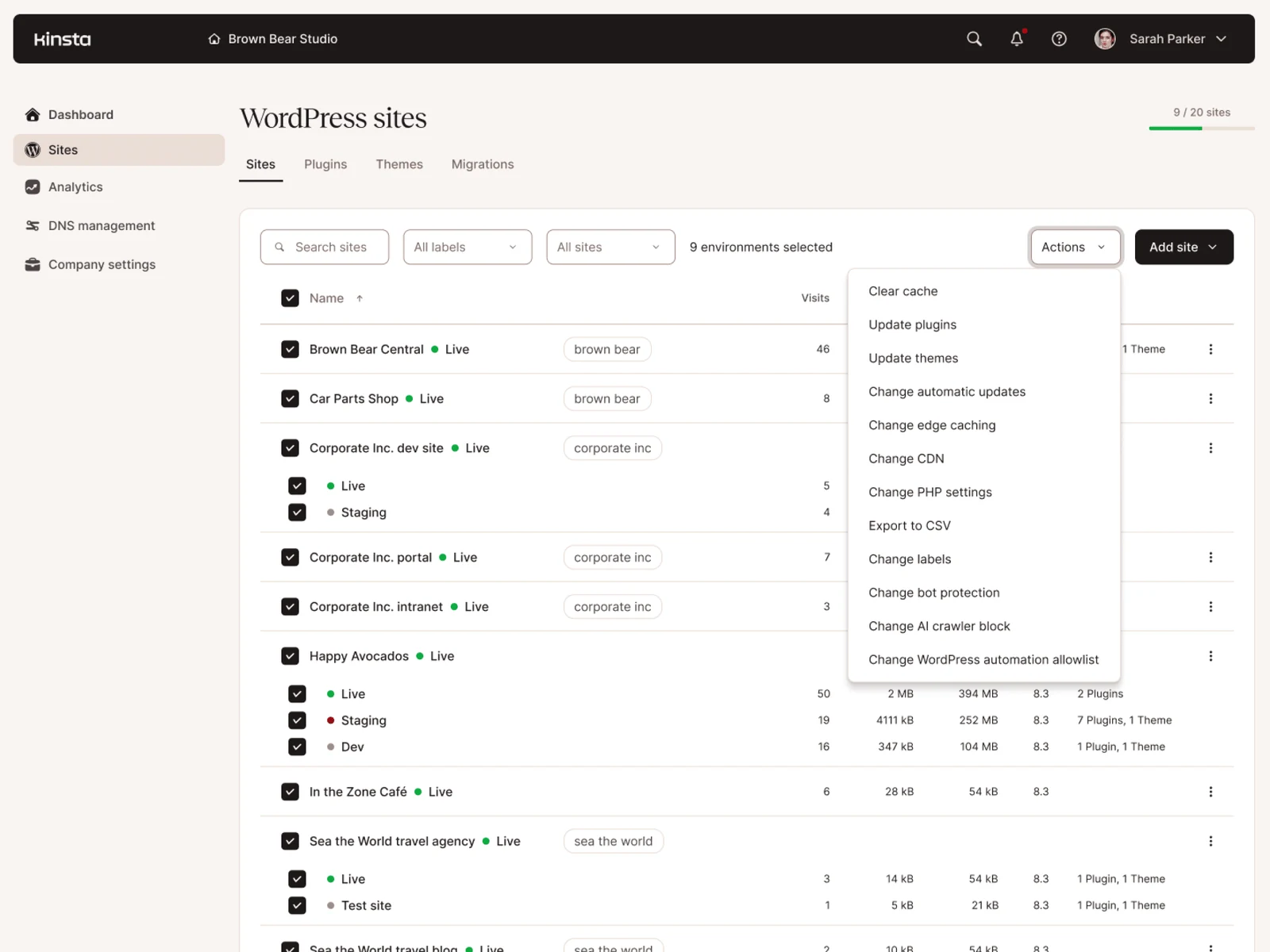
Strengths cluster around performance and workflow: Kinsta Edge Caching sits in front of every site, Cloudflare CDN integration is bundled, and DevKinsta provides a matching local development environment. Free managed WordPress migrations are included on every plan, and the Kinsta APM tool surfaces slow queries in the same dashboard. The trade-off is price. The WP 5 tier starts at $115/month ($96/month annual) for 5 installs, and the Agency 20 tier starts at $340/month ($284/month annual) for 20 installs, scaling through Agency 40 at $450/month to Agency 60 at $675/month, per the Kinsta pricing page. Storage on the WP 5 tier caps at 30GB, which is tight for image-heavy portfolios.
The Agency tiers add 30-day backup retention, site cloning for client templates, the Kinsta API, and site transfer to another company's Kinsta account when a client takes ownership, per the Kinsta pricing page. Eligible agencies can also get up to $10,000 in hosting credits, per Kinsta.
- Per-site LXC isolation prevents cross-tenant contention on shared hardware.
- An unbranded WordPress admin plus site transfer covers client-facing work and handoff.
- Honest limitation: entry-tier storage is 30GB, and the lowest per-site rate needs 40 or more installs.
WP Engine: Best for Development-Heavy Agency Teams
WP Engine built its agency workflow around the user portal's All Accounts View, a unified dashboard for every site, and its agency program promises Git integration with Dev, Stage, and Prod environments, per WP Engine. For agency WordPress hosting run by developers, GitPush deploys code from a local machine to a WP Engine site over SSH keys, per WP Engine.
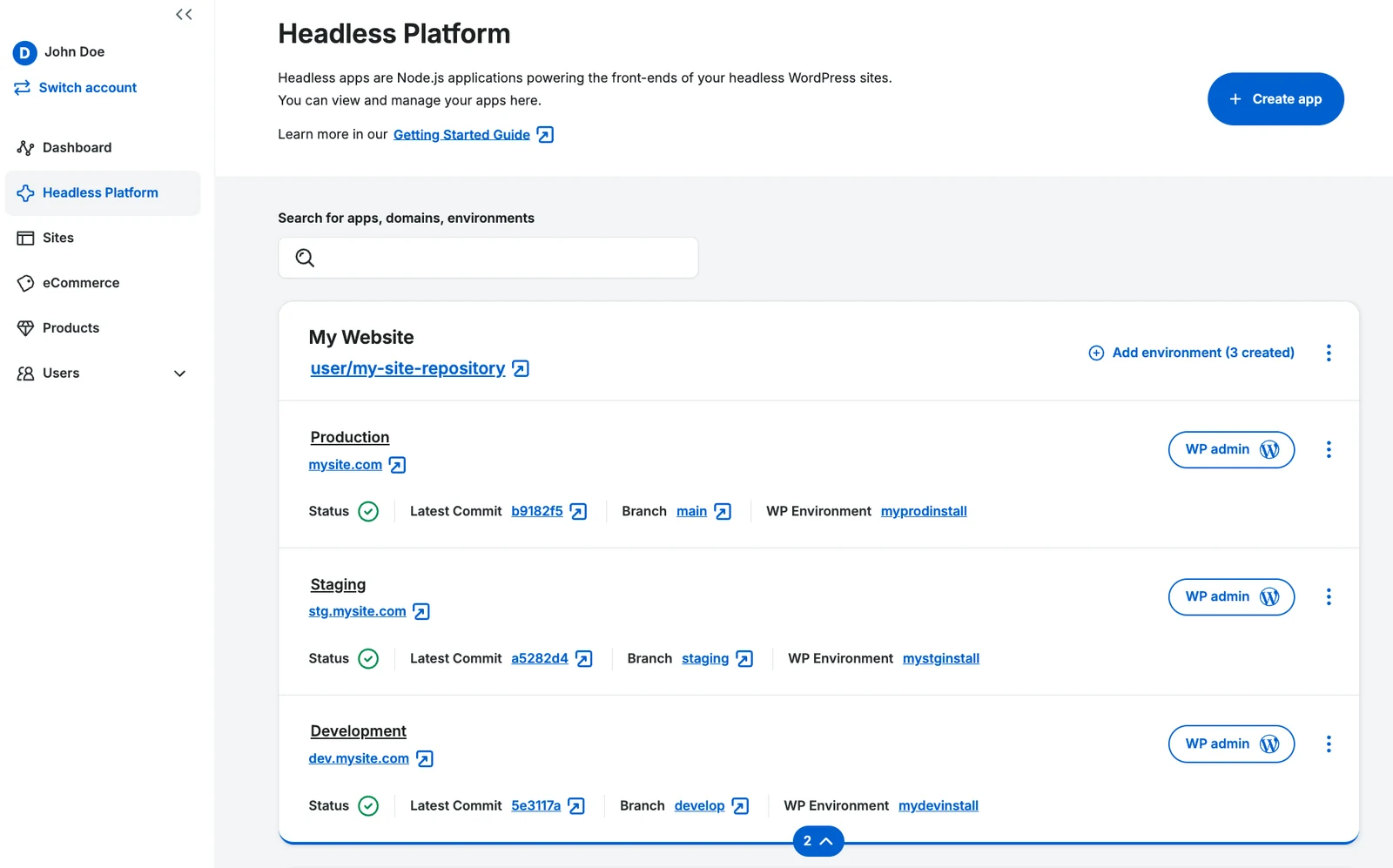
Strengths lean technical. EverCache, WP Engine's WordPress-optimized caching layer, is included on every plan, as are a global CDN powered by Cloudflare, 10 premium themes, and Genesis Blocks, and the paid Global Edge Security add-on layers a managed WAF and DDoS mitigation on top, per the WP Engine plans page. Transferable Sites let agencies build and stage a site free, then transfer it to the client's own account, and Local, WP Engine's local development app, rounds out the toolchain. Multi-site capacity comes as options of the Essential plan: 10 sites with 100,000 visits a month and 20GB of storage cost $130/month, or $1,248 for the first year on annual billing, and 30 sites with 400,000 visits and 50GB cost $330/month, per the WP Engine plans page. The annual price is a first-year rate for new customers only.
On branding, WP Engine says agencies can present hosting under their own brand and offers white-labeled client reports. Its free-to-join Agency Partner Program lets an agency keep billing under its own account for resale or move it to the client through a referral model that still pays partner commissions, per WP Engine.
- GitPush deployment plus Dev, Stage, and Prod environments give developers a defined path from code to production.
- Transferable Sites make client handoff a billing switch rather than a migration project.
- Honest limitation: first-year annual pricing is for new customers only, and every client site draws on one shared visit allowance.
Cloudways: Best for Cost-Flexible Freelance Portfolios
Cloudways bills by server resource consumption rather than by site count, which suits a freelancer managing several small client sites at different traffic levels on one cloud server. Among agency WordPress hosting choices, Cloudways lets you host as many client applications on a single server as the server's resources can support, per Cloudways, and the same account can run a DigitalOcean Droplet, Vultr High Frequency instance, AWS EC2 instance, Google Cloud Platform node, or Linode Akamai server without switching platforms.
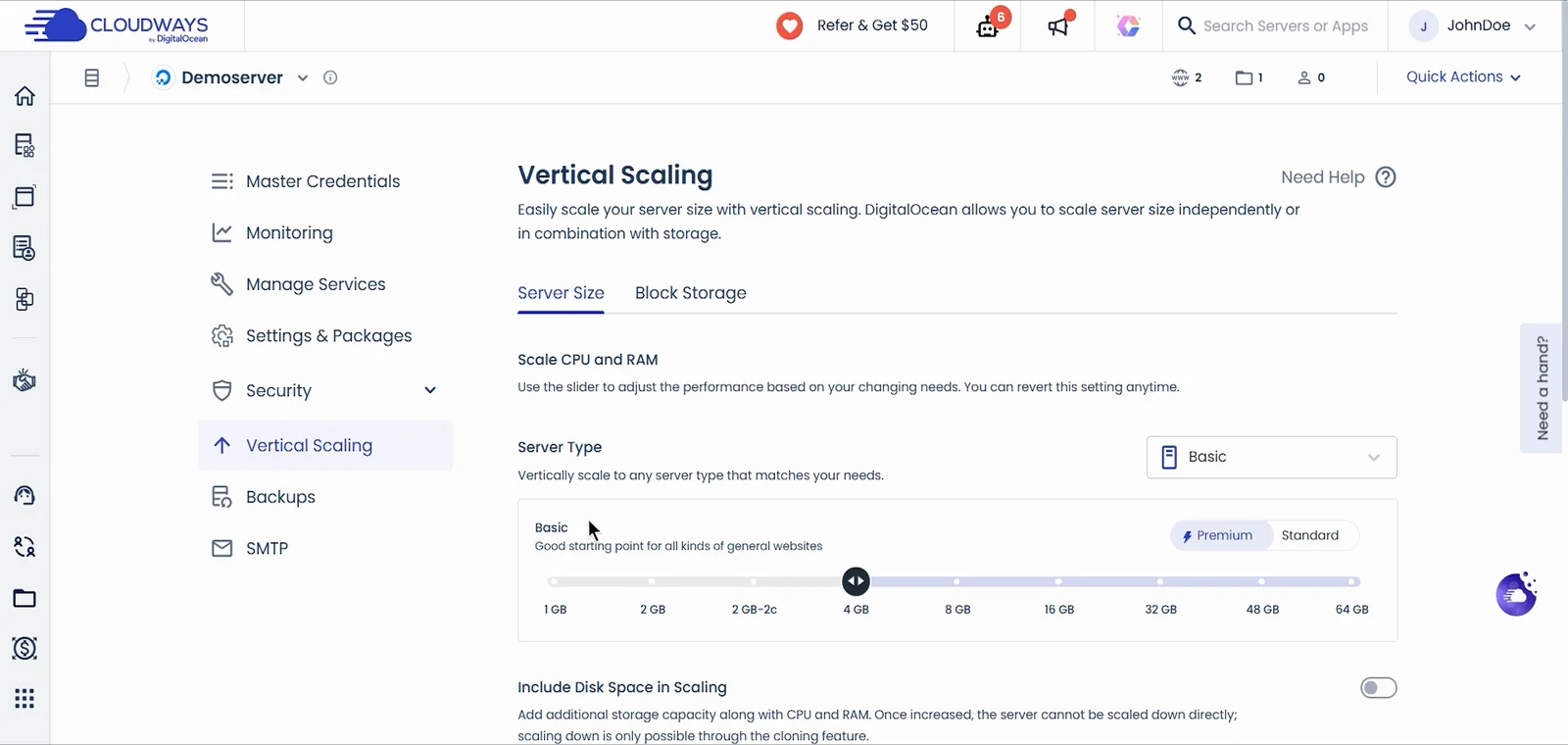
Strengths center on flexibility and price. The Cloudways Breeze cache plugin handles page caching, and the Cloudflare Enterprise integration adds DDoS protection and CDN for every client site, per Cloudways. Cloudways SafeUpdates handles automatic WordPress updates with visual regression testing, and Cloudways Teams grants role-based access with individual SFTP credentials per member. Pricing starts at $11/month for a DigitalOcean server with 1GB RAM, 25GB storage, and 1TB bandwidth, per the Cloudways pricing page. WPMU networks are supported, and free staging pushes to live in one click, per Cloudways.
For client money, Cloudways goes further than most managed hosts. Client Billing sends invoices with your logo and brand color, takes Stripe payments, and runs recurring billing cycles, with a free tier for one client, per Cloudways. When a client wants to own the hosting, you can move the whole server to the client's account and it keeps the same IP address, per Cloudways.
- Resource-based billing across five cloud providers suits mixed-size client portfolios.
- SafeUpdates plus free staging with a one-click push give a lightweight change-management workflow.
- Honest limitation: hands-on plugin and theme troubleshooting is part of the paid Advanced Support add-on, per Cloudways, and a server transfer moves every application on it.
Flywheel: Best for Client Billing Transfer
Flywheel, a WP Engine brand, built its agency tooling around the moment a finished site changes hands. Its billing transfer lets you build a site on your account and send the client a payment form; once the client pays, they become the owner and take over the bill, while you keep full access as a collaborator, per Flywheel. In agency WordPress hosting, that is the cleanest way to stop fronting hosting costs without losing access.
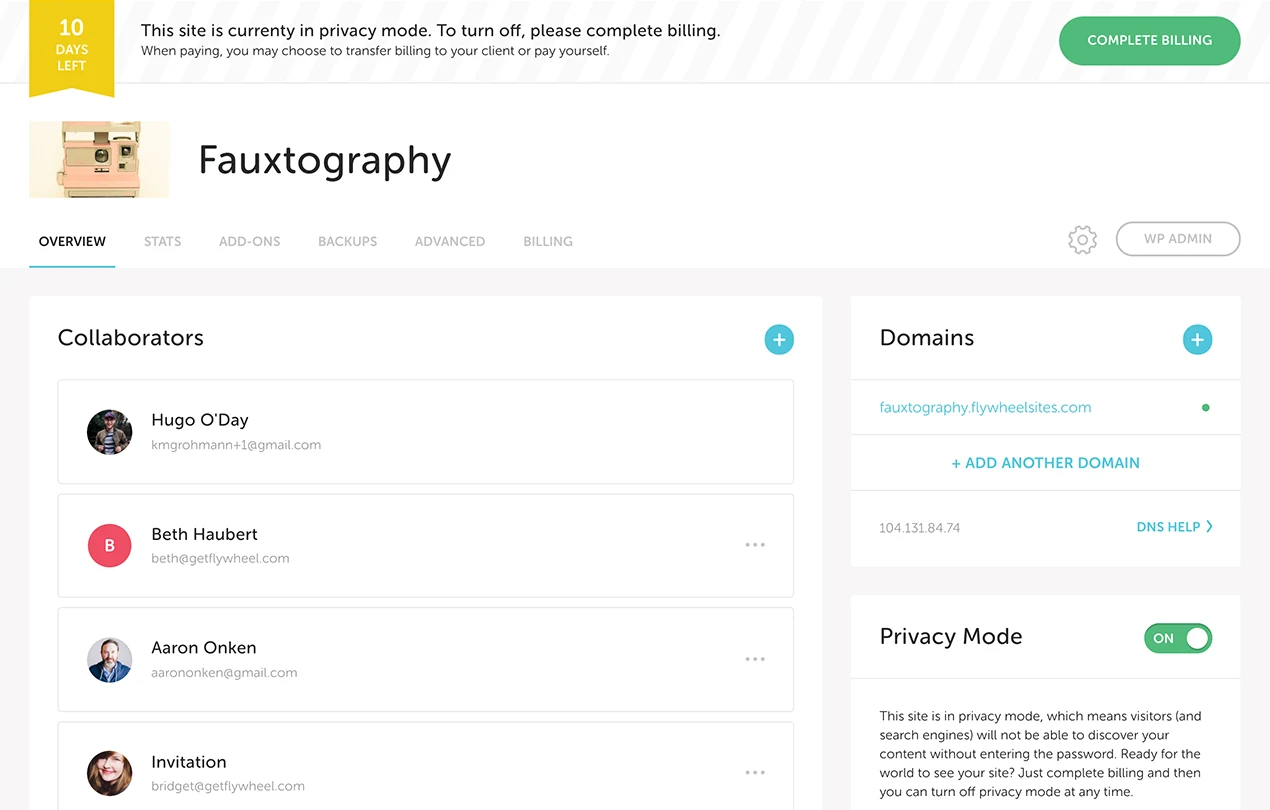
Strengths are workflow-first. Organizations let your team create sites and push to production, Collaborators get access to a single site, and Blueprints save a site's theme and plugins as the starting point for the next client build. Plans add a staging sandbox, nightly backups stored for 30 days, and free managed WordPress migration of every site. Flywheel Freelance runs $96/month for up to 10 sites and 100,000 monthly visits, and Flywheel Agency runs $242/month for up to 30 sites, 400,000 monthly visits, and 50GB storage, with extra sites at $20/month each, per the Flywheel pricing page. For local work, Flywheel connects to Local, which pushes and pulls sites between a local copy and Flywheel staging or production, per Local.
- Billing transfer moves the hosting bill to the client while you keep collaborator access.
- Blueprint sites and Organizations shorten new-client onboarding.
- Honest limitation: past the Agency plan's 30 sites, each extra site costs $20/month, per the Flywheel pricing page, so the per-site rate stops falling.
WordPress.com for Agencies: Best for Automattic-Ecosystem Freelancers
WordPress.com for Agencies is an Automattic partner program that gives qualifying freelancers and boutique agencies access to discounted WordPress.com Business plans, Jetpack Security features, and co-marketing support, priced through bulk discounts and revenue share rather than a flat site or visitor tier.
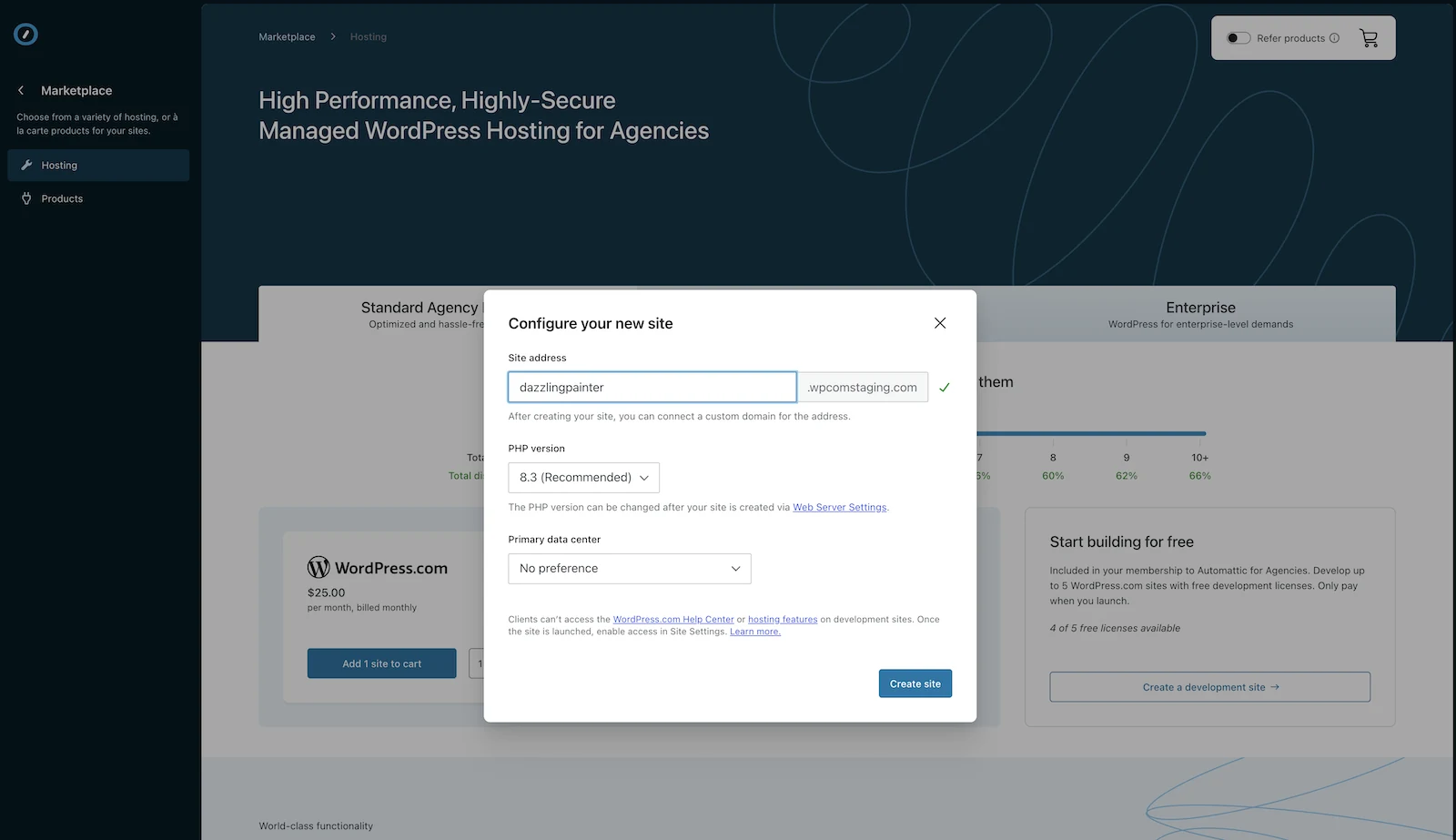
Strengths sit in bundled security and ecosystem integration. Jetpack Security ships with Akismet anti-spam and Jetpack Boost, Woo (WooCommerce) is first-class, and support routes through Automattic Happiness Engineers who work with the WordPress.org core team. There is no membership fee to join; bulk discounts of up to 70% are automatically applied across WordPress.com, Pressable, Jetpack, and Woo purchases, plus a revenue share that the program pays out at a later date, per the WordPress.com for Agencies program page. Agencies get a single monthly bill for all of their sites, and the Automattic for Agencies dashboard manages sites from any hosting location, not only WordPress.com. Honest limitation: high-traffic clients that need dedicated PHP worker limits may still call for a second vendor. WordPress VIP is a separate, enterprise-priced product.
- Jetpack Security, Akismet, and Woo included at partner-discounted rates.
- Support routes through Automattic Happiness Engineers rather than a generic ticket queue.
- Honest limitation: not a fit for high-traffic clients that need dedicated server resources.
See WordPress.com for Agencies.
White Label, Client Billing, and Site Transfer Compared
White-label WordPress hosting claims blur the most between hosts. Three questions matter: who sees whose brand, who pays the host, and how a finished site leaves your account.
| Host | Hand a site to a client | Client billing | White label |
|---|---|---|---|
| Kinsta | Site transfer to the client's own Kinsta account | Agency model: you control the client's hosting, including billing | Unbranded WordPress admin, white-labeled cache plugin |
| WP Engine | Transferable Sites: build and stage free, then transfer | Resell under your account, or referral billing to the client with partner commissions | Hosting under your own brand, white-labeled reports |
| Cloudways | Move a whole server to the client's account, same IP address | Client Billing: branded invoices, Stripe payments, recurring cycles | Branded invoices and client reports |
| Flywheel | Billing transfer: the client pays and becomes the owner | The client takes over the bill; you stay a collaborator | Ownership and the bill pass to the client |
No pick sells fully white-label WordPress hosting; WP Engine and Cloudways come closest, and Kinsta's white label covers the WordPress admin and its cache plugin. WordPress.com for Agencies works the other way round, consolidating every site into one monthly bill for the agency. Keep each client in a unit you can move on its own (a site at Kinsta, WP Engine, and Flywheel; a server at Cloudways), so you can still resell or hand over later.
What Agency WordPress Hosting Costs per Client Site
Agency plans price a bundle of sites, so the useful number is the cost per client site once the bundle is full, at monthly list prices:
- Kinsta: WP 5 at $115 for 5 installs is $23 per site, Agency 20 at $340 for 20 installs is $17, and Agency 40 at $450 or Agency 60 at $675 work out to $11.25 per site, per the Kinsta pricing page.
- WP Engine: the 10-site Essential option at $130 is $13 per site and the 30-site option at $330 is $11, with extra sites at $20 each, per the WP Engine plans page.
- Flywheel: Freelance at $96 for 10 sites is $9.60 per site, and Agency at $242 for 30 sites is about $8.07, with extra sites at $20 each, per the Flywheel pricing page.
- Cloudways: one $11 server can hold several small client applications, so the per-site cost falls with every site you add until the server's 1GB of RAM runs out, per the Cloudways pricing page.
- WordPress.com for Agencies: no list price per site; bulk discounts of up to 70% apply automatically, per the WordPress.com for Agencies program page.
Two caveats change the math. Allowances are shared across every site on a plan, so one busy client can push the account into overage: Kinsta bills each plan on either bandwidth or visits, and a site over its visit, storage, or CDN limits stays online and pays overage, per the Kinsta pricing page, at the rates in Kinsta's overage documentation ($0.50 per GB or per 1,000 visits). WP Engine's visits guide lists $2 per 1,000 extra monthly visitors, per WP Engine. And introductory pricing ends: WP Engine's first-year annual price is for new customers only. For the full picture, see what managed WordPress plans cost once promos and overages are counted.
How to Choose Agency WordPress Hosting
The right agency hosting plan depends on three variables: how many client sites you need under one multi-site management console (or a single WordPress Multisite network), whether clients need direct dashboard access, and whether your workflow is developer-led or support-led. Add two secondary variables if you serve regulated clients: a GDPR data residency requirement usually forces EU data center availability, and enterprise procurement will ask for a published compliance certification. The best managed WordPress hosting roundup takes the single-site view instead, adding Rocket.net and Hostinger. For the platform differences beyond agency features, read the head-to-head comparison of Cloudways, Kinsta and WP Engine.
- Site count and growth pace: hosts with flat per-site bundles (Kinsta Agency plan, WP Engine's Essential site options, Flywheel Agency) suit agencies with predictable client rosters; Cloudways' resource-based multi-site management model suits freelancers whose client sites vary widely in size.
- White-label requirement: no pick offers fully white-label WordPress hosting (see the comparison above), and Flywheel's answer is to move the site and its bill to the client. Ask which screens and emails a client will see before you promise white-label billing.
- Developer workflow: WP Engine pairs GitPush with Dev, Stage, and Prod environments, Kinsta ships DevKinsta, and Flywheel syncs through Local; ask how Git push-to-deploy works on your plan.
- Staging depth: Kinsta, WP Engine, and Cloudways all offer a one-click staging push to live (Cloudways adds a choice of overwrite or incremental sync); confirm whether the push includes the database and how the host handles a rollback.
- Support model and white-label reseller agreement: Kinsta and WP Engine staff WordPress specialists with a WordPress-native support SLA; Cloudways sells hands-on plugin and theme troubleshooting as a paid Advanced Support add-on; WordPress.com for Agencies routes support through Automattic Happiness Engineers, and any reseller must review the terms before signing.
Moving an existing roster is the hidden cost of switching. Kinsta and Flywheel migrate every site free, WP Engine provides a free automated migration plugin, and Cloudways migrates the first site free and allows unlimited free WordPress migrations with its migrator plugin, per Cloudways. Plan each cutover with our guide to moving a client site without downtime, and check one sample site's Core Web Vitals after the move.
Further reading
Frequently Asked Questions
Can I host multiple client WordPress sites under one agency hosting plan?
Yes, agency-tier plans are built for exactly this workflow. Kinsta's multi-site plans run from 2 to 60 installs, per the Kinsta pricing page; WP Engine's Essential plan comes in 3-, 10- and 30-site options, per the WP Engine plans page; and Flywheel Agency covers up to 30 sites, per the Flywheel pricing page. Cloudways puts as many client applications on one server as its resources support, billed by server size, per Cloudways.
What does white-label WordPress hosting actually include?
White-label hosting lets your agency show clients its own brand instead of the host's, but none of the five picks rebrands every screen. Kinsta's agency plans unbrand the WordPress admin, per Kinsta; WP Engine lets agencies present hosting under their own brand with white-labeled reports, per WP Engine; and Cloudways Client Billing sends invoices with your logo, per Cloudways. Ask which screens, emails, and invoices a client will see before you promise full white label.
Do all agency WordPress hosting plans include staging environments for every site?
Most managed agency plans include staging for every site, but the mechanics vary. Kinsta includes a free staging environment with every install, per the Kinsta pricing page, and WP Engine lists one-click staging with a push to live on every tier. Cloudways staging is free and pushes to live in one click, per Cloudways, and Flywheel includes a staging sandbox. Confirm whether the push includes the database or only files.
How do agency WordPress hosts handle developer access and deployment workflows?
Developer-friendly agency hosts provide SSH, SFTP, and some form of Git-based or local-to-live deployment. WP Engine's GitPush deploys code from a local machine over SSH keys, per WP Engine, and its agency program adds Dev, Stage, and Prod environments. Kinsta supports SSH and SFTP on all plans and ships DevKinsta, a local development environment that syncs directly with staging. Cloudways provides SSH and SFTP access, with individual SFTP credentials for each team member, per Cloudways. Flywheel uses Local to push and pull sites between a local copy and Flywheel hosting, per Local.
Should an agency resell hosting or transfer billing to the client?
Resell when hosting is part of a care plan you price and support; transfer the bill when the client should own the account and its risk. WP Engine supports both, including a referral model that moves billing to the client while still paying partner commissions, per WP Engine. Flywheel's billing transfer makes the client the owner while you keep collaborator access, and Kinsta and Cloudways can move a site or a whole server to the client's own account.
Is there free WordPress hosting for agencies?
None of the five picks offers a free agency plan, but several have free ways in. WP Engine lets you build and stage a free site and transfer it to a client, per the WP Engine plans page. Cloudways runs a three-day free trial with no credit card, per the Cloudways pricing page. Kinsta offers eligible agencies up to $10,000 in hosting credits, per Kinsta.