Shared hosting is the entry-level web infrastructure tier that pools CPU, RAM, and storage across multiple tenant websites on a single physical server, the baseline from which VPS and managed hosting are measured. Providers like Hostinger, Bluehost, and DreamHost sell shared hosting plans by the tenant pool; DigitalOcean, Linode, and Vultr sell VPS hosting slices by the virtual machine; Kinsta, WP Engine, and WordPress.com sell managed WordPress hosting by the application. Each tier answers a different question about how much server administration you want to do yourself and how much you want the provider to absorb.
What Shared Hosting Is
Shared hosting is the web infrastructure model where multiple websites share a single physical server's CPU, RAM, and storage, making it the most affordable entry point for new site owners. A single Linux host may serve dozens or hundreds of accounts, each isolated by user account and virtual host configuration but drawing from the same pool of server resources. Providers like Hostinger and SiteGround expose management through a web hosting control panel such as cPanel or Plesk, with SFTP for file transfer and WHM behind the scenes for the operator. Sites typically get a shared IP address rather than a dedicated one, and every tenant is subject to CPU throttling when one neighbor spikes.
The recurring characteristics of a shared hosting plan are stable across major providers.
- Resource pooling across tenants: your site draws CPU cycles and RAM from the same pool as every neighbor, and busy neighbors compete with you for those server resources.
- Managed control panel: cPanel, Plesk, or a vendor-built dashboard handles domains, email, and file management without a shell.
- SFTP file access: shared hosting plans do allow file-system access via SFTP, but not root access, so system-level tools stay off limits.
- Bandwidth cap or monthly traffic limit: providers publish a soft or hard ceiling in the plan's fair-use policy.
- Shared IP address: an entire pool of sites answers from the same IP, which can affect outbound-mail deliverability if a neighbor is flagged.
What VPS Hosting Is
VPS hosting (virtual private server) divides a physical server into isolated virtual environments, so each website receives guaranteed resources and root access that shared hosting tenants cannot get. The isolation is enforced by a hypervisor such as KVM, OpenVZ, or Virtuozzo, which carves the host into virtual machines with defined CPU cores, RAM allocation, and disk quotas. A VPS plan on DigitalOcean, Linode, or Vultr typically comes as a bare Ubuntu, Debian, CentOS, Rocky Linux, or AlmaLinux install with SSH root credentials and a dedicated IP address. From there, the operator installs the web server, database engine, PHP runtime, and any application stack the workload needs.
A VPS product falls into one of three shapes, and the label decides how much operational work sits with you.
- Unmanaged VPS: you get the virtual machine and root access, and the provider's responsibility ends at the hypervisor. Kernel updates, firewall configuration, and application patching are yours.
- Managed VPS: the provider layers server administration on top of the unmanaged VPS baseline, adding OS patching, control-panel installation, and often backup rotation. Costs more, shifts operational load back to the vendor.
- Cloud VPS with elastic resizing: hyperscaler-adjacent offerings from DigitalOcean or Vultr allow vertical resizing of CPU cores and RAM allocation without a full site migration.
What Managed Hosting Is
Managed hosting shifts server administration, including WordPress core updates, SSL provisioning, malware monitoring, and server-level caching, from the site owner to the hosting provider, in contrast to shared hosting where the operator still owns most application-layer decisions. The category is broader than WordPress: managed hosting also covers Magento, Drupal, and generic PaaS stacks. In the WordPress niche, providers like Kinsta, WP Engine, and Cloudways run application-tuned platforms where the underlying containerized infrastructure, PHP workers, and object cache are pre-configured for a single CMS. WordPress.com, run by Automattic, offers a hosted managed WordPress hosting product where SSL certificate provisioning via Let's Encrypt, brute-force protection, and malware scanning are enabled by default across all plans, per the WordPress.com managed hosting explainer.
- WordPress core updates
- The provider applies minor and major CMS updates on your behalf, often on a staged rollout that catches plugin conflicts before they hit production.
- SSL certificate provisioning
- A managed hosting platform auto-issues and renews Let's Encrypt certificates, so HTTPS is on from day one without an operator ever touching a config file.
- Malware monitoring and brute-force protection
- Server-level rules block credential-stuffing attempts and flag infected files before they spread across tenants. Malware monitoring runs continuously rather than on a scheduled scan.
- Server-level caching
- Full-page and object caches sit above the PHP runtime, cutting time-to-first-byte and absorbing repeat requests before they reach the application.
- Auto-scaling on containerized infrastructure
- Container-based platforms add compute capacity in response to a traffic spike without operator input, a capability shared and unmanaged VPS plans do not offer natively.
Cost, Control, and Performance Compared
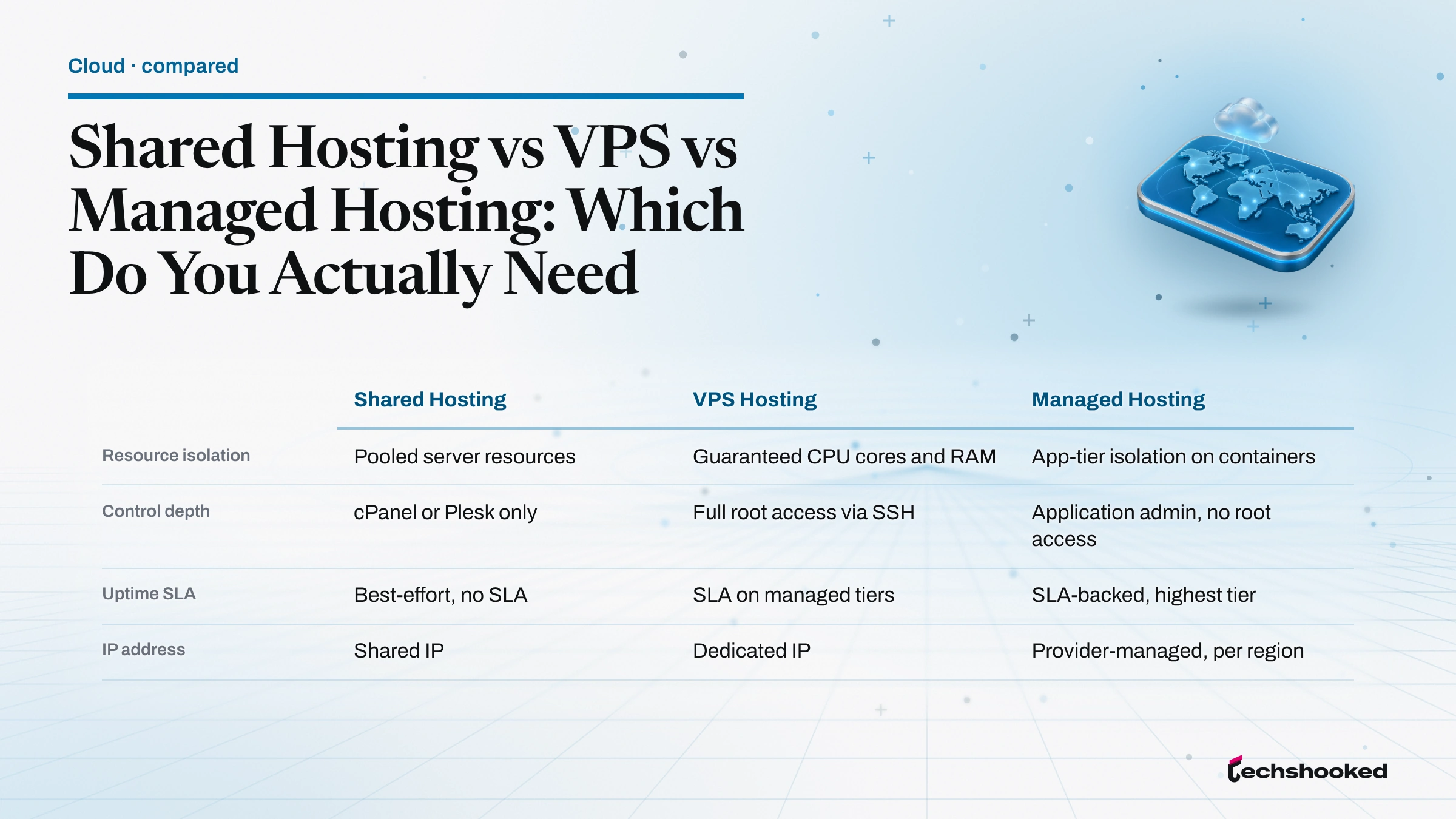
Shared hosting, VPS hosting, and managed hosting differ most sharply on resource isolation, control depth, and the division of maintenance responsibility between operator and provider. Shared hosting minimizes cost and hides complexity behind a control panel, at the price of no root access and unpredictable CPU throttling under load. A VPS with KVM or Virtuozzo isolation gives full root access and a dedicated IP but hands the operator every server administration task. Managed hosting sits in the middle on control (no root access, but full application admin) and at the top on operational overhead absorbed by the provider. Managed WordPress hosting providers apply application-specific tuning that unmanaged shared and VPS environments leave to the site owner: Kinsta, for instance, publishes a fixed PHP worker allocation per plan tier, alongside preconfigured object caching.
| Dimension | Shared Hosting | VPS Hosting | Managed Hosting |
|---|---|---|---|
| Resource isolation | Pooled server resources | Guaranteed CPU cores and RAM | App-tier isolation on containers |
| Control depth | cPanel or Plesk only | Full root access via SSH | Application admin, no root access |
| Uptime SLA | Best-effort, no SLA | SLA on managed tiers | SLA-backed, highest tier |
| IP address | Shared IP | Dedicated IP | Provider-managed, per region |
| Bandwidth | Metered or fair-use cap | Metered by allocation | Absorbed by CDN edge |
| Maintenance owner | Provider (OS and hardware) | Operator (OS and app) | Provider (OS and app) |
| Service model | SaaS-like | IaaS | PaaS |
Performance Under Traffic: Auto-Scaling vs Shared Limits
When visitor counts climb, the architectural difference between shared, VPS, and managed hosting becomes the deciding factor in whether your pages load in under 200ms or time out entirely. On shared hosting, a neighbor's traffic spike can starve your Apache or Nginx worker pool of PHP workers, pushing TTFB (time to first byte) past two seconds. A VPS with fixed CPU cores and RAM allocation absorbs the traffic spike cleanly up to its ceiling, and cache layers like Redis, Memcached, or OPcache extend that ceiling further. Managed hosting on containerized infrastructure with auto-scaling and a global CDN, in the WP Engine or WordPress VIP mold, adds compute capacity automatically as request volume climbs. The WordPress Developer Documentation on performance optimization lists caching layers, PHP tuning, and database indexing as the recurring levers across all three tiers.
- Shared hosting hits a CPU throttling ceiling first: the host's fair-use rules cap PHP process counts, and additional requests queue behind whatever the pool has available.
- VPS hosting scales vertically: the operator resizes the virtual machine to add CPU cores or RAM allocation, which usually requires a brief downtime window and a reboot.
- Managed hosting on containerized infrastructure scales horizontally: the platform adds PHP workers or replicas behind a load balancer with no operator action.
- CDN edge absorbs static assets: Cloudflare or Fastly serves images, CSS, and JavaScript before the request reaches the origin server, cutting the traffic spike the origin sees.
- Persistent object cache flattens repeat views: Redis or Memcached plus OPcache reduce database round-trips against MySQL, cutting TTFB on cached views to under 100ms.
For a numeric comparison of measured response times across managed providers, see the WordPress hosting performance benchmarks. WordPress VIP, for its part, publishes a 99.99% uptime SLA on Enhanced and Signature plans and documents its containerized infrastructure as a scale layer designed to absorb bursts without paging an operator.
Which Hosting Tier Fits Your Site
Picking between shared hosting, VPS, and managed hosting turns on three variables: your current monthly visitor count, the level of server control you need, and the time you are willing to spend on maintenance. This vendor-neutral tier explainer is the prerequisite reading before the vendor-pick roundups that follow, because the right shortlist depends on which of the three tiers actually matches your workload. A brochure site with under 5,000 monthly visitors and no custom software stack is well served by shared hosting from Hostinger, Bluehost, DreamHost, or SiteGround, per Hostinger's own shared vs VPS comparison tutorial. Once traffic crosses a rough threshold of 10,000 monthly visitors, or a WooCommerce or SaaS application layer needs custom server binaries, a VPS or managed hosting plan becomes the sensible next step.
- Personal blog or brochure site (under 5,000 monthly visitors): shared hosting on Hostinger, Bluehost, or DreamHost is the right entry point. The pooled server resources are enough, and the managed control panel keeps operator time near zero.
- Small WooCommerce store or growing publisher (up to about 50,000 monthly visitors): managed WordPress hosting from Kinsta or WP Engine handles server-level caching, WordPress core updates, and malware monitoring without operator effort.
- Custom software stack or SaaS application: an unmanaged VPS from DigitalOcean, Linode, or Vultr with root access lets you install exactly the runtime you need, whether that is a non-PHP language, a custom database engine, or a machine-learning worker.
- Agency reseller hosting: a cPanel-based VPS or WordPress multisite on managed hosting scales to many client sites under one contract, with per-client isolation at the account or subsite level.
- Enterprise eCommerce store or newsroom: managed hosting behind Cloudflare or Fastly, with WordPress VIP for editorial workflows, sustains larger traffic spikes and delivers the 99.99% uptime SLA that a shared plan cannot.
- High-control, cost-sensitive workload: an unmanaged VPS remains the cheapest way to run a custom stack with dedicated resource isolation, provided the team has a Linux administrator on call.
The three-way choice is not a ladder to climb blindly. A brochure site does not need managed hosting, and a WooCommerce store outgrowing its shared plan does not automatically want the operational load of an unmanaged VPS. Match the tier to the workload, not to the price.
Migration Path: Upgrading from Shared to VPS or Managed Hosting
Moving from shared hosting to VPS or managed hosting requires exporting your database, transferring files via SFTP, and updating DNS records, a sequence most providers can complete without extended downtime. A site migration on WordPress typically means a MySQL or MariaDB database export via phpMyAdmin, a full file-tree copy, and a swap of the DNS record for the primary domain. WordPress migration plugins like All-in-One WP Migration and Duplicator automate most of the process by wrapping the database export and the file archive into one bundle. Staging environments are standard at the managed hosting provider tier, where the host performs the transfer itself: WP Engine ships separate production, staging, and development instances for every site.
- Export the database: dump MySQL or MariaDB tables via phpMyAdmin or WP-CLI into a compressed SQL file.
- Package the files: archive the wp-content directory and any custom code into a tarball, or use a WordPress migration plugin like All-in-One WP Migration or Duplicator to bundle files and database together.
- SFTP transfer to the new host: upload the archive to the staging environment on the new VPS or managed hosting plan and unpack it there.
- Restore the database: import the SQL dump into the new server's MySQL or MariaDB instance, then update site URLs and search-replace serialized data if the origin domain moves.
- Cut over DNS records: point the A or CNAME DNS record at the new server and lower TTL beforehand; DNS propagation can take up to 48 hours in worst cases.
- Verify, then close the downtime window: test URLs, form submissions, and outbound mail from the new host before decommissioning the old shared hosting plan.
Further reading
Frequently Asked Questions
When should I upgrade from shared hosting to VPS or managed hosting?
Upgrade when your site exceeds 10,000 monthly visitors, hits slowdowns during peak traffic, or needs custom server software that shared plans do not allow. VPS gives you isolated resources and root access for a controlled upgrade path; managed hosting suits sites where you want automatic updates and security scanning handled at the server level.
Is managed hosting more secure than shared or VPS plans?
Generally yes: managed hosting providers handle WordPress core updates, SSL provisioning, malware scanning, and brute-force protection at the server level for you. WordPress.com, for example, includes SSL certificates, malware detection, and brute-force protection across its managed plans.
How does managed hosting handle sudden traffic spikes?
Many managed hosting platforms use containerized or auto-scaling infrastructure that adds compute capacity automatically when visitor counts surge, without manual intervention. WordPress VIP, for example, uses containerized infrastructure designed to scale with traffic and maintains a 99.99% uptime SLA on Enhanced and Signature plans.