A VPS is a virtual machine that runs on one physical server with a fixed slice of its CPU, memory and storage, while cloud hosting spreads a site or app across a pool of servers that can grow on demand. Both are built on the same virtualization technology, and plenty of products sit somewhere between the two. The real decision is about traffic shape, failure tolerance and how you want to be billed, and getting it wrong usually shows up first on the invoice, not in page speed.
How a VPS Works
A VPS starts with one physical machine. AWS describes the model in its dedicated server and VPS comparison: the provider partitions a physical server into several virtual environments, and a software layer called a hypervisor creates, manages and allocates resources such as RAM and CPU to each virtual machine. The guests are isolated from one another, but they share the underlying hardware in a predetermined way.
That design gives a virtual private server its familiar traits:
- Root access: you get your own operating system, typically a Linux distribution such as Ubuntu or Debian, and full control over the software stack.
- A fixed resource ceiling: Google Cloud notes in its cloud hosting explainer that a VPS limits resource use to a defined amount on its specific server.
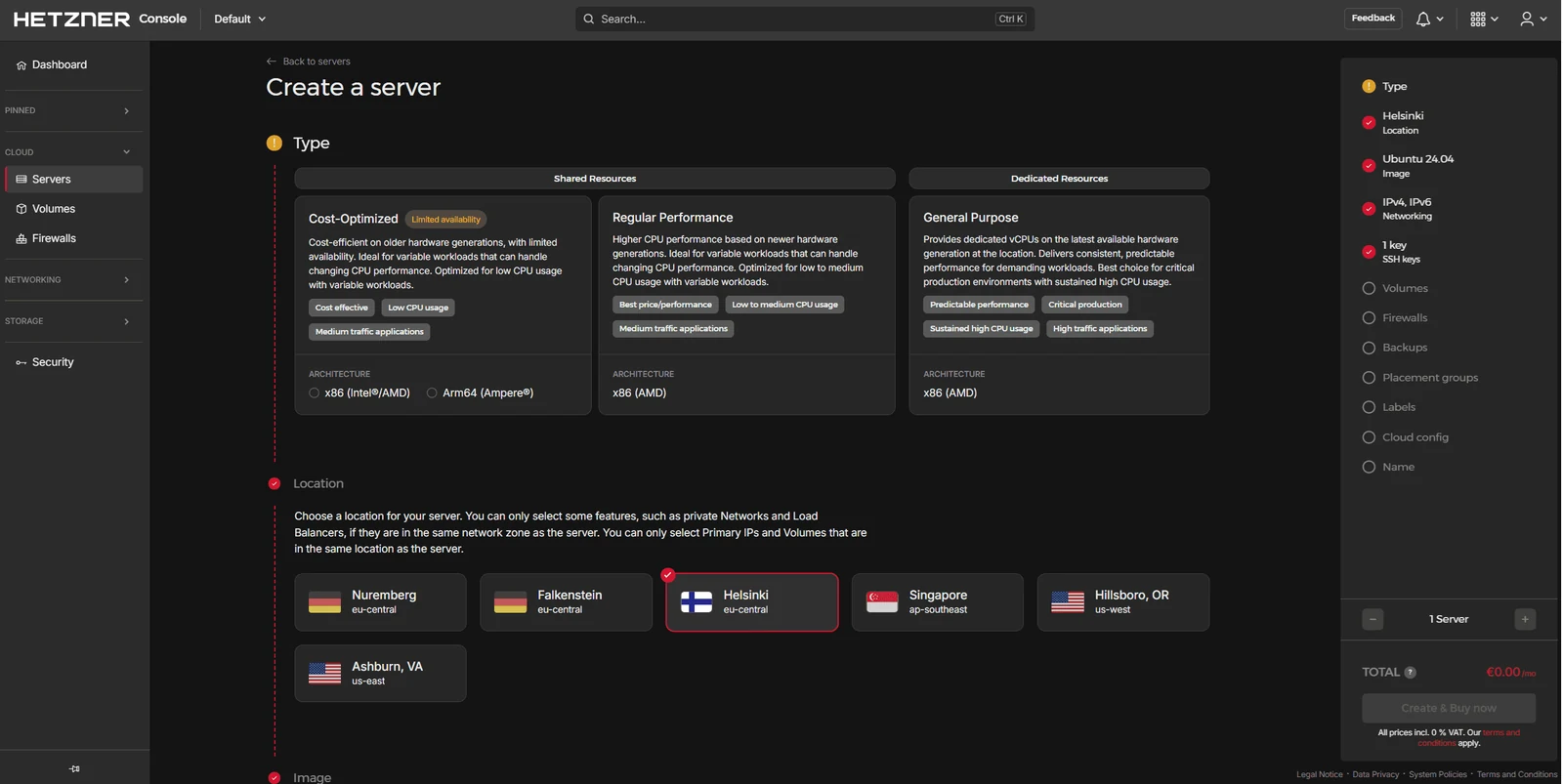
- Shared or dedicated vCPU: Hetzner separates shared and dedicated cloud servers, saying shared plans share hardware with neighbors and suit low to moderate traffic, while a dedicated vCPU gives predictable performance for sustained load.
- Isolation from other tenants: unlike shared hosting, a malware infection or traffic spike on another customer's site should not reach yours, which Liquid Web lists as a core reason to move off shared plans.
The noisy neighbor problem never fully disappears on shared-vCPU plans, because the physical cores still serve several customers. Paying for a dedicated vCPU is the usual fix when a database or busy checkout needs consistent response times.
How Cloud Hosting Works
Cloud hosting replaces the single host with a pool. Google Cloud defines it as pooling computing resources from a network of virtual and physical servers, and says it is usually pay-as-you-go, so teams pay for what they use instead of guessing capacity up front, per its cloud hosting definition. The long-standing reference is NIST SP 800-145, which lists five essential characteristics of cloud computing:
- On-demand self-service: capacity is provisioned through a console or API without a ticket to the provider.
- Broad network access: resources are reachable over the network from standard clients.
- Resource pooling: the provider serves many customers from a shared pool of hardware.
- Rapid elasticity: capacity can be added and released quickly, often automatically.
- Measured service: usage is metered and billed by what you consume.
Rapid elasticity is the trait a plain VPS usually lacks out of the box. On AWS, EC2 Auto Scaling adds or removes EC2 instances using dynamic or predictive scaling policies you define, and AWS says scheduled scaling can use previous traffic patterns to scale ahead of known load changes. Google goes further with Cloud Run, a fully managed platform for containerized apps where you pay only while your code runs. Resource pooling and rapid elasticity together explain why a cloud deployment can absorb a traffic spike that would saturate a single virtual machine.
VPS vs Cloud Hosting: Key Differences
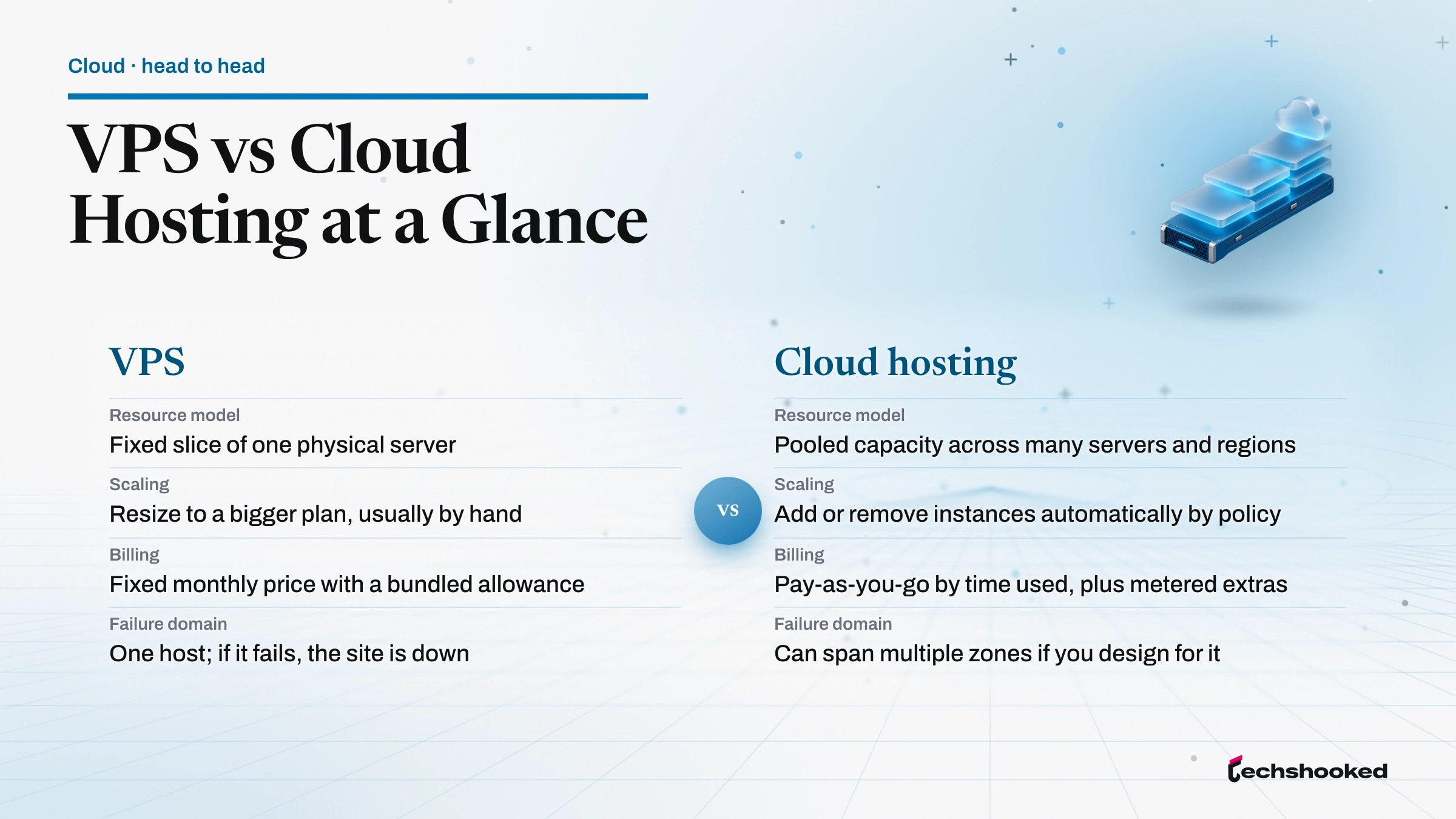
VPS and cloud hosting differ less in the hardware than in what happens when demand changes. The table sets the two models side by side:
| Factor | VPS | Cloud hosting |
|---|---|---|
| Resource model | Fixed slice of one physical server | Pooled capacity across many servers and regions |
| Scaling | Resize to a bigger plan, usually by hand | Add or remove instances automatically by policy |
| Billing | Fixed monthly price with a bundled allowance | Pay-as-you-go by time used, plus metered extras |
| Data transfer | Large allowance usually included | Outbound data typically billed per gigabyte |
| Failure domain | One host; if it fails, the site is down | Can span multiple zones if you design for it |
| Operations | You manage the server unless you buy managed | Ranges from raw virtual machines to fully managed platforms |
| Performance consistency | Steady on a dedicated vCPU, can vary on shared vCPU (Hetzner) | Depends on the instance type; more instances can be added under load |
| Security responsibility | You patch the operating system unless the plan is managed | From customer-patched virtual machines to provider-patched managed platforms (AWS) |
Liquid Web sums up the scaling gap in its VPS hosting overview: cloud hosting can scale instantly based on demand, while VPS hosting typically requires a manual plan upgrade, though it notes some providers offer one-click scaling on VPS too.
Where the Line Blurs
The VPS label now covers products that behave a lot like cloud hosting, and some cloud products behave like a VPS. A few current examples show how far the categories overlap:
- DigitalOcean Droplets: DigitalOcean says a Droplet is its brand name for a VPS and also classes it as infrastructure as a service, with resizing, horizontal scaling across many Droplets and a 99.99% uptime SLA.
- Amazon Lightsail: AWS markets Lightsail as easy-to-use virtual private server instances at a cost-effective monthly price, sold alongside its pay-as-you-go EC2 service.
- Hetzner Cloud: Hetzner sells its virtual machines as cloud servers, with an API, private networks and load balancers, while one customer testimonial on its own page calls them a VPS.
- The private cloud label: Google notes that VPS hosting is sometimes referred to as the private cloud, which is vendor phrasing rather than a strict industry term.
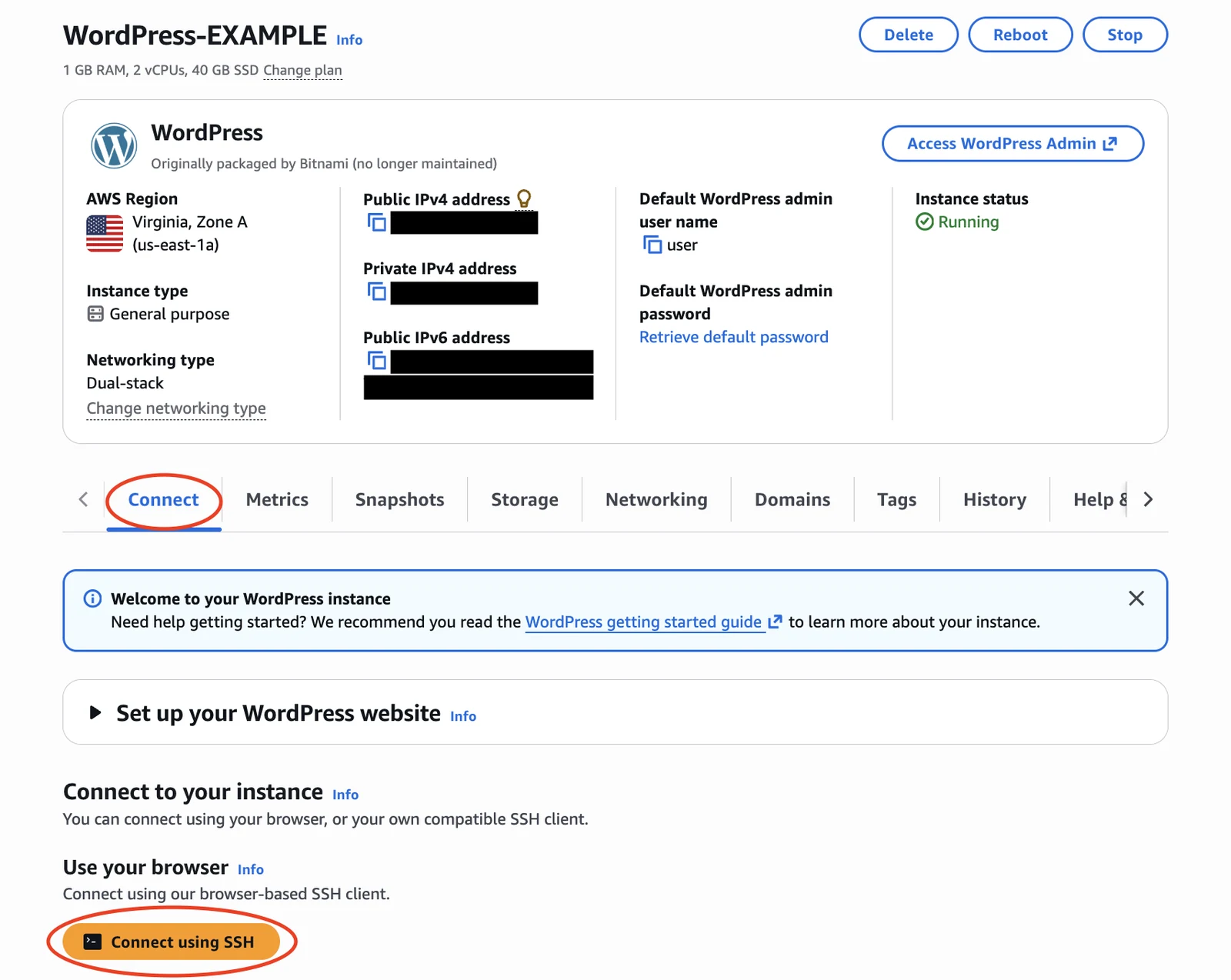
The useful test is behavior, not branding. Ask whether the service bills by the month or by the second, whether it can add capacity without your intervention, and whether it can run in more than one zone. A Droplet behind a load balancer is closer to cloud hosting than a single EC2 instance left running all year at a fixed size.
Pricing and Billing Models
Neither a VPS nor cloud hosting is cheaper by default: fixed bundles tend to win for steady, transfer-heavy traffic, and metered billing tends to win for idle or bursty workloads. VPS pricing is built around fixed bundles. Amazon Lightsail is a clean example because it comes from a hyperscaler that also sells pay-as-you-go compute. Its Linux bundles with a public IPv4 address, listed on the Lightsail pricing page, include memory, vCPUs, SSD storage and a data transfer allowance in one monthly figure:
| Lightsail Linux bundle | Memory | vCPUs | SSD | Transfer included |
|---|---|---|---|---|
| $7 USD per month | 1 GB | 2 | 40 GB | 2 TB |
| $12 USD per month | 2 GB | 2 | 60 GB | 3 TB |
| $24 USD per month | 4 GB | 2 | 80 GB | 4 TB |
| $44 USD per month | 8 GB | 2 | 160 GB | 5 TB |
DigitalOcean prices its Basic Droplets the same way, listing a 1 GB memory, 25 GB storage plan with 1,000 GiB of bandwidth at $6.00 a month on its Droplets page. Its automatic weekly backups cost 20% of the Droplet price, an add-on worth budgeting from day one.
Cloud compute bills by the clock instead. AWS says EC2 On-Demand Instances are billed by the hour or second, with a 60-second minimum, and that customers get 100 GB of free data transfer out to the internet each month aggregated across all services, with outbound data beyond that billed by tier. Cloud Run charges only for the resources used, rounded up to the nearest 100 milliseconds. Data transfer is where the two models diverge most: a bundle with terabytes of transfer can undercut a cloud setup for a busy media site.
Sign-up credits distort early comparisons. AWS offers new customers up to $200 in credits for up to six months on its Free Tier, and Google Cloud gives new customers $300 in free credit plus free usage of 20 or more products, per its free program page. Both are trials, not steady-state prices, so model the bill for month seven before committing. The cloud cost optimization breakdown covers the levers that keep a pay-as-you-go bill from drifting.
Reliability and Uptime
Cloud hosting is only more reliable than a VPS when the architecture uses the pool. Google's Compute Engine SLA makes the point in numbers: in most Premium Tier regions it targets at least 99.99% monthly uptime for instances in multiple zones, but 99.9% for a single instance of most machine families. One virtual machine is one failure domain, whichever logo is on the invoice.
Three design choices move uptime more than the hosting label does:
- Multiple zones or regions: running instances in more than one zone is what earns the higher SLA tier, with a load balancer spreading traffic across them.
- Stateless app servers: keeping sessions and uploads off the web server lets a failed instance be replaced without data loss.
- Backups and snapshots: on a single VPS, a recent snapshot is the recovery plan, and DigitalOcean lets snapshots be kept indefinitely and used to create new Droplets.
Load balancing and auto scaling solve different halves of this problem, and the load balancing vs auto scaling comparison walks through how they combine.
Security and Isolation
A VPS and a cloud server both rely on a virtualization layer to keep tenants apart, so the security gap between them is mostly about who maintains each layer above it. On a VPS, the hypervisor described earlier keeps each guest isolated. For cloud servers, the AWS shared responsibility model says AWS operates everything from the host operating system and virtualization layer down to the physical facility, while the customer manages the guest operating system, its security patches, the applications and the firewall configuration. How much falls on you depends on the management tier:
- Unmanaged VPS: DigitalOcean leaves the operating system, applications and data to the customer, per its Droplets page.
- Managed VPS: Liquid Web says its managed VPS covers security patches and software updates, with monitoring and firewall setup on fully managed plans.
- Managed cloud platform: Google says automatic base image updates let it apply security patches to the operating system and language runtime of a Cloud Run service without a redeploy.
- Data location: many providers let you choose the region; Hetzner, for one, offers cloud servers in Germany, Finland, Singapore and the USA. If a law or contract fixes where data must be stored, choose the region first.
The practical rule is to judge security by how a plan is managed and configured, not by whether it is sold as a VPS or as a cloud product.
When Each Option Fits
A VPS and cloud hosting each win in predictable situations.
Choose a VPS When
- Traffic is steady and predictable, such as a business site, a blog with a loyal audience or a small online store.
- The budget needs a fixed monthly number with data transfer included.
- You want root access for a custom stack, a game server or a self-hosted tool, without learning a cloud console.
- One server in one location meets your uptime needs, backed by regular snapshots.
Where a VPS falls short: one host is one failure domain, scaling usually means a manual resize, and on an unmanaged plan the patching is yours.
Choose Cloud Hosting When
- Traffic spikes hard, from product launches, ticket sales or seasonal campaigns, and must not take the site down.
- The app runs in containers or needs managed databases, queues and object storage close to the compute.
- Downtime is expensive enough to justify instances in multiple zones.
- Workloads run in bursts, so paying by the second beats paying for an idle server all month.
Where cloud hosting falls short: the bill moves with traffic, outbound data is metered separately, and there are more services to configure and secure.
For many small teams the honest answer is a VPS today and a cloud migration later, and inside one provider that path is documented: AWS lets you export Lightsail instance snapshots to Amazon EC2, where they arrive as an Amazon Machine Image and an EBS snapshot. Paying cloud prices for a site that never spikes is a recurring cost with no return.
How to Decide Between VPS and Cloud Hosting
VPS and cloud hosting decisions come down to five questions, asked in order:
- What does a bad day of traffic look like? If peak load is a few times normal and predictable, size a VPS for the peak. If it is ten times normal and sudden, plan for cloud hosting with auto scaling.
- How much data leaves the server? Estimate monthly outbound transfer and price it against both a bundle allowance and per-gigabyte cloud rates.
- What does an hour of downtime cost? If the answer is small, one server with snapshots is enough; if it is large, budget for multiple zones.
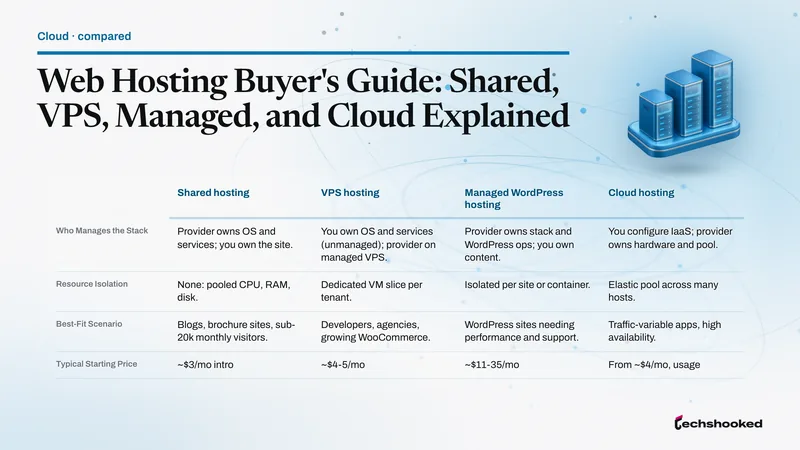
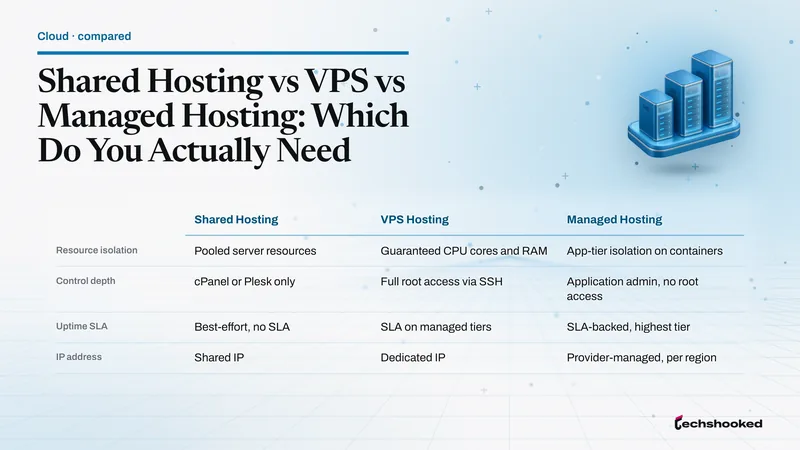
- Who runs the server? Pick one of the three management tiers from the security section: an unmanaged VPS, a managed VPS or a managed platform. Without in-house Linux skills, price a managed tier first; the shared vs VPS vs managed hosting breakdown compares them.
- Which provider fits the stack? The VPS hosting roundup for developers compares specialist VPS hosts; teams that already need hyperscaler services can weigh them in the AWS vs Azure vs Google Cloud comparison.
If the answers point to neither, look one step below a VPS, at shared hosting, which the same breakdown covers. The deciding question is rarely raw performance; it is whether your traffic and your tolerance for downtime justify paying for elasticity you would actually use.
Further reading
Frequently Asked Questions
Is a VPS the same as cloud hosting?
No, though they overlap more than the labels suggest. A VPS is one virtual machine with a fixed share of a single physical server, while cloud hosting pools capacity across many servers, and DigitalOcean sells its Droplets as both a VPS and infrastructure as a service. Neither is better in general, so judge a plan by how it scales and bills, not by its name.
Is cloud hosting more expensive than a VPS?
Not by default. Fixed VPS bundles fold compute, storage and a large data transfer allowance into one bill, while pay-as-you-go cloud services charge for compute time and usually meter outbound data, which favors idle or bursty workloads over busy round-the-clock sites.
Is a VPS more secure than cloud hosting?
Not by label. The AWS shared responsibility model leaves the guest operating system, its patches and the firewall configuration to the customer on a cloud server, just as an unmanaged VPS does. Security improves when someone reliably patches and configures the server: your team, a managed VPS host or a managed platform.
Is a VPS a virtual machine?
Yes. AWS says a VPS consumes only a portion of a physical server's resources, with a hypervisor that allocates RAM and CPU to each virtual machine, per its dedicated server and VPS comparison. The VPS label adds the packaging: a fixed bundle of resources at a monthly price.
How is a VPS different from a dedicated server?
A dedicated server gives you exclusive access to a whole physical server, while a VPS uses a portion of one shared with other VPSs, per AWS. AWS calls dedicated hosting expensive and often unnecessary for most organizations. A dedicated-vCPU VPS plan sits between the two.
Do I have to manage a VPS myself?
On an unmanaged plan, yes: DigitalOcean, for example, leaves the operating system, applications and data on its Droplets to the customer. Managed VPS plans from hosts such as Liquid Web shift security patches, software updates and monitoring to the provider for a higher price, so weigh that price against your team's hours.