Cloud cost optimization is the practice of continuously analyzing and adjusting cloud resource usage so that workloads run at the lowest effective cost without sacrificing performance or reliability. Most teams encounter the same pattern: a project spins up quickly on AWS, Google Cloud, or Azure, and six months later the cloud bill has doubled with no clear explanation. The waste is rarely dramatic; it accumulates in provisioned-but-idle instances, forgotten snapshots, and databases sized for peak loads that never materialized. A structured approach to cloud spending fixes that drift before it compounds.
Why Cloud Bills Grow Without a Plan
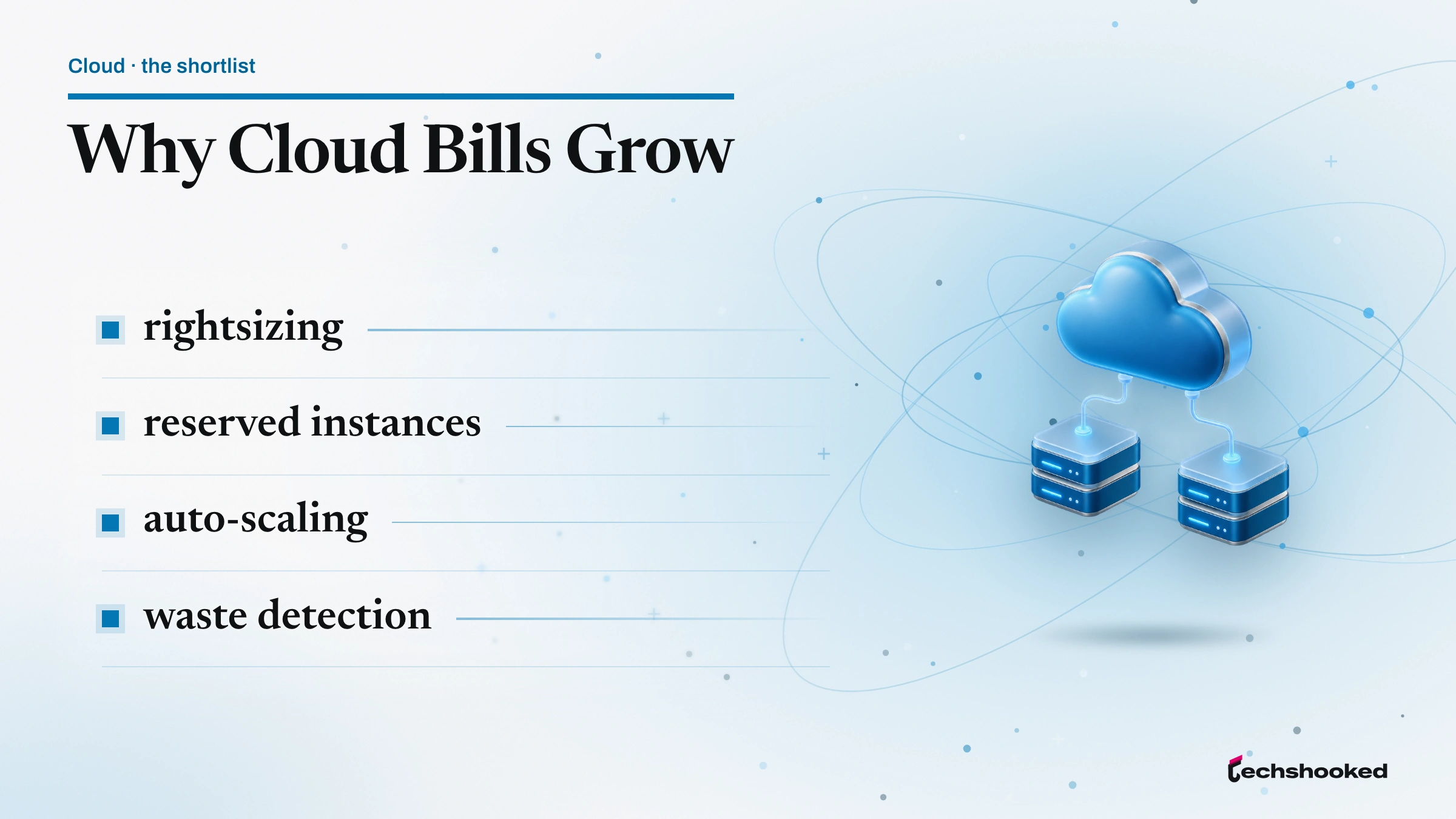
Cloud cost optimization problems rarely start with a single bad decision. Cost visibility degrades gradually as infrastructure grows: teams add resources faster than they remove them, tagging conventions slip, and idle resources accumulate across accounts and regions. The result is a cloud bill that reflects historical provisioning decisions more than current workload requirements.
The most common waste categories share a pattern: something was provisioned for a legitimate reason, then never revisited.
- Idle compute instances: development and staging environments left running through nights and weekends, accumulating on-demand charges for zero productive work.
- Orphaned snapshots and unattached volumes: block storage and snapshot backups that persist after the parent instance is terminated.
- Overprovisioned databases: RDS, Cloud SQL, or Azure SQL instances allocated for projected load peaks that never arrived, running at sub-20% CPU utilization.
- Unused load balancers and NAT gateways: network infrastructure billed by the hour regardless of whether any traffic passes through them.
- Unoptimized egress charges: data transfer fees that accumulate when compute and storage are distributed across regions without an explicit placement strategy.
None of these categories requires exotic tooling to address. They require consistent attention, which is what a cloud cost optimization practice provides.
Step 1: Audit Your Cloud Bill Before Touching Anything
Effective cloud cost optimization starts with cost visibility: knowing exactly where money is going before touching any infrastructure. Without that baseline, rightsizing and commitment decisions are guesses. Each major cloud provider ships a native cost dashboard: AWS Cost Explorer, Google Cloud Billing reports, and Azure Cost Management. Enable billing export to a queryable destination (S3, BigQuery, or Azure Storage) so that the data is available for slicing by team, environment, and service.
Tagging is the second prerequisite. Without consistent resource tags, billing data aggregates at the account or subscription level, which tells you how much you are spending but not why or on behalf of which team. Establish a tagging schema (environment, team, project, and cost center at minimum) and enforce it with AWS Service Control Policies, Google Cloud Organization Policies, or Azure Policy before drilling into the numbers.
The audit sequence that surfaces idle resources and spending patterns most reliably:
- Enable billing export to a queryable destination and configure retention for at least 90 days of history.
- Apply and enforce a tagging schema across all accounts, projects, and subscriptions.
- Identify the top five cost drivers by service, region, and team using the native cost dashboard.
- Set budget alerts at 80% and 100% of monthly targets so anomalies surface in real time rather than at invoice time.
The 90-day window matters because many idle resources have intermittent usage that a 7-day snapshot misses. A development instance used only during sprint reviews looks busy one day per two weeks; a 90-day view makes the idle pattern visible.
Step 2: Rightsize Idle and Overprovisioned Resources
Rightsizing is the highest-impact single action in cloud cost optimization: matching instance size to actual workload demand rather than provisioned peaks. AWS Compute Optimizer, Google Cloud Recommender, and Azure Advisor all analyze historical CPU and memory utilization metrics and surface instance-family recommendations at no additional cost.
The rightsizing workflow that produces consistent results:
- Pull recent CPU and memory utilization metrics for every production instance over a full quarter of history. Flag any instance running below 40% average CPU with no sustained burst above 70%.
- Check the recommendation tool for your provider (AWS Compute Optimizer, Google Cloud Recommender, Azure Advisor) and review the suggested instance family or size change.
- Schedule automatic shutdown for development and staging instances during non-business hours using AWS Instance Scheduler, Google Cloud Scheduler with startup/shutdown scripts, or Azure Automation runbooks.
- Audit block storage: locate unattached volumes and snapshots older than 30 days, verify they are not referenced by any active instance or recovery procedure, and delete confirmed orphans.
- Review managed database instances for on-demand capacity that was sized for a launch spike. Where average CPU stays below 30%, downsize to the next instance class and monitor for two weeks before committing further.
One practical sequencing note: rightsize before purchasing any reserved pricing. Committing to a reservation on an oversized instance preserves the waste at a discounted rate rather than eliminating it. Get the instance footprint accurate first, then lock in the commitment.
Step 3: Use Reserved and Committed Pricing for Predictable Workloads
Reserved Instances (RIs), committed use discounts (CUDs), and Azure reservations all follow the same principle: trade a usage commitment for a lower effective hourly rate compared to on-demand capacity. AWS Reserved Instances can reduce compute spend by up to 75% over equivalent on-demand capacity for instances that run continuously (AWS Reserved Instances overview). Google Cloud committed use discounts and Azure reservations deliver comparable reductions on their respective platforms, with the specific terms varying by commitment form and duration.
The mechanics differ enough across providers that a side-by-side comparison helps clarify which model applies to a given workload:
| Provider | Commitment type | Term options | Payment flexibility | Recommendation tool |
|---|---|---|---|---|
| AWS | Reserved Instances (RIs) | 1-year or 3-year | All upfront, partial upfront, or no upfront | AWS Cost Explorer RI recommendations |
| Google Cloud | Committed use discounts (CUDs) | 1-year or 3-year; spend-based or resource-based | Monthly billing; no upfront required | Cloud Billing commitment recommender (CUD documentation) |
| Azure | Reservations and savings plans | 1-year or 3-year | Upfront or monthly installments | Azure Advisor; lookback window of 7, 30, or 60 days (Azure reservation recommendations) |
Reserved Instances and CUDs are best suited to predictable baseline workloads: web application tiers with stable request volumes, database servers, and always-on worker processes. They are a poor fit for variable burst workloads or environments where the instance type changes frequently. Azure separates reservations (resource-level, specific VM series) from savings plans (spend-level, flexible across VM families), which gives teams with mixed or changing VM portfolios an option that RIs do not offer. The Azure savings plan purchase recommendations page (learn.microsoft.com) explains the trade-off between flexibility and discount depth. Regardless of provider, purchase commitments against the rightsized footprint established in Step 2, not against the current oversized baseline.
Step 4: Cut Costs on Interruptible Workloads with Spot and Preemptible Instances
Cloud cost optimization for variable workloads benefits from a different pricing tier than reservations. Spot instances (AWS), preemptible VMs (Google Cloud), and Azure Spot VMs offer access to spare cloud capacity at steep discounts, with the trade-off that the provider may reclaim the instance with short notice. The key constraint is fault tolerance: the workload must be able to checkpoint or restart without data loss.
Workload types well suited to spot and preemptible capacity:
- Batch processing jobs (log aggregation, report generation, ETL transforms) where the total job time matters more than individual task continuity.
- CI/CD pipeline runners that build, test, and discard containers on a per-run basis.
- Machine learning training jobs that use framework-level checkpointing (TensorFlow, PyTorch) to resume from the last saved state if an instance is reclaimed.
- Data pipeline transforms in Apache Spark or Dataflow that can replay failed partitions from durable storage.
Spot instances are unsuitable for latency-sensitive production APIs, stateful services without checkpointing, or any workload where an unplanned interruption causes a visible customer impact. Pair spot capacity with autoscaling groups (AWS Auto Scaling, Google Cloud Managed Instance Groups, Azure Virtual Machine Scale Sets) so the scheduler replenishes interrupted capacity from on-demand or reserved pools automatically. The load balancing vs auto scaling comparison covers the architectural differences between static load distribution and dynamic capacity management in detail.
Step 5: Apply Storage Tiering and Autoscaling
Two strategies that advance cloud cost optimization without requiring instance changes or commitment purchases: storage tiering and autoscaling. Storage tiering moves data to cheaper access classes as it cools, while autoscaling matches compute capacity to live demand. Both address the same structural inefficiency, paying for peak capacity at all times rather than aligning cost with actual demand. Cloud placement decisions compound this: data transferred between regions generates egress charges that rarely appear prominently in dashboards but add up in distributed architectures. The edge computing vs cloud computing tradeoffs article addresses placement decisions that shape egress exposure at the architecture level.
- Intelligent-Tiering (S3, Google Cloud Storage, Azure Blob)
- Automatically moves objects between access tiers based on observed retrieval patterns. Objects not accessed for 30 or more consecutive days migrate to infrequent-access storage, reducing per-GB storage costs without manual lifecycle management.
- Autoscaling groups
- Scale compute capacity in and out in response to demand metrics (CPU utilization, request queue depth, custom signals) rather than maintaining static over-provisioned fleets. Autoscaling eliminates the gap between provisioned on-demand capacity and actual workload requirements during off-peak periods.
- Lifecycle policies
- Define retention and transition rules for objects, snapshots, and logs. A policy that archives objects after 90 days and expires them after 365 days prevents storage from accumulating indefinitely, which is one of the most common sources of unnoticed cloud spending growth.
- Egress optimization
- Co-locate compute and storage in the same availability zone and region. Cross-region and cross-zone data transfer fees are not displayed prominently in most dashboards but can represent a significant fraction of the cloud bill in distributed architectures.
Step 6: Sustain Savings with Continuous Observability
Cloud cost optimization is not a one-time audit. Costs drift: new services spin up, tagging conventions slip as teams rotate, reserved instances and CUDs expire without renewal, and autoscaling thresholds go stale as traffic patterns shift. Cost visibility must be an ongoing practice, not a quarterly event. The FinOps Foundation's FOCUS (FinOps Open Cost and Usage Specification) framework provides a vendor-neutral standard for cost allocation and reporting that works across AWS, Google Cloud, and Azure, making multi-cloud spend comparable in a single reporting layer.
A sustainable cloud spending cadence includes:
- Monthly bill review against the prior month and a rolling 90-day baseline, with attention to any service or region that grew more than 15% without a corresponding deployment event.
- Anomaly detection alerts configured in AWS Cost Anomaly Detection, Google Cloud Billing anomaly alerts, or Azure Cost Management anomaly detection so unexpected spend surfaces within hours, not at month-end.
- Quarterly rightsizing pass using Compute Optimizer, Cloud Recommender, or Azure Advisor to catch workloads that have drifted from the instance sizes selected in Step 2.
- Reservation and commitment renewal tracking: document expiry dates for all RIs and CUDs, and schedule review 60 days before expiry to reassess whether the workload still justifies the commitment.
Teams that want a structured governance model can adopt the FinOps practice from the FinOps Foundation, which defines personas, reporting cadences, and maturity stages. For smaller teams, the operational items above, applied consistently, deliver most of the same benefit without the organizational overhead. The scalable cloud architecture for online stores article covers how cost patterns interact with architecture decisions in production commerce workloads.
References
- AWS Reserved Instances, AWS Cost Management
- Committed Use Discounts overview, Google Cloud
- Reserved Instance Purchase Recommendations, Microsoft Learn
- Azure Savings Plan Purchase Recommendations, Microsoft Learn
Further reading
Frequently Asked Questions
Does rightsizing need to happen before buying reserved capacity?
Yes. AWS, Google Cloud, and Azure all recommend eliminating idle and overprovisioned resources before committing to reserved pricing. Buying a reservation for an oversized instance locks in a higher cost rather than locking in a discount. Audit your usage first, then commit to the rightsized footprint.
What is the difference between AWS Reserved Instances, Google Cloud committed use discounts, and Azure reservations?
All three trade a usage commitment for a lower effective hourly rate, but the mechanics differ. AWS Reserved Instances offer three upfront payment options (all, partial, none). Google Cloud committed use discounts come in spend-based or resource-based forms for one- or three-year terms. Azure reservations are sized by analyzing your actual hourly usage over the past 7, 30, or 60 days to identify the quantity that maximizes savings. Choose the model that matches your platform and workload predictability.
How do spot and preemptible instances fit into a cost optimization strategy?
Spot instances (AWS) and preemptible VMs (Google Cloud) offer steep discounts for interruptible workloads such as batch processing, CI/CD pipelines, and data transformation jobs. They are not suitable for latency-sensitive production services without a fallback strategy. Combine them with autoscaling groups so the scheduler can replace interrupted capacity automatically.