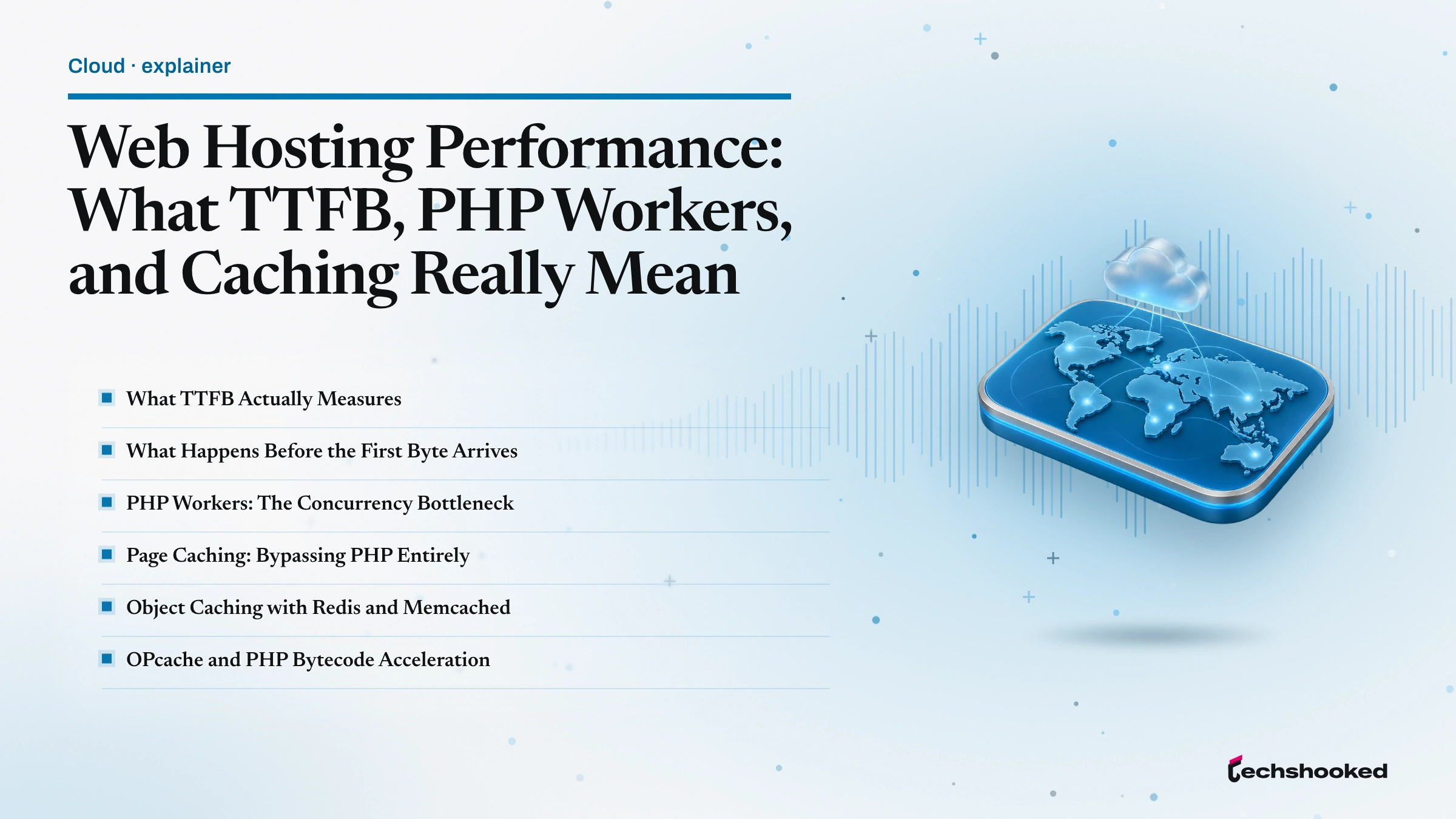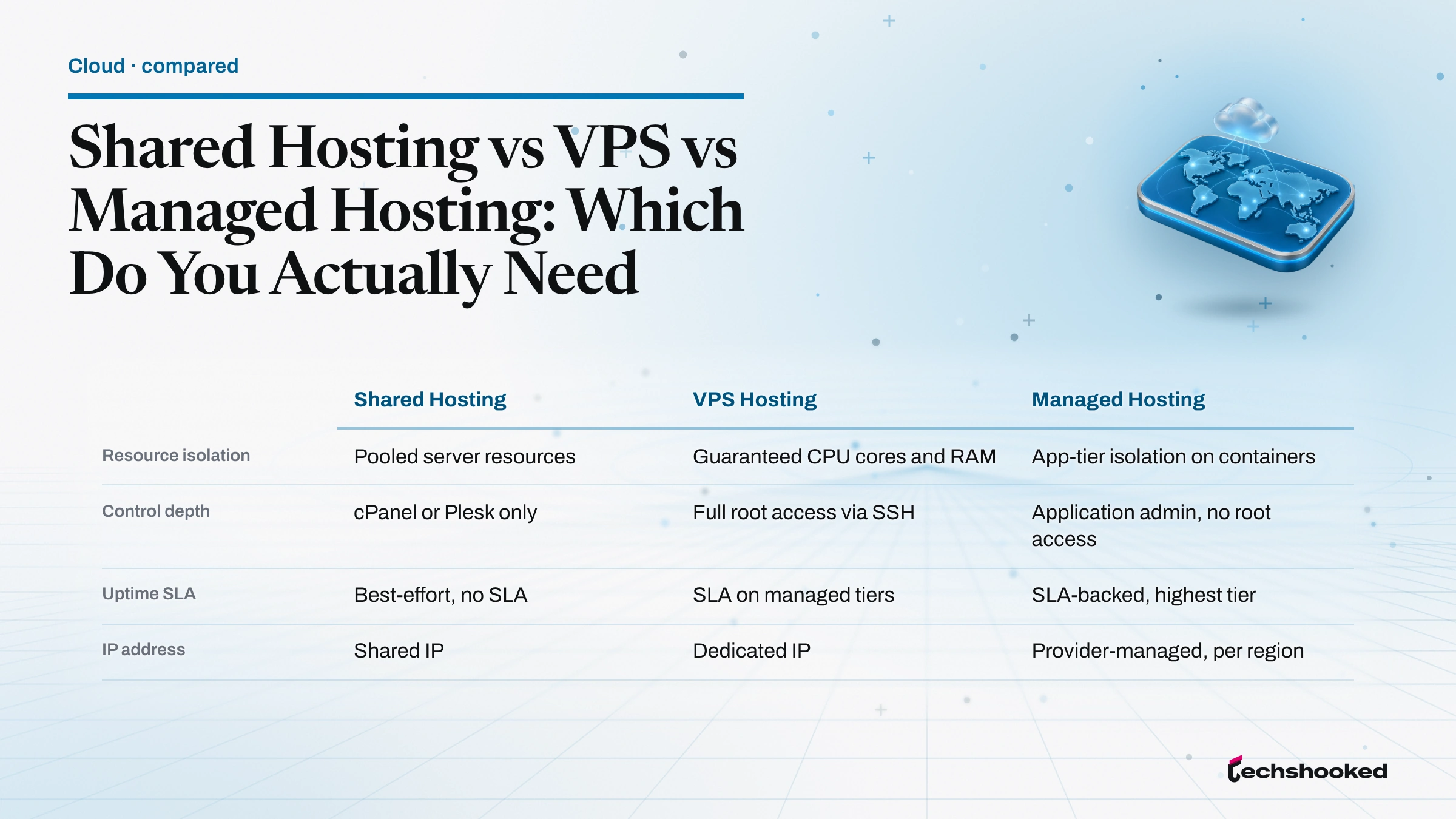
WooCommerce hosting is the server infrastructure category that governs checkout throughput, concurrent cart sessions, and PHP worker availability for WordPress-based online stores. A growing store outgrows generic WordPress.org hosting at the point where concurrent add-to-cart requests queue behind slow database writes, which is why the WooCommerce team publishes dedicated server requirements distinct from WordPress core. The four hosts compared below span the practical range from a $3 entry-level tier to premium Google Cloud infrastructure, judged on the specifications that actually move ecommerce revenue: PHP worker headroom, object caching, staging environment quality, backup granularity, NVMe storage, and CDN integration.
Our Top Picks at a Glance
WooCommerce hosting picks track store maturity more than any single benchmark score. The verdict box below maps each vendor to the growth stage where it shines, and the comparison table underneath lays out the specifications that decide ecommerce workload capacity. Cloudways, Kinsta, Nexcess, and Bluehost each occupy a distinct segment of the managed cloud hosting market that also includes DigitalOcean, Liquid Web, and WooCommerce Payments partners.
- Top pick, high-traffic WooCommerce stores: Kinsta. Google Cloud C2 infrastructure, generous PHP worker allocation, Kinsta CDN bundled. Budget above the entry rung: the $35 Single 20GB plan priced below is Kinsta's smallest tier, covering one install and 20GB of bandwidth, so a genuinely high-traffic store should price a higher plan.
- Best value, growing stores on a budget: Cloudways. Managed cloud hosting on DigitalOcean, Linode, AWS, Google Cloud, or Vultr, at the lowest entry price in this roundup.
- WooCommerce-native, fully managed ecommerce stack: Nexcess. Liquid Web subsidiary with WooCommerce pre-installed and Elasticsearch bundled.
- Best entry-level, new stores testing WooCommerce: Bluehost. WordPress.org-recommended plans with WooCommerce pre-installed and cPanel access.
| Host | Starting price | PHP workers | Object caching | Staging | Best for |
|---|---|---|---|---|---|
| Cloudways | $11/mo (DigitalOcean Micro, 2GB) | Server-tier | Redis, Varnish, Memcached | Paid add-on | Growth on a budget · Visit |
| Kinsta | $35/mo (Single 20GB) | Plan-tier | Redis (paid add-on) | Included | High-traffic stores · Visit |
| Nexcess | $5/mo intro (Spark Launch, 1-yr) | 10 per site | Included | Included | WooCommerce-native · Visit |
| Bluehost | $3/mo intro, $21.99 renewal (36-mo) | Shared | Basic | Included on managed | Entry-level testing · Visit |
How We Evaluate WooCommerce Hosting
We evaluate WooCommerce hosting on seven criteria drawn from the WooCommerce server requirements documentation and the WordPress Hosting Handbook: PHP worker headroom under concurrent checkout load, object caching layer availability, staging environment quality, automated backup granularity, NVMe versus SSD storage, CDN integration and edge-node count, and WooCommerce-specific support expertise. This is criteria-based comparative research using vendor documentation and disclosed plan specifications, not a lab benchmark. The goal is to surface the specifications that decide whether a store handles a traffic spike without a checkout timeout.
- PHP worker headroom. The floor for concurrent checkout requests. Under PHP-FPM with OPcache, each worker handles one request at a time. PHP worker limits translate directly into a hard ceiling on checkout performance during peak minutes.
- Object caching layer. Redis or Memcached bypasses redundant MySQL and MariaDB queries. Managed hosts include one or the other; shared plans usually require manual configuration.
- Staging environment quality. A staging environment must run the same PHP version and extension set as production, or WooCommerce extension compatibility bugs surface only after go-live.
- Automated backups granularity. Daily automated backups are the baseline. Hourly is the standard for stores processing orders continuously.
- NVMe storage versus SATA SSD. NVMe storage matters most on product-catalog queries and cart-session writes; the throughput delta over SATA SSD is significant on modern controllers.
- CDN integration and edge-node count. Cloudflare or a vendor CDN (Kinsta CDN, Nexcess CDN, Bluehost CDN) shortens TTFB and offloads media requests, which improves Core Web Vitals scores measured by Google Lighthouse and GTmetrix.
- WooCommerce support expertise. A support team that ships WooCommerce daily beats a generalist help desk when an extension breaks a checkout at 2am.
Cloudways: Best for Growing Stores on a Budget

Cloudways is the managed cloud hosting layer that sits on top of five underlying providers (DigitalOcean, Linode, AWS, Google Cloud, Vultr), so a WooCommerce hosting deployment on Cloudways is really a Cloudways-managed instance on a raw cloud VM. Server provisioning, NGINX and Apache stack configuration, Varnish and Redis, PHP-FPM tuning, and the Breeze caching plugin are all preconfigured. On the entry Cloudways plan on DigitalOcean, priced at $11 per month per the Cloudways pricing page, the Micro tier includes 2GB RAM, 50GB storage, 2TB bandwidth, free SSL via Let's Encrypt, and free migration. For a growing store that has moved past starter shared hosting, that combination is difficult to beat on entry cost.
- What it is. A managed cloud hosting platform provisioning WordPress and WooCommerce stacks on your choice of cloud provider, with the Cloudways console handling the abstraction layer and Cloudways Managed WordPress as the base image.
- Who it is for. Growing stores that want cloud-grade flexibility, region choice, and vertical server resource scaling without hiring a DevOps engineer.
- Strengths. Lowest entry price in this roundup; underlying-provider choice; Breeze caching bundled; Cloudflare add-on available; Redis object caching included; free SSL and free migration.
- Honest limitations. Pricing scales with cloud resource consumption and can climb quickly as the store adds traffic and needs a larger DigitalOcean droplet. Staging is not included on the base DigitalOcean Micro plan and requires a paid add-on.
- Get started. Try Cloudways.
For teams thinking about the underlying architecture before committing, the cloud architecture for scalable online stores explainer covers the trade-offs on VM sizing, database replication, and horizontal server resource scaling.
Kinsta: Best for High-Traffic WooCommerce Stores

Kinsta is the premium managed WordPress hosting service that WooCommerce hosting shoppers reach for when a checkout SLA matters more than the monthly bill. Every Kinsta plan runs on Google Cloud Platform C2 compute-optimized machines, the same infrastructure Google reserves for latency-sensitive workloads. The Single 20GB entry plan starts at $35 per month with the first month free per the Kinsta pricing page, and includes 1 WordPress install, 20GB bandwidth, 10GB storage, and 125GB of Kinsta CDN bandwidth. The stack ships with the Kinsta MU plugin, phpMyAdmin, WP-CLI access, and MariaDB as the database engine, with Kinsta APM performance monitoring (a New Relic-style tool) included at no extra cost.
- What it is. Premium managed WordPress hosting built on Google Cloud C2 machines, with WooCommerce-compatible infrastructure and SSL via Let's Encrypt or Cloudflare.
- Who it is for. High-traffic WooCommerce stores where the performance SLA, uptime guarantee, and server-level optimization for checkout performance outweigh cost sensitivity.
- Strengths. Google Cloud C2 infrastructure for compute-heavy checkout under a traffic spike; Redis object caching available; Kinsta APM included; one-click staging environment with production parity; WooCommerce-fluent support engineers.
- Honest limitations. Premium pricing at the entry tier compared to the rest of this roundup; no phone support (chat and ticket only); single WordPress install on the entry tier limits multi-store setups; Redis is a paid add-on on the entry plan rather than bundled.
- Get started. Try Kinsta.
Nexcess: Best WooCommerce-Native Managed Platform
Nexcess is the Liquid Web subsidiary purpose-built for managed WordPress hosting and WooCommerce hosting, and it is the only host in this roundup that ships with WooCommerce pre-installed and pre-optimized by default. The entry Essentials plan starts at $9 per month per the Nexcess Managed WooCommerce hosting page, and covers 1 site, 50,000 monthly visitors, 15GB storage, 2TB bandwidth, 7-day daily backups, and staging sites.
- What it is. A Liquid Web subsidiary purpose-built for WooCommerce and Nexcess Managed WordPress, with MariaDB tuned for ecommerce workload patterns and the Nexcess StoreBuilder onboarding flow.
- Who it is for. Stores that want a fully managed WooCommerce stack, automatic plugin update compatibility testing, and ecommerce-specific optimization without configuration overhead.
- Strengths. WooCommerce pre-installed and optimized; automatic WooCommerce extension compatibility testing for extensions such as WooCommerce Subscriptions, WooCommerce Memberships, and WooCommerce Bookings; Elasticsearch bundled; free staging environment; Nexcess CDN included.
- Honest limitations. Pricing after the intro promo is higher than general managed hosts; the tiered plan structure can be confusing for first-time shoppers; the infrastructure footprint is primarily US-focused, which is a real latency consideration for stores serving European or Asian customers.
- Get started. Try Nexcess.
For a broader view of the platforms behind managed ecommerce stacks, the cloud platform options for e-commerce businesses comparison covers AWS, Google Cloud, and DigitalOcean side by side.
Bluehost: Best Entry-Level WooCommerce Hosting
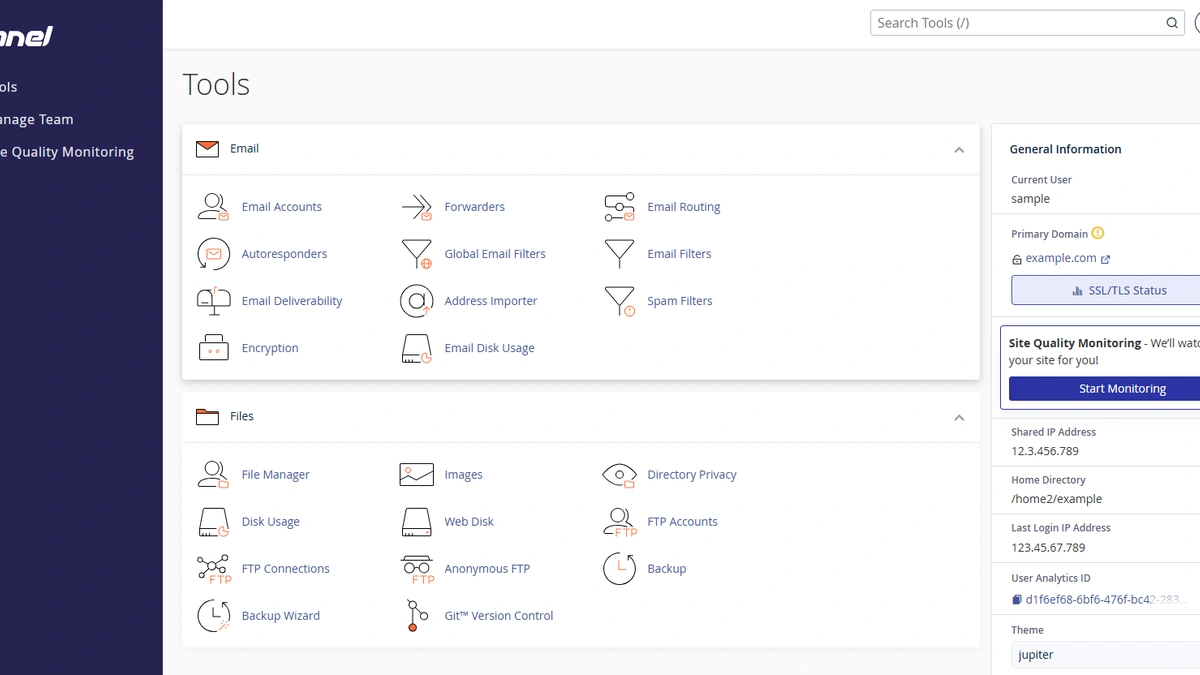
Bluehost is the WordPress.org-recommended budget WooCommerce hosting option, positioned for new merchants who need to test the WooCommerce workflow before committing to managed-hosting spend. The eCommerce Essentials plan lists a $3.00 per month introductory price on a 36-month term per the Bluehost WooCommerce hosting product page, and renews at $21.99 per month on the same 36-month term (or $32.99 per month on a monthly billing cycle) per the Bluehost renewal-price FAQ. That intro-versus-renewal delta matters: the true total cost of ownership over three years tracks the renewal figure, not the teaser rate. WooCommerce is pre-installed on the dedicated ecommerce plans, the familiar cPanel control panel is available, and Jetpack, WP Mail SMTP, and Bluehost CDN are bundled.
- What it is. A budget shared and managed WordPress host with dedicated WooCommerce-branded plans, WordPress.org-recommended status, and Automattic-authored WooCommerce pre-installed.
- Who it is for. New stores and micro-merchants testing WooCommerce before committing to managed hosting spend from vendors such as DreamHost or Pressable.
- Strengths. Lowest absolute cost during the intro term; WordPress.org recommended; WooCommerce pre-installed on dedicated plans; familiar cPanel; SSL and Bluehost CDN bundled.
- Honest limitations. Shared-hosting PHP worker limits are constrained under concurrent checkout load, so the ceiling arrives quickly for a growing store. The SiteLock, CodeGuard, and Jetpack upsell structure can inflate the effective monthly cost. Security tooling is below the level of Sucuri or Wordfence at higher tiers, and the plan is not suitable beyond low order volumes.
- Get started. Try Bluehost.
How to Choose WooCommerce Hosting for Your Store
Choosing WooCommerce hosting is a right-sizing exercise: pick the smallest plan that clears the concurrency floor for your projected 12-month peak, then verify the staging environment, backup, and CDN integration posture separately. The checklist below separates a host that will support real server resource scaling from one that hits a checkout ceiling under a traffic spike.
- Estimate peak concurrent visitor count over your next 12-month horizon to define a minimum PHP worker floor, and add 25% overhead for background WooCommerce Payments, Stripe, and PayPal callbacks.
- Verify object caching (Redis or Memcached) is included or trivially configurable; do not accept hosts that require manual module installation under a shared environment.
- Confirm staging is available and runs the same PHP version and extension set as production. Extension mismatches are the leading cause of WooCommerce plugin conflicts after migration, especially for WooCommerce Subscriptions and other complex extensions.
- Test automated backups granularity. Daily restores are a baseline; hourly is the standard for stores processing orders continuously.
- Validate CDN edge-node proximity to your primary customer geography using a free TTFB test tool such as GTmetrix or Google Lighthouse, and consider Cloudflare in front of the vendor CDN for extra edge coverage.
- Check the host's WooCommerce extension compatibility documentation or support escalation path before committing, and audit the caching-plugin conflict list (WP Rocket, W3 Total Cache) against the vendor's stack.
- Model the renewal price alongside the intro price so the total cost of ownership is honest. A $3 teaser that renews at $22 is not the same value as a $5 intro that renews at $10.
For teams weighing whether to stay on WooCommerce at all, the WooCommerce compared to Shopify and BigCommerce analysis maps the platform choice against traffic, extension ecosystem, and Magento-migration paths.
Further reading
Frequently Asked Questions
Does WooCommerce require different hosting from a standard WordPress site?
Yes. WooCommerce adds database-intensive operations that standard WordPress hosting cannot always sustain under concurrent traffic. Look for hosts offering dedicated PHP workers, a Redis object caching layer, and a staging environment sized for ecommerce workloads.
What PHP version does WooCommerce recommend for best performance?
WooCommerce specifies minimum and recommended PHP versions on its official server requirements page, and most managed WooCommerce hosts default to a current supported version ahead of that minimum. Shared-hosting plans sometimes default to an older version and require a manual switch in the control panel.
Can I start a WooCommerce store on shared hosting?
Shared hosting can support a low-volume WooCommerce store but lacks the PHP worker headroom needed as traffic grows. Beyond around 50 daily orders or significant concurrent visitors, the resource ceiling creates a checkout bottleneck; migrating to managed hosting later is possible but disruptive, and managed cloud hosting starting at the $11 per month Cloudways entry tier removes that scaling risk early.