A WordPress CDN is a geographically distributed network of edge servers that caches static assets from your WordPress origin and delivers them from the server nearest each visitor, reducing time-to-first-byte and accelerating Core Web Vitals scores.
Geographic distance is the primary latency variable that hosting alone cannot solve. A visitor in Kuala Lumpur requesting a WordPress site hosted in a Frankfurt data center must wait for packets to traverse roughly 10,000 kilometers of undersea fiber, even at the speed of light. A content delivery network (CDN) short-circuits that path by storing cached copies of static assets at edge nodes worldwide. Cloudflare, KeyCDN, and BunnyCDN each solve this problem with different architectures and WordPress-specific integration patterns. The configuration decisions made at setup, particularly wp-admin cache bypass rules, determine whether a CDN delivers clean performance gains or introduces session and authentication problems.
What a CDN Does for WordPress

A WordPress CDN offloads static asset delivery from your origin server to a network of edge nodes, so images, stylesheets, and scripts travel a fraction of the geographic distance they would otherwise. The origin server remains the single source of truth for dynamic content, database queries, and authenticated sessions. Edge nodes handle repetitive, cacheable requests that do not require PHP execution. The result is lower origin server load and faster page delivery for visitors regardless of location. Background on CDN fundamentals and how content delivery networks improve web performance is covered at the CDN fundamentals hub.
- Origin server
- The primary web server hosting your WordPress installation, database, and PHP runtime. The origin server generates dynamic pages and serves as the authoritative source from which CDN edge nodes pull content for caching.
- Edge server (Point of Presence)
- A CDN node located in a regional data center, also called a point of presence (PoP). When a visitor requests a page, the CDN routes the request to the nearest PoP. If the asset is cached there, the PoP serves it directly without contacting the origin.
- Static asset
- Any file that does not change per-request and does not require server-side execution: JPEG and WebP images, CSS stylesheets, JavaScript bundles, web fonts, and PDF downloads. Static assets are the primary candidates for CDN caching because they are identical for every visitor.
- Time to First Byte (TTFB)
- The time elapsed between a browser sending an HTTP request and receiving the first byte of the response, recorded via the responseStart value in the browser's Navigation Timing API. TTFB is the metric most directly reduced by CDN edge caching, because serving from a nearby PoP eliminates the round-trip latency to a distant origin server.
Geographic distance compounds with server processing time. A 200ms server response from a Frankfurt origin becomes a 400ms wait for a visitor in Singapore after round-trip latency is factored in. Serving the same static asset from a Singapore PoP reduces that to under 20ms. Largest Contentful Paint scores reflect this directly: the hero image, typically the largest contentful paint element on media-heavy WordPress sites, is a static asset the CDN can cache and deliver from a nearby edge server.
How to Evaluate a CDN for WordPress
Choosing a CDN for a WordPress site requires evaluating four criteria beyond raw PoP count: wp-admin cache bypass rules, native plugin compatibility, DDoS protection layer, and SSL termination behavior. A large global network provides diminishing returns if the provider lacks a clean mechanism for excluding authenticated WordPress paths from caching. The following criteria apply across Cloudflare, KeyCDN, BunnyCDN, and any alternative provider.
- Cache bypass coverage for WordPress paths. The CDN must support rules that exclude
wp-admin,wp-login.php,wp-cron.php, and any URL carrying a WordPress authentication cookie from CDN caching. Without this, logged-in admin sessions may receive stale cached responses. - Native WordPress plugin integration. Providers offering an official WordPress plugin (Cloudflare plugin, CDN Enabler for KeyCDN, BunnyCDN plugin) reduce configuration friction by rewriting asset URLs and managing cache purge on post publish without manual CNAME or page-rule configuration.
- DDoS protection layer. Application-layer DDoS protection at the CDN edge stops volumetric attacks before traffic reaches the origin server. Cloudflare operates an always-on DDoS mitigation layer. KeyCDN and BunnyCDN offer protection at varying depth; verify what the provider documents as part of its network-layer defense.
- SSL termination and HTTP/3 support. The CDN should terminate HTTPS at the edge, present a valid certificate to visitors, and maintain a separate secure connection back to the origin. HTTP/3 (QUIC protocol) support at the edge reduces connection overhead for visitors on high-latency mobile networks.
- Cache purge API. Every WordPress post edit requires the CDN to invalidate cached versions of that URL. A reliable programmatic purge API, callable from the WordPress publishing workflow, prevents stale content from persisting at edge nodes after an update.
Cloudflare for WordPress
Cloudflare operates at the DNS proxy layer, meaning its edge handles requests before they reach your WordPress server, which provides DDoS protection and HTTP/3 support alongside CDN caching. Unlike pull-zone CDNs that only cache specific asset paths, Cloudflare proxies the entire domain, making it a reverse proxy and security layer as well as a content delivery network. Every DNS record set to proxied mode routes traffic through Cloudflare's global edge network. Full setup guidance for WordPress performance tuning is available at the Cloudflare setup guide.
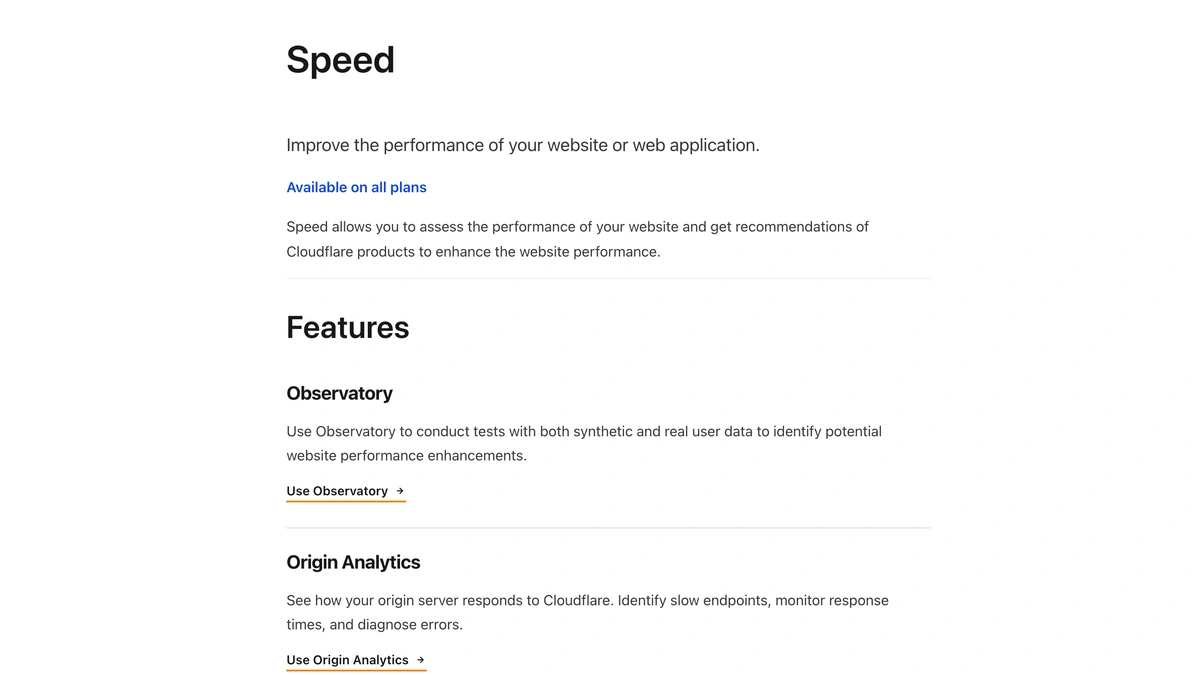
Cloudflare's free tier includes CDN caching, unmetered DDoS protection, and one-click SSL via its universal certificate. The official Cloudflare plugin for WordPress connects the site to Cloudflare's API and enables automatic cache purge on content updates, along with a recommended set of WordPress-specific cache rules that exclude wp-admin and authenticated sessions. Page Rules (on legacy plans) and Cache Rules (on current plans) give operators precise control over which URLs are cached, bypassed, or served with custom Cache-Control headers. Official guidance on WordPress-specific CDN configuration is documented at Cloudflare's WordPress speed documentation.
- Nameserver delegation required. Cloudflare's proxy model requires pointing the domain's nameservers to Cloudflare. This is a larger configuration commitment than a pull-zone CDN that only handles asset subdomains.
- Cache bypass configuration is the site owner's responsibility. The Cloudflare plugin applies sensible defaults, but operators should verify that custom login paths (if using a security plugin that renames
wp-login.php) are added to the bypass list manually. - Post-update cache purge. Publishing or updating a WordPress post triggers a purge via the Cloudflare plugin's API call, but full-site purges should be used sparingly, as they temporarily increase origin server load while edge caches repopulate.
- Development mode. Cloudflare's development mode bypasses caching for three hours, useful when pushing theme or plugin changes that must be visible immediately without purging individual URLs.
KeyCDN and BunnyCDN for WordPress
KeyCDN and BunnyCDN both operate on a pull-zone model, where the CDN fetches assets from your WordPress origin on the first request and caches them at edge PoPs for subsequent visitors. A pull zone is configured by pointing a CDN subdomain at your WordPress origin URL. Asset URLs in WordPress are then rewritten to use the CDN subdomain, either through the CDN provider's own WordPress plugin or through an integration in a caching plugin such as W3 Total Cache or WP Rocket. KeyCDN operates 60+ data centers across 40+ countries, as documented at keycdn.com/network, giving it strong coverage across North America, Europe, and Asia-Pacific. For comparisons that extend beyond these two providers, the CDN alternatives to AWS CloudFront article covers additional options including CloudFront's own pull-based architecture.
Both providers use pay-as-you-go bandwidth billing with no mandatory monthly commitment, making them accessible for small to medium WordPress sites where traffic volume is variable. For authoritative CDN edge-caching architecture context, the Amazon CloudFront Developer Guide documents the origin-pull model that pull-zone CDNs share conceptually.
| Feature | KeyCDN | BunnyCDN |
|---|---|---|
| PoP count (approximate) | 60+ data centers across 40+ countries (see keycdn.com/network) | 119 PoPs globally, including Africa and Oceania coverage |
| WordPress integration | CDN Enabler plugin (official); W3 Total Cache and WP Rocket CDN field | BunnyCDN plugin (official); W3 Total Cache and WP Rocket CDN field |
| HTTP/3 support | Yes, at edge PoPs | Yes, at edge PoPs |
| Cache purge API | REST API; URL-level and zone-level purge supported | REST API; URL-level, tag-based, and full-zone purge supported |
| DDoS protection | Network-layer protection included; no application-layer WAF on base tier | Network-layer protection included; Shield (WAF add-on) available |
The key practical difference between the two: BunnyCDN's broader PoP footprint, particularly its Africa and Oceania coverage, makes it the stronger default for WordPress sites with genuinely global audiences. KeyCDN's mature API documentation makes it well-suited for developers integrating the CDN into custom deployment pipelines or CI/CD workflows that depend on programmatic cache invalidation.
Configuring WordPress Cache Bypass Rules
Every WordPress CDN integration requires explicit cache bypass rules for wp-admin, wp-login.php, and any authenticated session cookie, or site owners risk serving cached admin pages to logged-out visitors. RFC 9111 (HTTP Caching) Section 3.5 specifies that a shared cache must not use a cached response to a request bearing an Authorization header unless the response explicitly permits it via Cache-Control. HTTP semantics governing the Authorization header field are defined in RFC 9110 (HTTP Semantics) as supplementary context, but RFC 9111 is the normative source for shared-cache storage rules. CDN configurations are not always set to respect this by default, so operators must verify bypass behavior explicitly for WordPress paths rather than assuming RFC compliance from the provider.
The following configuration sequence applies across Cloudflare, KeyCDN, and BunnyCDN. Individual provider interfaces differ, but the logical steps are the same.
- Bypass
wp-adminby path prefix. Create a cache bypass rule matching any URL beginning with/wp-admin/. This covers the WordPress dashboard, plugin pages, theme editor, and all admin-side AJAX endpoints. Set the cache action to Bypass or No Store. - Bypass
wp-login.phpby exact path. The login page must never be cached. Cached login pages can deliver stale nonces, breaking form submission and causing users to receive login errors even with valid credentials. - Bypass on WordPress session cookies. Configure a cookie-based exclusion rule that bypasses caching whenever the request contains a
wordpress_logged_in_*orwp-settings-*cookie. This ensures authenticated user sessions never receive cached responses intended for anonymous visitors. - Bypass WooCommerce and membership paths if applicable. Sites running WooCommerce must also bypass
/cart/,/checkout/, and/account/URL paths, as well as thewoocommerce_cart_hashandwoocommerce_items_in_cartcookies. Membership plugins add their own authenticated URL patterns that require equivalent treatment. - Configure CDN settings in W3 Total Cache or WP Rocket. Both W3 Total Cache and WP Rocket include a CDN settings panel where the CDN hostname is entered. These plugins handle asset URL rewriting automatically once the CDN field is populated, eliminating the need to manually update WordPress
wp-config.phpor.htaccessfor URL substitution. - Test bypass rules with an authenticated session. After configuring bypass rules, log into WordPress and browse the
wp-admindashboard while inspecting HTTP response headers. A correctly configured CDN returnsCF-Cache-Status: BYPASS(Cloudflare),X-Cache: BYPASS(KeyCDN), or equivalent headers confirming the bypass rule is active for that path. MDN's HTTP Caching reference provides a useful overview of cache-control directives and ETag validation patterns relevant to verifying this behavior.
CDN Impact on Core Web Vitals
A CDN's most measurable effect on Core Web Vitals is Largest Contentful Paint improvement, because edge caching cuts TTFB for the hero image or largest above-the-fold element. Largest Contentful Paint (LCP) measures the render time of the largest visible element in the viewport, typically a hero image on image-heavy WordPress sites. When that image is served from a nearby edge server rather than a distant origin server, the browser receives the first byte faster, begins decoding earlier, and paints the element sooner. Google's Core Web Vitals define a good LCP score as under 2.5 seconds at the 75th percentile of page loads, as documented at web.dev/articles/lcp.
- LCP (Largest Contentful Paint). The metric most directly improved by CDN edge caching. Serving the hero image from a nearby PoP reduces TTFB and cuts LCP for visitors outside the origin server's region. Sites with a globally distributed audience see proportionally larger LCP gains than sites with a geographically concentrated user base.
- INP (Interaction to Next Paint). Interaction to Next Paint measures responsiveness to user input. CDNs contribute indirectly by loading JavaScript bundles faster from edge nodes, which reduces the window during which the main thread is blocked by parse and compile tasks. CDN delivery alone does not fix INP problems caused by long JavaScript tasks.
- CLS (Cumulative Layout Shift). Cumulative Layout Shift measures visual stability. CDN edge caching reduces the likelihood of layout shifts caused by late-loading web fonts or images by delivering those assets faster, giving the browser less time to render fallback fonts or unsized image placeholders before the actual asset arrives.
- CDN is necessary but not sufficient for a green LCP score. Serving assets from a nearby edge server eliminates geographic latency but does not address image format optimization, render-blocking resources, or server response time at the origin for dynamic page generation. A WordPress site with unoptimized images or a slow PHP execution time at the origin will still score poorly on LCP even with a CDN active.
- Global vs. local audiences. Sites with an audience concentrated in the same region as the origin server see smaller absolute LCP gains from a CDN than sites with visitors across multiple continents. For regionally concentrated audiences, server-side optimizations and image compression often deliver larger Core Web Vitals improvements than adding a CDN.
Choosing the Right CDN for Your WordPress Site
The right WordPress CDN depends on your audience geography, your hosting environment, and whether you need DDoS mitigation bundled into the edge layer. CDN selection directly affects site speed: a provider with PoPs close to your visitors cuts TTFB and raises LCP scores, while a mis-configured bypass rule can degrade site speed by serving stale admin pages. For sites that require full-domain proxying, application-layer DDoS protection, and WAF capabilities without a separate vendor relationship, Cloudflare is the most complete option at the free tier. For sites that prefer a pull-zone model with pay-as-you-go bandwidth and no nameserver delegation, KeyCDN and BunnyCDN are operationally lighter commitments. BunnyCDN's broader PoP coverage suits genuinely global WordPress audiences; KeyCDN suits developers who need a mature API for automated cache invalidation within deployment workflows.
Any WordPress CDN selection should be paired with a caching plugin (W3 Total Cache or WP Rocket) that handles asset URL rewriting and post-publish cache purge integration. Cache bypass configuration for wp-admin, wp-login.php, and authenticated session cookies is not optional. Skipping that step converts a performance tool into a source of session failures and admin lock-outs. For sites expanding their CMS infrastructure beyond WordPress, headless CMS architecture introduces distinct CDN considerations; background on CMS options is available at the headless CMS comparison.
References
- RFC 9111: HTTP Caching: normative source for shared-cache storage rules, including the Authorization-header prohibition in Section 3.5.
- RFC 9110: HTTP Semantics: HTTP semantics governing the Authorization header field and conditional requests; supplementary context for CDN origin-pull behavior.
- web.dev: Time to First Byte (TTFB): defines TTFB as the responseStart value from the browser's Navigation Timing API; primary reference for TTFB measurement methodology.
- web.dev: Largest Contentful Paint (LCP): Google's primary source for the 2.5-second good LCP threshold at the 75th percentile.
- Cloudflare: Speed Up WordPress and Improve Performance: official Cloudflare guidance for WordPress CDN and cache bypass configuration.
- Amazon CloudFront Developer Guide: Introduction: primary source for CDN edge-caching architecture; context for comparing pull-zone CDN models.
- MDN Web Docs: HTTP Caching: accessible reference for cache-control directives, ETag validation, and conditional request patterns.
Further reading
Frequently Asked Questions
Do I need a CDN if my WordPress site uses a caching plugin?
A caching plugin reduces origin server load but does not distribute assets to edge servers closer to global visitors. A CDN complements caching by serving static files from PoPs near the requester, cutting round-trip latency that a local cache cannot eliminate. Most WordPress site owners benefit from both: the caching plugin handles server-side page generation, while the CDN accelerates delivery of images, scripts, and stylesheets.
Will adding a CDN break my WordPress admin or login sessions?
Not when configured correctly. CDNs must be set to bypass caching for wp-admin, wp-login.php, and any URL containing cookies or authentication headers. Cloudflare, BunnyCDN, and KeyCDN each provide WordPress-specific page rules or exclusion lists for this purpose. Skipping this configuration step is the most common cause of admin lock-outs and session drops reported by WordPress site owners after CDN activation.
How does a CDN affect WordPress Core Web Vitals scores?
A CDN most directly improves Largest Contentful Paint (LCP) by serving hero images and above-the-fold assets from a nearby edge server, reducing time-to-first-byte. First Input Delay and Interaction to Next Paint are less directly affected because those metrics depend on JavaScript execution rather than network latency, but loading JS faster from edge nodes can indirectly improve them. Sites with globally distributed visitors tend to see the largest LCP gains.